
A lot of Alpharetta businesses think about weather only when employees complain about the commute or a storm alert hits their phones. That’s too late for IT.
A more realistic scenario starts on a Monday morning. The office manager opens the suite after a weekend thunderstorm. One network closet smells damp. A small roof leak ran farther than expected. A power event tripped equipment overnight. A few workstations won’t start. The server room looks fine at first glance, but one rack-mounted unit is offline and nobody wants to be the first person to power-cycle anything.
That’s when weather in alpharetta stops being a casual local search and becomes an operations problem.
For most companies, the damage doesn’t come from dramatic disasters alone. It comes from ordinary local conditions that repeat all year. Humidity creeps into under-ventilated rooms. Sudden storms create messy shutdowns. Heavy rain exposes drainage weaknesses, loading dock issues, and storage mistakes. Even when systems survive, the aftermath creates another risk: damaged drives, wet endpoints, and retired equipment still holding sensitive data.
Businesses operating in North Fulton need a weather view tied to continuity, facilities, and asset control, not a tourist forecast. That matters whether you run a medical office, a school, a bank branch, a corporate office, or a data-heavy operation with aging hardware in storage. Local context helps. A practical starting point is understanding the broader Alpharetta business environment and then translating that into controls for your own building, staff, and IT lifecycle.
Weather risk is rarely a single event. It’s usually a chain: moisture, power instability, delayed response, then poor handling of affected equipment.
Companies that handle weather well don’t rely on luck. They plan for the conditions they’re going to face in Alpharetta, then build simple repeatable processes around power protection, environmental controls, equipment placement, and secure disposition when gear is compromised.
Beyond the Forecast An Introduction for Alpharetta Businesses
Most local weather content is written for weekend plans, school drop-offs, or golf tee times. Business operations teams need something different. They need to know what local conditions do to electronics, network uptime, logistics, and compliance.
The practical issue with weather in alpharetta isn’t that the city has extreme conditions every day. It’s that the climate creates recurring stress on technology. Sensitive equipment doesn’t care whether a storm was “severe” enough for headlines. If moisture gets into a closet, if a branch strike triggers a surge, or if rainwater backs up near first-floor storage, the result is the same. Hardware fails, recovery gets expensive, and decision-making gets rushed.
What operations teams usually miss
Facilities teams often check roofs, drains, and doors. IT teams check backups, warranties, and ticket queues. Problems start when nobody owns the gap between them.
That gap shows up in predictable ways:
- Server rooms near exterior walls pick up water risk before anyone notices staining on the ceiling.
- Old UPS units still pass visual inspection but don’t perform well during unstable power conditions.
- Stored laptops and decommissioned drives sit in rooms that were never meant for humidity-sensitive assets.
- Pickup and removal plans fail because loading areas become slick, wet, or cluttered after storms.
What works better
The businesses that stay ahead of weather issues treat local climate as an asset management input, not a facilities footnote. They decide in advance which rooms can safely hold equipment, which systems need battery backup, who has shutdown authority, and how damaged devices move into a secure chain of custody.
That sounds operational because it is. Once a storm has already damaged equipment, every decision gets harder. Staff want systems back online fast. Nobody wants downtime. People start testing wet or unstable devices, and that’s where small incidents become data-loss incidents.
If your plan starts after equipment gets wet, your plan started too late.
Understanding Alpharetta's Year-Round Climate
A Tuesday thunderstorm knocks out cooling in a small server room after business hours. By morning, the space is warm, damp, and full of equipment that looked safe the night before. That is the practical meaning of weather in alpharetta for operations teams.
Alpharetta has a humid subtropical climate with hot summers, short winters, steady rainfall, and only limited snowfall, according to U.S. Climate Data for Alpharetta. For businesses, the planning issue is persistent moisture exposure across the year, not just rare severe events.
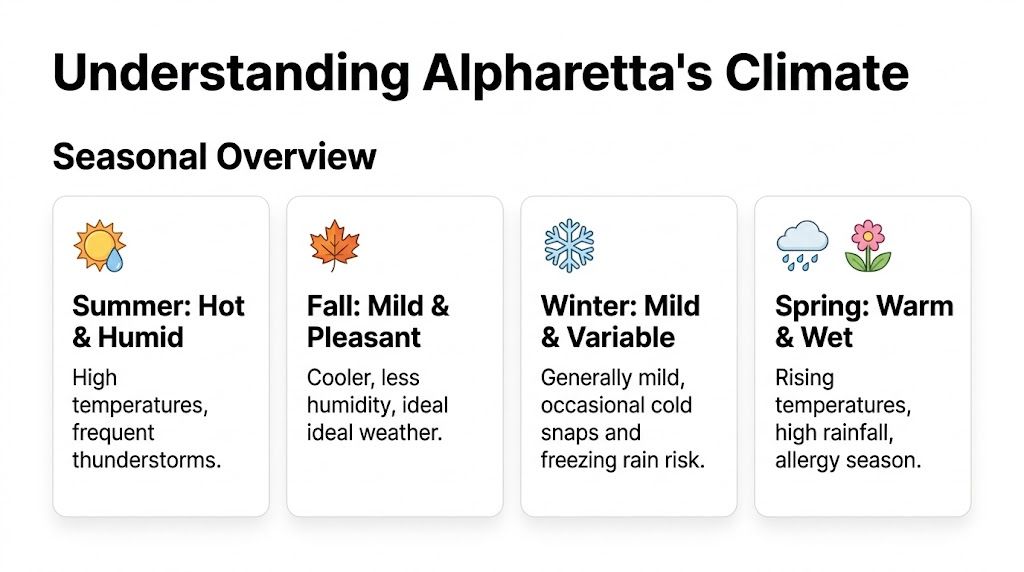
The local pattern is straightforward. Summer puts the most strain on cooling and air handling. Winter usually stays mild enough to avoid major snow planning, but wet cold, freeze-thaw cycles, and occasional icy access still disrupt transport, staffing, and recovery work. Spring and fall create their own problems because changing temperatures expose weak seals, inconsistent HVAC performance, and storage areas that were never designed for electronics.
Summer is where small facility weaknesses turn into IT incidents fast. Average July temperatures in Alpharetta run hot enough to shrink your recovery window during an outage or after-hours HVAC failure. I see this most often in server closets, branch offices, and staging rooms that were acceptable on paper but have no real environmental margin. Once indoor temperature and humidity rise together, batteries, drives, and aging network gear have less tolerance for delay.
Winter creates a different trade-off. Alpharetta does not face the sustained snow burden of colder markets, so many teams under-plan seasonal risk. That saves effort until a cold, wet week slows pickups, limits site access, affects battery performance, or forces damaged equipment to sit longer than it should. For companies handling refresh cycles or site closures, that delay matters as much as the weather event itself.
Spring and fall are easier on people than on buildings. Rain, condensation, and shifting indoor conditions reveal where water gets in, where drainage fails, and which rooms should never hold spare laptops, retired drives, or boxed equipment. This is also the right time to review IT asset management best practices so storage, relocation, and disposal decisions reflect actual local conditions.
For Alpharetta businesses, each season tends to pressure a different part of operations:
| Season | Typical business concern |
|---|---|
| Summer | Cooling strain, humidity, thunderstorms, loading area exposure |
| Fall | Storm transitions, roof leaks, seal failures, overlooked storage risk |
| Winter | Cold rain, light ice, transport delays, battery and access issues |
| Spring | Heavy rain, condensation, drainage problems, facility weak points |
The operational takeaway is simple. Alpharetta weather rarely gives IT teams a clean off-season. The risk changes shape through the year, which is why equipment placement, storage policy, and disposal planning need to match local climate rather than generic corporate standards.
The Top 3 Weather Risks to Your IT Infrastructure
Most equipment failures linked to weather don’t start with a dramatic event. They start with an assumption that “the room is probably fine” or “the gear looks dry enough.” That’s how normal local conditions turn into avoidable outages and disposal headaches.
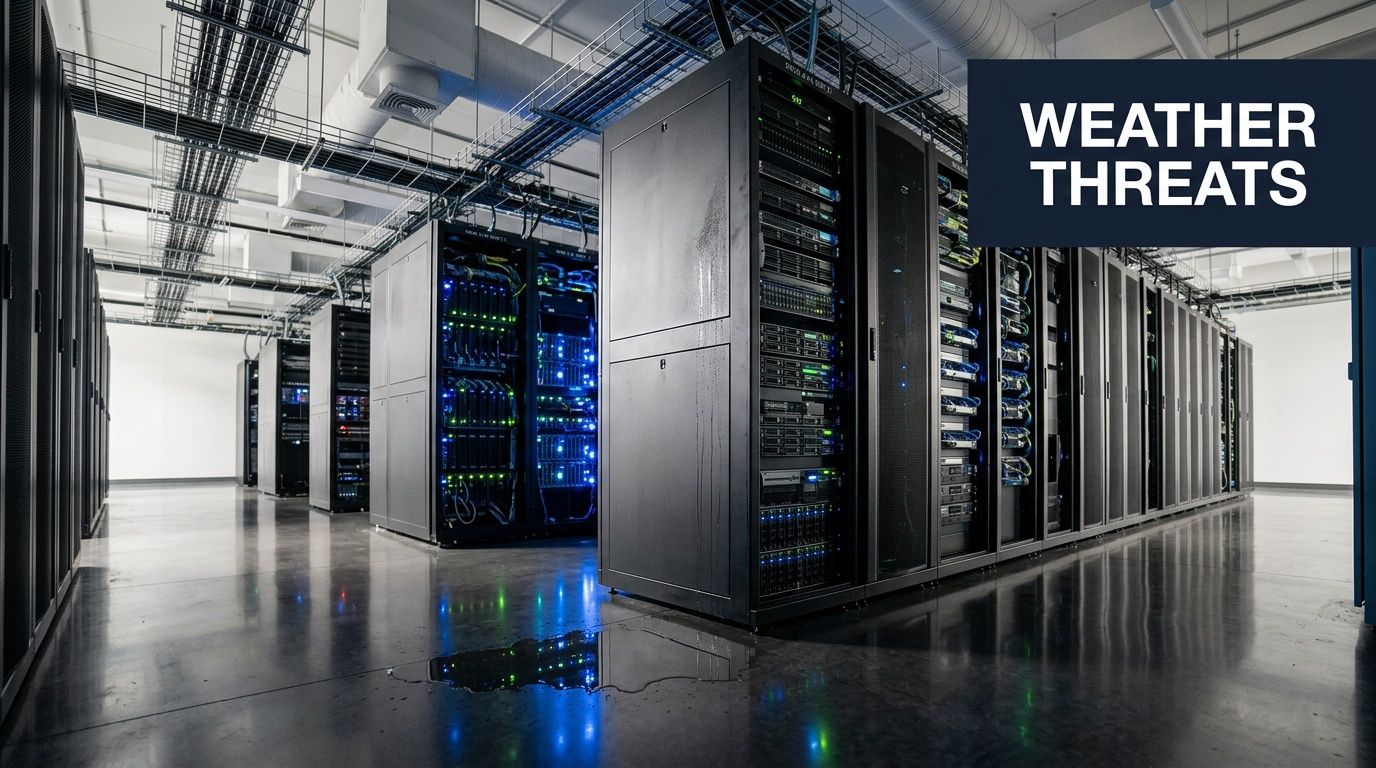
Humidity and condensation
Humidity is the quiet problem. It rarely announces itself with an alarm unless you’ve installed proper monitoring. In many offices, it first appears as a musty closet, a sticky access panel, or visible moisture after a cooling cycle.
In Alpharetta, post-rain dew point rises can create slippery surfaces and promote mold growth on stored IT equipment if it isn’t kept in climate-controlled facilities, as noted in average weather conditions for Alpharetta. For operations teams, that means two immediate concerns. First, people can get hurt while moving hardware in wet conditions. Second, equipment that sits in damp air degrades long before anyone formally declares it damaged.
Call humidity the silent rust of your server room. It affects connectors, fan assemblies, chassis interiors, labels, packaging, and any device left in a marginal storage environment.
Thunderstorms and power events
A fast storm can leave a building standing and still do real damage to IT. Power quality issues, abrupt shutdowns, and partial reboots can corrupt systems even when the hardware looks intact.
Many businesses often make a bad trade-off. They invest in production systems but underinvest in the electrical and shutdown controls that protect them. One weak UPS, one overloaded power strip, or one undocumented restart sequence can turn a weather incident into a recovery project.
A good way to pressure-test your setup is to compare it against broader IT asset management best practices. If your inventory, lifecycle records, and shutdown priorities aren’t current, storm response becomes improvisation.
Intense rain and storage exposure
Alpharetta’s annual rainfall is operationally significant because it affects far more than the roof. Rain changes parking areas, loading procedures, ground-floor vulnerability, and how safe it is to hold e-waste or retired devices outdoors or near open bays.
During the peak precipitation period, conditions can create compliance risks for improperly stored e-waste. The same weather source notes that high precipitation interacts with wind to create hazards for e-waste handling and storage, and contaminated runoff can become a problem if businesses store affected material carelessly.
Here’s where companies get into trouble:
- They stage retired equipment near a dock door because pickup is “supposed to happen soon.”
- They use a basement or side room for old devices without checking for moisture migration after heavy rain.
- They keep damaged batteries, laptops, or servers in mixed storage with no containment or clear chain of custody.
- They focus on replacement first and forget that wet, damaged devices may still contain regulated or confidential data.
Wet hardware is not just an IT problem. It’s a safety, compliance, and disposal problem at the same time.
A Proactive Plan to Protect Your Technology Assets
Weather preparedness works best when it’s boring. The goal isn’t a heroic response. The goal is to make sure a common Alpharetta storm produces a routine checklist, not a leadership crisis.
Start with the building, not the rack
A lot of IT protection plans begin at the server cabinet. That’s too narrow. Start with the path weather takes into the building.
Walk the facility with operations and IT together. Look at roof history, drain flow, window seals, dock edges, first-floor storage, and any room that holds networking gear, spare endpoints, or retired hardware. If water enters the building or humidity lingers in a room, the rack configuration won’t save you.
This is also the right time to separate business continuity from disaster recovery. One focuses on keeping operations running. The other focuses on restoring systems after disruption. If your team needs a plain-language refresher, this guide on business continuity vs disaster recovery is a useful reference.
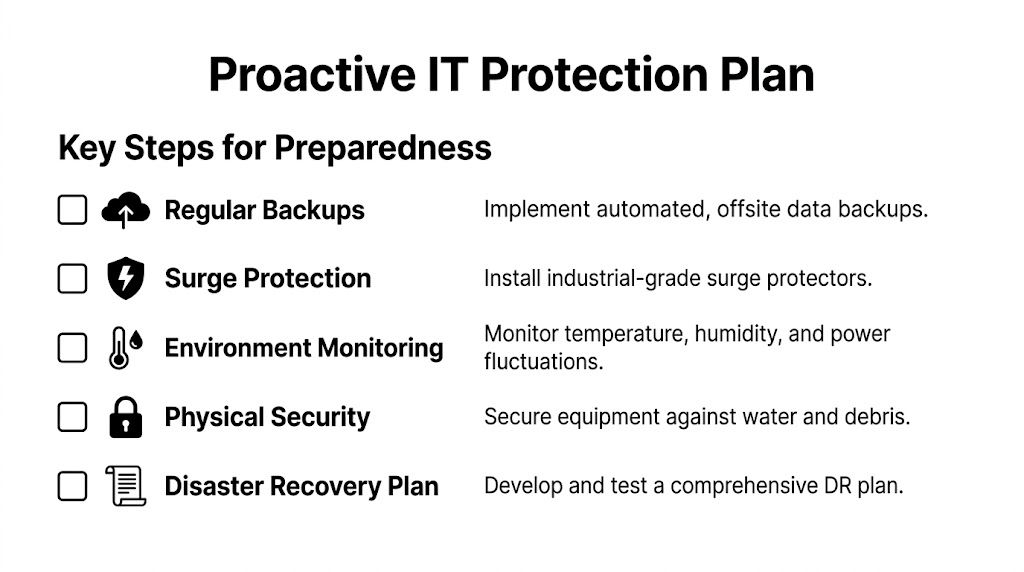
Five controls that pay off fast
Use a layered approach. Don’t rely on one device, one person, or one policy.
- Harden power protection: Install commercial-grade surge protection and verify UPS health on a schedule. Replace guesswork with documented runtime expectations and shutdown priorities.
- Control the room environment: Use sensors for temperature, humidity, and water presence in server rooms, closets, and storage areas. If you don’t monitor the room, you’re relying on luck and nose detection.
- Move assets out of bad spaces: Don’t store laptops, switches, backup drives, or decommissioned servers in damp side rooms, under stairwells, or near exterior doors.
- Define shutdown authority: Decide who can power down systems before a storm-related event escalates. Delays often happen because nobody wants to own the call.
- Document end-of-life handling: If gear becomes compromised, staff should know whether it gets quarantined, wiped, repaired, redeployed, or removed.
Build weather into decommissioning
Many organizations plan for production systems but ignore hardware already on the way out. That’s a mistake. Aging or retired devices often sit in the least protected parts of the building, yet they still hold data and create disposal liability.
A practical model is to fold weather readiness into your retirement workflow. If you already use a server retirement process, compare it against a detailed server decommissioning checklist and add weather-specific controls such as indoor staging, secure containment for damaged devices, and clear pickup criteria after storms.
Operational rule: Protect active equipment with engineering controls. Protect retired equipment with chain-of-custody controls.
What doesn’t work
A few habits fail over and over:
| Common shortcut | Why it fails |
|---|---|
| Storing old hardware “temporarily” near a dock | Temporary often becomes long-term exposure |
| Using consumer surge strips as core protection | They don’t replace proper power planning |
| Keeping backup drives on-site in the same risk zone | One leak or power event can hit both production and backup assets |
| Waiting for visible damage before acting | Humidity and moisture often damage equipment quietly |
The companies that handle weather in alpharetta well don’t chase perfection. They remove obvious failure points and rehearse the decisions that matter.
Emergency Response for Weather-Damaged Equipment
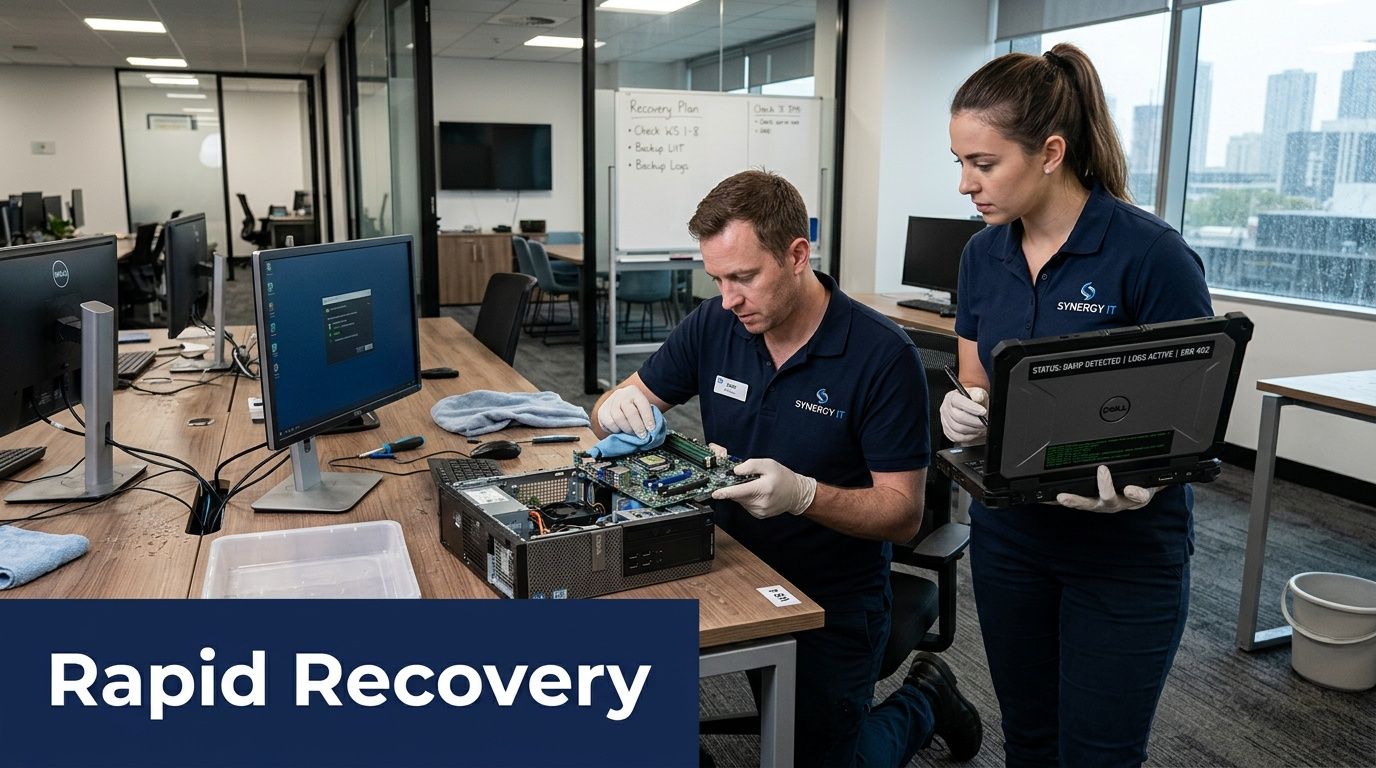
Once equipment has been exposed to water, unstable power, or contaminated storage conditions, speed matters. So does restraint. The first bad decision usually happens when someone wants to “just see if it turns on.”
First actions after exposure
Don’t reconnect suspect equipment to power. Don’t let employees take damp laptops home “to test later.” Don’t stack damaged systems in a random conference room where access isn’t controlled.
The first priority is scene control. Isolate the affected area, identify what was exposed, and document devices before they get moved. If removable media, laptops, desktops, servers, or network gear may still contain sensitive data, treat them as security assets, not scrap.
A solid first-response sequence usually looks like this:
- Stabilize the area: Keep people away from standing water, wet cords, and unstable flooring.
- Tag exposed assets: Mark what was directly wet, what was nearby, and what may have had only indirect exposure.
- Separate recoverable from non-recoverable gear: Don’t mix dry inventory with suspect devices.
- Secure data-bearing equipment: Drives, laptops, and servers should move under controlled handling.
- Record serials and asset IDs: Insurance, compliance, and replacement planning all get easier when the paperwork starts early.
Why disposal is part of recovery
Disaster recovery conversations often focus on backups, failover, and replacement systems. That’s right, but incomplete. Recovery also includes what you do with hardware you can no longer trust.
If a device has been wet, physically compromised, or exposed in an uncontrolled environment, the question isn’t just “Can it boot?” It’s “Can we securely and compliantly process it?” For data-bearing devices, secure destruction or certified wiping becomes part of the recovery workflow, not an afterthought. Teams that need a more formal framework for resilient infrastructure may also find value in planning utilities and backup services. For facilities where energy continuity affects operations, this piece on emergency natural gas for critical infrastructure offers useful context.
The safe path for damaged drives and retired gear
Discipline matters. Weather-damaged equipment often sits in limbo because nobody wants to discard something that might still hold value. Meanwhile, those drives still contain data.
A secure response should include:
- Controlled collection: Gather affected devices into a clearly restricted holding area.
- Documented media handling: Track who touched what and when.
- Data destruction decisions: If trust in the media is compromised, destruction may be safer than reuse.
- Environmental compliance: Don’t let damaged electronics drift into general trash or informal recycling channels.
For organizations managing damaged endpoints, failed servers, or questionable media, the standard is clear: data has to be addressed before disposal. A practical benchmark is using a process built around secure destruction of hard drives, especially when physical damage or moisture exposure makes reuse uncertain.
Turning on damaged hardware is sometimes the fastest way to lose both the device and the evidence trail around it.
The right emergency response isn’t dramatic. It’s controlled, documented, and boring in the best possible way.
Your Alpharetta Partner for IT Resilience and Recycling
Weather planning only works if it covers the full lifecycle of the asset. Protection matters. Recovery matters. But disposition matters too, especially after a storm, leak, or power incident leaves you with gear that’s unsafe to redeploy or too risky to store.

For Alpharetta businesses, the most practical approach is to treat weather in alpharetta as an IT lifecycle issue, not just a facilities issue. That means having a clear plan for active equipment, staged replacements, and damaged retired hardware before the next storm arrives.
What a strong local support model looks like
A useful local partner should help with the parts internal teams often struggle to handle under pressure:
- On-site removal of affected equipment so staff aren’t improvising transport
- Asset audit and logistics support when inventory records need to match reality fast
- Certified data destruction for drives, laptops, servers, and storage media
- Environmentally compliant recycling for equipment that can’t return to service
- Resale or value recovery options when hardware is still suitable for secondary use
That matters across Alpharetta and the broader Metro Atlanta footprint because weather-related problems rarely stay neat. A roof leak can affect one room. A surge can affect several floors. A flooded access path can disrupt pickup timing and storage assumptions at the same time.
Why local response matters
When businesses wait until after a weather incident to search for a recycler or ITAD provider, they usually end up making rushed choices. A pre-established relationship reduces that pressure. It also gives your operations team a defined path for data-bearing assets that can’t remain in limbo.
For companies in North Fulton and surrounding markets, a local option with established service coverage in the area is often the simplest answer. If you need an Alpharetta-specific starting point, review the local service details for IT recycling support in Alpharetta.
Strong weather readiness includes an exit path for compromised equipment, not just a protection plan for equipment you hope to keep.
A mature business continuity posture includes storage discipline, environmental awareness, documented shutdowns, backup planning, and secure end-of-life handling. That combination is what keeps one ordinary storm from turning into a long operational mess.
If your organization needs a reliable path for secure IT equipment removal, data destruction, and compliant electronics recycling after weather exposure or during routine refresh cycles, contact Montclair Crew Recycling. They support Alpharetta and the wider Metro Atlanta market with practical B2B IT asset disposition services that help reduce risk before, during, and after disruption.
