
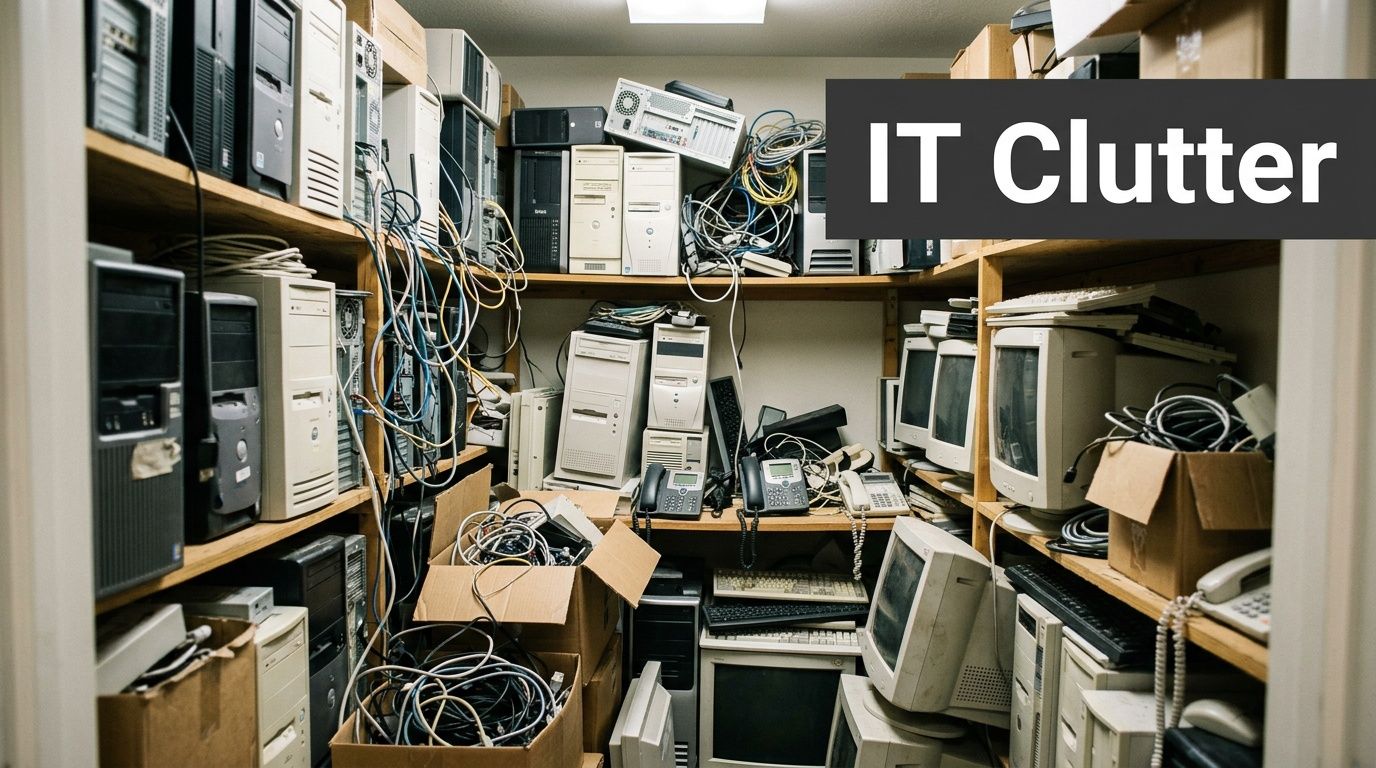
If you run a business in alpharetta, there’s a good chance you have a room, rack, closet, or storage corner full of retired tech that nobody wants to touch. Old laptops from the last refresh. Phones from former staff. A few switches with no labels. Maybe a server that was “temporarily” taken offline months ago and never processed.
That pile creates three problems at once. Data risk, compliance risk, and lost value. The longer equipment sits, the harder it is to track ownership, confirm what data is still on it, and decide whether it should be wiped, resold, recycled, or destroyed.
In a city built around technology, that’s not a small operational detail. It’s part of doing business well.
Why Alpharetta Businesses Need a Smart ITAD Strategy
alpharetta didn’t become a tech-heavy market by accident. Its shift into the “Technology City of the South” began in the 1980s, and the city now hosts nearly 4,000 technology and general businesses according to this Alpharetta history overview. That growth is great for hiring, investment, and infrastructure. It also means more devices enter service, cycle out faster, and leave behind a larger trail of retired hardware.
The problem usually starts small
Most companies don’t create a disposal problem in one day. It builds gradually:
- A laptop refresh ends and the old units get stacked in a back office.
- An office move happens and legacy telecom gear gets boxed “for later.”
- A cloud migration finishes but the physical hardware remains on-site.
- An employee leaves and nobody verifies whether the returned device was fully processed.
None of that looks urgent until audit season, a lease return, a merger, or a security review forces action.
Practical rule: If you can’t tell who used a device last, what data was on it, and where it’s going next, it isn’t decommissioned. It’s just stored risk.
What smart ITAD actually does
A good IT asset disposition strategy gives you a repeatable process for handling retired equipment without guesswork. The point isn’t to “get rid of electronics.” The point is to control outcomes.
A sound program should help you:
- Protect sensitive data before drives leave your custody
- Document chain of custody for internal and external audits
- Separate resale candidates from true scrap
- Keep usable equipment out of landfills
- Reduce clutter and internal confusion
For alpharetta organizations, that matters because the local economy runs on systems, devices, and infrastructure turnover. The more tech your company uses, the more important end-of-life handling becomes.
If you need a practical local starting point, Georgia ITAD services outline the kinds of business pickup, audit, data destruction, and downstream processing options companies typically evaluate.
Your Guide to Decommissioning IT Assets
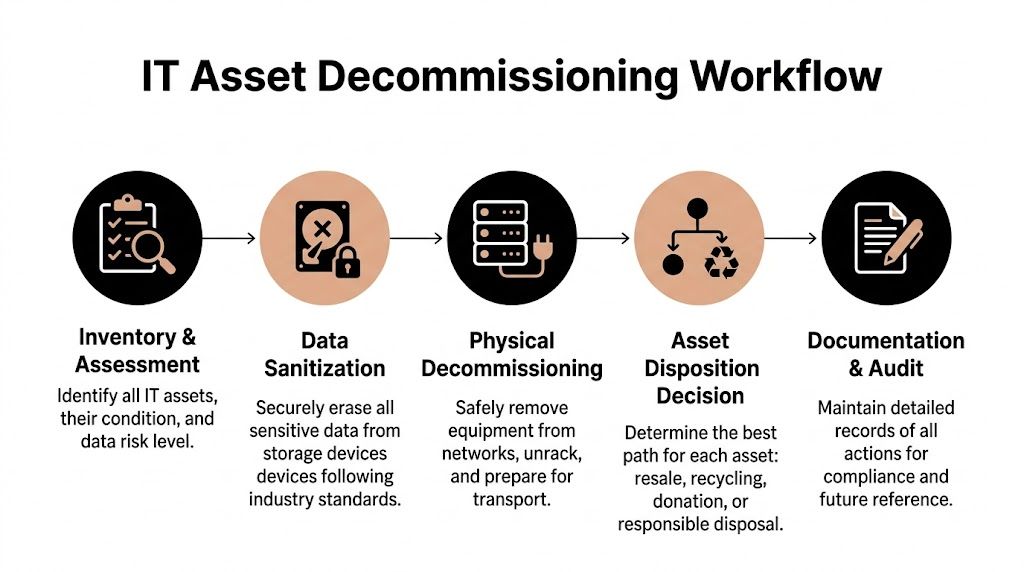
The businesses that handle decommissioning well don’t improvise. They follow a workflow and assign ownership before the first cable gets unplugged.
Start with inventory and triage
Before anyone wipes or removes anything, build a working list of assets. That list doesn’t need to be elegant. It needs to be accurate enough to drive decisions.
Record the basics:
- Asset type such as laptop, desktop, server, firewall, switch, phone, or storage array
- Serial number or asset tag
- Current location
- User or department
- Data risk level
- Likely disposition path
The last item matters more than is frequently underestimated. Some assets still have market value. Others should go straight to recycling. A few should be physically destroyed because of condition, policy, or data sensitivity.
Handle backups and system transition first
A surprising number of decommissioning mistakes happen because teams rush the physical removal and forget the business process around it. Don’t pull a workstation before user data is verified. Don’t remove a server before dependencies are mapped. Don’t assume a cloud migration means every local system is safe to retire.
A simple internal check helps:
- Business continuity: Can the user or department still function without this device?
- Retention needs: Does the organization need to keep any files, logs, or records?
- Licensing: Are there software licenses tied to the hardware?
- Access removal: Have accounts, tokens, and device management links been disabled?
If the answer to any of those is unclear, pause.
Decommissioning starts with business certainty, not a recycling pallet.
Define your sanitization policy before touch
Internal teams often say a drive was “cleared” when what they mean is one of three things: files were deleted, the recycle bin was emptied, or the operating system was reinstalled. None of those should count as a final disposition method.
Your written policy should answer:
- Which devices must be wiped
- Which devices must be shredded
- Who approves exceptions
- How results are documented
- What certificate or report is required
Many organizations benefit from using a detailed server-specific workflow such as this server decommissioning checklist for 2025, especially when racks, storage devices, and network dependencies are involved.
Create a secure staging area
Once devices are approved for retirement, move them into a controlled holding area. Don’t leave them spread across departments. Don’t let users drop devices in random bins. Don’t mix wiped assets with untouched ones.
A secure staging process usually includes:
- Segregation by status so wiped, pending, and destruction-only assets are clearly separated
- Limited access so only approved staff can handle retired equipment
- Visible labels that prevent mix-ups during pickup
- Pickup readiness so pallets, racks, and loose devices are grouped logically
Match the asset to the right exit path
Not every device should follow the same path. That’s where value and compliance either get protected or lost.
| Asset condition | Typical best path | Main concern |
|---|---|---|
| Recent, working business hardware | Resale or refurbishment | Data wiping and audit accuracy |
| Obsolete but complete equipment | Responsible recycling | Environmental handling |
| Damaged storage media | Physical destruction | Data exposure |
| Specialty gear with niche demand | Audit before disposal | Missed recovery value |
Good decommissioning is disciplined, not dramatic. The best programs reduce surprises because every asset follows a clear chain from inventory to final documentation.
Protecting Your Data During Electronics Disposal
In alpharetta, retired hardware often comes from environments that handle serious information. The local data center market is built around exceptional fiber connectivity, low natural disaster risk, N+1 redundancy, and sub-1ms latency according to 365 Data Centers’ Alpharetta facility overview. That tells you something important about the devices leaving service here. They may hold customer records, financial data, internal intellectual property, credentials, or regulated information tied to mission-critical systems.
What doesn’t work
A lot of disposal mistakes come from false confidence.
These methods are not enough on their own:
- Deleting files: That removes pointers, not necessarily the underlying data.
- Quick formatting: Fast, but not a secure destruction method.
- Factory reset alone: Useful operationally, weak as a final assurance step.
- Trusting staff memory: “I think that one was wiped” isn’t audit evidence.
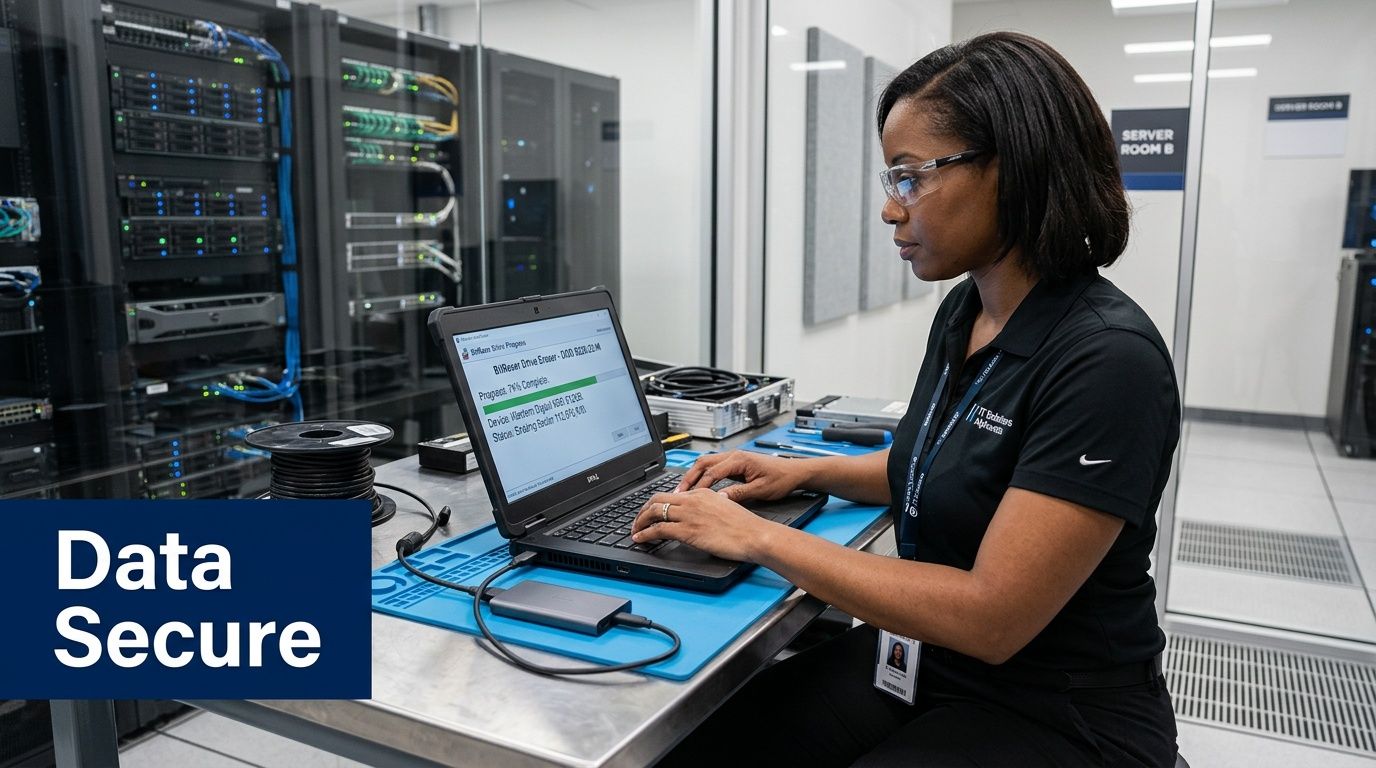
For reuse or resale, organizations need a real sanitization method tied to a standard and documented properly. For higher-risk media, physical destruction is often the cleaner answer.
Wiping versus shredding
Both methods have a place. The right choice depends on the asset and your risk tolerance.
When wiping makes sense
If a device still has resale value, secure wiping usually preserves that value. For example, Montclair Crew Recycling handles DoD 5220.22-M three-pass hard drive wiping and optional on-site shredding as part of business IT disposition services. That kind of approach fits organizations that want documented sanitization while keeping reuse options open.
When shredding is the better call
Physical shredding is the stronger option when:
- Drives are damaged
- Media can’t be reliably sanitized
- Internal policy requires destruction
- The data sensitivity is too high to leave room for doubt
If you need the drive gone beyond dispute, shred the media and document it.
The document many companies forget
The final step is proof. Without a Certificate of Destruction or equivalent audit record, you may have completed the work but still struggle to prove it later.
That record should tie back to:
- asset identifiers
- serial numbers where available
- destruction or sanitization method
- date of service
- chain of custody details
For companies in healthcare, banking, education, and government, this paperwork is not administrative fluff. It’s what supports compliance reviews, internal controls, and incident response if questions come up later.
If secure disposition is part of your process review, secure data destruction is the category to evaluate closely, especially for on-site needs and certificate requirements.
Meeting Environmental Rules for E-Waste Recycling
Many alpharetta companies have sustainability language in their policies. Fewer have a practical process for retiring IT equipment in a way that matches those commitments.
That gap is real. The City of Alpharetta highlights environmental outreach and education, but its public guidance doesn’t give businesses specific direction on corporate e-waste programs, which creates a practical need for companies that want compliant disposal pathways. That gap is noted on the city’s Outreach and Education page.
Why environmental handling matters
Electronics aren’t ordinary trash. Business devices can contain components that shouldn’t end up in a landfill. Even when the risk feels indirect, the reputational issue is immediate. A company that handles sensitive data poorly can lose trust. A company that handles e-waste carelessly can lose trust too.
That’s why downstream accountability matters. You want to know where material goes after pickup, how it’s sorted, and whether reusable equipment is separated from true end-of-life scrap.
What to ask a recycler
Certifications and process controls matter more than marketing language. When vetting a provider, ask direct questions:
- Do they document chain of custody?
- Can they separate data-bearing devices from general scrap?
- Do they support business audits and pickup records?
- How do they handle equipment that can’t be refurbished?
- Can they explain their environmental process clearly, without vague answers?
A good partner should be able to explain reuse, parts harvesting, commodity recovery, and final recycling in plain English.
Repair, reuse, and privacy are connected
One mistake I see often is treating repair, data security, and recycling as separate conversations. They overlap. Before a phone, tablet, or laptop gets repaired, resold, or recycled, you need to think through who can access the data and what controls exist around that access. This breakdown of phone repair data security and privacy is useful because it frames the issue from the device owner’s side, which is the same mindset businesses should bring to chain of custody.
Environmental compliance isn’t just about where the device ends up. It starts with how the device is handled from the moment it leaves the user.
Use recycling to close a local program gap
For many alpharetta organizations, responsible IT recycling becomes the most practical way to turn general sustainability goals into an actual operating procedure. It gives procurement, IT, facilities, and compliance teams a common process they can follow instead of a vague intent statement.
If your company is formalizing that process, a Georgia guide to responsible e-waste recycling is a useful framework for the questions and documentation you should expect in a business program.
Turning Old Tech into Revenue with Resale and Audits
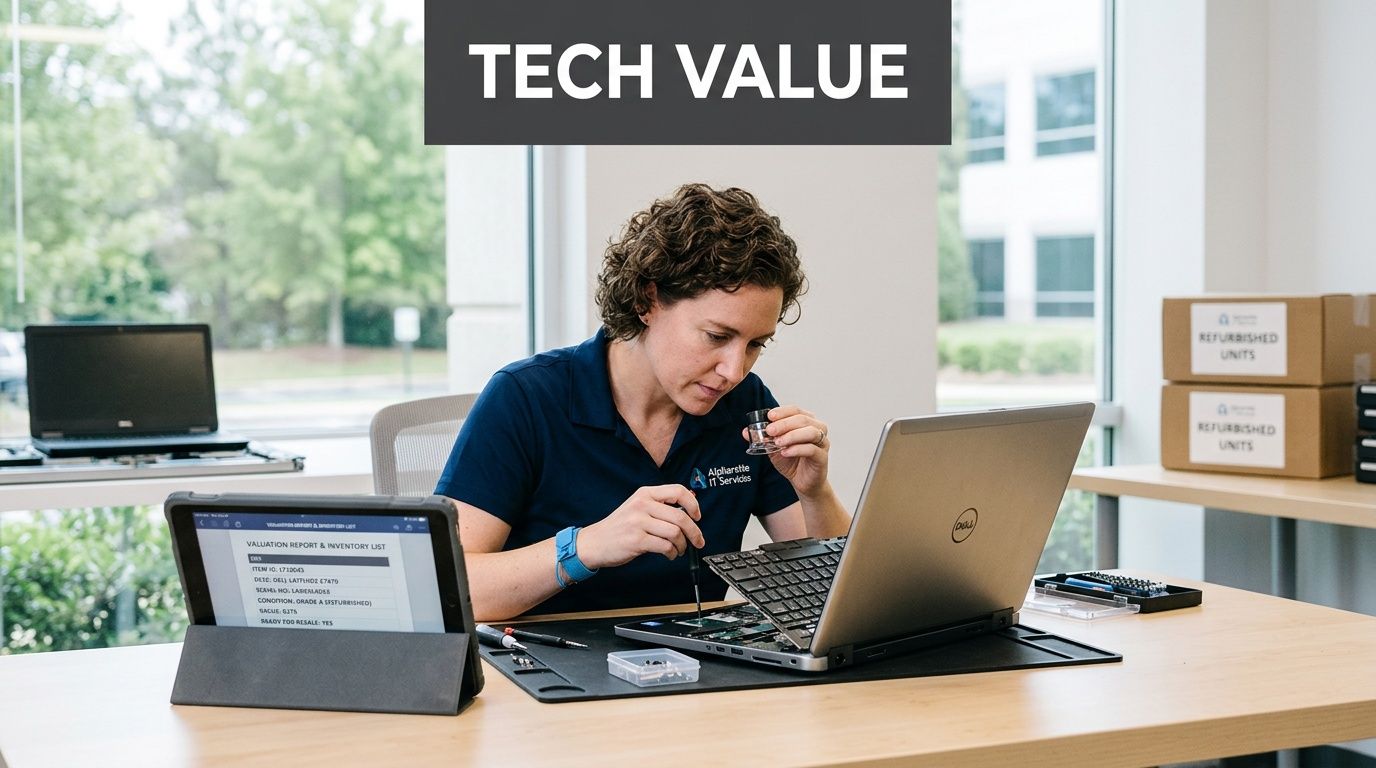
A lot of companies in alpharetta still treat retired equipment as a disposal bill. That’s understandable, but it’s often the wrong starting point.
Some assets are scrap. Some are liabilities. Some still have real market life left, and the difference usually comes down to audit quality, condition, and secure data wiping.
Where value usually hides
The highest recovery opportunities are rarely the oldest devices in the room. They’re usually the assets that were expensive to buy, maintained reasonably well, and removed from service because of refresh cycles, project changes, or consolidation.
Common examples include:
- Enterprise servers with current or still-usable configurations
- Networking hardware such as switches and routers
- Recent-model laptops from standardized corporate deployments
- Specialty telecom or infrastructure gear
- High-performance compute hardware leaving a data center environment
That last category matters in this market. Alpharetta data centers support up to 80+ kW per cabinet for AI and HPC workloads according to Flexential’s Alpharetta data center page. When equipment from those environments is retired, there can be meaningful resale potential, but only if the assets are audited correctly and sanitized in a way that protects the seller.
What hurts recovery value
The fastest way to lose money on old tech is poor handling before pickup.
Recovery value usually drops when:
- Assets sit too long and become less marketable
- Cables, rails, and components get separated
- Labels are missing
- Drives aren’t processed properly
- Working units are mixed with damaged scrap
A disciplined audit fixes most of that. The audit should identify model details, physical condition, completeness, and whether the device is eligible for refurbishment, parts harvesting, or commodity recycling.
Think in categories, not one pile
| Asset category | Likely outcome | Key requirement |
|---|---|---|
| Clean, recent devices | Refurbish and resell | Verified data sanitization |
| Older but functional units | Secondary market or parts | Accurate testing and audit |
| Incomplete or damaged hardware | Component recovery or recycling | Sorting discipline |
| Data-bearing drives with no reuse path | Destruction | Proof of destruction |
Old tech shouldn’t be priced as junk until someone has audited it like inventory.
For business owners, this changes the conversation. Instead of asking, “What will disposal cost?” ask, “Which assets still have recoverable value, and what documentation is needed to realize its value safely?”
Choosing Your Alpharetta ITAD and Recycling Partner
Vendor choice is where strategy turns into reality. A weak provider creates hidden work for your team. A strong one reduces it.
That matters because 25% of Metro Atlanta SMBs identify IT decommissioning as a top operational stressor according to the Georgia workforce finding cited on Resilience Behavioral Health’s Alpharetta resource page. If your staff already has a full plate, the right partner should remove burden, not add another project layer.
What to verify before signing anything
Don’t start with pricing. Start with process.
Ask the vendor to walk you through:
- Pickup logistics and how assets are secured in transit
- On-site capabilities for shredding or removal from active spaces
- Audit reporting and what documentation you’ll receive
- Data destruction methods for drives and other media
- Value recovery handling for reusable equipment
- Environmental downstream process for non-resalable material
If the answers are vague, keep looking.
ITAD Vendor Vetting Checklist
| Evaluation Criteria | What to Look For | Why It Matters |
|---|---|---|
| Data destruction process | Clear wipe and destruction options, with documentation | Protects sensitive information and supports audits |
| Chain of custody | Recorded handling from pickup through final disposition | Reduces breach risk and internal uncertainty |
| Asset audit quality | Serial-level or asset-level reporting where appropriate | Improves accountability and value recovery |
| On-site service capability | Pickup, de-racking, packing, or shredding as needed | Saves internal labor and reduces handling errors |
| Environmental process | Transparent explanation of reuse, recycling, and final handling | Supports sustainability and reputational protection |
| Business fit | Experience with offices, schools, healthcare, or data centers | Different environments need different controls |
| Communication | Fast scheduling, clear contacts, usable reports | Lowers stress for IT and facilities teams |
A local partner should solve practical problems
For alpharetta businesses, local support matters when equipment has to move on a schedule, from a secure floor, or during a narrow maintenance window. You want a provider that can speak plainly with IT, facilities, and compliance people at the same time.
That means asking very direct questions:
- Who removes equipment from racks?
- Who signs off on counts?
- What happens if an asset list changes on pickup day?
- How quickly do certificates and reports come back?
- What equipment is accepted, and what requires special handling?
If you’re comparing options in the area, computer disposal and electronics recycling in Alpharetta shows the type of business-focused service scope you should expect a vendor to define clearly.
Your Alpharetta E-Waste Questions Answered
Do businesses need to sort everything before pickup
Not perfectly. Basic grouping helps a lot. Keep laptops together, separate loose drives, and flag anything that still needs a wipe or destruction decision. A good ITAD process can work from an organized staging area without requiring your team to do a full warehouse-level sort.
What equipment is usually accepted
Most business programs handle common IT assets such as computers, laptops, servers, monitors, networking gear, phones, and related peripherals. Specialty equipment should always be confirmed in advance, especially if it includes unusual batteries, medical components, or lab hardware.
Should we wipe devices ourselves first
You can apply internal controls before pickup, but don’t assume that replaces documented final sanitization. If your audit trail matters, use a process that produces formal records for the final disposition method.
Is on-site shredding necessary
Sometimes. It makes the most sense when policy, regulation, or risk tolerance requires media destruction before devices leave the premises. For lower-risk assets with resale potential, documented wiping may be the better fit.
What if we also have residential electronics
Business ITAD providers often focus on organizational pickups, audits, and secure destruction workflows. For residential loads or specialized categories outside a business program, companies may refer you to a partner that handles those streams separately.
How do we make this easier next time
Set a refresh policy that includes end-of-life handling before devices are deployed. Assign ownership, define approved disposition paths, and avoid storing retired equipment without status labels. The easiest decommissioning project is the one that never turns into a mystery pile.
If your company in alpharetta needs a practical path for pickup, secure data destruction, audited disposition, and responsible electronics recycling, Montclair Crew Recycling provides B2B IT asset disposition support for organizations across Metro Atlanta.
