

You don't just "delete" files off an old hard drive and call it a day. At least, not if you want to stay in business. Secure hard drive recycling is the only way to guarantee that the data on your old storage media is gone for good—truly, completely unrecoverable—before the hardware itself is responsibly recycled.
For any organization, this isn't just a task on an IT checklist. It's a critical process involving certified destruction methods that stand between you and a potentially devastating data breach.
Why Secure Hard Drive Recycling Is a Business Imperative
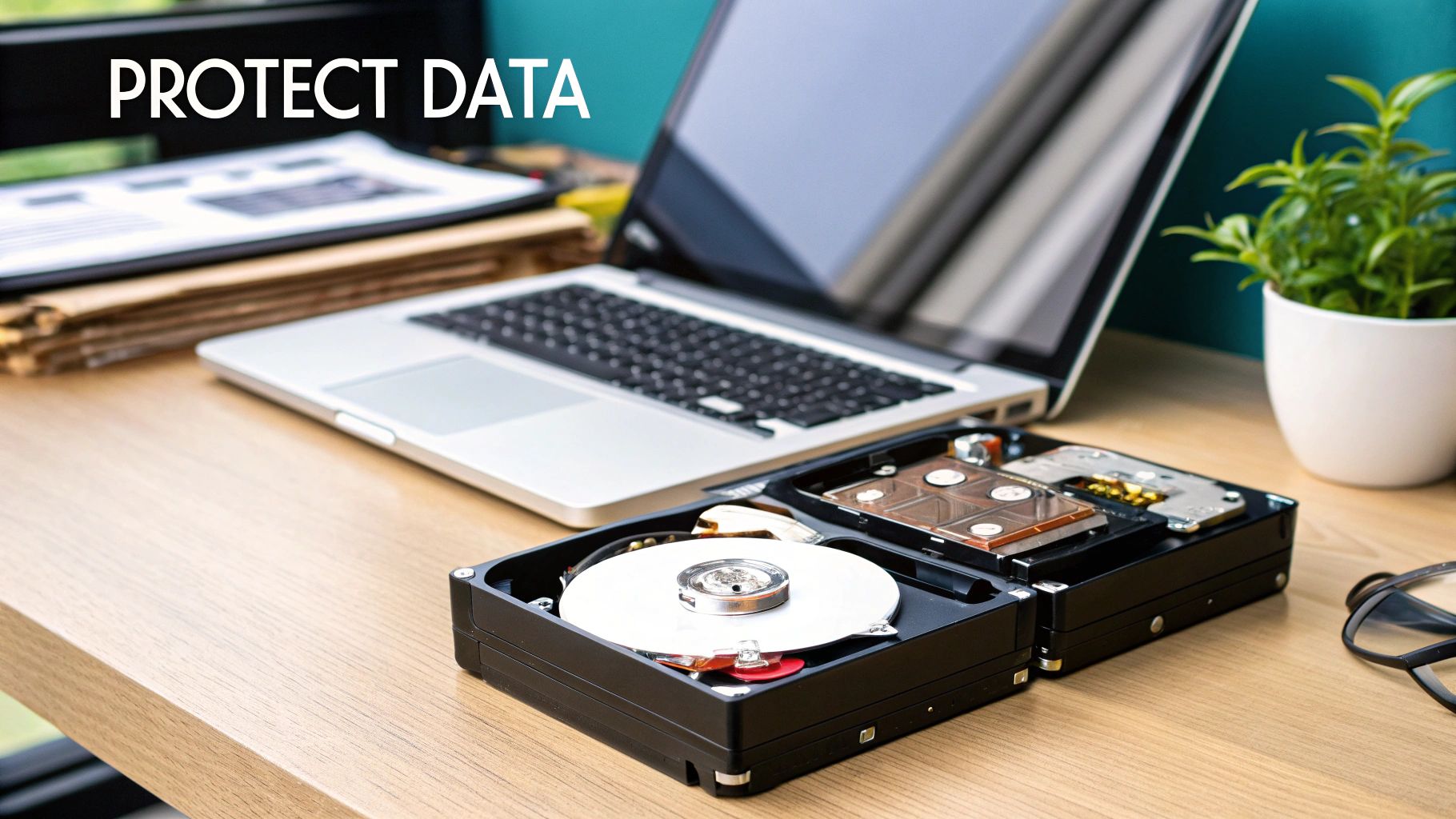
Thinking a simple file deletion is enough is one of the most common—and costly—mistakes a business can make. Every retired server, old laptop, and forgotten PC sitting in your storage closet is a ticking time bomb, a potential liability waiting to go off.
Secure hard drive recycling has moved beyond a simple compliance task. It's now a fundamental piece of business strategy that directly impacts your financial stability and your reputation in the community. The risks aren't just theoretical. We've seen companies of all sizes suffer the consequences of improperly discarded drives, leading to massive regulatory fines and customer trust that evaporates overnight.
The Real-World Impact of Negligence
Imagine a local healthcare provider in the Atlanta area tossing an old computer without properly wiping patient records. That single mistake could easily trigger millions of dollars in HIPAA fines. Or picture a financial firm that improperly recycles a server, only to find its clients' data exposed. The legal battles would be fierce, and their brand reputation would become toxic almost instantly.
A formal IT asset disposition (ITAD) strategy is your shield against these vulnerabilities. It’s the process that ensures no readable data—whether it's customer financials, employee PII, or your own trade secrets—ever leaves your control.
A proactive ITAD strategy isn’t just about dodging bullets; it’s about showing you’re serious about data privacy and corporate responsibility. When you treat every retired hard drive as a security risk, you stop cleaning up messes and start defending your data proactively.
A Growing Market Driven by Risk
The demand for professional data destruction is exploding for a reason. The global hard drive destruction service market is currently valued at USD 1.65 billion and is projected to hit a staggering USD 5.05 billion by 2035.
What’s fueling this? Skyrocketing security threats and tougher regulations. For Metro Atlanta businesses, this trend underscores the urgent need for certified services to sidestep huge penalties, especially while trying to manage the 136 billion pounds of e-waste generated worldwide each year.
More Than Just a Security Measure
A solid hard drive recycling program is about more than just security—it's also about being a good corporate citizen. A proper ITAD strategy makes sure hazardous materials are handled correctly and that valuable resources are recovered instead of being dumped in a landfill. If you want to dig deeper, you can explore the environmental impact of electronic waste.
To really get why this is non-negotiable, you have to understand what effective data security means for a business. Protecting information throughout its entire lifecycle, especially at the very end, is fundamental to your long-term success. This approach protects your clients, your team, and ultimately, your bottom line.
Before you even think about recycling a single hard drive, you need a crystal-clear picture of what you're dealing with. Kicking off any secure recycling project starts with an IT asset audit. This isn't just about counting computers; it's a fundamental security practice that maps out every piece of hardware and, more importantly, sizes up the data risk tied to each device.
If you skip this step, you're flying blind. You can't make smart, defensible decisions about data destruction without knowing what's at stake. The process begins with a detailed inventory—and I don't mean a quick glance around the office. We're talking about a methodical catalog of every single device that stores data, from the servers humming in your rack to the old laptops collecting dust in a forgotten closet. A solid audit is your roadmap for secure IT disposition.
Building Your IT Asset Inventory
Your inventory needs to be more than a simple spreadsheet. To properly gauge the risk, you need to capture specific details for each asset. Think of it as creating a complete profile for every hard drive in your organization.
At a minimum, your inventory has to track:
- Asset Type: Is it a server, desktop, laptop, or an external drive?
- Drive Type: Be specific. Is it a traditional Hard Disk Drive (HDD) or a Solid-State Drive (SSD)? This detail is crucial because they require completely different destruction methods.
- Serial Number: This is your unique identifier. It’s absolutely essential for tracking the asset and creating an unbroken, auditable chain of custody.
- Physical Location: Note the department, office number, or storage room. This simple step helps prevent assets from getting lost in the shuffle.
- Data Sensitivity Level: This is where the rubber meets the road. It’s the most critical piece of your risk assessment.
Classifying Data and Quantifying Risk
Once you know what you have, the next question is: what's the value of the data on it? Data classification is all about categorizing the information on each drive to figure out the right level of security for its destruction. Let’s be honest, not all data is created equal.
A straightforward classification system might look something like this:
- Public: Information with zero confidentiality concerns, like marketing brochures or public-facing website content.
- Internal: General business data that isn't meant for public eyes, such as operational documents or internal memos.
- Confidential: Sensitive information that could cause real harm if it got out. Think employee records containing Personally Identifiable Information (PII) or internal financial reports.
- Restricted: This is the top tier. It’s highly sensitive data like Protected Health Information (PHI) or proprietary trade secrets, where a breach would have severe legal, financial, and reputational consequences.
Let's put this into a real-world context. Imagine a healthcare provider in Kennesaw is retiring a batch of old workstations. Under HIPAA regulations, any drive that ever touched a patient record is automatically classified as Restricted. These drives hold PHI, making the risk of a breach absolutely catastrophic. For them, on-site physical shredding isn't just an option; it's the only acceptable method to guarantee compliance and completely eliminate that risk.
A data disposition policy is the rulebook that governs how your organization handles data at the end of its life. It removes guesswork and ensures every employee follows a consistent, secure process, providing a defensible position during an audit.
Developing a Data Disposition Policy
The insights from your asset audit and risk assessment should flow directly into creating a formal data disposition policy. This document is the bedrock of your secure recycling program. It clearly outlines the approved procedures for data destruction based on those classification levels you just defined, ensuring everyone in the organization is on the same page.
Your policy should be black and white about which destruction methods are required for each data type. For example, it might mandate DoD-compliant software wiping for "Internal" assets that are being resold but require certified physical destruction for all "Confidential" and "Restricted" media. Having this policy isn't just a good idea—it's non-negotiable for proving due diligence.
To get a better handle on this, you can explore some IT asset management best practices that provide a solid framework for creating and maintaining your policies and inventory. This proactive approach turns secure hard drive recycling from a reactive chore into a strategic security function.
Picking the Right Data Destruction Method for Your Needs
Once you have a solid inventory of your IT assets and a grasp on the risks, it's time to choose how you'll destroy the data. Not all methods are the same, and the best choice hinges on your security requirements, budget, and what you plan to do with the old hardware. This decision is the linchpin of any real secure hard drive recycling program.
The big three methods—software wiping, degaussing, and physical shredding—all offer different results. Your company's data disposition policy should spell out exactly which method to use for each data classification level you've identified.
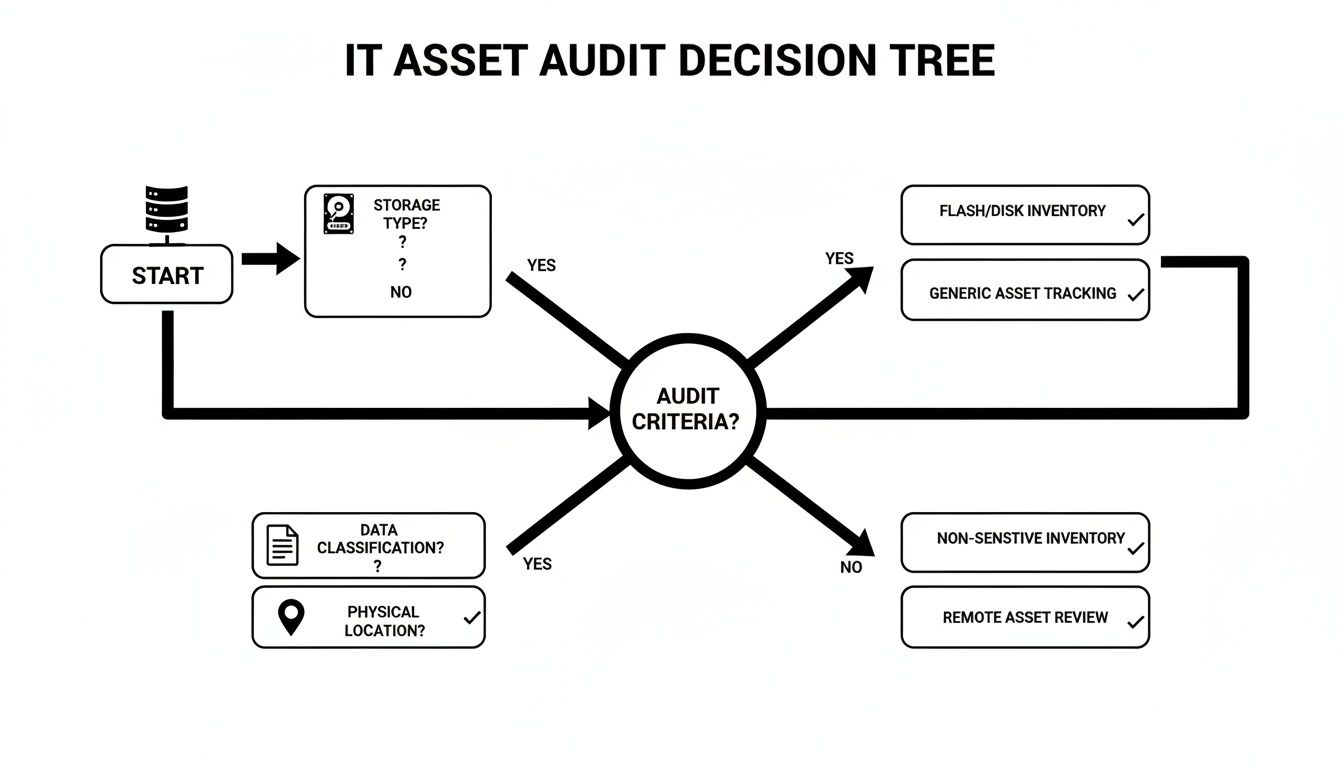
This kind of decision tree shows how things like drive type, data sensitivity, and even where the equipment is located should guide your process. Following a logical flow like this ensures nothing gets missed and the right security measures are applied every time.
When Software Wiping Makes Sense
Software wiping, or data erasure, uses special software to overwrite every single part of a hard drive with random data. This is way more than just formatting a drive; a professional wipe follows strict standards like the DoD 5220.22-M three-pass method to make sure the original data is gone for good.
This is the go-to option when you want to reuse or sell your old IT equipment.
- Maximizing Value: It keeps the hardware working, letting your company get some money back through resale or by using it elsewhere internally.
- Environmental Responsibility: Reusing equipment is always the greenest choice. It extends the hardware's life and cuts down on e-waste.
- Compliance for Lower-Risk Data: For drives that held "Internal" or some "Confidential" data, this method is usually enough, as long as you get the process certified.
Think about a marketing firm in Marietta retiring a fleet of three-year-old laptops. They could use certified wiping to securely erase the drives before selling them online, recouping a good chunk of what they originally paid.
The Power of Degaussing
Degaussing is a much more final approach. A degausser blasts the drive with an incredibly powerful magnetic field, instantly and permanently scrambling the magnetic platters inside a traditional Hard Disk Drive (HDD). The data is destroyed in a second, but the drive itself is toast—it will never work again.
It’s a lightning-fast and super-effective method for HDDs, but there's one massive catch: degaussing is completely useless on Solid-State Drives (SSDs). Since SSDs use flash memory and not magnetic storage, the magnetic field does absolutely nothing to them.
Physical Shredding: The Ultimate Guarantee
When there is absolutely no room for error and data security is everything, physical destruction is the only real answer. Industrial-grade shredders tear hard drives into small, mangled pieces of metal, making it physically impossible to recover any data.
This is the required method for industries dealing with the most sensitive information. Picture a financial firm in Sandy Springs retiring a server that handled client investment data. For that company, witnessed, on-site shredding is the only way to meet compliance rules and sleep at night. The demand for this level of security is why businesses make up over 65% of the global market for hard disk destruction equipment.
While software wiping allows for 92% reuse rates, physical destruction is king for high-security needs. In fact, 75% of healthcare providers insist on on-site services to protect patient information (PHI).
Comparing Data Destruction Methods
To make the choice clearer, it helps to see the methods side-by-side. Each has its place, depending on your priorities.
| Method | Security Level | Asset Reuse Potential | Best For |
|---|---|---|---|
| Software Wiping | High | Excellent | Reselling or redeploying hardware with low to medium-risk data. |
| Degaussing | Very High | None | Quickly destroying data on large batches of HDDs (not SSDs). |
| Physical Shredding | Absolute | None | Maximum security for highly sensitive data (PII, PHI, financial). |
Ultimately, the goal is to align the method with the data's sensitivity and your asset management strategy. Shredding a laptop that could be wiped and donated is wasteful, but wiping a drive full of patient records is a massive risk.
On-Site vs. Off-Site Destruction
One last thing to decide is where the destruction happens. This decision comes down to balancing cost, convenience, and your own security rules.
- On-Site Destruction: A mobile shredding truck pulls up to your business. You can watch the whole thing, from serial number scanning to the final shred. This gives you the highest level of security and a completely unbroken chain of custody.
- Off-Site Destruction: Your equipment is packed into locked containers and securely transported to a certified facility for destruction. This is usually cheaper, especially for big jobs, but it means you have to place complete trust in your vendor's security process.
Your choice should match your risk assessment. For a school in Roswell recycling old administrative PCs, off-site shredding from a certified partner is a great, budget-friendly solution. For a law firm, on-site is the only option on the table.
Once you've landed on a method, the next step is to make sure you safely dispose of outdated technology to avoid any breaches. If you want a deeper dive into the destruction process itself, take a look at our guide on the best ways to destroy a hard drive.
Mastering Compliance and Chain of Custody
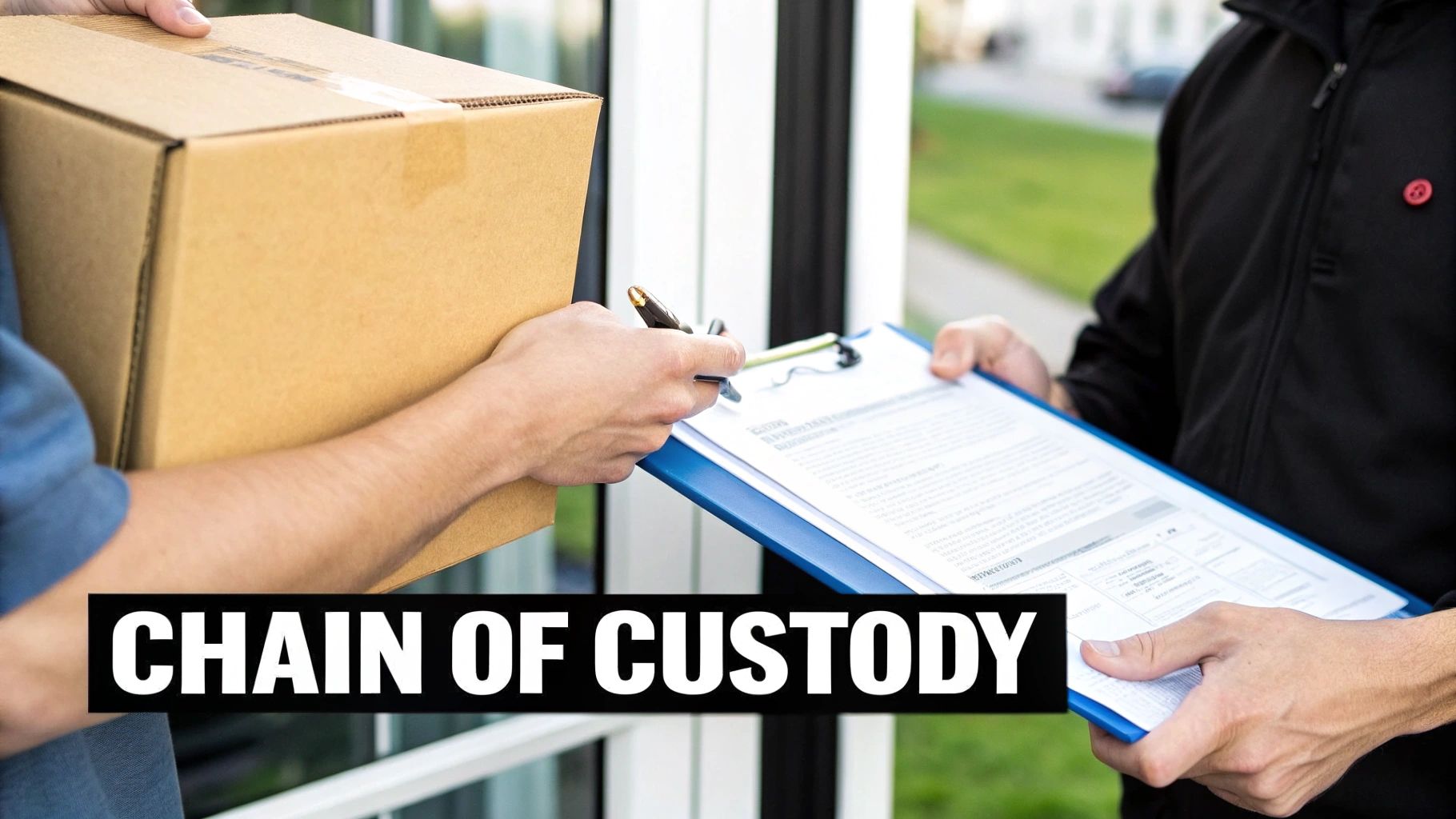
Successfully destroying a hard drive is only half the battle. The real work—and the part that truly protects your business from liability—is proving you did it correctly. This is where meticulous documentation becomes your most powerful legal shield.
Without a paper trail, you have no verifiable proof of compliance. This documentation isn't just about record-keeping; it's about building a defensible position that will stand up to any audit or legal challenge. Two documents are central to this process: the Chain of Custody form and the Certificate of Destruction.
The Unbreakable Chain of Custody
The Chain of Custody is the unbroken, documented trail of your IT assets. It begins the moment a hard drive leaves your physical control and ends only when it is verifiably destroyed. This document is your proof that nothing was lost, misplaced, or tampered with along the way.
Imagine a law firm in Roswell preparing for an audit. The auditor doesn't just want to know that the firm's old drives were recycled; they want to see a detailed log tracking each drive from its server rack to the shredder.
A robust Chain of Custody form is non-negotiable and must include:
- Individual Serial Numbers: Every single hard drive must be listed by its unique serial number.
- Secure Transport Details: It should note how the assets were transported—in locked, sealed containers—and who was responsible for them.
- Transfer Signatures: Every time the assets change hands, from your IT manager to the recycling vendor's technician, a signature is required.
- Dates and Times: Each transfer of custody must be precisely time-stamped to create a clear timeline.
This level of detail removes all ambiguity. It provides undeniable evidence that you maintained control and security over your sensitive data throughout the entire disposition process.
The Certificate of Destruction: Your Ultimate Proof
Once the destruction is complete, your recycling partner issues a Certificate of Destruction. This is the final, legally binding document that closes the loop on each asset's lifecycle. It is your ultimate proof that the data is gone forever, and it’s an absolute must-have from any secure hard drive recycling service.
Think of the Certificate of Destruction as the final verdict. It confirms that the data has been rendered permanently unrecoverable, effectively transferring the liability from your organization to your certified recycling partner.
A legitimate certificate is far more than a simple receipt. It provides specific, auditable details that prove compliance with regulations like HIPAA for healthcare data, GLBA for financial information, and FACTA for consumer credit details. This is your essential safeguard. You can explore a certificate of destruction sample to see exactly what this critical document looks like and what it includes.
To be considered valid, it absolutely must contain:
- A list of the serialized assets destroyed.
- The specific destruction method used (e.g., shredding, DoD-compliant wiping).
- The date and location of the destruction.
- A statement certifying compliance with relevant standards.
- The signature of an authorized representative from the vendor.
For Atlanta-area businesses, this paperwork is what truly mitigates risk and ensures legal obligations are met. It’s the difference between confidence and catastrophe.
The broader push for certified recycling programs is gaining serious momentum. Just look at Microsoft's commitment to achieving a 90.9% reuse and recycling rate for its data center assets, which highlights how effective certified programs can be. With over 57 million tons of e-waste generated globally and only 22.3% properly recycled, compliant processes are more important than ever—especially as data breaches expose thousands of records daily.
How to Select a Secure Recycling Partner in Metro-Atlanta
Choosing the right IT Asset Disposition (ITAD) partner is easily the most important decision you'll make in your secure hard drive recycling program. This isn't like picking an office supply vendor. Your choice directly impacts your company's data security, legal standing, and even your reputation.
The right partner becomes a true extension of your security team. The wrong one? They can expose you to catastrophic risk. For businesses here in the Metro Atlanta area, from Alpharetta all the way to Marietta, this decision is even more critical. Partnering with a local, certified vendor just makes sense—it streamlines logistics, cuts down on costs, and gives you a level of accountability you simply won’t get from a distant, faceless national chain.
Non-Negotiable Vendor Certifications
Before you even glance at a price quote, you have to verify a vendor’s certifications. These aren't just fancy badges to put on a website; they are hard-earned proof that a company sticks to the strictest industry standards for both data security and environmental responsibility. Without them, you have no real guarantee their processes are sound.
The two big ones you absolutely must look for are:
- R2 (Responsible Recycling): This is a globally recognized standard. It ensures recyclers follow best practices for everything from data security and worker safety to properly handling hazardous e-waste. An R2-certified facility is audited to make sure they're doing things by the book.
- e-Stewards: Many in the industry consider this the most stringent certification out there. e-Stewards has a zero-tolerance policy for exporting hazardous electronic waste to developing countries and enforces some of the most rigorous data security protocols.
If a vendor doesn't have at least one of these, they should be off your list immediately. Think of these credentials as your baseline assurance that a partner is legitimate and trustworthy.
Vet Their Data Breach Insurance and Security Protocols
Any reputable ITAD partner will carry significant data breach and liability insurance. This is your financial safety net. Don't be shy—ask for a copy of their insurance certificate and confirm the coverage amount. It needs to be substantial enough to cover potential damages if the worst should happen.
Beyond the paperwork, you need to dig into their physical and procedural security.
A vendor's security is your security. If their facility isn't secure, or their employees aren't vetted, your data is at risk from the moment it leaves your building. Don't be afraid to ask tough questions about their process.
So, what should you be asking?
- Do they perform background checks on all employees who will handle your sensitive media?
- Is their facility monitored by 24/7 surveillance?
- Are the storage areas for assets awaiting destruction fully access-controlled?
- How are assets transported? You should be looking for locked containers and dedicated, GPS-tracked vehicles.
A transparent partner will welcome these questions and have clear, confident answers ready. If they get defensive or seem evasive, that's a massive red flag.
Demand Transparent Reporting and Documentation
As we've already covered, documentation is everything. A top-tier partner will provide meticulous, serialized reporting at every single stage of the process. This must include a detailed Chain of Custody record and, ultimately, a final Certificate of Destruction.
Insist on seeing samples of their documentation before you sign anything. A legitimate certificate will list every single hard drive by its serial number, detail the exact method of destruction used, and be signed by an authorized company official. Vague, non-serialized reports are completely worthless in an audit. This paper trail is your legal proof of due diligence, so make sure it's airtight.
Exploring Value Recovery and Local Advantages
Believe it or not, secure hard drive recycling doesn't always have to be a sunk cost. For businesses with valuable IT assets—think newer servers, networking gear, or enterprise-grade laptops—many ITAD partners offer profit-sharing or value recovery programs.
In these setups, the vendor will securely wipe the data from any reusable equipment and then resell it through their established channels. You get a share of the profits, which can often offset or even exceed the costs of recycling your other, non-valuable assets. For any organization looking to maximize its IT budget, this is a huge benefit. You can explore more about how to find the right IT recycling companies that offer these kinds of services.
Working with a local Metro Atlanta partner in places like Norcross or Kennesaw makes this process even better. Local vendors can offer faster pickups, lower transportation costs, and the ability for you to conduct on-site audits of their facility. That proximity builds trust and makes the entire logistical chain simpler and more secure. You can build a real relationship with a local provider, ensuring you get the responsive, personalized service your business deserves.
Vendor Selection Checklist
Finding the right partner requires a systematic approach. You're not just hiring a service; you're entrusting them with your company's most sensitive information. This checklist breaks down the essential criteria to help you evaluate potential vendors thoroughly.
| Criteria | What to Look For | Why It Matters |
|---|---|---|
| Certifications | R2v3 or e-Stewards certification. Verify it's current. | Provides third-party validation of secure and environmentally sound practices. |
| Data Security Protocols | Documented procedures for on-site/off-site wiping, degaussing, shredding. | Ensures data is destroyed to NIST 800-88 standards, preventing breaches. |
| Physical Security | 24/7 surveillance, access-controlled areas, employee background checks. | Protects your assets from theft or unauthorized access while in their possession. |
| Logistics & Chain of Custody | GPS-tracked, secure transport; serialized tracking from pickup to destruction. | Creates an unbroken, auditable trail proving you maintained control of your data. |
| Insurance Coverage | Substantial data breach and liability insurance. Ask for the certificate. | Acts as a financial safety net in the event of a security incident. |
| Reporting & Documentation | Detailed, serialized Certificates of Destruction and asset reports. | This is your legal proof of compliance for audits and internal records. |
| Value Recovery | Transparent process for testing, remarketing, and profit sharing on valuable assets. | Can turn a cost center into a revenue stream, maximizing your IT budget. |
| Local Presence & Reputation | A physical facility in Metro Atlanta; positive local reviews and references. | Offers better logistics, accountability, and the option for on-site facility audits. |
By using this checklist, you can move beyond a simple price comparison. You’ll be able to confidently select a partner who not only meets your compliance needs but also acts as a trusted guardian of your data.
Your Top Hard Drive Recycling Questions, Answered
Even with the best-laid plans, questions always pop up when you get down to the nitty-gritty of securely recycling old hard drives. We get it. Getting straight, practical answers is the only way to move forward with confidence. Here are a few of the most common questions we hear from businesses just like yours.
Is Drilling Holes in a Hard Drive Good Enough?
I hear this one all the time. While drilling a hole straight through a hard drive platter feels destructive, it's nowhere near a secure data destruction method. It'll definitely kill the drive, but it won't kill the data.
Think of the platter like a vinyl record. If you drill a hole in it, you can't play the record anymore, but all the music is still physically there on the undamaged parts. A determined forensics pro with the right lab equipment could absolutely pull recoverable data off the remaining surfaces. For true security, you need to go further. This is why standards like NIST 800-88 push for methods like industrial shredding, which obliterates the entire drive into tiny, useless fragments.
What's the Real Difference Between R2 and E-Stewards Certifications?
Both R2 (Responsible Recycling) and e-Stewards are the gold standard certifications you want to see. They signal that a recycling partner is serious about security and environmental responsibility. The main fork in the road comes down to their rules on exporting electronic waste.
- e-Stewards: This is the strictest of the two. It has a flat-out ban on exporting any hazardous e-waste to developing countries. No exceptions.
- R2 (Responsible Recycling): The R2 standard is a bit more flexible. It allows for the export of some tested, working equipment to vetted international partners, but it still has a hard ban on dumping non-functional, hazardous junk.
For most companies, a vendor with either certification is a solid choice. But if your organization has a firm "zero-export" policy baked into its corporate responsibility goals, then an e-Stewards certified partner is the only way to go.
Here's a pro tip: Don't just take a vendor's word for it. Always verify their certification status yourself directly on the official R2 or e-Stewards websites. These things can expire, and a quick check ensures your partner is still in good standing.
Can You Actually Recover Data from a Shredded SSD?
This is a fantastic question because Solid-State Drives (SSDs) are a completely different animal than old-school Hard Disk Drives (HDDs). The old tricks don't work. Degaussing, which uses massive magnets to wipe HDDs, does absolutely nothing to an SSD because it uses flash memory, not magnetic platters. Even some software wiping tools can miss data fragments due to the complex way SSDs manage information.
So, what works? Physical destruction. Period. It's the only guaranteed method. To be truly secure, the SSD has to be shredded into particles of 2mm or smaller. This process pulverizes the individual memory chips, making data recovery physically impossible. When you're talking to a potential vendor, ask them specifically if their shredders are rated for SSDs and can hit that fine particle size.
What Should Secure Hard Drive Recycling Really Cost?
Cost is always a factor, and the price for secure recycling can swing quite a bit. Things like the number of drives you have, whether you need on-site shredding (which usually costs more), and logistics all play a role. But looking at this as just an expense is a mistake.
A good ITAD partner can often offset or completely wipe out these costs through value recovery. For example, a free DoD-compliant data wipe might be rolled into a larger recycling pickup of other electronics.
Better yet, if your company is retiring valuable gear like newer servers, enterprise-grade networking equipment, or high-end laptops, a profit-sharing program can actually make you money. The cash from reselling that properly wiped and refurbished equipment can easily pay for the destruction of your old, valueless hard drives. The only way to know for sure is to get a custom quote based on your specific inventory.
For businesses in Metro Atlanta looking for a secure, compliant, and smart ITAD program, Montclair Crew Recycling has you covered. We handle everything from certified on-site shredding to recovering value from your retired assets, giving you total peace of mind. Check out our IT equipment disposal services to learn more.
