
Your receptionist is fielding complaints about dropped calls at 9:00 a.m. A salesperson in Sandy Springs is using a personal cell phone to close deals. Someone in the Buckhead office changes desks, and the old phone tree sends customers to the wrong extension all week. These are common occurrences for plenty of Metro Atlanta businesses still hanging onto patched-up PBX hardware.
If you're searching for voip service providers near me, start with a list built for Atlanta, not a generic national roundup. Local businesses need more than dial tone. They need reliable calling across offices, warehouses, clinics, schools, and remote teams. They also need a clear plan for rollout, user training, number porting, and getting obsolete phones and cabling out of the building responsibly.
This guide is built around that full lifecycle. It compares seven VoIP providers that make sense for Metro Atlanta businesses, then walks through how to vet the right fit, switch without disrupting operations, and retire your old system the right way. If you want a broader look at business telecom services near me, use that as background. Use this article to make an Atlanta-specific decision.
The goal is simple. Pick a provider that fits how your team works, avoid a messy migration, and stop letting aging phone equipment create preventable problems.
1. Nextiva
Nextiva is a smart first pick for Atlanta companies that need order fast. If your team is spread across an office in Alpharetta, a field crew in Marietta, and managers taking calls on mobile, Nextiva gives you the basics you need without burying you in admin work.
That matters in Metro Atlanta, where a phone rollout usually has to happen while the business is still running. Front desks still need coverage. Sales still needs working numbers. Dispatch, scheduling, and service calls cannot pause because someone picked a phone system that takes weeks to configure.
Why Atlanta businesses pick it
Nextiva fits smaller and midsize organizations that want one system for calling, messaging, video, mobile apps, desktop apps, and desk phones. It is a strong match for medical practices, property managers, home service companies, and multi-location firms that need cleaner call routing without building an enterprise telecom project.
Its advantage is practical, not flashy. Admins can get users set up quickly, reception teams can handle call flows without a lot of retraining, and remote staff can stop relying on personal cell phones for business calls. That is a real improvement for companies trying to standardize communication across the Atlanta area.
A few points matter most:
- Best fit: Growing SMBs with a front desk, shared phone coverage, and a mix of office and remote staff.
- What stands out: Easy onboarding, familiar day-one use, and less hand-holding for nontechnical managers.
- Watch for: Some integrations, reporting options, and advanced features cost more on higher plans.
Practical rule: If your office manager needs to learn the system in one afternoon and start making changes the same week, Nextiva belongs on your shortlist.
It also works well as part of a bigger cleanup. If you are replacing aging phones, ATA boxes, or a small PBX, plan the cutover and the equipment retirement together. Atlanta companies that skip that step often end up with old hardware, saved configs, and labeled handsets sitting in a storage room long after the migration is done. If your company needs a broader rollout plan across locations, review these enterprise telecom solutions for Atlanta businesses. For businesses replacing old handsets, adapters, or a small office PBX, tie the phone migration to your disposal plan early. If you're coordinating service cutover and hardware pickup at the same time, business telecom support in Atlanta helps avoid the common mistake of leaving retired gear in a closet with call logs and configs still on it.
You can review plans and product details on the Nextiva website.
2. RingCentral
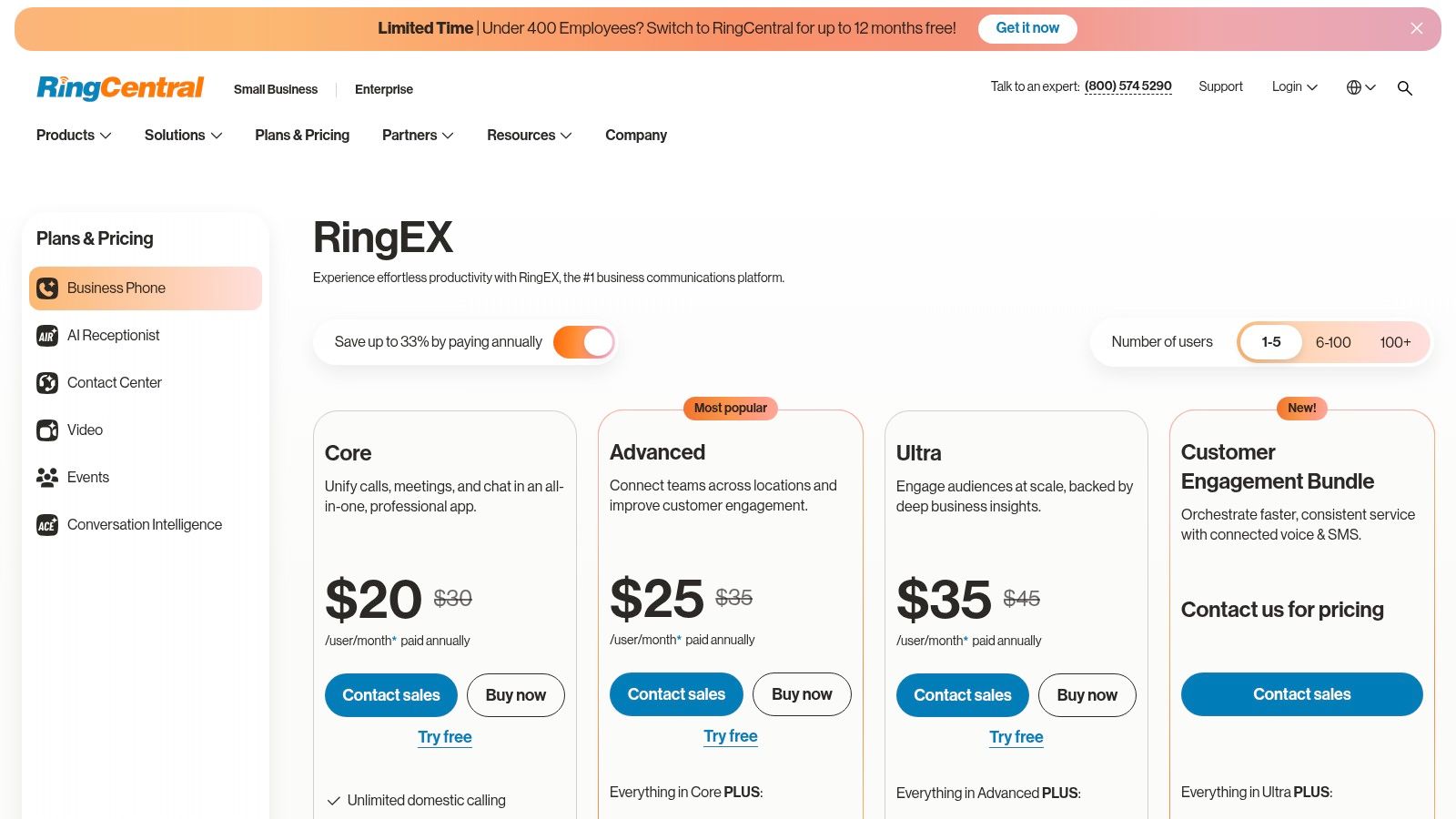
RingCentral fits Atlanta companies that already know a basic phone setup will not hold up. If your business has a front desk, sales reps, service staff, managers, and more than one location or department touching the same phone system, buy for control now instead of fixing call flow problems six months from now.
Where RingCentral earns its keep
RingCentral is a better fit for growing Atlanta businesses than stripped-down VoIP tools because it gives admins detailed control over routing, users, queues, and policies. That matters in real offices. A law firm in Midtown, a contractor in Marietta, or a medical group with multiple Metro Atlanta sites usually needs different call handling rules by team, schedule, and location.
GoodFirms market coverage puts RingCentral and similar cloud PBX vendors high on the shortlist for U.S. businesses in the 10 to 250 employee range, and the same source rates RingCentral strongly for integrations at 4.7/5 in its VoIP provider market snapshot from GoodFirms. That lines up with how buyers use it in practice. They pick it when phones need to connect cleanly with CRM, support, and collaboration tools.
Here is the practical value:
- Detailed admin controls: Better for companies that need department-level routing, permissions, and reporting.
- Multi-site consistency: Useful if you run offices across Atlanta and want one call policy instead of local workarounds.
- Integration range: A solid choice for teams using Salesforce, Microsoft tools, help desk software, or mixed office and field platforms.
- Room to grow: You are less likely to replace it after your next hiring wave or acquisition.
RingCentral works best when voice is tied to operations, not treated as a standalone utility. If missed calls affect intake, dispatch, scheduling, or revenue, paying more for tighter control is usually the right call.
The tradeoff is simple. Costs climb as features pile up, and smaller companies can overbuy fast. If your office only needs straightforward call handling, basic extensions, and a few desk phones, choose a simpler provider and keep your monthly bill under control.
Atlanta businesses should also check the connection behind the phone system before signing a contract. If your office has call quality issues, aging cabling, or bandwidth concerns, review your fiber optic installation options for Atlanta-area business locations before rollout. A better VoIP platform will not fix weak infrastructure.
If your environment includes legacy PRI circuits, larger telecom closets, or retiring enterprise-grade phone equipment, coordinate the transition with Atlanta enterprise telecom disposition support before the cutover date. That keeps old infrastructure from dragging out the migration and helps you handle retired hardware responsibly instead of leaving configured gear in storage.
For current pricing and plan details, go to RingCentral plans and pricing.
3. Zoom Phone
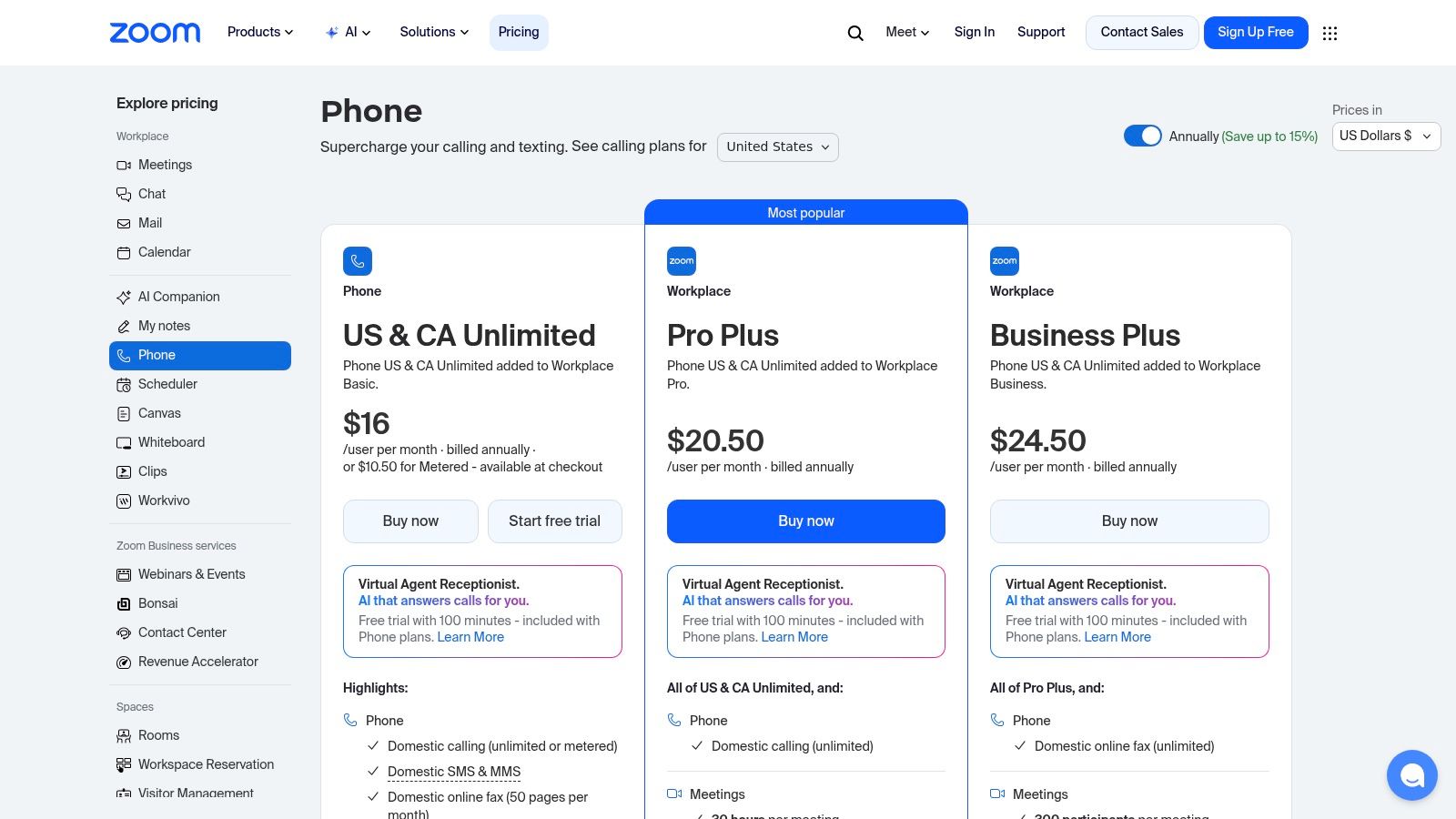
Your Midtown office already runs on Zoom. Staff book meetings there, clients recognize it, and nobody wants another app to learn during a phone migration. In that situation, Zoom Phone is the practical pick.
It wins on adoption speed. Atlanta businesses that already use Zoom can roll out calling with less retraining, fewer support tickets, and less internal pushback than they would get from a heavier platform.
Best use case in Metro Atlanta
Zoom Phone fits professional services firms, recruiting teams, small law offices, and hybrid workplaces across Buckhead, Sandy Springs, Roswell, and Midtown that want one familiar environment for meetings and calls. If your front office, partners, or recruiters spend half the day in Zoom already, keeping voice in that same system is the simplest way to get people using the new setup correctly.
That does not make Zoom Phone the best choice for every company. It makes it a strong choice for businesses that value ease of use over complex telecom administration.
The buying question is operational fit. Do you want a phone system your team will adopt quickly, or a phone system your IT lead can customize endlessly? Zoom Phone is better at the first job.
It also gives Atlanta companies a sensible hardware mix. You can keep desk phones at reception, shared workstations, and executive desks while shifting everyone else to softphones. That matters during a phased migration, especially if you are replacing an older PBX and do not want to swap every endpoint on day one. If you need help planning that cutover, user setup, and carrier coordination, get local support from managed telecom services for Atlanta businesses.
A few clear recommendations:
- Choose Zoom Phone if: Your team already uses Zoom every day and you want a faster rollout with less training.
- Skip it if: You need advanced call center controls, deeper admin settings, or more mature messaging workflows from the start.
- Check before signing: Internet stability, switch capacity, and office cabling. Poor call quality usually starts with the network, not the phone platform.
- Plan the full lifecycle: Migrate users in waves, retire old handsets and PBX gear on schedule, and dispose of replaced equipment responsibly instead of letting it sit in a storage room with configs still intact.
For Atlanta offices upgrading connectivity and voice together, start with your wiring and handoff quality before you sign a phone contract. If your network needs cleanup first, local fiber installation planning is often the better first move.
Zoom is also a reasonable fit for Atlanta firms with international clients, remote staff, or multi-location hiring needs. For current plan details and calling options, review Zoom Phone pricing.
4. Dialpad
A Midtown law office misses one client detail on an intake call, then wastes half the afternoon chasing it down. Dialpad is built for that problem. If your Atlanta team spends too much time writing notes after calls, correcting bad handoffs, or coaching staff on how they handle conversations, put Dialpad on your shortlist.
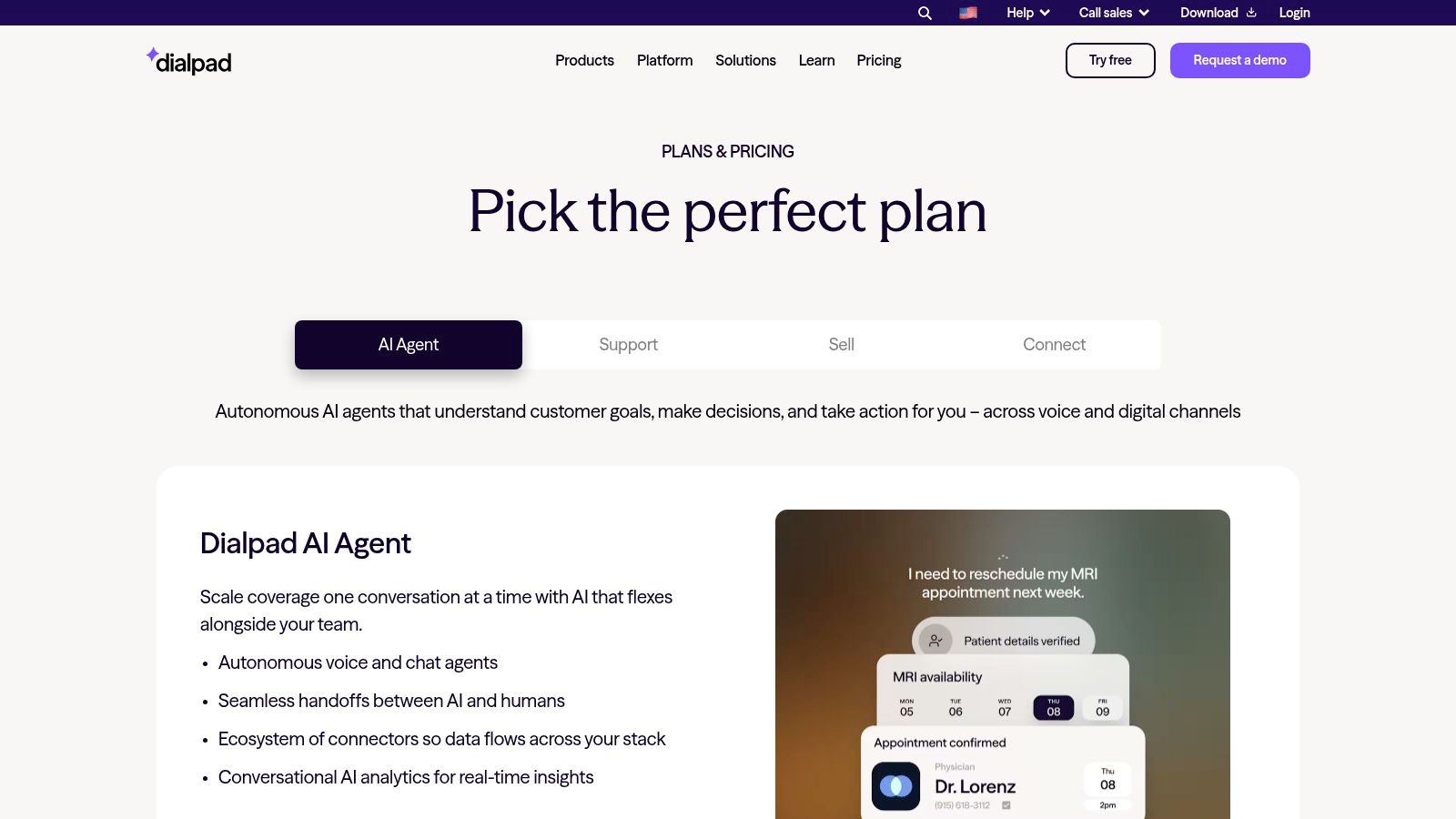
It is the strongest AI-focused choice in this group. That matters for businesses that run on fast phone conversations and need usable summaries, transcripts, and call records without adding more admin work.
Where Dialpad fits best
Dialpad makes the most sense for Metro Atlanta service companies, healthcare front offices, legal intake teams, property managers, and sales groups that need clear records from live conversations. It is also a good pick for managers who actively review calls and want coaching tools built into the phone system instead of spread across separate apps.
What stands out is speed. Staff can see transcripts during the call, review summaries after it ends, and keep moving. That is a practical advantage for busy offices in Buckhead, Sandy Springs, Decatur, and the wider metro area where missed details turn into missed revenue.
Its strongest points are straightforward:
- Real-time transcription: Useful for intake, scheduling, and any role where details have to be captured correctly the first time.
- Cleaner interface: Easier to roll out to smaller teams that do not want a bulky admin experience.
- Better coaching workflow: Supervisors can review conversations, spot patterns, and correct weak call handling faster.
Buy Dialpad if bad note-taking, inconsistent call quality, and slow follow-up are costing your team time. Skip it if your top priority is heavy-duty admin complexity or deep reporting from day one.
Dialpad is not the best fit for every Atlanta business. Larger organizations with stricter compliance demands, more layered permissions, or complex queue reporting will usually get more control from RingCentral or 8×8. Dialpad wins when usability and conversation intelligence are more important than back-end depth.
For companies standardizing voice across multiple offices, your phone decision should also fit your wider carrier and telecom plan. If your team operates beyond Georgia, multi-site telecommunications support for business offices can help keep vendor sprawl and policy gaps under control.
Before you sign, plan the full lifecycle. Test Dialpad against your real call flows, map the number porting schedule, decide which users need desk phones versus softphones, and set a disposal plan for the PBX hardware and handsets you are retiring. Old telecom gear often holds configs, labels, and account data. Do not leave it in a closet.
If your broader phone environment is part of a larger communications cleanup, including carrier review and telecom policy standardization, managed telecom help for business locations can keep the project from turning into three disconnected vendor tasks.
Review product details on Dialpad pricing.
5. 8×8 (X Series / 8×8 Work)
Your Buckhead office is adding a service desk, the Gwinnett location needs tighter call routing, and leadership wants one phone system that will still work when you expand again next year. That is the kind of Atlanta business case where 8×8 makes sense.
8×8 is a better pick for companies that expect more moving parts over time. If you are planning for higher inbound volume, more layered call queues, stronger admin controls, or international coordination, 8×8 deserves a hard look. It is not the easiest platform to buy quickly, but it can save you from replacing a lightweight system in 18 months.
When 8×8 beats simpler platforms
Choose 8×8 if voice is tied to operations, not just employee calling. That includes medical groups managing front-desk traffic, logistics firms handling dispatch calls, schools routing departments correctly, and manufacturers that need cleaner escalation paths across multiple teams in Metro Atlanta.
Its value shows up when you need structure. Auto-attendants, mobile softphones, queue handling, analytics, and a path into contact center tools matter more here than flashy simplicity. As noted earlier from the DTSolutions industry roundup, businesses using advanced VoIP features and usage-based pricing can see practical gains in both flexibility and cost fit. That supports 8×8's case for organizations with mixed user types and uneven call volume.
- Strong fit: Multi-location companies with queue-heavy call flows and stricter admin needs.
- Best reason to buy it: You want room to grow into contact center, compliance, and more advanced routing without switching vendors.
- Skip it if: You want public pricing, fast self-serve setup, and the lightest possible admin workload.
8×8 also works well for companies that want one provider for unified communications, contact center, and broader communications services. That kind of consolidation is usually easier to govern across several offices, especially if your telecom plan extends beyond Georgia. Teams managing cross-office cutovers can benefit from multi-location telecom project support so the phone rollout, number porting, and old hardware retirement are handled as one project instead of three separate messes.
Do not treat the rollout as just a software purchase. Map your call flows first, assign admin roles before migration, and decide which sites still need physical phones. Then close the loop properly. Retired PBX gear, desk phones, and conference units often hold labels, configs, and account details. Atlanta businesses should schedule responsible local recycling and data-safe disposal as part of the switch, not after the equipment starts collecting dust in a storage room.
You can review current platform details on the 8×8 website.
6. Vonage Business Communications (VBC)
Your office manager is tired of chasing cell numbers, your sales reps answer from the road, and clients still expect one consistent business line. That is the kind of Atlanta business Vonage Business Communications fits well.
VBC is a practical pick for companies that need mobility first, not a heavy enterprise deployment. If your team works from job sites, model homes, client offices, or a mix of home and office, Vonage keeps calls, texts, and business identity tied to the company instead of scattered across personal devices.
Why VBC works for small and midsize teams
Vonage is a strong match for real estate groups, home services companies, staffing agencies, field sales teams, and other Atlanta firms with people in motion all day. The value is simple. Staff can answer through the mobile or desktop app, keep their direct business number, and avoid giving out personal cell numbers.
That matters during a switch from older phone equipment. Atlanta businesses replacing key systems, aging PBX hardware, or a patchwork of forwarded cell phones usually need fewer moving parts, faster user adoption, and less hand-holding after launch. Vonage tends to work best in exactly that kind of rollout.
Its limits are clear, and you should factor them in early. Promotional pricing can come with contract pressure. Some features that buyers assume are standard sit in higher tiers. If your call flows are complex, or you expect deep contact center controls soon, you may outgrow it faster than a larger platform.
Still, for many SMBs, that is the point. You are buying a phone system your team will use, not a pile of admin features nobody asked for.
My advice for Atlanta companies is straightforward. Shortlist Vonage if mobile calling, business texting, and clean caller identity matter more than advanced routing or global enterprise controls. During migration, decide who needs desk phones and who can go app-only. After cutover, do not leave the old gear sitting in a back room. Retired desk phones, base units, and on-prem phone hardware should be wiped, removed, and recycled through a local provider as part of the project plan.
See current plans at Vonage Business Communications pricing.
7. Comcast Business VoiceEdge
Comcast Business VoiceEdge is the local-infrastructure play. If your business wants one provider for internet and voice, plus local installation coordination and a clearer support chain, VoiceEdge deserves attention.
This is not the most exciting platform on the list. It is often one of the easiest for traditional offices to buy because it lines up with how many Atlanta businesses already procure connectivity.
Best for bundled voice and internet
Choose Comcast Business VoiceEdge if your office wants a single-vendor bundle and on-net support, especially in locations where Comcast already serves the building well. For offices that don't have in-house telecom expertise, one throat to choke still has value.
This kind of local network fit matters. An FCC report cited in this industry gap analysis noted that 28% of U.S. SMBs experience VoIP outages from poor local peering. That's one reason Atlanta businesses searching voip service providers near me shouldn't focus only on app features. Network path and local serviceability matter just as much.
Comcast Business also appeals to companies that want help with physical installation, not just cloud activation. That includes offices replacing receptionist consoles, hunt groups, or shared-area phones.
A few direct recommendations:
- Pick VoiceEdge if: You value bundled access and voice, and your office prefers provider-managed installation.
- Avoid it if: You want the broadest UCaaS feature set or more self-serve flexibility.
- Verify before signing: Whether your exact building and service area support the feature set you need.
One more operational point matters in Atlanta. When you replace a bundled voice environment, don't leave the old handsets, gateways, or PBX shelves sitting around after cutover. Those devices often hold configuration data, call history, or storage media that should be handled under the same discipline as any other business IT asset.
Check service availability and details on Comcast Business VoiceEdge.
Top 7 VoIP Providers Near You: Comparison
| Solution | 🔄 Implementation complexity | ⚡ Resource requirements | 📊 Expected outcomes | 💡 Ideal use cases | ⭐ Key advantages |
|---|---|---|---|---|---|
| Nextiva | Low, simple setup and porting; advanced analytics on higher tiers | Moderate, internet, mobile/desktop apps; optional desk phones | Reliable core UC (voice/SMS/chat), high uptime and support | SMBs to mid‑market, distributed field teams, multi‑site orgs | Transparent entry pricing; easy onboarding; broad integrations at higher tiers |
| RingCentral | Medium–High, robust admin, complex call flows and site config | High, dedicated IT/admin, many integrations, higher licensing costs | Scalable enterprise UC with deep analytics and reliability | Large SMBs and enterprises with multi‑department needs | Extensive integrations, advanced routing, recent AI enhancements |
| Zoom Phone | Low–Moderate, very easy if Zoom is already in use; PBX features may need add‑ons | Moderate, Zoom apps; optional Hardware‑as‑a‑Service for devices | Familiar UX, solid voice capability, competitive base pricing | Teams already using Zoom Meetings/apps | Low‑friction adoption; integrated meetings+phone; HaaS option |
| Dialpad | Low, quick setup and clean UI; some admin/reporting gated | Moderate, cloud native, AI features may require higher tiers | Improved documentation and coaching via live transcription & summaries | Sales/support teams needing real‑time notes and coaching | Real‑time AI transcription/summaries; fast onboarding |
| 8×8 (X Series / 8×8 Work) | Medium–High, integrated UC + Contact Center + CPaaS setup | High, provisioning for global PSTN, pooled minutes, compliance needs | Strong global reach, contact center readiness, compliance posture | Organizations needing global calling or planning contact center scale | Integrated UC/CC/CPaaS; robust international coverage and compliance |
| Vonage Business Communications (VBC) | Low–Moderate, per‑user deployment with clear tiers | Moderate, desktop/mobile apps, per‑line licensing; contract terms common | Predictable per‑line costs and reliable mobile/desktop calling | SMBs wanting predictable pricing and mobile workforce support | Straightforward pricing; strong SMS/MMS and mobile experience |
| Comcast Business VoiceEdge | Moderate, bundled with ISP services; local installs and QoS setup | High, single‑vendor internet+voice, local engineering/truck rolls, contracted | Managed on‑net PBX with local support and QoS guidance | Offices in Comcast service area preferring single vendor for access and phones | Local support presence; single‑vendor bundle simplifies installation and QoS management |
From Selection to Switch Your Final Steps
Monday at 8:15 a.m., your front desk cannot transfer calls, sales is missing inbound leads, and accounting is asking why the old PBX is still sitting in a storage room. That is what a sloppy phone migration looks like. Atlanta businesses should treat provider selection, cutover, and equipment retirement as one project with one owner.
Part 1 Comparison at a Glance
The table above gives you the shortlist. Here is the practical pick for each common Atlanta business case.
- Choose Nextiva for a straightforward SMB rollout with the least friction for everyday admin.
- Choose RingCentral if you have multiple departments, layered routing, or a stack of apps that must connect cleanly.
- Choose Zoom Phone if your team already lives in Zoom and you want meetings and calling under one roof.
- Choose Dialpad if live transcription and call summaries will save time for sales, service, or recruiting.
- Choose 8×8 if international calling, compliance, or contact center growth is already on the roadmap.
- Choose Vonage if you want predictable business calling with solid mobile support.
- Choose Comcast Business VoiceEdge if you want one local provider handling internet, voice, installation, and support.
Do not overbuy. A 25-person office in Buckhead does not need an enterprise-heavy setup built for a global contact center. A multi-location healthcare or legal group in Metro Atlanta should not cheap out on call routing, admin controls, or support.
Part 2 The Vendor-Vetting Checklist
Before you sign, make each vendor answer operational questions in plain English.
- Number porting: Who owns the port request, how long will it take, and what is the backup plan if the date slips?
- Call flow setup: Can they map your receptionist, ring groups, after-hours routing, voicemail trees, and failover rules before you buy?
- Support access: Will your office get business-grade support with a real escalation path?
- Network readiness: What do they require for stable call quality on your current internet and internal network?
- Business texting: What registration steps, limits, or carrier approvals apply to SMS?
- Admin control: Can your team handle everyday changes in-house, or will you pay for every move, add, and update?
- Device fit: Which desk phones, headsets, conference units, or analog adapters can stay in service?
- Contract terms: Where are the price increases, term commitments, and early termination costs?
- Security: How are users, devices, and call data managed and protected?
- Exit plan: If you switch later, how do you recover numbers, configs, and data?
One rule. Make every vendor show your actual call flow on screen. If they stay at the feature-list level, keep shopping.
Part 3 Migration and Installation Tips
Start with the network, because that is where bad rollouts usually fail. Check internet stability, switch capacity, VLAN setup, Wi-Fi coverage for mobile users, and any old cabling that still feeds front-desk phones or conference rooms. If the network is weak, users will blame the provider, even when the actual problem is in your closet.
Run a pilot first. Pick a small group that includes a receptionist, a manager, and at least one heavy call user. Test transfers, voicemail, mobile apps, hunt groups, after-hours routing, call recording if you use it, and any door buzzer, fax, or analog line that still matters. Then schedule the full port.
Training needs to be simple and fast. Show staff how to answer on desktop and mobile, transfer calls, park calls, check voicemail, and switch devices without dropping a customer. That 20-minute session prevents a week of confusion.
Do not schedule cutover on your busiest day. For many Atlanta offices, that means no Monday morning launch and no go-live during month-end billing.
Part 4 Responsibly Retire Your Old Telecom Gear
The switch is not finished when the new phones work. You still have old desk phones, conference units, analog adapters, on-prem PBX hardware, voicemail appliances, switches, and retired servers to clear out. Some of that equipment may still hold business data, user settings, call logs, or storage media that should not leave the office unchecked.
This matters in Metro Atlanta, especially for firms handling client records, payment information, or internal call data. Do not leave retired telecom gear in a closet for six months and call the project done. Build disposal into the budget and timeline from day one.
Montclair Crew gives Atlanta-area businesses a practical way to close the loop. The company handles B2B electronics recycling and IT asset disposition across Alpharetta, Smyrna, Marietta, Roswell, Sandy Springs, and nearby areas. Services include pickup, asset audit support, certified data destruction, and environmentally compliant recycling for retired telecom and IT equipment.
Treat replacement and retirement as one decision. If you are upgrading your phone system, line up the decommissioning plan before the first handset ships.
When you're ready to replace your phone system and clear out the old hardware the right way, Montclair Crew Recycling gives Metro Atlanta businesses a local, compliant path to decommission telecom gear, protect data, and keep retired equipment out of the landfill.
