
A degausser is a machine that uses a powerful magnetic field to permanently and irreversibly erase all data from magnetic storage media like hard drives and tapes, and modern hard drives require at least 5,001 gauss to erase data completely. In practice, many professional units go much higher, with compact degaussing wands around 12,000 Gauss and industrial models around 20,000 Gauss, because the field has to overpower the media’s magnetic resistance.
If you're managing retired laptops, servers, backup tapes, or failed drives, the question usually isn't just what is a degausser. The key question is whether degaussing is the right data destruction method for the mix of devices sitting in your storage room right now.
That matters because many businesses now retire a blend of old HDD-based equipment and newer SSD-based hardware. A degausser can be the right answer for some of that inventory, but it can also be completely useless on the rest. Getting that distinction wrong creates a compliance problem, not just a technical one.
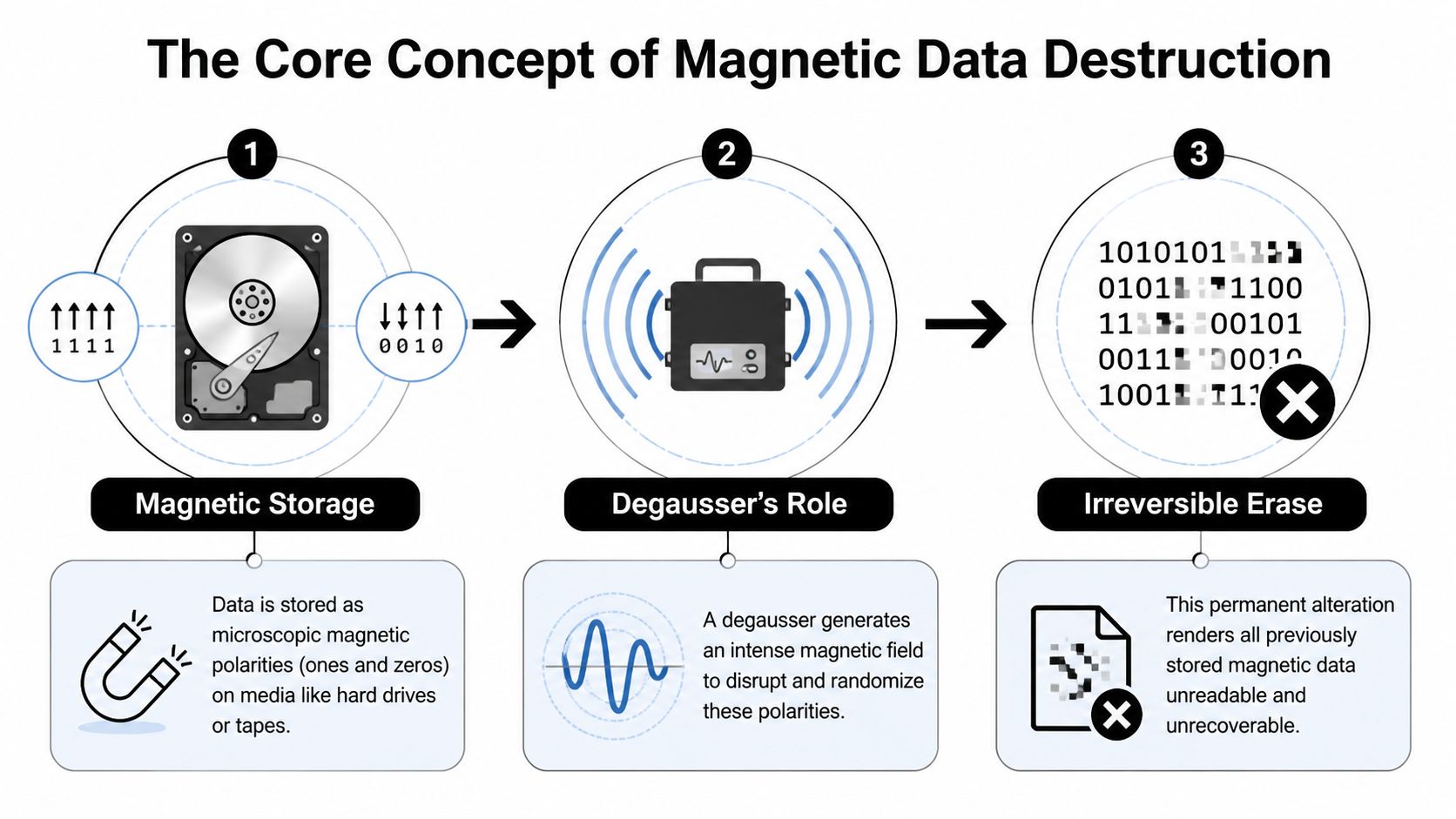
The Core Concept of Magnetic Data Destruction
Think of a hard drive like a giant library where every book is arranged with microscopic precision. Each page represents stored data, and the letters on those pages are organized in a pattern the drive can read. Magnetic media works the same way. Data lives in tiny magnetic domains arranged into patterns that represent ones and zeros.
A degausser doesn't remove a few books from the shelf. It doesn't even shred a few chapters. It scrambles the equivalent of every letter on every page at once, across the entire library. After that, the information isn't merely hidden. It's no longer readable in any meaningful way.
Why deletion and destruction aren't the same
Many managers often misunderstand this point. Deleting files, reformatting a drive, or even removing a user’s access doesn't necessarily destroy the underlying data. Those actions often change how the system points to the data, not whether the data still exists.
Degaussing is different because it attacks the storage mechanism itself. The magnetic pattern that made the data recoverable gets disrupted and neutralized.
Practical rule: If the goal is to make data permanently unrecoverable on magnetic media, you need to affect the magnetic structure, not just the file system.
That’s why degaussing belongs in conversations about data sanitization, not just disposal. If you want a broader framework for how organizations classify and handle these methods, Montclair Crew’s overview of data sanitization practices is a useful companion.
Why the drive stops being usable
A business manager often asks a fair question. If the data is gone, can the drive still be reused?
With degaussing, usually no. The same magnetic patterns that store business files also support the drive’s ability to function normally. When those patterns are scrambled, the drive loses the structure it needs to operate. In practical terms, the media becomes a destroyed data container even if it still physically looks intact.
That visual mismatch causes real-world confusion. A degaussed hard drive may still look like any other drive in a bin. But from a security standpoint, it has already crossed the line from reusable asset to destroyed media.
A degaussed drive often looks normal from the outside. That’s one reason documented handling matters as much as the erase method itself.
How Degaussing Technology Actually Works
A compliance manager usually meets degaussing at a specific moment in the asset lifecycle. A server refresh is underway, several drives have already failed, and the organization still needs a destruction method that does not depend on the device booting up. That is where degaussing earns its place.
At the device level, a degausser floods magnetic media with a strong magnetic field. That field disrupts the ordered magnetic pattern stored on the disk or tape. You can picture it like wiping a compass with a stronger magnet until it no longer points in a meaningful direction. The stored pattern is no longer readable, and the media loses the magnetic structure needed for normal operation.

Gauss, coercivity, and why field strength matters
Two terms matter here. Gauss describes the strength of the magnetic field the machine produces. Coercivity, usually measured in oersteds, describes how resistant the media is to being magnetically reset.
The practical rule is straightforward. The degausser must generate a field strong enough to overwhelm the media’s coercivity. If it does not, the organization cannot assume the data was fully sanitized. For audit and legal risk purposes, "probably erased" is not a defensible position.
Intimus’s guide to understanding degaussing explains this relationship and notes that modern magnetic hard drives need a very high field strength for complete erasure. That is one reason degaussing equipment has to be matched to the media type instead of treated like a one-size-fits-all office device.
If your retired inventory includes older server drives, a complete guide to SATA drives can help your team understand the kind of magnetic media that often appears in decommissioning projects.
Two common machine designs
Degaussers generally fall into two operating styles.
AC coil degaussers generate an ongoing magnetic field while the unit is active. These systems can work well, but heat buildup can slow throughput in larger batches.
Capacitive discharge, or pulse, degaussers store energy and release it in short, powerful bursts. In an ITAD setting, that usually makes them a better fit for repeatable, higher-volume processing because the machine is built around short cycles rather than sustained output.
For a business manager, this difference is less about physics and more about operations. If a provider is processing a handful of drives each month, one setup may be fine. If the job involves racks of failed HDDs from a data center exit, throughput, cooldown time, and documentation discipline start to matter just as much as raw field strength.
Why degaussing still matters, and where it does not
One major advantage is that degaussing works even when the drive itself is dead. Software wiping needs a functioning device that can still communicate with a system. Degaussing acts directly on the magnetic media, so failed hard drives and magnetic tapes can still be sanitized.
That makes it useful for incidents, bulk refreshes, and environments where a percentage of drives will not spin up on command. Montclair Crew’s page on secure destruction of hard drives gives a practical view of how that fits into real disposal workflows.
But this is also where many organizations get tripped up. Modern fleets are no longer mostly magnetic. SSDs, flash storage, phones, and many embedded devices do not store data in magnetic domains, so a degausser has nothing meaningful to disrupt. In a mixed environment, degaussing is a targeted tool for HDDs and magnetic tape, not a universal answer. That is why mature destruction programs pair media identification with the right end-of-life method, whether that means degaussing, shredding, or another approved process.
What Degaussing Erases And What It Cannot Touch
The most important limitation to understand is this: degaussing only works on magnetic media. That's not a minor detail. It's the line between a compliant destruction process and a false sense of security.
If the device stores data in magnetic domains, a degausser can disrupt those domains. If it doesn't, the machine has nothing meaningful to act on.
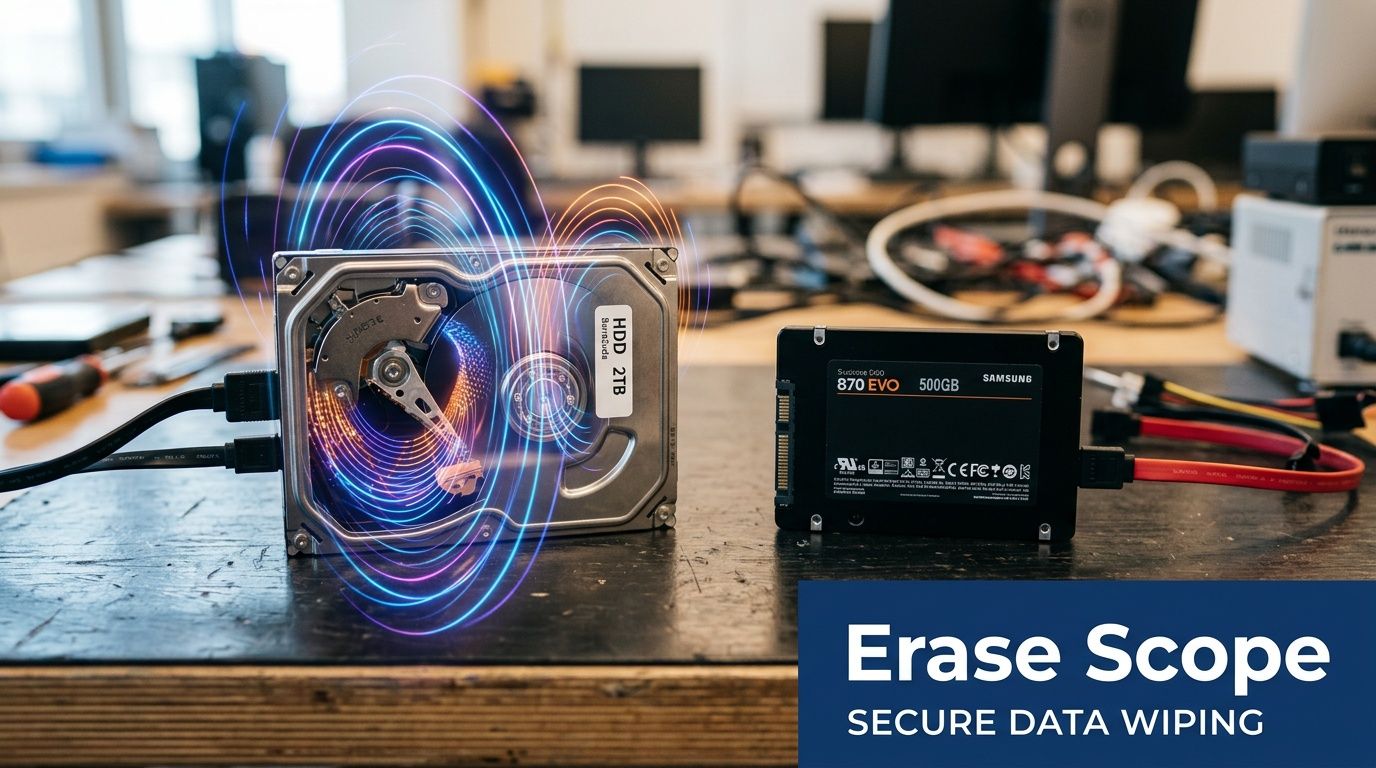
Media degaussing can erase
Degaussing is effective for media such as:
- Hard disk drives: Traditional HDDs store data magnetically on platters.
- Magnetic backup tapes: Tape formats depend on magnetic patterns and respond to degaussing.
- Legacy magnetic media: Older formats like floppy disks also fall into this category.
Whitaker Brothers states that degaussers work on magnetic media such as hard disk drives, magnetic backup tapes, and floppy disks, and that the result is 100% irreversible because both data and servo tracks are scrambled, making the drive unusable and unrecoverable. That explanation appears in their article on what a degausser does.
If you’re reviewing an older server inventory and need a refresher on how many legacy systems still rely on magnetic disk architecture, this complete guide to SATA drives is a useful background resource because it explains the role SATA hard drives still play in business environments.
Media degaussing cannot erase
Modern IT environments, however, change the picture. Degaussing does not work on:
- Solid state drives
- USB flash drives
- Memory cards
- CDs and DVDs
- Other non-magnetic storage
Why not? Because SSDs and flash devices don't store data as magnetic orientation. They store data electronically in memory cells. There are no magnetic domains to scramble, so a degausser has nothing to erase.
Securis highlights this limitation directly in its discussion of degaussing. The article notes that degaussers fail on SSDs because SSDs lack magnetic domains and instead use NAND flash memory. It also states that degaussing is recommended only for magnetic media, while SSDs require overwriting or shredding. The same piece includes future-dated market claims about enterprise SSD shipments in 2025 and ITAD trends, but for a practical policy decision, the key takeaway is the media difference itself, as explained in Securis’s article on how degaussers work on magnetic media and why they don’t work on SSDs.
If your asset list includes both HDDs and SSDs, a single destruction method usually isn't enough.
Where businesses get exposed
The compliance risk usually shows up during mixed-device retirements. A company assumes “we degaussed everything,” but half the pallet contains SSDs from newer laptops or flash-based storage from newer servers. The process sounds thorough on paper, but the wrong method was applied to the wrong media.
That’s why a modern destruction policy should classify devices before destruction, not after. Many organizations now need a branching process:
- Identify the media type
- Use degaussing for magnetic media
- Use wiping or physical destruction for non-magnetic media
- Document which method was used for each asset class
For businesses evaluating destruction paths for magnetic drives specifically, Montclair Crew’s overview of the best ways to destroy a hard drive helps place degaussing alongside shredding and other options.
Degaussing vs Shredding vs Wiping A Clear Comparison
Most businesses don't choose between these methods in the abstract. They choose based on media type, reuse goals, audit requirements, and how much trust they need in the outcome.
A simple comparison makes the tradeoffs clearer.
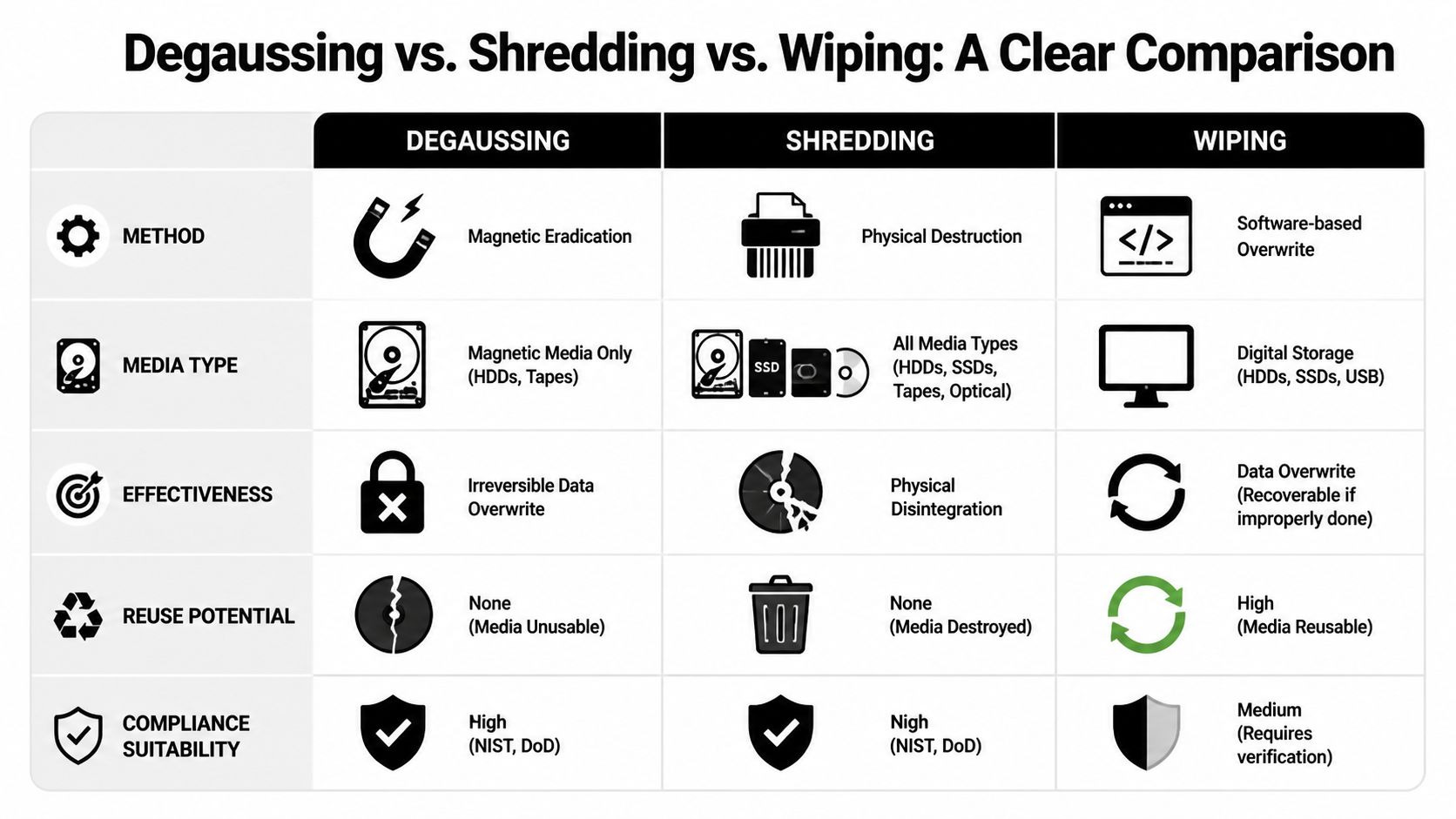
Data Destruction Methods Compared
| Criterion | Degaussing | Physical Shredding | Software Wiping |
|---|---|---|---|
| Primary method | Magnetic eradication | Physical destruction | Software overwrite |
| Works on | Magnetic media such as HDDs and tapes | Broad range of media types, including magnetic and non-magnetic devices | Devices that can be connected and processed by software |
| Recovery potential | Irreversible on supported media | Destroyed with the device itself | Depends on proper execution and verification |
| Drive reusable after process | No | No | Often yes, if the media remains functional |
| Useful for failed drives | Yes | Yes | No, not reliably |
| Best fit | Bulk magnetic media destruction | Final destruction across mixed media | Reuse and remarketing workflows |
Where degaussing stands out
Whitaker Brothers describes degaussing as an industry standard across sectors and states that the process is 100% irreversible, obliterating data and servo tracks so the drive becomes unusable and data cannot be recovered even with advanced forensic tools. The same source also notes that degaussing takes only seconds per drive and works on non-functional hardware, which makes it useful in high-volume retirement programs involving magnetic media.
That combination is hard to match when you're clearing out failed HDDs or old tape libraries. Software wiping can't help if the device won't power up. Shredding can help, but shredding is a destructive end state rather than a magnetic erase process.
Where shredding becomes necessary
Shredding matters most when media isn't magnetic or when the business wants a visibly final destruction method. SSDs, optical discs, flash drives, and mixed media lots usually push organizations in this direction.
A lot of secure workflows combine methods. An organization may degauss magnetic drives first, then shred them afterward. That creates redundancy and reduces the chance of process confusion later in the chain.
Decision shortcut: Use wiping when reuse matters, degaussing when the media is magnetic and failed or high-risk, and shredding when the media is non-magnetic or you need final physical destruction.
Where wiping still belongs
Software wiping still has a valid place in ITAD. If a drive is functional and you want to preserve reuse value, wiping can support that outcome. It’s especially relevant where remarketing or internal redeployment is part of the asset lifecycle.
The limitation is operational, not theoretical. Wiping needs a working device, a verified process, and careful recordkeeping. If any of those conditions break down, wiping becomes less dependable than a destruction-based method.
For most compliance-minded organizations, the practical answer isn't degaussing versus shredding versus wiping. It's choosing the right one for each media type and each business objective.
Meeting Compliance and Chain of Custody Demands
A failed hard drive sitting in a bin is not just old hardware. From an auditor’s perspective, it is an asset with data exposure, custody history, and destruction requirements attached to it. If your team cannot show who handled that drive, where it went, and why the chosen destruction method fit that specific media type, the gap is procedural, not technical.
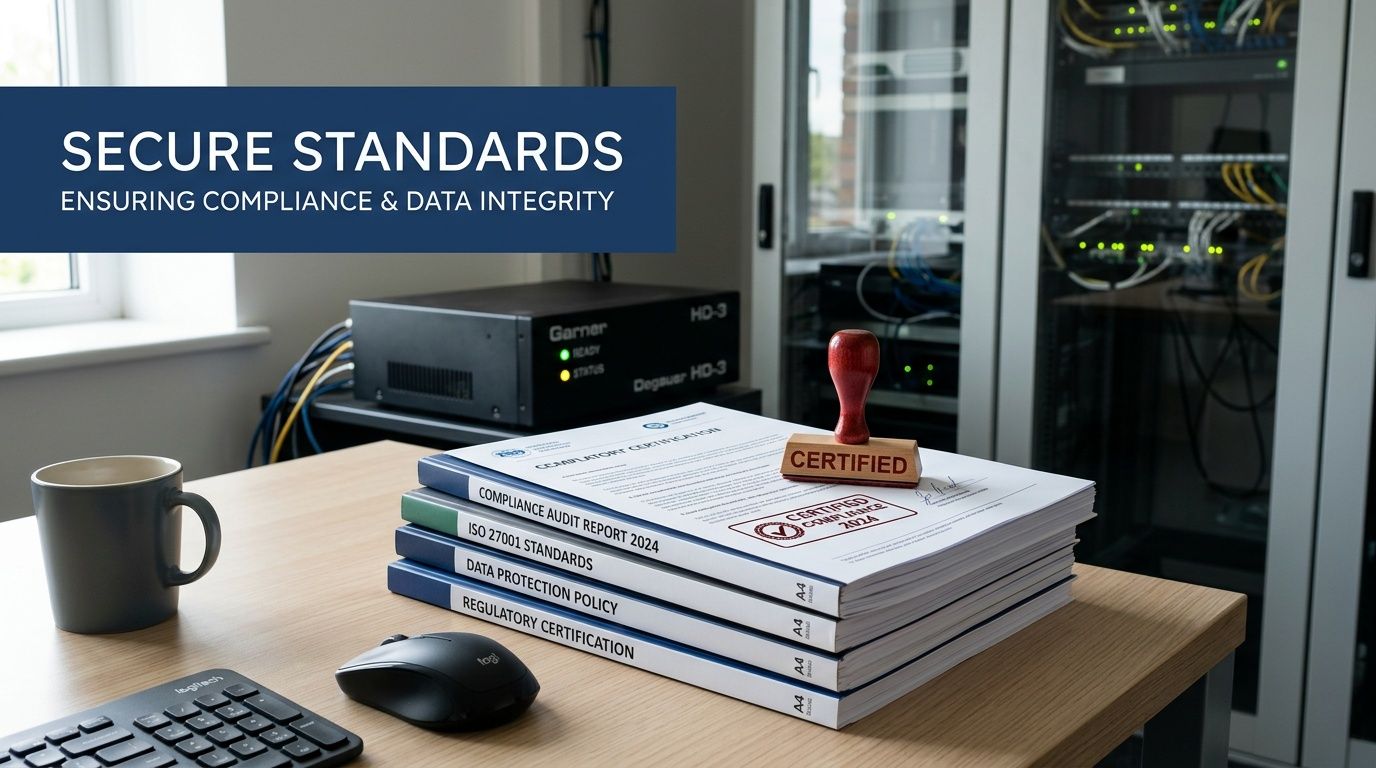
Compliance programs usually care about two things at once. First, was the data destroyed in a way that matches recognized guidance and the media involved? Second, can the organization prove it later? Degaussing can support that proof for magnetic hard drives and tape. It does not solve the same problem for SSDs, flash media, or other non-magnetic devices, which is why media sorting matters before anything is processed.
That distinction trips up a lot of organizations. A degausser is like a strong magnet built for data destruction, so it only affects media that stores data magnetically. If a mixed pallet includes HDDs, SSDs, and backup tapes, one chain of custody process can cover the whole lot, but the destruction step still has to branch by media type. Otherwise, you end up with a clean log and the wrong destruction method.
Why validated processes matter
For a compliance-minded manager, the practical question is simple. Can you show that the method used was appropriate for the asset? For magnetic drives, that often means using degaussing equipment and procedures that align with recognized standards and documented internal policy. For SSDs, it usually means a different route, often physical destruction, because magnetic erasure does not touch the way flash memory stores data.
That is why audits rarely stop at "the drive was destroyed." Reviewers want evidence that the organization chose the right control for the right device, then followed that control consistently.
What chain of custody looks like in practice
A defensible process usually includes a few basic controls:
- Asset logging: Record serial numbers, asset tags, or container IDs before media leaves the user, rack, or storage room.
- Custody tracking: Document each handoff so you can identify who possessed the media at every stage.
- Media verification: Separate magnetic media from SSDs and other non-magnetic devices before destruction begins.
- Method confirmation: Apply degaussing only where it fits the media, and route the rest to shredding or another approved method.
- Final records: Keep destruction documentation that supports legal hold reviews, customer questionnaires, and audit requests.
Physical handling matters here too. A drive can be lost, swapped, or removed long before it reaches the degausser or shredder. This article on managing information theft risks for commercial properties is a useful reminder that exposure often happens during storage, transport, and access control failures, not only at the moment of destruction.
Why certificates still matter
A certificate of destruction does not make a weak process stronger. It records that a documented event happened inside a documented workflow. That distinction matters when a regulator, client, or internal audit team asks for proof instead of verbal assurance.
If your organization needs that record, Montclair Crew explains what to expect in a certificate of destruction for hard drives. For healthcare, finance, education, and government programs, that paperwork often carries the same weight as the destruction step itself because it ties the asset, method, date, and custody trail together.
The bigger point is practical. Degaussing can be part of a compliant destruction program, but only for magnetic media. In a modern environment with growing SSD volume, compliance depends less on picking one method and more on proving that each asset followed the correct path from pickup through final destruction.
Practical Factors in Choosing a Degaussing Service
When a business evaluates a degaussing service, the first question shouldn't be price. It should be fit. A low-cost service that uses the wrong machine, the wrong workflow, or the wrong assumptions about your media can create a larger cleanup problem later.
Match the machine to the media
The most basic requirement is magnetic strength. Guidance from degausser.com on degausser technologies and throughput says a rule of doubles is a useful benchmark, meaning the degausser’s field should be at least 2x the media’s coercivity, such as a 10,000 Oe field for a 5,000 Oe HDD.
That’s the technical reason vendor questions matter. You want to know what media the service handles, what coercivity range the equipment supports, and whether the provider can explain why that machine is appropriate for your inventory.
Consider throughput and workflow
The right setup for a small office is different from the right setup for a data center cleanout. The same degausser.com guidance says AC coil units can generate excessive heat and may be limited to 1 to 5 minutes of operation before cooldown, while capacitive discharge units avoid that heat limitation. It also notes that high-volume pulse degaussers with conveyor systems can process up to 4,500 drives per hour, while portable units fit smaller on-site jobs better.
A few practical questions help narrow the choice:
- How much media do you retire at once: A few boxes of drives call for a different setup than a large decommission project.
- Do you need on-site service: Some organizations want witness destruction inside their own facility.
- Are many drives failed: If a big portion of the inventory is dead, degaussing may be more practical than a software workflow.
- Will the lot include SSDs too: If yes, the provider should have a clear non-degaussing path for those assets.
Look beyond the machine
A strong machine doesn't guarantee a strong process. Ask how the provider logs devices, handles mixed media, separates reusable assets from destruction candidates, and documents the final outcome.
One option businesses in Metro Atlanta may consider is Montclair Crew Recycling, which includes degaussing within broader ITAD workflows and also offers other destruction methods for media that can't be degaussed. That kind of mixed-method capability matters more now because very few organizations retire only one storage type.
How Montclair Crew Secures Your Data in Metro Atlanta
A realistic ITAD program has to deal with what businesses have on hand. That usually means old magnetic hard drives from servers and desktops, plus newer SSDs from laptops, workstations, and flash-based infrastructure. A single-method policy doesn't fit that reality.
For magnetic media, degaussing gives organizations a way to permanently erase failed or retired HDDs and tapes without depending on the devices to remain operational. For non-magnetic media, physical destruction is the safer route. The practical value is in combining those methods under one controlled workflow instead of forcing every asset through the same process.
A mixed-media approach makes more sense
In day-to-day business disposal, the important question isn't “is degaussing secure?” It is. The better question is whether the provider correctly separates magnetic from non-magnetic storage before destruction begins.
That distinction reduces the risk of an SSD being sent through an ineffective process or a reusable device being unnecessarily destroyed. It also supports cleaner documentation because the destruction record can reflect the actual method used on the actual media type.
Why local execution matters
Local service can simplify logistics, witness requirements, and chain of custody. For Metro Atlanta organizations, especially those handling recurring IT refreshes, it also makes pickup coordination and project timing easier.
If you’re evaluating a local ITAD partner, Montclair Crew’s page on ITAD services in Atlanta outlines the broader service environment around pickup, asset handling, destruction, and compliant disposition.
The key takeaway is simple. A degausser is a powerful, specialized tool. It's exactly right for magnetic media, exactly wrong for SSDs, and most effective when it's part of a documented process that matches destruction method to device type.
If you're sorting through retired drives, backup tapes, or mixed IT assets and need a compliant path that matches the right destruction method to the right media, Montclair Crew Recycling can help you evaluate the inventory, separate magnetic from non-magnetic devices, and document the process from pickup through final destruction.
