
You probably have one right now.
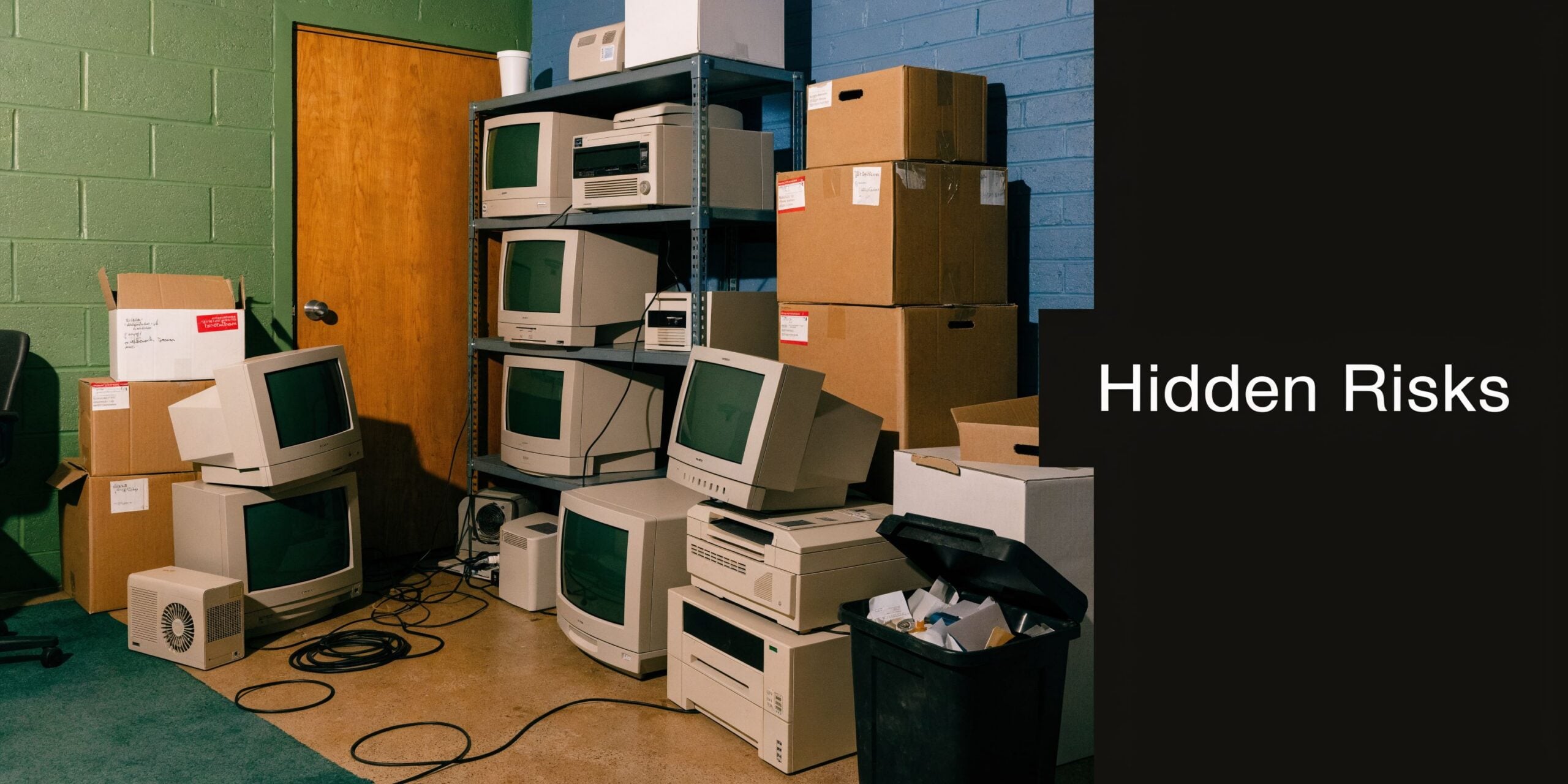
A locked closet near accounting. A shelf in the server room. A corner of the warehouse with retired laptops, old desktop towers, a stack of LCDs, and maybe a few servers nobody wants to touch because they “might still have data on them.”
That equipment is not dead inventory. It is a mix of data risk, compliance exposure, and balance-sheet waste. For Atlanta businesses, Responsible Computer Disposal Services in Georgia are not just about hauling things away. They are about controlling what leaves your building, how it gets documented, and whether any value can be recovered before the equipment is dismantled.
The Hidden Risks in Your Office Storage Closet
The usual pattern is simple. Your team upgrades workstations, swaps out aging network gear, and refreshes laptops in batches. Nobody has time to deal with the old equipment immediately, so it gets parked “for later.”
A few months later, later becomes a problem.
Old hardware still holds live business risk
A powered-off computer is still a data container. So is a server that “doesn’t boot anymore.” So is a copier hard drive, a firewall appliance, and a storage array pulled during an upgrade.
The mistake I see most often is treating retired equipment like surplus office furniture. It is not. If a device stored customer records, employee information, financial files, email archives, or internal documents, disposal is part of your security program.
Another mistake is waiting until the pile gets large enough to become urgent. That delay creates chain-of-custody gaps. People move offices. Labels fall off. Asset lists drift from reality. Then nobody is fully sure what is in the stack, what was wiped, and what still needs handling.
E-waste is also regulated waste
There is an environmental side to this that operations teams cannot ignore. Computers, monitors, and related electronics contain materials that should not end up in ordinary trash streams. Georgia generated 21,000 tons of electronic waste in 2014, and global e-waste is projected to reach 82 million tons by 2030 according to Current and future e-waste flows in Georgia.
That local number may look modest in per-capita terms, but the practical issue for your business is direct. Every retired device has to go somewhere. If the process is informal, your company takes the risk.
Key takeaway: The storage closet is not a holding area. It is an unmanaged ITAD queue.
Disposal becomes IT asset disposition
The professional term for handling this correctly is IT Asset Disposition, or ITAD. Good ITAD is not just pickup and recycling. It includes inventory, secure data destruction, documented transfer, downstream processing, and value recovery where equipment still has resale life.
That changes the conversation inside your business. You are not asking, “How do we get rid of this stuff?” You are asking, “How do we retire these assets without creating a security event, a compliance problem, or a needless write-off?”
If your team is sorting through the basics first, this practical guide on what to do with outdated computers is a useful starting point.
Navigating Georgia’s E-Waste Compliance Environment
A lot of businesses assume Georgia has one clean statewide rulebook for computer disposal. It does not work that way in practice.
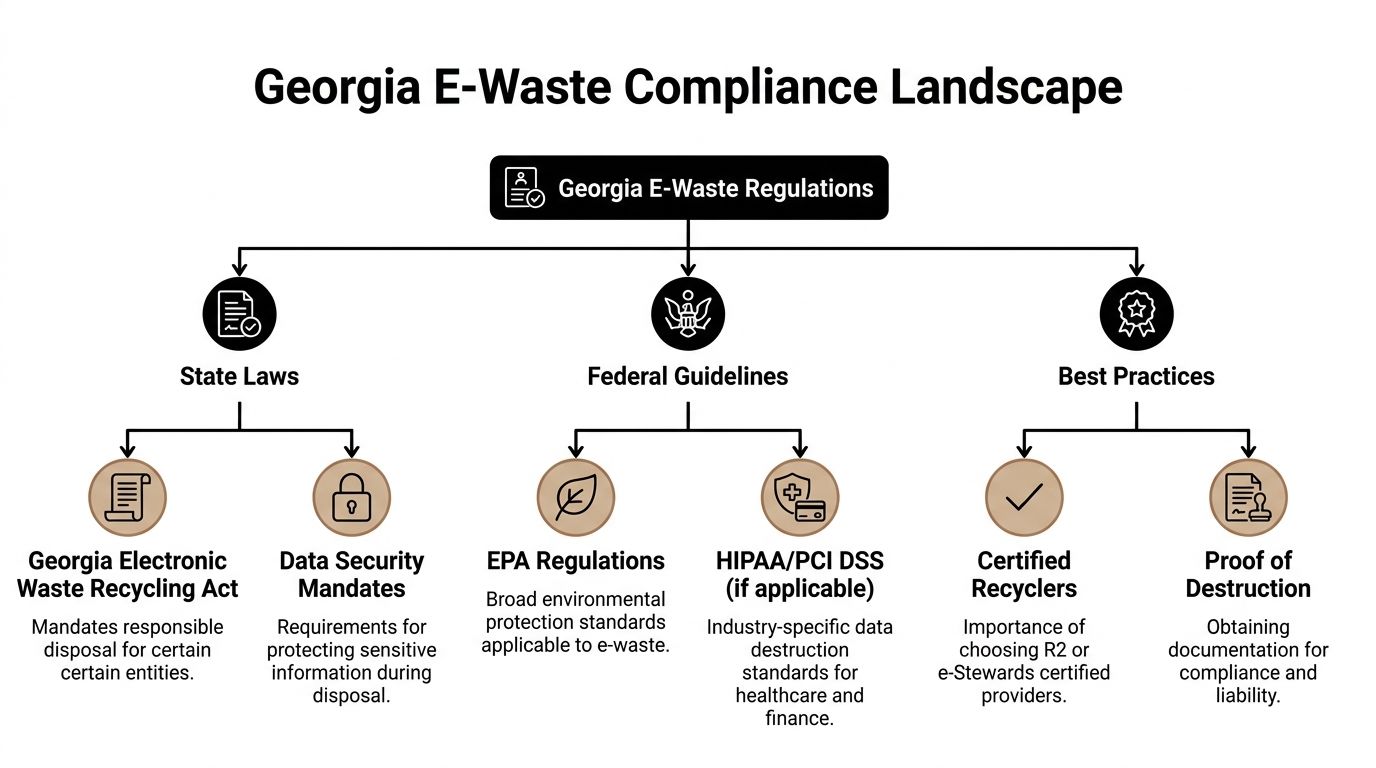
What governs your disposal program is a stack of obligations. Federal environmental rules sit at one level. Industry requirements such as HIPAA, FACTA, GLBA, or PCI DSS may apply depending on the data on the devices. Then Metro Atlanta adds local differences that matter more than many operations managers expect.
The compliance stack your team needs to manage
Start with the assets themselves.
A retired desktop with no drive and no regulated data creates a different risk profile than a server from a medical office, a workstation from finance, or laptops from a law firm. The disposal method should match the device type, the data type, and the local handling rules where your business operates.
Three layers usually shape the decision:
- Federal environmental handling: Electronics cannot be treated like ordinary office trash if they contain hazardous components or require regulated downstream processing.
- Data and privacy requirements: If devices held protected, financial, or confidential information, your destruction method and documentation matter.
- County and site-specific rules: Pickup procedures, business drop-off rules, and fees can change by location.
County-level differences create avoidable mistakes
Otherwise careful companies often encounter difficulties here.
Georgia does not have a single statewide e-waste law for all business scenarios, and local nuances matter. Fulton County imposes recycling fees on certain electronics, and there was a 15% rise in local ITAD compliance audits in 2025, according to CRU’s Georgia guidance. If you operate in Alpharetta, Sandy Springs, Marietta, or multiple sites across Metro Atlanta, one disposal workflow may not fit every location.
A few common breakdowns I see:
- One office assumes the same drop-off rules apply everywhere. They do not.
- A facilities team uses a general junk hauler. That may remove the pile, but it does not solve data destruction or downstream compliance.
- Finance wants a low-cost cleanout. Low upfront cost often means weak reporting, no serialization, and no proof if someone asks questions later.
What works for multi-location Atlanta businesses
A workable disposal policy is not long. It is specific.
Use a standard that answers these questions before anything leaves a site:
| Compliance question | What your team should define |
|---|---|
| Which assets qualify for ITAD review? | Computers, laptops, servers, storage, networking gear, monitors, telecom equipment, and any device with memory or storage |
| Who approves release? | IT, security, or operations, with one named owner |
| What records are required? | Asset list, serial numbers when available, pickup date, disposition method, and destruction documentation |
| What changes by county? | Fees, drop-off restrictions, approved handler requirements, site access logistics |
| When is on-site service required? | Sensitive environments such as healthcare, finance, government, or shared facilities |
That last point matters. In some settings, on-site handling reduces operational risk because devices never sit in an uncontrolled staging area waiting for transport.
Practical tip: If your company has more than one Metro Atlanta location, build your ITAD process by county, not just by company policy.
Compliance is not only about avoiding fines
Most operations managers care about disruption before they care about theory. That is reasonable.
A poor disposal process creates avoidable work for legal, IT, procurement, and facilities. Somebody has to answer questions about what left the building, whether drives were wiped, whether anything was resold, and whether prohibited materials entered the wrong waste stream.
That is why certified, business-focused handling matters more than generic recycling. The provider should be able to support inventory controls, secure transport, documented disposition, and local rule awareness in one process. If your team is comparing options, Georgia electronics recycling for businesses is the kind of service model to look for: pickup, business asset handling, and disposal built around organizational requirements rather than consumer drop-off assumptions.
Securing Your Data Before Disposal Wiping vs Shredding
Deleting files is not data destruction.
Neither is emptying the recycle bin. Neither is a quick format. Those steps are closer to removing labels from file folders than destroying the files themselves. The underlying data may still be recoverable, which is why disposal has to start with a method that matches the sensitivity of the device.
In Georgia, failing to use certified data destruction methods such as DoD 5220.22-M wiping or NIST-compliant shredding can lead to fines exceeding $50,000 per breach incident under regulations such as HIPAA, according to the Georgia data destruction and e-waste laws compliance guide.
Why simple deletion fails
If a user deletes a spreadsheet from a laptop and sends the laptop to surplus, the data is not necessarily gone. The operating system may only mark that space as available. Until the drive is properly sanitized or physically destroyed, the information can remain accessible.
That is why serious ITAD programs use one of two paths:
- Software-based wiping
- Physical shredding
Each has a place. The right choice depends on what is on the device, whether resale value matters, and how much residual risk your organization is willing to accept.
Data Destruction Methods Wiping vs. Shredding
| Attribute | Data Wiping (e.g., DoD 5220.22-M) | Physical Shredding |
|---|---|---|
| Primary goal | Erase data while preserving the drive or system for reuse or resale | Destroy the media so recovery is not possible |
| Best fit | Laptops, desktops, servers, and storage assets with resale potential | Highly sensitive data, failed drives, damaged media, or assets that cannot be reliably wiped |
| Value recovery impact | Supports remarketing because the device can remain intact | Ends resale potential for the destroyed media |
| Documentation | Should produce auditable wiping records and device tracking | Should produce destruction records and chain-of-custody documentation |
| Operational trade-off | More value retained, but process control must be strong | Highest assurance, but no reuse value from the destroyed media |
| Common mistake | Assuming a quick reformat is enough | Shredding everything without checking whether non-sensitive assets could have been remarketed |
When wiping makes more sense
Wiping is the practical choice when you want to preserve asset value.
If you have newer laptops, desktops, or data center gear that still have secondary-market demand, wiping can remove the data while keeping the hardware intact. That opens the door to refurbishment or resale rather than immediate destruction.
This works best when:
- The drives are functional
- The device type supports reliable sanitization
- Your provider can document the wipe against a recognized standard
- Your internal policy allows reuse after sanitization
For many businesses, this is the difference between paying only for disposal and offsetting part of the project through value recovery.
When shredding is the better call
Shredding is the right choice when your business wants maximum certainty or when the media is not a good candidate for software sanitization.
That often includes:
- Failed or unreadable drives
- SSDs that require cryptographic erasure or destruction rather than legacy assumptions
- Devices from highly regulated environments
- Assets tied to legal holds, internal investigations, or strict contractual terms
- Situations where your policy prefers destruction over remarketing
For highly sensitive data, physical destruction is simpler to defend. The media no longer exists in usable form.
Rule of thumb: If your biggest concern is resale value, start with wiping. If your biggest concern is eliminating every argument about recoverability, choose shredding.
Wiping and shredding are not competing religions
Mature programs differ from ad hoc cleanouts in this regard. Good ITAD teams do not pick one method for everything.
They sort by asset class and risk.
A typical batch might look like this:
- Newer employee laptops get wiped, tested, and prepared for resale.
- Failed hard drives from old servers get shredded.
- Mixed networking gear gets audited for any embedded storage before disposition.
- Executive devices and sensitive department assets get a stricter destruction path.
That blended approach protects data without destroying recoverable value unnecessarily.
What to require from your provider
Do not settle for “we erase everything” as the whole answer.
Ask for:
- The exact sanitization standard used
- How the provider handles SSDs versus HDDs
- Whether serial numbers are tracked through pickup and destruction
- What report or certificate you receive afterward
- Whether on-site destruction is available when your policy requires direct observation
If you want your internal team to understand what secure sanitization should look like before pickup, this walkthrough on how to wipe a computer before recycling is useful for setting expectations.
From E-Waste to Asset Recovery The Environmental and Financial Upside
The best disposal projects do two things at once. They remove risk, and they prevent unnecessary waste.
That starts with using the right hierarchy. Not every retired asset should go straight into shredding or bulk scrap. Some equipment can be reused. Some can be refurbished. The rest should move into material recovery through a controlled recycling process.

The order matters
A lot of businesses jump straight to “recycle it.” That sounds responsible, but it is not always the best first move.
The stronger sequence is:
- Reuse if the asset can continue serving a purpose internally.
- Refurbish and resell if the hardware still has market value.
- Recover materials when the equipment is no longer practical to use.
That sequence matters because the embedded labor, materials, and manufacturing impact are already inside the device. Extending useful life usually beats immediate destruction.
Why certified recovery matters
Global e-waste reached 62 million tons in 2022, and only 22.3% was properly recycled, with $62 billion in recoverable materials lost annually, according to Montclair Crew’s Georgia guide to responsible e-waste recycling.
For a business, those global numbers translate into a local question. If your provider does not maximize reuse and material recovery, where is the value going?
The answer should not be “nobody really knows.”
A disciplined process should separate reusable systems from end-of-life scrap, then move non-reusable equipment into downstream recovery that handles boards, metals, plastics, and hazardous components correctly.
Where businesses recover value
You are most likely to recover value from equipment that still has commercial use.
That often includes:
- Servers and storage gear: Especially from scheduled refresh cycles rather than failure events
- Business laptops: If they are in serviceable condition and can be sanitized
- Networking hardware: Switches, routers, and telecom equipment with remaining market demand
- Bulk desktop batches: When age, condition, and configuration still make refurbishment practical
The key is timing. The longer equipment sits in a closet, the more resale value usually erodes. Accessories get separated. Power supplies vanish. Asset records become less reliable. Market demand shifts.
Operational advice: Dispose on refresh cadence, not on “when we finally clear the room.”
What good downstream processing looks like
Ask your provider to explain what happens after pickup.
You want a clear answer on three points:
| Stage | What should happen |
|---|---|
| Evaluation | Assets are sorted for reuse, refurbishment, or material recovery |
| Data handling | Storage media is sanitized or destroyed before resale or dismantling |
| Final disposition | Recyclable commodities and hazardous components move through documented downstream channels |
That process is where environmental responsibility and value recovery meet. If your business wants a practical example of how disposal planning can include both compliance and resale, this Georgia business IT asset disposal guide is worth reviewing.
How to Vet a Computer Disposal Provider in Georgia
A vendor can promise “green recycling,” “secure disposal,” and “free pickup” and still leave your business exposed.
The phrase to watch is not what they market. It is what they can prove.

Start with certifications, not slogans
For Responsible Computer Disposal Services in Georgia, certifications are the fastest filter.
R2v3 certification requires an environmental management system, can achieve up to 85% material recovery rates, and requires auditing of downstream partners to prevent illegal exporting. Non-certified operators have a 40% higher rate of landfill violations, according to CRU’s certification overview.
That tells you something important. Certification is not just a badge for the website. It is evidence that the recycler operates inside a defined system.
For data-bearing equipment, many businesses also look for NAID AAA or equivalent audited data-destruction controls. If a provider talks confidently about wiping and shredding but cannot show how the process is governed, keep looking.
The checklist I would use
If I were qualifying a new ITAD vendor for a business in Atlanta, I would ask these questions before discussing price:
- Which certifications do you hold right now? Ask for current proof, not a vague statement that they “follow R2 standards.”
- How do you track chain of custody? You want asset logging, transfer control, and documentation from pickup through final disposition.
- What is your process for data-bearing devices? The provider should explain wiping, shredding, SSD handling, and exception handling clearly.
- Do you audit downstream vendors? If they cannot answer this, their zero-landfill or sustainability claims are hard to verify.
- What reports do clients receive? Look for serialized audit reporting, destruction records, and disposition documentation.
- How do you handle reusable equipment? Here is where value recovery enters the conversation.
- What happens if an asset arrives damaged or unreadable? A strong provider already has a documented exception path.
Watch for greenwashing in plain language
The warning signs are usually obvious once you know what to listen for.
A weak provider often says things like:
- “We recycle everything responsibly.”
- “Nothing goes to waste.”
- “We can take care of all your equipment.”
- “We destroy data securely.”
None of those statements are useful without process details.
A stronger provider answers with specifics. They talk about standards, certificates, chain of custody, media handling, and downstream accountability. They can also tell you where resale fits and when it does not.
This is similar to how technical buyers vet a product development firm. They do not stop at the pitch deck. They ask how work is scoped, controlled, documented, and delivered. ITAD deserves the same discipline because the operational risk is real even if the project looks like a routine cleanout.
Quick test: If the vendor’s whole value proposition is “free,” your business should assume you are not hearing the full story yet.
Price matters, but it is not the first screen
Cheap disposal can become expensive later.
If the provider cannot produce documentation when a regulator, auditor, customer, insurer, or internal investigator asks for it, your savings disappear fast. The same is true if reusable equipment gets scrapped because nobody sorted it properly before destruction.
That is why procurement should not evaluate these providers as generic hauling vendors. They are handling security-sensitive assets, regulated materials, and potentially recoverable value. The review criteria should reflect that.
If your team is building a shortlist, IT asset disposition companies in Georgia is a useful category page to compare what a business-grade provider should offer.
Montclair Crew An End-to-End Solution for Atlanta Businesses
For Atlanta-area companies, the gap is rarely awareness. Many organizations know old computers and servers should be handled carefully. The primary problem is execution.
You need one process that covers pickup, inventory, data destruction, environmental handling, and value recovery without forcing your team to coordinate five different vendors.
What an end-to-end workflow should look like
A business-ready workflow usually starts before the truck arrives.
Your provider should help you define:
- which assets are going out,
- whether drives will be wiped or shredded,
- what level of on-site handling is required,
- and what paperwork your business needs after the job closes.
From there, the process should remain controlled. Assets are collected, logged, and moved through a documented chain of custody. Data-bearing devices are sanitized or physically destroyed based on policy. Reusable equipment is evaluated for resale. End-of-life material goes through compliant recycling channels.
That is the difference between disposal and managed ITAD.
Where Montclair Crew fits
One Georgia option that aligns with that model is Montclair Crew Recycling, which serves Metro Atlanta businesses with on-site removal, asset audit support, free DoD 5220.22-M three-pass hard drive wiping, optional on-site shredding, environmentally compliant disposition, and profit-sharing or resale for eligible data center and IT equipment.
For an operations manager, that matters because the service structure matches how disposal projects unfold in the field. Some assets need to be wiped so value can be retained. Some need to be destroyed immediately. Some can be resold. Some only have commodity value. One vendor should be able to manage all of those paths without forcing your staff to improvise.
Why this approach works for busy teams
The practical benefit is not just convenience. It is control.
A structured provider reduces the common failure points:
- Equipment does not sit for months waiting for a plan.
- Data destruction is handled before anything slips into informal recycling.
- The business gets documentation instead of verbal assurances.
- Reusable gear is identified before it is treated as scrap.
- Facilities, IT, finance, and compliance can all work from the same disposition record.
This is especially useful for organizations with multiple sites around Alpharetta, Marietta, Sandy Springs, Roswell, Kennesaw, Norcross, and nearby areas. Local pickup and a B2B workflow reduce the friction that usually causes disposal projects to stall.
The bigger operational lesson
The most effective Georgia disposal programs are not reactive. They are scheduled and policy-driven.
When your business ties ITAD to refresh cycles, ownership becomes clear. Security signs off on destruction requirements. Operations coordinates access. Finance understands whether resale proceeds are expected. Sustainability reporting has actual records behind it.
That is how responsible computer disposal becomes routine instead of stressful.
If your business has retired computers, laptops, servers, monitors, or telecom gear piling up in storage, Montclair Crew Recycling offers a practical path to clear them out with documented data destruction, compliant recycling, and value recovery where appropriate. For Atlanta-area organizations that need a B2B-focused process instead of a generic drop-off option, it is a straightforward place to start.
