
Hitting 'delete' on a file or formatting a drive feels final, doesn't it? It gives you this sense of security, like you've wiped the slate clean. But in reality, all you've done is remove the signpost pointing to where your data lives. Your sensitive information is still physically sitting on that drive, and it’s surprisingly easy to recover with basic software.
Why Your Deleted Files Are Not Gone
Staring at a supposedly empty hard drive can be dangerously misleading. It's a common belief that dragging files to the trash bin or running a quick format permanently gets rid of them. The truth is far more unsettling for anyone who cares about their data privacy.
Think of your hard drive like a massive library. Your computer's file system is the card catalog. When you "delete" a file, you aren’t burning the book; you're just throwing out the card that tells you where to find it. The book—your sensitive data—is still on the shelf, waiting for anyone who knows how to look.
The Illusion of an Empty Drive
This lingering, hidden data is a huge risk. Anyone who gets their hands on your old drive can use readily available recovery software to bring back an incredible amount of information. This isn't just theory; it happens all the time.
What could they find?
- Personal Information: Tax returns, social security numbers, and private family photos.
- Corporate Data: Financial statements, customer databases, and confidential intellectual property.
- Login Credentials: Saved passwords and access keys to your most important accounts.
The fallout from this can be catastrophic. We're talking everything from identity theft and financial fraud to full-blown corporate espionage and major fines for breaking compliance rules like HIPAA or GDPR. For a deeper dive into doing this the right way, it's worth understanding what data sanitization is and how it’s different from just hitting delete.
Don't just take our word for it. Multiple studies have shown that a shocking percentage of used hard drives sold online still contain recoverable personal and corporate data, leaving their former owners completely exposed.
The Only True Solution
Given the stakes, it's pretty clear that your computer’s standard deletion methods just don't cut it. They leave behind a digital ghost that can haunt your old hardware for years. This is why professional hard disk drive destruction isn't just a "nice-to-have"—it's an absolute must for real data security. To truly protect yourself online, you have to go beyond simple deletion and check out the ultimate guide to deleting your digital footprint.
The only way to be 100% sure your information is gone forever is to either physically obliterate the drive or use certified data wiping methods. This process doesn't just get rid of the card catalog entry; it destroys the book itself, making sure no chapter of your digital life can ever be read again.
Exploring Physical Hard Drive Destruction Methods
When you absolutely, positively need data to be gone forever, software-based wiping just doesn't always cut it. For true peace of mind, physical hard drive destruction is the only way to guarantee that your information is completely unrecoverable. These methods go beyond simple erasure—they physically obliterate the drive itself, making it impossible for even the most advanced forensic tools to piece anything back together.
This isn't just theoretical. The risk of data surviving on supposedly "cleared" drives is very real. One eye-opening study found that investigators could pull over 6 million files from a batch of second-hand hard drives. What’s worse, a shocking 69.3% of those drives hadn't been properly wiped at all, leaving a massive data security hole for anyone to find. You can dig into the research on improperly sanitized drives on sphericalinsights.com.
As you can see below, simply "deleting" a file doesn't actually remove the data. It just tells the computer that the space is available to be used again.
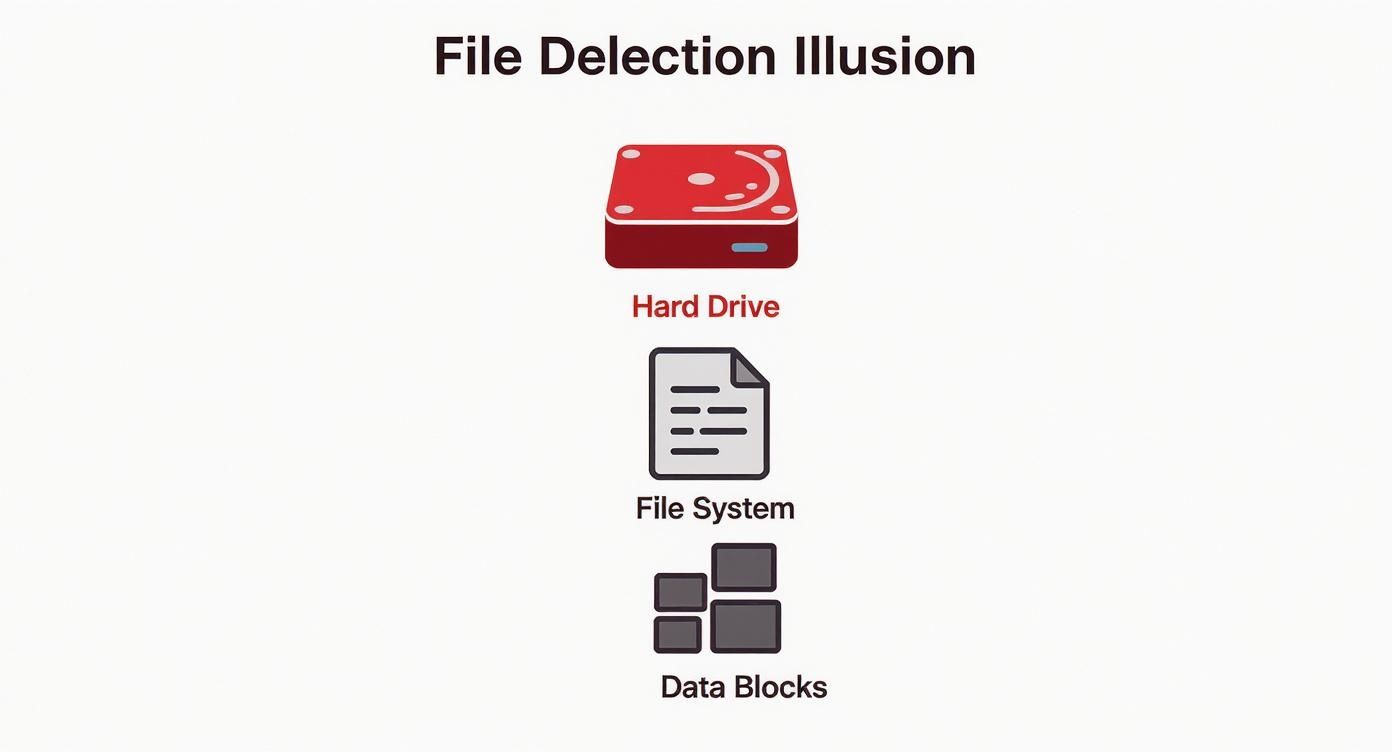
Until those bits are overwritten or the drive is physically destroyed, the information is still there, just waiting to be found.
Industrial Hard Drive Shredding
Picture an industrial woodchipper, but built to chew through steel and electronics—that gives you a pretty good idea of what a hard drive shredder does. This method has become the gold standard for a reason: it provides undeniable, visible proof that your data is gone for good.
The process itself is brutally effective:
- Drives are dropped into a heavy-duty shredder armed with hardened steel cutting blades.
- The machine's immense power tears through the drive's casing, electronics, and, most critically, the magnetic platters where your data lives.
- What comes out the other side is a pile of tiny, confetti-like metal fragments, often just a few millimeters in size.
Once a drive is reduced to that state, the game is over. The precise magnetic alignment that formed your files is gone forever, and reassembling those fragments is physically impossible. This is why shredding is a cornerstone of any serious data security plan, and you can learn more about our process in our guide to secure hard drive shredding.
Comparison of Physical HDD Destruction Methods
To help you decide which method is right for you, we've put together a quick comparison of the most common physical destruction techniques. Each has its place, depending on your security needs and the type of media you're dealing with.
| Method | Process | Security Level | Best For |
|---|---|---|---|
| Shredding | Cuts the drive into tiny metal fragments. | Very High | High-security needs, visible proof of destruction, all drive types (HDD, SSD). |
| Crushing | Applies thousands of pounds of force to bend and shatter platters. | High | Destroying HDD platters, less mess than shredding. |
| Degaussing | Uses a powerful magnetic field to erase data. | High (for HDDs) | Erasing magnetic media (HDDs, tapes) without physical damage. |
Ultimately, while degaussing and crushing are effective, shredding remains the most definitive and visually verifiable method for ensuring complete data destruction.
Crushing and Pulverizing
Another straightforward and effective approach is crushing. This involves using a hydraulic press to exert thousands of pounds of pressure directly onto the hard drive.
The goal here is simple: bend, break, and shatter the internal platters. While it doesn't leave behind the same confetti-like fragments as shredding, a proper crush warps the platters so badly that the drive's read/write heads can never access the data again. Pulverizing takes it a step further, essentially hammering the drive repeatedly until it's just a pile of mangled debris.
Key Takeaway: Both shredding and crushing are all about destroying the physical integrity of the hard drive platters. If the platters can't spin or be read, the data is gone forever.
Understanding Degaussing
Degaussing is a bit different. It destroys the data without necessarily destroying the drive itself. It works by blasting the hard drive with an incredibly powerful magnetic field. This massive energy pulse instantly scrambles the magnetic alignment on the drive's platters, wiping the data clean.
Think of it like swiping a powerful magnet over a credit card's magnetic strip—the information is instantly corrupted. A professional degausser does this on a much grander and more permanent scale.
But there's a huge catch: degaussing is completely useless on Solid-State Drives (SSDs). SSDs store data on flash memory chips, which aren't magnetic, so the powerful magnetic field has zero effect. Since the drive also looks perfectly fine afterward, it's impossible to visually confirm that the data is actually gone. Because of this uncertainty, many organizations simply opt for the absolute finality of physical shredding.
When to Use Software-Based Data Wiping
Physical destruction is the final nail in the coffin for a hard drive, but it's not always the smartest move right out of the gate. Sometimes, a hard drive still has plenty of life left in it, holding real value for resale, donation, or redeployment within your own company. This is where software-based data wiping, or data sanitization, comes in as a secure and sustainable alternative.

Don't confuse this with just deleting files. Hitting 'delete' only removes the signpost pointing to your data, leaving the actual information intact and recoverable. Sanitization is a whole different ballgame. It uses specialized software to meticulously overwrite every single sector of the drive with random binary data—a blizzard of zeros and ones.
Imagine scribbling over every word in a book with a thick, black permanent marker. Now imagine doing that three or four more times. The original text is gone for good, buried under layers of indecipherable ink. That’s what data wiping does, ensuring the original data is completely unrecoverable, even with sophisticated forensic tools.
Understanding Wiping Standards
Not all wiping methods are created equal. To guarantee data is truly gone, organizations follow established standards that lay out the rules for the overwriting process. These protocols specify the patterns of data to use and, crucially, how many times the drive is overwritten, known as "passes."
A classic example is the DoD 5220.22-M standard. Originally developed by the U.S. Department of Defense, this method uses a three-pass overwrite to be extra thorough:
- Pass 1: Writes a specific character across the entire drive.
- Pass 2: Overwrites everything again with the character's complement (the opposite binary value).
- Pass 3: A final overwrite with random characters, followed by a verification step to make sure it worked.
This multi-layered approach was designed to thwart advanced data recovery techniques that could theoretically detect faint magnetic traces of the original data. Sticking to a recognized standard like this is absolutely critical for meeting compliance rules and achieving genuine security.
By adhering to rigorous wiping protocols, an organization can confidently prove that its data was securely eliminated, preserving the hardware's value without compromising sensitive information. This creates a documented, auditable trail of data destruction.
When Is Data Wiping the Right Choice?
While smashing a drive to bits offers absolute certainty, software wiping is the perfect solution in several common situations. It strikes a balance between iron-clad security and recovering the value of your assets, making it a cornerstone of any smart IT asset disposition (ITAD) plan.
Data wiping is the way to go when you plan to:
- Resell Hardware: If your computers or servers are still in good working order, wiping the drives lets you recoup a good chunk of their value on the secondary market.
- Donate Equipment: Giving computers to schools or non-profits is a fantastic way to support the community. Secure wiping ensures your private data doesn’t go along for the ride.
- Redeploy Assets Internally: When an employee moves on, their computer can be securely wiped and set up for a new team member, saving you the cost of buying new equipment.
- Return Leased Equipment: Most lease agreements demand that you return hardware with all your data professionally removed. Wiping handles this without destroying the equipment.
The core idea of preparing electronics for a second life applies everywhere. While we're focused on hard drives here, it’s just as vital to use secure data wiping for mobile devices before you sell or trade them. To see the full picture, our guide on how to wipe a computer before recycling walks you through every step. By choosing sanitization, businesses can uphold the highest security standards while making choices that are good for the bottom line and the planet.
Meeting Data Privacy and Compliance Mandates
Proper hard disk drive destruction isn't just a smart security move anymore—it's the law. In a world where privacy is everything, simply tossing old hard drives can land you in serious legal and financial hot water. It's no longer enough to hope your data is gone; you have to prove it was destroyed.
This isn't just a niche concern, either. The demand for HDD destruction equipment is exploding, driven by tough new privacy laws and growing public awareness. The market was valued at around $1.927 billion in 2027 and is on track to grow by about 5.2% annually through 2033. The message from regulators and customers is crystal clear: data protection is not optional. You can get more insights on this growing market demand on archivemarketresearch.com.
Navigating the Regulatory Landscape
Several major regulations now have a lot to say about how you get rid of old data. While they each have their own quirks, the goal is the same: protect people's information and make businesses accountable. Ignoring them can lead to crippling fines and a damaged reputation that’s hard to fix.
Here are the big ones you need to know:
- GDPR (General Data Protection Regulation): This EU law is a game-changer. It gives European citizens the "right to erasure" and comes with massive penalties for companies that don't comply—up to 4% of your annual global turnover.
- HIPAA (Health Insurance Portability and Accountability Act): If you're in healthcare in the U.S., HIPAA is non-negotiable. It mandates that all patient health information must be completely unreadable and unusable before you dispose of a device.
- CCPA (California Consumer Privacy Act): This law gives Californians the power to know how their data is being used and to demand that you delete it.
Because of these laws, getting rid of old hard drives has shifted from a simple IT task to a critical part of your company's risk management strategy.
A data breach from an old, improperly discarded hard drive isn't just a tech screw-up. It's a direct violation of consumer trust and regulatory law. The penalties are harsh for a reason—they underscore just how seriously you need to take compliant destruction.
The Role of a Certificate of Destruction
So, how do you actually prove you followed the rules? The answer is a critical document called a Certificate of Destruction. This isn't just a receipt. It's your official, auditable proof that you complied with all the necessary data privacy laws.
Think of it as your legal shield. If an auditor or investigator ever comes knocking, this certificate provides a documented chain of custody, confirming your media was destroyed according to recognized industry standards.
A proper Certificate of Destruction should include:
- Unique Serialized Number: To track and verify the job.
- Date of Destruction: The exact date the service was completed.
- Method of Destruction: A clear statement on whether it was shredded, crushed, degaussed, etc.
- Chain of Custody Details: A log of who handled the drives and when.
- A Witness Signature: Confirmation from a certified professional who oversaw the process.
This document is your definitive proof that you did your due diligence to protect sensitive data. You can learn more about its importance in our guide on what a Certificate of Destruction is. Without one, you're leaving your organization wide open to legal trouble and expensive fines.
Choosing an Environmentally Responsible Partner
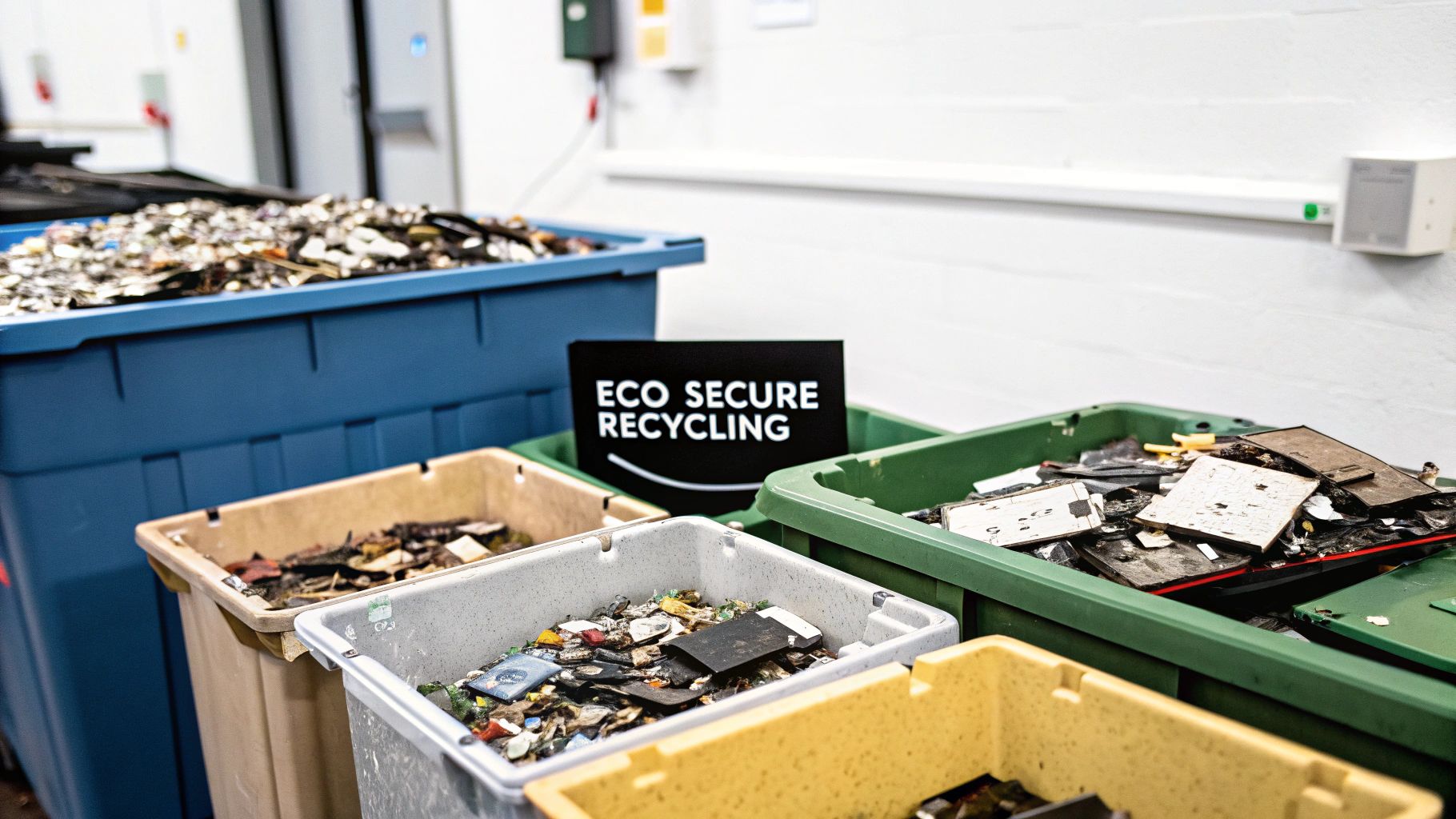
Secure hard disk drive destruction is really only half the battle. Once your data is gone for good, you're still left with the physical hardware. Tossing shredded metal and circuit boards into a landfill isn't just bad for the planet—it can get you into legal trouble.
Hard drives are a nasty cocktail of hazardous materials like lead, mercury, and cadmium. When they sit in a dump, these toxins can seep into the ground, poisoning soil and water supplies. This is the heart of the e-waste problem, and it demands a solution that takes care of both your data and the environment.
The sheer scale of this is mind-boggling. Back in 2021, estimates suggested that anywhere from 20 million to 70 million hard drives were retired in the United States alone. That staggering number makes it crystal clear why we need recycling baked right into the data destruction process. You can find more details on this e-waste challenge at garnerproducts.com.
The Role of Certified ITAD Partners
This is where a certified IT Asset Disposition (ITAD) partner comes in. These aren't just junk haulers; they are specialists who manage the entire end-of-life journey for your old tech, all with an eye toward sustainability. A top-tier ITAD provider will operate on a strict zero-landfill policy, which means every single piece of your old drives gets a new life or is disposed of correctly.
Instead of becoming toxic garbage, your old drives are methodically broken down. Valuable stuff like aluminum, steel, and precious metals are recovered and funneled back into the manufacturing supply chain. It’s a win-win: you prevent pollution and support a circular economy that relies less on mining new materials.
When you work with a certified ITAD vendor, you're turning a potential environmental headache into a genuine positive. It's more than just ticking a compliance box—you're actively doing your part to solve the e-waste crisis.
What Certifications to Look For
So, how do you know if a vendor is the real deal? You look for proof. Third-party certifications are the gold standard because they verify a company's commitment to doing things the right way. These aren't easy to get, so they’re a great sign of a partner’s quality and integrity.
When you're evaluating potential partners, make sure to ask about these key certifications:
- R2 (Responsible Recycling): Think of this as the leading global standard for electronics recycling. An R2-certified company has proven they stick to environmentally safe practices, rock-solid data security, and worker safety from start to finish.
- e-Stewards: This one is often considered the toughest certification out there. The e-Stewards program is laser-focused on stopping the export of hazardous e-waste to developing nations, ensuring the absolute highest standards of environmental and social responsibility.
Picking a partner with these credentials guarantees your hard drive destruction is buttoned up from every angle, protecting both your sensitive data and the planet. It’s a smart move that aligns your organization's security needs with its social responsibility goals.
How to Select the Right Destruction Service
Choosing the right partner to destroy your hard drives is one of the most critical security decisions you'll make. Think of it this way: the vendor you pick is the final guardian of your data's lifecycle. A weak link here could expose your entire organization to massive risk. This isn't just about hauling away old gear; it's about trusting a company with the keys to your digital kingdom.
A professional service doesn't just show up with a truck. They bring a secure, documented, and compliant process from the moment they arrive until the last drive is gone. They get what's at stake and have the right setup to make sure your data is gone for good.
On-Site vs Off-Site Destruction
One of the first calls you'll have to make is where the destruction happens. Both on-site and off-site services have their place, but they offer different vibes when it comes to oversight and convenience.
-
On-Site (Mobile) Destruction: This is the high-security option. A specialized shredding truck pulls up to your location, and you can literally watch your hard drives get turned into metal confetti. It provides undeniable visual proof and a rock-solid chain of custody. This is the go-to for healthcare, finance, or government agencies that can't afford any guesswork.
-
Off-Site Destruction: Your hard drives are packed into locked, tamper-proof containers and carted off in a GPS-tracked vehicle to a secure facility. This route is often more budget-friendly, especially for big projects where watching every single drive isn't practical or necessary.
No matter which you choose, the process has to be buttoned-up and professional. Every single drive needs to be accounted for, from start to finish.
The Non-Negotiable Checklist
When you're talking to potential vendors, don't just accept their sales pitch—ask for proof. A truly reputable partner will be an open book about their security protocols and certifications. You have to do your homework here, because your data's safety is on the line.
A documented and verifiable chain of custody isn't a nice-to-have; it's the bedrock of secure data destruction. It’s the auditable paper trail that proves your assets were handled securely from your door to their final destruction.
Here’s a practical checklist to cut through the noise:
-
NAID AAA Certification: This is the gold standard, period. It means the company has passed surprise, in-depth audits covering everything from employee background checks to the shredding process itself. Don't even consider a vendor without it.
-
Secure Chain of Custody: How do they track everything? They should be using locked bins, secure trucks, and give you a detailed inventory of every single asset they touch.
-
Certificate of Destruction: Make sure they issue a legally binding Certificate of Destruction after every job. This is your get-out-of-jail-free card if an auditor ever comes knocking.
-
Environmental Responsibility: What happens to the shredded metal? A top-tier partner will also be a certified e-waste recycler, making sure all that material is handled responsibly and according to standards like R2. You can learn more about top-rated e-waste disposal companies that make sustainability a priority.
Stick to this checklist, and you’ll find a hard disk drive destruction service that fits your security needs, keeps you compliant, and lets you sleep at night knowing your sensitive information is permanently gone.
Your Top Hard Drive Destruction Questions, Answered
Even when you've got a handle on the basics of destroying hard drives, a few specific questions always seem to pop up. Let's tackle some of the most common ones head-on, so you can feel confident about how your data is being handled.
Is Smashing a Hard Drive with a Hammer Secure?
We get it. Taking a hammer to an old hard drive sounds like a pretty satisfying way to deal with it. But in reality, it's a surprisingly risky and ineffective way to destroy your data. The platters inside that hold all your information are incredibly tough—they'll often just bend or crack instead of shattering completely.
Someone who knows what they're doing could pull a significant amount of data from those damaged fragments using forensic tools. This is why the pros use industrial shredders or pulverizers. Those machines are built to completely obliterate the platters into tiny, unreadable bits, giving you a level of security that a hammer just can't touch.
When it comes to secure hard disk drive destruction, the goal is simple: make the data platters physically impossible to read. A few good whacks from a hammer almost never gets the job done, leaving your data exposed.
What Is the Difference Between Formatting and Wiping?
This is a big one, and a mistake a lot of people make. Think of it this way: formatting a drive is like ripping the table of contents out of a book. The chapters and pages (your data) are all still there, they're just not indexed, making them harder to find. It's a quick process, but it doesn't actually get rid of anything.
Wiping a drive—sometimes called data sanitization—is more like going through that same book and scribbling over every single word on every single page with a thick, permanent marker. It uses special software to overwrite the entire drive with junk data, sometimes multiple times, making the original information gone for good. Wiping is secure; formatting is not.
Do Solid-State Drives Need Different Destruction Methods?
Yes, they absolutely do, and this is a critical point for any modern business. Solid-state drives (SSDs) don't have spinning magnetic platters like old-school hard disk drives (HDDs). Instead, they store data on a series of flash memory chips.
This different design means some standard destruction methods are completely useless for SSDs:
- Degaussing: This technique uses a massive magnetic field to scramble data. Since SSDs aren't magnetic, degaussing has zero effect on them. It simply doesn't work.
- Physical Destruction: Shredding works for both, but you need the right kind of shredder. SSDs need equipment designed to crush and pulverize their tiny memory chips. An HDD shredder might just let those little chips slip right through the cracks, completely intact.
- Wiping: SSDs require a specific software command, like ATA Secure Erase, which is built for flash memory. Trying to use standard HDD wiping software might not actually clear all the data, leaving sensitive files behind.
At Montclair Crew Recycling, we take all the guesswork out of secure data destruction. Our certified processes make sure your HDDs and SSDs are handled the right way, every time, keeping your business compliant and your sensitive information truly safe. Learn how Montclair Crew can protect your sensitive information.
