
To properly decommission a server, you need a structured game plan. It’s a process that absolutely has to include data migration, certified data destruction, and compliant disposal. Just unplugging the old machine and wheeling it into a closet isn’t just lazy—it’s a massive risk.
Doing it wrong can lead to crippling data breaches, eye-watering regulatory penalties, and a complete loss of what could have been recoverable asset value.
Why You Cannot Just Unplug an Old Server
On the surface, retiring old servers seems like a simple task on an IT checklist. But the reality is far more tangled. Yanking the power cord without a formal plan is one of the fastest ways to create a huge liability for your business. It's a move that completely ignores the sensitive data sitting on the drives and disregards a whole host of legal and environmental duties you're responsible for.
Think of an old server not just as a piece of metal, but as a locked vault. Even if it's not in active use, that vault still holds years of your company's information—customer records, financial data, intellectual property. Improperly disposing of it is like leaving that vault on the curb with the key still in the lock. This isn't just an IT chore; it's a critical business function with serious financial and security consequences.
The Real Risks of a DIY Approach
When organizations try to decommission a server on their own, without professional help, they're walking into a minefield of risks. The most immediate threat? A data breach. A discarded hard drive that hasn't been professionally sanitized is a goldmine for bad actors. Beyond that, you've got major compliance failures to worry about.
- Data Security Breaches: A single server can hold thousands, or even millions, of sensitive records. If that data gets out because of sloppy disposal, the damage to your reputation can be catastrophic.
- Regulatory Fines: Laws like GDPR, HIPAA, and CCPA have strict rules for data handling from creation to destruction. If you can't provide an auditable paper trail proving data destruction, you could be looking at fines in the millions.
- Environmental Non-Compliance: Electronic waste is full of hazardous materials. Dumping servers in a landfill violates environmental regulations and trashes your company's sustainability credentials.
- Loss of Asset Value: Retired IT equipment often has significant resale value. Skipping a professional assessment means you're literally throwing away money that could have offset the cost of the project.
Before you decide to handle this in-house, it's worth weighing the potential pitfalls against the security that comes with professional management. The stakes are incredibly high.
Decommissioning Risks vs Professional Rewards
| Challenge | DIY Risk | Professional Solution |
|---|---|---|
| Data Security | High chance of data breach from improperly wiped drives. | Certified data destruction with serialized, auditable reports. |
| Compliance | Failure to meet GDPR, HIPAA, or other regulations; huge fines. | Guaranteed compliance with a documented chain-of-custody. |
| Logistics | Hidden costs, inefficient use of internal staff, physical risk. | Experienced teams handle everything from packing to transport. |
| Asset Value | Equipment is often undervalued or discarded, losing money. | Maximized ROI through established resale and refurbishment channels. |
| Environment | Illegal dumping, hazardous waste violations, negative PR. | R2 or e-Stewards certified recycling ensures responsible disposal. |
Ultimately, a professionally managed process is less about cost and more about eliminating risk and unlocking hidden value.
Turning Liability into an Opportunity
A well-executed decommissioning process flips these risks into strategic wins. It’s your chance to beef up security, guarantee compliance, and pull real financial value from your aging assets.
The market is already shifting to reflect this. The global data center decommissioning service market is expected to jump from $12.12 billion in 2025 to $19.94 billion by 2032. Why? Because technology gets old fast and regulations are only getting stricter. A professional decommissioning can cost as little as $15-$45 per server, but it can unlock thousands in recoverable value while helping you dodge multi-million dollar fines.
When you partner with certified IT Asset Disposition (ITAD) experts, you ensure every single step is handled correctly. You can learn more about how data center decommissioning services manage this complex process from start to finish. This approach gives you an ironclad chain of custody—from secure data destruction to eco-friendly recycling or profitable resale—turning a major liability into a secure, compliant, and financially smart outcome.
Building Your Decommissioning Blueprint
So, you're ready to retire some old servers. Before you even think about yanking a power cord, you need a plan. Trust me, jumping into this without a clear strategy is a surefire way to cause operational chaos, unexpected downtime, and massive headaches down the road. A solid blueprint is the foundation of any successful decommissioning project, making sure everyone is on the same page before a single cable gets unplugged.
Think of this blueprint as your project's command center. It turns a ridiculously complex technical job into a series of manageable steps. You wouldn't start a cross-country road trip without a map, right? Same idea here. Your plan needs to detail every phase, from the first inventory check to the final sign-off.
Assembling Your Decommissioning Team
First things first: you need the right people in the room. Taking a server offline is rarely just an IT task. It ripples across multiple departments, and getting their buy-in early is absolutely critical for a smooth process.
Your core team should have a representative from a few key areas:
- IT Operations: These are your hands-on folks. They manage the server infrastructure and know its daily quirks and functions inside and out.
- Security and Compliance: This group is your safeguard. They ensure every step—from data handling to final disposal—meets internal security policies and heavy-hitting regulations like GDPR or HIPAA.
- Application Owners: The business stakeholders who actually use the services running on the server. Their input on scheduling and migration is non-negotiable.
- Finance/Asset Management: They’ve tracked the asset since day one. They’re essential for managing the budget, handling the books, and figuring out if there’s any resale value left.
Putting this cross-functional team together stops disasters before they happen. You avoid that classic scenario where the IT team powers down a server that the finance department secretly relies on for quarterly reporting. It’s a common pitfall, but a dedicated team sidesteps it easily.
Creating a Detailed Asset Inventory
You can't decommission what you can't identify. The next move is to build a ridiculously detailed inventory of the hardware you plan to retire. This is way more than just jotting down model numbers; it's about mapping the entire ecosystem built around each and every server.
Your inventory needs to be meticulous. Document everything:
- Server Identification: Get the hostname, IP address, physical location (down to the data center, rack, and U-position), serial number, and asset tag.
- Hardware Specifications: List the CPU, RAM, storage setup (including individual drive serial numbers), and any special network or graphics cards.
- Software and Applications: What’s running on it? Note the OS, any virtual machines, and every single application.
- Data Dependencies: This is the big one. Map out every database the server touches, what data it holds, and which other systems depend on it.
Skipping the data dependencies step is probably the #1 cause of project failure. I’ve seen teams decommission a "dead" server only to find out it was running a critical authentication service for the entire sales team. A thorough inventory prevents those kinds of catastrophic surprises. This kind of methodical work is a pillar of good IT management, and it’s worth learning more about what is asset lifecycle management to tighten up your overall process.
This is a very real risk—a simple oversight can quickly spiral out of control.
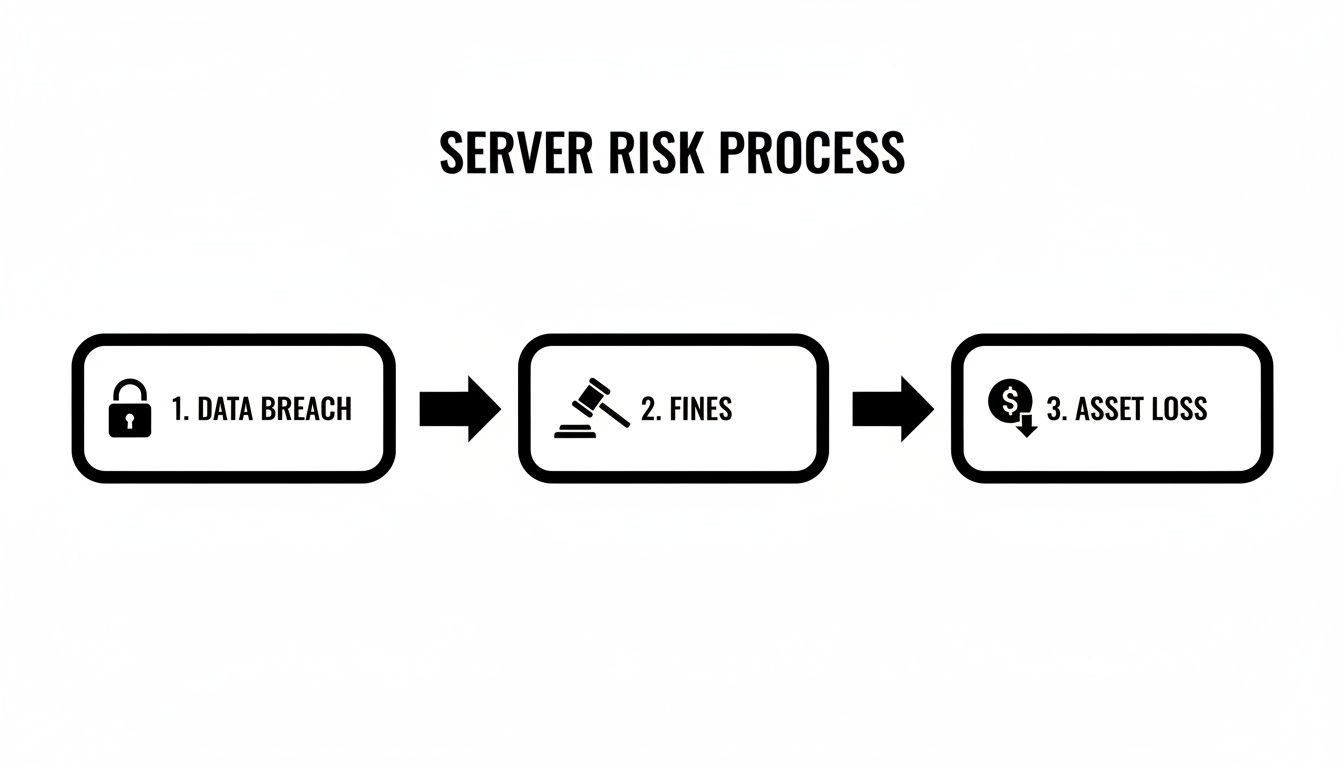
As you can see, a data breach isn't just a technical problem; it becomes a financial and regulatory nightmare in a hurry.
Establishing a Realistic Timeline
Okay, you’ve got your team and your inventory. Now you can build a timeline that actually makes sense. Don't rush it. A standard server decommissioning project can take anywhere from 4 to 16 weeks, all depending on complexity. A standalone web server is one thing; a clustered database server woven into a dozen other critical systems is another beast entirely.
Your timeline should block out clear phases for the project:
- Weeks 1-2: Planning, getting the team together, and finalizing that all-important inventory.
- Weeks 3-6: This is the heavy lifting: data migration, creating backups, and then testing everything obsessively to make sure it works.
- Weeks 7-8: Communicating with all stakeholders, getting final approvals, and scheduling the actual shutdown window.
- Week 9: Go-time. The physical shutdown and disconnecting the server from the network.
- Weeks 10-16: The final cleanup. Secure data destruction, physically removing the hardware, updating asset records, and generating the final reports.
A structured schedule like this gives everyone clarity and sets expectations. It also builds in a little wiggle room for those "uh-oh" moments that always seem to pop up. This blueprint becomes your single source of truth for the entire project.
Making a Smooth Data Migration and Backup
Before you can physically unplug a server for the last time, you have to find a secure new home for its most valuable asset: the data. Honestly, this part of the process is where things can go really wrong. Getting data migration and backups wrong can lead to catastrophic data loss, security breaches, or serious compliance penalties.
This isn't just about dragging and dropping files. It’s a precision operation that demands a full understanding of what data lives on that server and exactly where it needs to go. Whether you're moving to a shiny new on-premise server, shifting workloads to the cloud, or just archiving data for the long haul, the game plan is always the same: transfer, verify, and secure.
Choosing Your Migration Strategy
The right way to move your data depends entirely on the situation. You wouldn't handle a live, transactional database the same way you'd treat a static file archive from five years ago. Getting this choice right is the key to minimizing disruption and keeping your data intact.
Here are a few common ways we see this handled in the field:
- Physical-to-Virtual (P2V) Migration: This is where you create a complete virtual machine (VM) clone of the old server. It's a fantastic option for preserving old-school applications and their quirky operating system needs without having to keep the ancient hardware running.
- Lift-and-Shift to the Cloud: Think of this as P2V, but your destination is a cloud platform like AWS or Azure. It's a quick way to get off aging hardware, but it's important to know it might not leverage all the cool, cost-saving features the cloud offers.
- Database Replication: If the server is running an active database, this is the gold standard. You set up the new server as a replica, let the data sync up in real-time, and then you can test everything thoroughly before a fast, clean cutover with virtually no downtime.
- File-Level Copy and Archival: For things like old documents, images, or completed project files, this is the most direct route. You simply copy the data to a new home, like a network-attached storage (NAS) or into a cloud bucket like Amazon S3.
For a deeper dive into making the transfer secure and efficient, check out these excellent Data Migration Best Practices. A structured approach here will save you a world of headaches.
The Importance of Verification and Redundancy
Listen, your migration is not done when the progress bar hits 100%. The job is only finished once you have rigorously confirmed that all the data is safe, uncorrupted, and working perfectly in its new environment. Don't ever skip this validation step—it's your only safety net against permanent data loss.
Key Takeaway: Never, ever power down the old server until you have absolute proof that the migrated data is accessible and all the apps that depend on it are running smoothly on the new system. Shutting it down too soon is a mistake you can't undo.
This verification needs to be meticulous. For file transfers, we use checksums (like MD5 or SHA-256) to mathematically prove the source and destination files are identical. For databases, we run queries and have the end-users test the applications to make sure everything is performing exactly as it should.
Once everything is validated, there's one last thing to do before you pull the plug: take a final, robust backup. This is your last line of defense. Always stick to the classic 3-2-1 backup rule:
- Keep three copies of your data.
- Store them on two different types of media.
- Have at least one copy stored off-site.
This final backup should be clearly labeled with the server’s name and the date it was decommissioned. To see how this fits into the bigger picture, you can explore more data center migration best practices.
Choosing the Right Data Destruction Method
Once you've migrated and backed up all your data, you’re left with a ticking time bomb: the server's hard drives. Let me be clear—simply deleting files or running a standard format is a rookie mistake. It’s shockingly easy for a determined individual to recover data from a formatted drive, turning your decommissioned asset into a massive liability.
That’s why certified data destruction isn’t just a "nice-to-have" checkbox on your project plan. It’s a non-negotiable security and compliance mandate. The goal here is simple: make sure that data is gone for good, with absolutely zero chance of it ever being seen again.
The Overwrite Approach: Data Wiping Software
The first and most common method is professional data wiping, often called data sanitization. It's not about deleting; it's about obliterating. Specialized software writes gibberish—random ones and zeros—over every single sector of the hard drive. This isn't a one-and-done process; it's repeated multiple times to ensure the original data is completely unrecoverable.
You’ll often hear about the DoD 5220.22-M standard, which calls for a three-pass overwrite. While there are newer, more complex standards out there, this one is still a solid benchmark for thorough data erasure.
- Best for: Drives you plan to reuse within your organization or sell on the secondary market. This is the only method that keeps the hardware intact and functional.
- Key benefit: You get to recover some of your initial investment. Safely remarketing used drives is a smart way to recoup value without opening yourself up to a data breach.
The Magnetic Wipeout: When Degaussing Makes Sense
For older magnetic media like traditional hard disk drives (HDDs) and backup tapes, degaussing is a powerhouse option. A degausser is a beast of a machine that hits the drive with an incredibly powerful magnetic field. This field scrambles the magnetic platters where your data lives, effectively erasing everything in a single blast.
The process is fast and brutally effective. But there’s a catch: the drive is toast afterward. The magnetic force is so strong that it wipes out the firmware that makes the drive operate, turning it into a paperweight.
Expert Insight: Degaussing is a great middle-ground for companies with strict security policies. If your rules demand media destruction but you don't need the "shredded to bits" proof, this is your answer. It's much faster than multi-pass wiping when you're dealing with a large stack of drives.
For Absolute Certainty: Physical Destruction
When you need absolute, undeniable, "no-questions-asked" proof of destruction, nothing beats a shredder. It’s exactly what it sounds like. We feed the hard drives into an industrial-grade shredder that pulverizes them into tiny pieces of metal and plastic confetti. There is zero chance of recovery because there's nothing left to recover.
This is the gold standard for highly sensitive data or for businesses bound by tough regulations like HIPAA or SOX. It’s the ultimate peace of mind. To see why certified disposal is so critical, check out our guide on IT asset destruction.
Getting this wrong can lead to seven-figure penalties under rules like CCPA and GDPR. Imagine a healthcare provider retiring 200 servers; they're looking at a 4-6 week process for deinstallation and sanitization. By working with professionals, they not only stay compliant but can also get back 20-30% of the asset value through secure resale. This is huge, especially when you learn that 70% of organizations regret DIY attempts because of compliance headaches and lost revenue.
To get a better sense of which method fits your needs, here's a quick comparison.
Comparing Data Destruction Methods
| Method | How It Works | Best For | Key Benefit |
|---|---|---|---|
| Data Wiping | Overwrites every sector of the drive with random data in multiple passes. | Reusing or reselling hard drives. | Preserves the hardware for value recovery. |
| Degaussing | A powerful magnetic field erases the data on magnetic media (HDDs, tapes). | Quick, secure destruction of magnetic media when reuse isn't needed. | Faster than wiping for large quantities of drives; highly secure. |
| Shredding | An industrial shredder physically grinds the drives into small pieces. | Highly sensitive data, strict compliance needs (HIPAA, DoD). | 100% verifiable destruction with zero chance of data recovery. |
Each option is a valid tool in the IT asset disposition toolkit. The right choice simply depends on your specific security requirements, budget, and plans for the hardware.
The Final Word: Your Certificate of Destruction
No matter what you choose—wiping, degaussing, or shredding—the process isn't over until you have a Certificate of Data Destruction in your hands. This document is your official, auditable proof that you did everything right.
A legitimate certificate must include:
- The unique serial number of every single hard drive.
- The exact destruction method used (e.g., "3-Pass DoD 5220.22-M Wipe").
- The date and location where the destruction took place.
- The signature of the certified vendor who did the work.
Think of this certificate as your get-out-of-jail-free card in an audit. It closes the loop on that server's lifecycle and officially transfers the liability from your shoulders to your ITAD partner. Making sure your chosen method aligns with top-tier data security protocols is crucial, so always consult an ultimate guide to cyber security for companies to stay informed.
The Final Step: Asset Recycling and Value Recovery
Once your server’s data is verifiably destroyed, you’ve reached the final—and often overlooked—phase of the project: dealing with the physical hardware itself. This is the last crucial step in the IT Asset Disposition (ITAD) process, where you'll manage the logistics of removal and decide between recycling and remarketing. This is where you close out your audit trail for good and maybe even turn that old equipment into a new revenue stream.
The process kicks off the second a server is powered down and unplugged. Every single asset needs to be tagged, scanned, and checked against your original inventory list. This isn't just busywork; this meticulous tracking is essential for maintaining a secure chain of custody, making sure no piece of hardware vanishes between your data center and its final destination.
Navigating Removal and Logistics
Getting servers out of a data center isn't as simple as unscrewing a few bolts and hauling them out the door. It’s a specialized job. A solid logistics plan has to cover everything from de-racking the servers to carefully packaging them to prevent damage, all the way to secure transport. This is especially true for any assets you think might have resale value.
This is where a professional ITAD partner really shines. They show up with the right tools and equipment to safely pull hardware from live environments, all without disrupting your day-to-day operations.
Here’s a quick rundown of what that looks like in practice:
- On-Site Inventory Audit: The team confirms the serial number of every server, hard drive, and major component, matching it against the project manifest.
- Secure Packing: Assets are carefully placed in secure, locked containers or wrapped and palletized to keep them safe during transit.
- Documented Handover: A formal chain-of-custody document is signed, officially transferring responsibility for the assets over to the ITAD vendor.
- GPS-Tracked Transport: For high-value or particularly sensitive assets, they’re often moved in GPS-tracked vehicles, so you know exactly where they are until they reach the processing facility.
This documented process isn't just for your peace of mind. It's a critical compliance step that proves you managed every asset responsibly, from start to finish.
Unlocking Hidden Value Through Remarketing
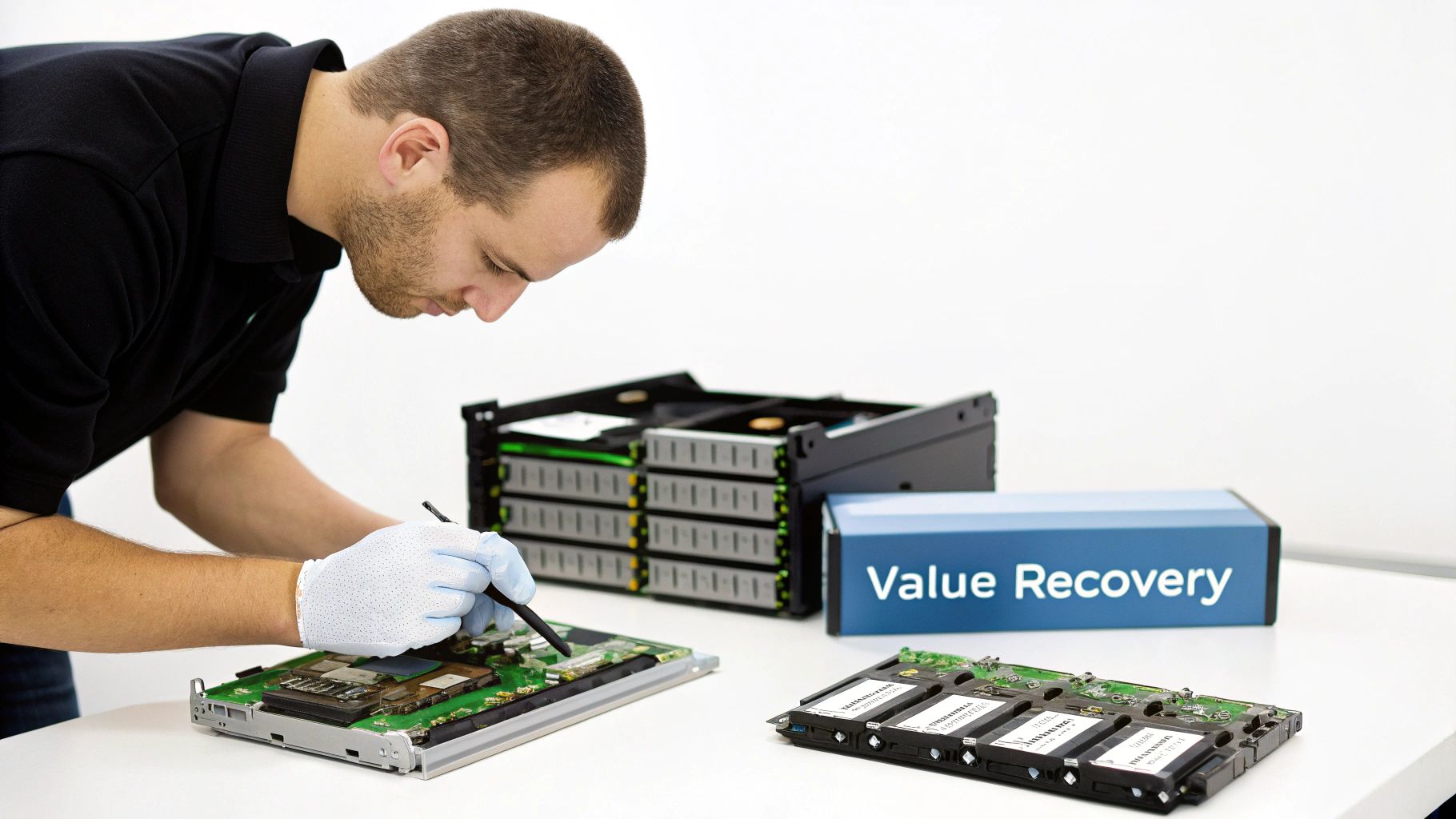
Not all old servers are destined for the scrap heap. Far from it. Many enterprise-grade servers, networking switches, and even individual components like CPUs, RAM, and SSDs still hold significant value on the secondary market. This is the "value recovery" part of ITAD, and it can be a surprisingly profitable venture.
A common misconception is that old hardware is worthless. The reality is that an ITAD partner's global network of buyers can often find a home for components you might have written off, turning a disposal cost into a check written back to your company.
An experienced ITAD vendor will perform a detailed assessment of your retired gear. They test each component to figure out what works and what it’s worth. Items with resale potential are then refurbished, securely wiped one last time, and sold through their established channels. You, in turn, often get a share of the profits, which can help offset—or even exceed—the costs of the entire project to decommission the server.
Ensuring Environmentally Compliant Recycling
So, what about the equipment that has no resale value? This is where choosing a certified e-waste recycler is absolutely non-negotiable. Old servers are full of hazardous materials like lead, mercury, and cadmium. Just tossing them in a landfill is not only terrible for the environment but also illegal, and it comes with some hefty fines.
A certified recycler, one holding credentials like R2 (Responsible Recycling) or e-Stewards, guarantees that every piece of non-resalable equipment is broken down responsibly. Our guide on data center equipment recycling digs deeper into these important standards.
These certifications mean the vendor follows a strict "zero-landfill" policy. They de-manufacture the servers, separating materials like steel, aluminum, copper, and plastic so they can be reused in new products. This responsible approach helps your organization meet its corporate sustainability goals and gives you a transparent, auditable trail proving your e-waste was handled the right way.
The stakes here are enormous. The global decommissioning market is on track to hit $95.67 billion in 2025, while data breaches are costing companies an average of $4.45 million per incident. Value recovery is a huge piece of this, as facilities can often reclaim 25-40% of asset value just by reselling telecom gear and servers. And with 80% of organizations now prioritizing ESG in asset disposition, using certified services that provide detailed logs is critical for proving compliance and turning potential costs into significant financial returns.
Your Server Decommissioning Questions Answered
Even with the best-laid plans, taking a server offline for good always brings up a few last-minute questions. It's totally normal. You're juggling security, compliance, and the sheer logistics of it all. To help you out, we’ve put together answers to the questions we hear most often from businesses going through this process.
How Long Does It Take to Decommission a Server Rack?
This is the big one, but there's no single magic number. The real answer? It depends.
Pulling a simple, standalone dev server out of commission might just be a day's work. But if you're talking about a full rack of production servers that are deeply tangled in your live data center, you need to think in weeks, not days. A project of that scale typically takes anywhere from 4 to 16 weeks from the first planning meeting to the final sign-off.
That timeframe isn't just about pulling plugs. It covers all the critical stages:
- Initial Planning & Discovery: Getting the team together, inventorying every piece of hardware and software, and mapping out all the dependencies.
- Data Migration & Testing: This is where the real work happens. You’re not just moving data; you’re moving applications and services, followed by intense testing to make sure nothing breaks in the new environment.
- Physical Shutdown: Carefully powering down systems, disconnecting miles of cable, and physically un-racking the hardware.
- Secure Logistics: This includes certified data destruction and managing the secure transport of every single asset.
- Final Documentation: Getting those crucial Certificates of Destruction in hand and updating all your asset management records to officially close the book on that hardware.
The amount of data you have, how many other systems rely on the servers, and your own company's change control rules all stretch this timeline. The best advice I can give is to start planning way earlier than you think you need to.
What Is a Certificate of Data Destruction and Why Is It Important?
Think of a Certificate of Data Destruction as the official death certificate for your data. It's a formal, auditable document that proves the data on a specific hard drive or server has been permanently and verifiably destroyed. For any business serious about compliance and risk, this piece of paper is non-negotiable.
Without it, you have zero proof you did your due diligence. If an auditor comes knocking, this is what you show them. A legitimate certificate from a certified ITAD vendor will always include:
- The unique serial number of every single drive or storage device.
- The exact destruction method used (e.g., DoD 5220.22-M 3-pass wipe, degaussing, physical shredding).
- The name of the company that performed the destruction.
- The date and location where it all happened.
Key Insight: If you handle sensitive customer data, financial records, or patient information (think HIPAA, GDPR, etc.), this certificate is your legal shield. It provides undeniable proof that you took the necessary steps to prevent a data breach, effectively closing your liability loop.
Can We Get Any Money Back From Our Old Servers?
Absolutely! This is one of the biggest upsides of working with a professional IT Asset Disposition (ITAD) partner. Don't just assume your old gear is worthless.
While really old or consumer-grade stuff might not be worth much, enterprise-grade hardware often has a surprisingly long life on the secondary market. This process is called value recovery or IT remarketing.
An experienced ITAD provider knows what to look for and will audit your equipment to pinpoint anything with resale value. This could be:
- Complete servers that are still in demand.
- Networking equipment like switches and routers.
- Individual parts like CPUs, enterprise SSDs, and high-density RAM modules.
They have established sales channels to find new homes for this equipment. Your organization then gets a share of the profits, which can go a long way toward offsetting the costs to decommission the server. In many cases, it can even result in a nice check coming back to your IT department.
What Are the Risks of Storing Old Servers Instead of Disposing of Them?
That back closet or warehouse space filled with old servers might seem harmless, but in the IT world, we call those "ghost servers"—and they are a massive liability waiting to happen. Pushing them aside instead of properly decommissioning them is a bad idea for a few big reasons.
First, it’s a security nightmare. Those machines are sitting there unpatched, unmonitored, and still loaded with sensitive company data. They are a juicy target for anyone looking to cause trouble, from a disgruntled employee to an external attacker. A forgotten server is often the backdoor to a devastating data breach.
Second, it's a compliance failure waiting to be discovered. Regulations like GDPR and HIPAA don't just care about live data; they require you to protect data through its entire lifecycle, right up to its final destruction. Just letting it sit in storage indefinitely simply doesn't cut it.
Finally, it’s just bad business. Every day those assets collect dust, their potential resale value is dropping. You completely miss the window for value recovery and are eventually left with a pile of hazardous e-waste that will cost you money to get rid of. A proper decommissioning plan turns all of that risk into a secure, closed-out project that can even put money back in your budget.
Ready to securely and responsibly handle your old IT equipment? The team at Montclair Crew Recycling provides comprehensive ITAD services, from on-site removal and certified data destruction to value recovery and environmentally compliant recycling. Contact us today to build a decommissioning plan that protects your data and your bottom line.
