
IT asset disposal (ITAD) is the game plan for getting rid of old or unwanted company technology, but doing it the right way. It’s way more than just tossing old computers in a recycling bin. A real ITAD process is about methodically destroying sensitive data, staying on the right side of the law, and squeezing any remaining value out of your old gear.
Beyond The Basics: Why IT Asset Disposal Matters
When a company laptop, server, or phone hits its expiration date, just unplugging it and shoving it in a storage closet is a ticking time bomb. You have to stop thinking of ITAD as a cleanup task and start seeing it for what it is: a vital piece of your cybersecurity and risk management puzzle. It's the final chapter in your equipment's life, and you need to make sure a retired asset doesn't suddenly become an active threat.
Getting ITAD right means tackling three major business concerns all at once. If you don't have a structured plan, you're leaving your company wide open to data breaches, massive fines, and environmental headaches.
The Pillar of Data Security
Every single piece of hardware—from hard drives to office phones—is a treasure trove of information. We're talking customer lists, private financial records, employee PII, or your company's secret sauce. Improper disposal is the digital equivalent of leaving your filing cabinets wide open on the curb for anyone to rifle through.
A single hard drive that wasn't properly wiped can be enough to trigger a devastating data breach. The financial fallout and damage to your reputation can be impossible to come back from.
A professional ITAD process ensures every bit of data is gone for good. We use certified methods like DoD 5220.22-M wiping or physical shredding before the device even thinks about leaving your building. This isn't just hitting 'delete'—it's total digital sterilization.
The Pillar of Regulatory Compliance
There are a ton of laws that dictate how your business has to handle sensitive data, and those rules don't just stop when you're done with the equipment. Ignore them, and you're looking at some seriously painful penalties. A solid ITAD strategy is non-negotiable for staying compliant.
- HIPAA: The Health Insurance Portability and Accountability Act requires healthcare organizations to protect patient information from creation to destruction. You can't just toss an old patient check-in tablet.
- GDPR: The General Data Protection Regulation means if you handle data for EU citizens, you are legally required to permanently erase it when it's no longer needed.
- SOX: The Sarbanes-Oxley Act holds public companies to strict standards for financial records and data integrity, and that includes how you retire the devices that hold that data.
Failing to comply simply isn't an option. The fines and legal drama can cripple a business, especially small and mid-sized companies that don't have a legal department on standby.
The Pillar of Environmental Responsibility
The world generated a jaw-dropping 62 million tonnes of electronic waste in 2022, and that number is only going up. Old electronics are packed with nasty stuff like lead, mercury, and cadmium that can leak into our soil and water if they end up in a landfill.
Responsible ITAD makes sure those hazardous materials are handled safely. It's also about salvaging valuable components and raw materials, which reduces the need to mine for new ones. When you partner with a certified e-waste recycler like Montclair Crew, you get proof that your old equipment is managed in an eco-friendly way. This helps you hit sustainability goals and keeps toxic junk out of our local environment. This whole discipline is a core part of what experts call asset lifecycle management.
The Hidden Risks of Improper IT Disposal
Let’s be blunt: skipping a formal IT asset disposal strategy is like leaving the keys in your company’s front door and just hoping for the best. The consequences aren’t some far-off, abstract problem. They are very real threats that can hit your finances, legal standing, and reputation hard. When old hardware gets tucked away in a closet or carelessly tossed out, it’s not just junk—it’s a ticking time bomb.
This isn't just fear-mongering. Picture a healthcare provider right here in Marietta getting slapped with crippling HIPAA fines because a single old hard drive, packed with patient records, was found in a dumpster. Or imagine a trusted Sandy Springs financial firm seeing its reputation evaporate overnight because a data breach was traced back to a retired server that was never properly wiped clean.
The Financial Fallout from Data Breaches
The most immediate—and painful—consequence of sloppy IT disposal is a data breach. According to a recent study, the average cost of a data breach in 2023 hit a staggering $4.45 million. For most small and medium-sized businesses, a bill like that isn't just a setback. It's game over.
That cost isn’t a single line item, either. It’s a painful cascade of expenses that add up fast:
- Regulatory Fines: Getting on the wrong side of regulations like GDPR and HIPAA can mean millions in penalties.
- Legal Fees: Lawsuits from customers and partners are expensive and drag on forever.
- Remediation Costs: You'll be on the hook for credit monitoring services for victims and paying cybersecurity experts to clean up the mess.
- Lost Revenue: When customers leave and your brand is damaged, the impact on your bottom line can last for years.
The Long Shadow of Reputational Damage
You can eventually recover from financial losses, but fixing a shattered reputation is a whole different ballgame. Trust is everything in business. Once you break it with a data leak, earning it back is a tough, uphill climb. A tarnished name leads to lost customers, trouble attracting new ones, and even sinking employee morale.
A single mistake in how you handle old IT gear can wipe out years of hard work building a brand people trust. The public won't care if it was a sophisticated cyberattack or just plain negligence—all they know is that their private data was exposed on your watch.
Businesses are catching on. The global IT asset disposition market is expected to grow to $54.54 billion by 2034, pushed by tough data protection laws and rising security concerns. It’s clear that smart organizations see professional ITAD not as a cost, but as a critical investment in their own survival.
The Environmental and Legal Burden
On top of the data security nightmare, improper disposal creates a huge environmental headache. Old electronics are full of nasty stuff like lead and mercury. If that gear ends up in a landfill, those toxins can seep into the ground and contaminate the local ecosystem.
This isn’t just about being a good corporate citizen; it's the law. Regulations like the Resource Conservation and Recovery Act (RCRA) have strict rules for handling e-waste. Ignore them, and you could be facing more fines and legal trouble. You can learn more about the environmental impact of electronic waste in our detailed guide.
Ultimately, a huge part of avoiding these risks comes down to solid data leak prevention strategies, which must include how you handle equipment at the end of its life.
Understanding The Secure ITAD Workflow
A professional IT asset disposal process shouldn't feel like a black box where your equipment vanishes and you just cross your fingers. It’s a transparent, documented, and tightly controlled workflow designed to protect your organization at every single step.
Think of it as the reverse of deploying new technology—every stage is methodical, secure, and fully auditable from the moment we walk through your door until the final certificate is in your hand.
Understanding these stages is the key to seeing why a certified ITAD partner is so valuable. It’s how we turn a potential headache full of risks into a secure, compliant, and sometimes even profitable process.
Stage 1: On-Site Audit and Secure Logistics
The entire ITAD journey kicks off right at your location. The very first step is a meticulous on-site audit and inventory creation. Our team will come to your facility, whether you're in Alpharetta or downtown Atlanta, to catalog every single asset you've slated for disposal.
Each item—from servers and laptops to networking switches—is tagged, and its serial number is recorded. This creates the initial chain-of-custody document, which is the bedrock of the entire process. This isn't just about counting boxes; it's about establishing accountability for every piece of your hardware before it even moves an inch.
Once the inventory is locked down, the assets are securely packed and transported in locked, GPS-tracked vehicles. This guarantees an unbroken chain of custody from your doorstep all the way to our processing facility.
This infographic shows exactly what this secure workflow is designed to prevent.
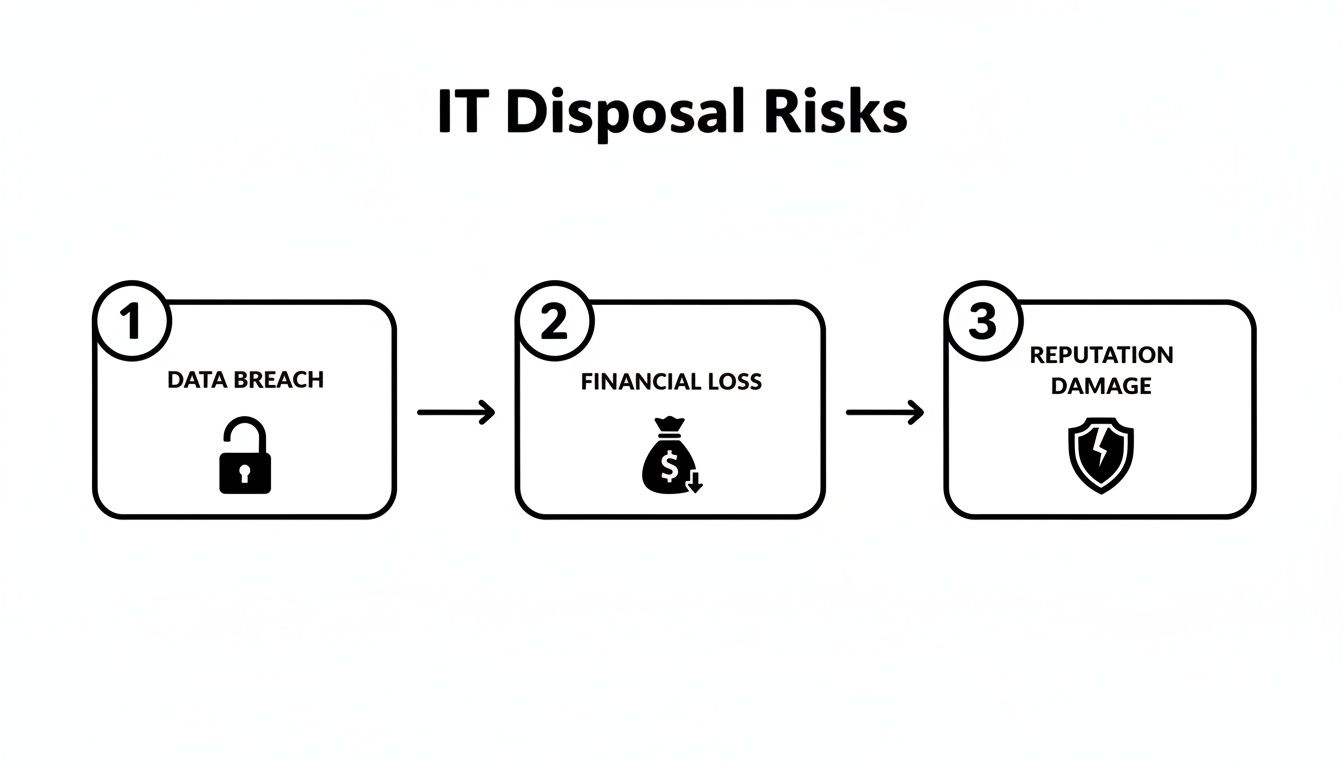
As you can see, a single gap in the process can lead directly to data breaches, massive financial penalties, and lasting damage to your brand’s reputation.
Stage 2: Data Destruction: Wiping vs. Shredding
Once your assets arrive at our secure facility, the most critical phase begins: data destruction. There are two main ways to make sure your sensitive information is gone for good, and the right choice depends on your security needs and whether the hardware has any resale value.
1. Data Wiping (Sanitization): This is a software-based method that overwrites the entire hard drive with random data. We use patterns that meet or exceed government standards like the DoD 5220.22-M three-pass wipe. This process makes the original data completely unrecoverable but leaves the physical drive intact and working. It's the perfect choice for newer equipment that can be refurbished and sold.
2. Physical Shredding: For the highest level of security, or for drives that are old, faulty, or just plain obsolete, physical destruction is the only answer. We feed the hard drives into an industrial shredder that grinds them into small, confetti-like pieces of metal. This method gives you absolute, visual proof that the data is gone forever and is often a requirement for healthcare or financial institutions.
It’s crucial to understand that data destruction isn’t just about deleting files. It is a methodical process built to eliminate data remnants that could otherwise be recovered with forensic tools. Proper documentation, including a Certificate of Data Destruction, is your proof that the job was done right.
For a deeper look into these methods, you can learn more about what data sanitization involves and why it's so vital for security.
Stage 3: Asset Remarketing and Recycling
After the data is destroyed, the final stage is all about value recovery and environmental responsibility. Let's be clear: not all retired IT equipment is junk. Many assets, especially enterprise-grade servers, networking gear, and recent-model laptops, still hold significant market value.
A good ITAD partner will test and grade these assets to see what can be remarketed. Items with value are then refurbished and sold through established channels. This process can generate a serious return, helping to offset the cost of the disposal service and sometimes even creating a new revenue stream for your business.
For assets that have truly reached the end of their life, responsible recycling is the final step. This involves:
- Dismantling: Devices are carefully broken down into their core components like plastic, metal, and circuit boards.
- Material Separation: These components are sorted and processed to recover valuable raw materials.
- Responsible Disposal: Any hazardous materials, like mercury or lead, are managed and disposed of according to strict environmental regulations.
This last step ensures you meet your sustainability goals and receive a Certificate of Recycling, closing the loop on a secure, compliant, and environmentally conscious ITAD workflow.
Your Essential IT Asset Disposal Checklist
Turning a solid ITAD strategy into something you can actually use day-to-day requires a clear, repeatable plan. If you don't have a defined process, it's way too easy to miss a critical step, leaving your company wide open to risk. This checklist is your practical playbook for managing every stage of the process, making sure nothing falls through the cracks.
Think of this as the go-to guide for your IT managers and business leaders. Following these steps helps you build a confident, compliant, and secure program for retiring your old tech.
Step 1: Create A Formal ITAD Policy
Before you even think about getting rid of a single laptop, you need a written policy. This document is the bedrock of your entire program. It sets clear rules and expectations for everyone, and trust me, it's your first line of defense if an auditor ever comes knocking.
Your policy needs to spell out a few key things:
- Asset Retirement Criteria: When is a piece of gear officially "end-of-life"? Define it clearly—maybe it's after 5 years, after a certain number of repairs, or when it just can't keep up anymore.
- Data Security Mandates: Be specific about how data gets destroyed. A sales rep's old laptop might just need a DoD wipe, but a server holding customer financial data needs to be physically shredded.
- Chain-of-Custody Protocols: Lay out the exact paperwork required to track a device from your office all the way to its final destination.
- Vendor Requirements: List the non-negotiable certifications and insurance minimums any ITAD partner you work with absolutely must have.
Step 2: Build A Detailed Disposal Inventory
You can't secure what you don't know you have. Simple as that. The next move is to create a detailed inventory of every single asset that's headed for the door. This is more than just a headcount; it’s about capturing the specifics for total accountability.
For each device, your log should include:
- Asset Type (e.g., laptop, server, switch)
- Manufacturer and Model
- Serial Number
- Assigned User or Department
- Physical Location
This log isn't just busy work—it becomes the foundation of your chain-of-custody. It's the hard proof that every asset was accounted for and handled exactly according to your policy.
An accurate, up-to-date inventory is non-negotiable. If a security incident or compliance audit ever happens, this document is the crucial evidence that proves you did your due diligence and managed company hardware responsibly.
Step 3: Classify Assets and Select Destruction Methods
Not all data is created equal, so your destruction methods shouldn't be one-size-fits-all. Now it's time to classify each asset based on the kind of data it holds and pick the right sanitization method. This is how you guarantee security without shredding valuable hardware you could have resold.
Think about it with a simple system:
- Low-Risk Assets: Things with no sensitive data, like monitors, keyboards, or mice. These can be recycled or resold without any data destruction needed.
- Medium-Risk Assets: This is your standard employee laptop or desktop. DoD 5220.22-M data wiping is usually the perfect fit here, securely erasing the data while keeping the hardware intact for resale.
- High-Risk Assets: We're talking servers with PII, financial records, or your company's secret sauce. For these, physical shredding is the only way to go. It’s the gold standard for making sure that data is gone for good.
Matching the right method to the risk level is how you balance top-notch security with getting some money back from your old gear. Once the job is done, getting a formal record that verifies the destruction is essential. You can take a look at a sample Certificate of Destruction to see exactly what this critical document looks like.
To make this even clearer, here's a breakdown of the common data destruction methods and when to use them.
Choosing The Right Data Destruction Method
Selecting the best way to destroy your data depends on your specific security needs, compliance rules, and whether you want to get any value back from the hardware. This table compares the most common methods to help you decide.
| Method | Description | Best For | Considerations |
|---|---|---|---|
| Data Wiping (DoD 5220.22-M) | Software overwrites the entire hard drive with random data multiple times, making the original data unrecoverable. | Medium-risk assets like employee laptops and desktops where the hardware will be resold or reused. | A verifiable process that preserves the physical drive. Slower than other methods. |
| Degaussing | Uses a powerful magnetic field to instantly and permanently erase data from magnetic storage media like hard drives and tapes. | High-risk magnetic media. It's fast and effective for large quantities of drives. | Renders the hard drive completely unusable. Does not work on Solid-State Drives (SSDs). |
| Physical Shredding | The hard drive or device is physically destroyed by an industrial shredder, which grinds it into tiny metal fragments. | The highest-risk assets containing PII, PHI, or intellectual property. The ultimate data security guarantee. | Completely destroys the asset, so no resale value is possible. Provides undeniable proof of destruction. |
Ultimately, a mix-and-match approach often works best. You can wipe most of your devices to recover value and reserve physical shredding for only the most sensitive assets, giving you the best of both worlds.
Step 4: Vet and Choose A Certified Partner
Honestly, picking the right ITAD partner is probably the most important decision you'll make in this whole process. This company becomes an extension of your security team. Their qualifications—or lack thereof—directly affect your company's risk level. You're not just looking for a "recycler"; you need a certified security specialist.
Your vetting process has to confirm your partner has:
- Relevant Certifications: Look for credentials like R2 (Responsible Recycling) or e-Stewards. These aren't just fancy logos; they prove the vendor is committed to strict environmental and data security standards.
- Adequate Insurance: Make sure they carry specialized data breach and liability insurance. This protects you in a worst-case scenario.
- A Transparent Process: They should be able to provide a crystal-clear, auditable chain-of-custody for every single step, from pickup to final destruction.
- Local Capabilities: For any business in Metro Atlanta, partnering with a company that has local logistics in places like Alpharetta or Smyrna means you get secure, timely, and cost-effective service without the risk of shipping assets across the country.
How To Choose The Right ITAD Partner

Picking your ITAD partner is easily the biggest decision you'll make in your asset retirement plan. This isn't just about finding someone to haul away old gear. It's about trusting a company with your sensitive data, your legal standing, and your brand's reputation. The wrong choice can blow up all your careful planning, while the right one acts as a bulletproof vest against risk.
Think of it like choosing a bank. You wouldn't hand your company's cash to an uncertified stranger with no insurance and a shady history. The exact same level of scrutiny applies here. The consequences of a data breach are just as severe as a financial disaster, making it crucial to tell the difference between a simple recycler and a true security partner.
The Non-Negotiable Certifications
The very first thing you should check is a potential partner's certifications. These aren't just logos to slap on a website; they are hard proof that a third-party auditor has inspected and approved their processes for data security and environmental safety. Without them, you're just hoping for the best.
Two certifications stand out as the most important:
- R2 (Responsible Recycling): The R2 standard is a big deal. It confirms the vendor follows a strict set of best practices for recycling electronics, covering everything from worker safety and environmental protection to secure data sanitization. An R2-certified partner has been audited to prove they handle things the right way, from start to finish.
- e-Stewards: This is another major global standard that holds recyclers to the absolute highest environmental and social benchmarks. It includes a strict ban on exporting hazardous e-waste to developing nations, giving you peace of mind that your old assets are managed ethically.
Insisting on seeing one of these certifications is the fastest way to filter out unqualified vendors. It ensures your it asset disposal process meets globally recognized standards.
Verifying The Chain Of Custody
A transparent and auditable chain of custody is the foundation of a secure ITAD process. This is the documented, unbroken paper trail that follows your equipment from the second it leaves your office to the moment it's either resold or destroyed. This documentation is your ultimate proof that you did everything right if an auditor or regulator comes knocking.
A trustworthy partner will provide detailed reports, including:
- Serialized Inventory Lists: A full record of every single asset picked up, complete with make, model, and serial number.
- Secure Transit Records: Proof that your assets were moved in locked, secure vehicles.
- Certificates of Data Destruction: This is the big one—a legally binding document confirming that data on specific, serialized drives was wiped clean according to standards like DoD 5220.22-M.
- Certificates of Recycling: Official proof that any materials that couldn't be reused were processed in an environmentally compliant way.
If a vendor gets cagey about their documentation or can't show you clear examples, that's a huge red flag. When your company's compliance is on the line, there's absolutely no room for fuzzy details.
A strong chain of custody is more than just paperwork; it is your verifiable alibi. It proves you took every reasonable step to protect sensitive information and manage e-waste responsibly, shielding your organization from legal and financial liability.
Insurance and Local Logistics
Finally, there are two practical things you need to lock down to protect your business: liability insurance and local logistics. Your ITAD partner absolutely must have comprehensive data breach liability insurance. This is your financial safety net if a data leak happens on their watch. Ask for their certificate of insurance and make sure the coverage is high enough to handle your level of risk.
For companies here in Metro Atlanta, partnering with a local provider like Montclair Crew just makes sense. A partner with facilities in Alpharetta or Smyrna means faster, more secure, and cheaper logistics. You cut out the risks of shipping sensitive equipment across the country and always have a team nearby for on-site services when you need them. To dig deeper, take a look at our guide on how to choose from the top IT asset disposition companies in our area.
Frequently Asked Questions About ITAD
Jumping into IT asset disposal can feel like learning a new language, filled with acronyms and processes that aren't exactly common knowledge. To clear things up, we've put together some straightforward answers to the questions we hear most often from businesses.
Is My Business Too Small For Professional ITAD Services?
Not at all. This is probably the biggest myth we run into. Data security and legal compliance are just as important for a five-person shop in Roswell as they are for a Fortune 500 company headquartered in downtown Atlanta. Think about it: a single laptop from a small business can hold enough sensitive client lists, financial records, or private data to cause a disaster if it ends up in the wrong hands.
Professional ITAD services are designed to scale. We handle everything from a single computer for a sole proprietor to decommissioning hundreds of servers from a massive data center. Every single device gets the same high-level security treatment. In fact, smaller businesses often get the most bang for their buck, since they usually don't have an in-house expert to manage secure disposal. Partnering with a certified pro is an incredibly smart—and surprisingly affordable—move.
Thinking your business is "too small" for ITAD is like thinking your office is "too small" for a lock on the front door. The size of your operation has no bearing on the value of the data you're protecting.
What Is The Difference Between Wiping And Shredding A Hard Drive?
Data wiping and physical shredding are two totally different ways to destroy data, and each has its place. Knowing when to use which is key to a solid ITAD plan.
Data Wiping (Data Sanitization):
- This is a software-based method. A special program overwrites every bit of data on a hard drive multiple times with random characters.
- We use government-approved standards like DoD 5220.22-M, which makes the original information impossible to recover, even with forensic tools.
- The main advantage? The hard drive is still perfectly usable. This is the go-to option for devices that you plan to resell.
Physical Shredding:
- This is the brute-force approach. We feed the hard drive into an industrial shredder that chews it up into tiny, useless pieces of metal.
- It offers the ultimate, no-questions-asked guarantee that the data is gone for good.
- This is often the required method for devices with extremely sensitive information or for businesses in tightly regulated fields like healthcare or finance.
The right choice really depends on balancing your internal security rules, any compliance mandates you have to follow, and whether you want to get some money back from your old gear.
Can We Get Money Back For Our Old IT Equipment?
Yes, you can, and you absolutely should! This is called value recovery or IT asset remarketing, and it's one of the best parts of working with a professional ITAD partner. A lot of old IT gear, especially enterprise-level equipment like servers, networking hardware, and newer laptops, still has plenty of life and value left in it.
A good ITAD provider will go through your entire inventory to pick out any items that can be resold. After the data is securely wiped clean, the equipment is refurbished, tested, and graded. The provider then handles the entire resale process, finding buyers in the secondary markets so you don't have to.
Many partners, including Montclair Crew, work on a profit-sharing model. This means your company gets a cut of the money from the sale. It’s a great way to offset the cost of disposal and can even turn what you thought was junk into a new revenue stream.
What Kind Of Documentation Should I Expect From An ITAD Provider?
Good paperwork is the backbone of any legitimate ITAD program. It's your official proof that you did everything by the book and is absolutely critical if you ever face a compliance audit. Without that paper trail, you have no way to prove you handled your retired assets responsibly.
Any certified partner should give you a set of documents that creates a clear, unbroken record of the whole process. Here’s what you should always get:
- A Detailed Chain-of-Custody Record: This document tracks your assets from the second they leave your building. It lists serial numbers for every piece of equipment and logs every time it changes hands until it’s finally processed.
- A Certificate of Data Destruction: This is the big one. It’s a formal document certifying the date, the method used (like a DoD wipe or shredding), and the specific serial numbers of the hard drives that were sanitized or destroyed.
- A Certificate of Recycling: For any assets that couldn't be resold, this certificate confirms they were recycled in an environmentally safe way that follows all federal and state e-waste laws.
This collection of documents is your protection against liability. It shows your company is serious about data privacy and environmental rules, closing the loop on a secure and professional ITAD process.
Ready to put a secure, compliant, and value-driven ITAD strategy in place for your Metro Atlanta business? The experts at Montclair Crew Recycling are here to help. We provide end-to-end services, from on-site pickup to certified data destruction and responsible recycling. Contact us today for a free consultation.
