
So, that closet full of old company computers. It's more than just clutter—it's a ticking clock. Every machine sitting there is either a potential data security risk or an untapped asset. Deciding which it becomes is the whole game.
The right way to handle this isn't just about throwing things out. It's a structured process that professionals call IT Asset Disposition, or ITAD. But you can just think of it as a smart plan with three non-negotiable stages. First, you absolutely must guarantee every scrap of sensitive data is gone for good. Second, figure out if the hardware has any resale value left. Finally, you choose its final destination: resale, donation, or certified recycling.
Mapping Your Decision Process
Before you do anything else, you need a quick inventory. How old are these machines, really? Our guide on how to tell how old your computer is can help you figure that out quickly.
A common question we hear is whether it's even worth dealing with older tech—after all, is a 7-year-old computer worth fixing? The answer to that question really sets the stage for whether you're looking at recovery value or just responsible disposal.
This flowchart breaks down the basic path forward. It all starts with security.
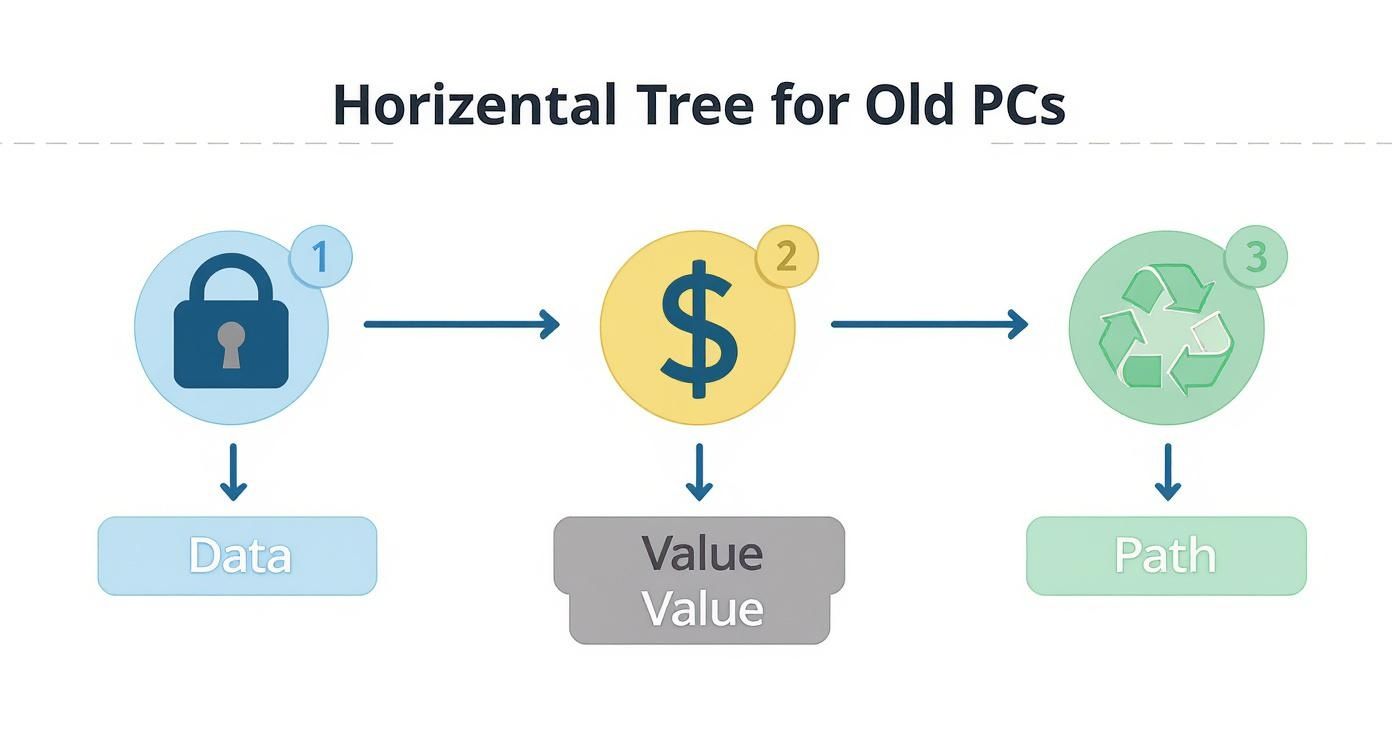
As you can see, you can't even think about resale or recycling until you've locked down the data. It’s the foundational step you can't afford to skip.
Comparing Your Options For Outdated Computers
To make this easier, let's compare the three main paths you can take. Each one has different implications for your budget, security, and environmental goals. This table gives you a quick snapshot to help guide your initial thinking.
| Option | Potential Value Recovery | Data Security Level | Environmental Impact | Effort Required |
|---|---|---|---|---|
| Resale/Refurbishment | High | High (Requires Professional Wiping) | Positive (Extends Product Lifespan) | High (Requires Inventory, Testing, Wiping) |
| Donation | None (Tax Deduction Possible) | High (Requires Professional Wiping) | Positive (Gives Tech a Second Life) | Medium (Finding Partners, Logistics) |
| Certified Recycling | Low to None | High (Destruction of Drives) | Positive (Prevents Landfill Contamination) | Low (Handled by Vendor) |
Ultimately, the right choice depends on the age and condition of your equipment and your organization's priorities.
Choosing a responsible path is bigger than just your company. The world generated a staggering 62 million tonnes of e-waste in 2022, and a dismal 22.3% of it was properly recycled. Making a thoughtful choice here helps your business do its part to fight a massive global problem.
Why Secure Data Destruction Is Non-Negotiable
Before you even think about reselling, donating, or recycling an old computer, there's one step that's absolutely critical: making sure every last bit of your data is gone for good. A lot of people think dragging files to the trash or even reformatting a hard drive does the trick. That's a dangerously false sense of security.
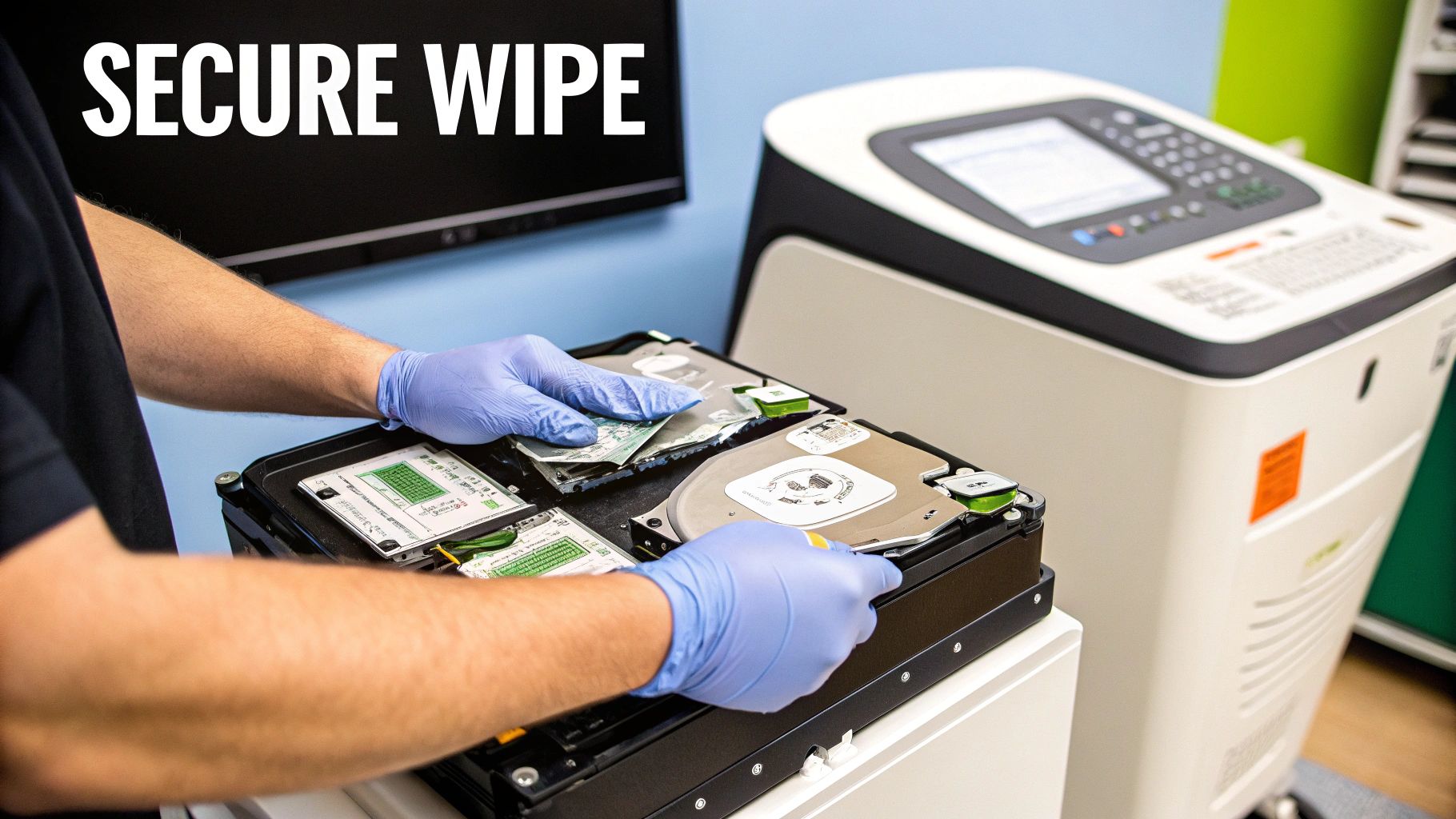
When you "delete" a file, the computer doesn't actually erase it. It just removes the pointer to where the data is stored and marks that space as available. The original information is still sitting there, completely intact, until new data happens to get written over it. With basic recovery software, pulling that "deleted" data back is surprisingly easy.
This is why professional data sanitization isn't just a good idea—it's a must. It’s the only way to guarantee that sensitive information, from your company's financials to employee records and trade secrets, doesn't walk out the door.
Software-Based Data Wiping
One of the most effective ways to sanitize a drive is through software-based wiping. This involves using specialized programs to systematically overwrite every single sector of a hard drive with random data, not just once, but multiple times.
Think of it this way: deleting a file is like tearing a page out of a book. Reformatting is like ripping out the table of contents. Professional data wiping is like scribbling over every single word on every page with permanent ink, then doing it again a few more times just to be safe.
Government and enterprise standards, like the NIST 800-88 guidelines, define these rigorous overwriting procedures. Following these standards ensures data is rendered completely unrecoverable by any known technology, providing a verifiable and auditable level of security.
This approach is perfect for devices that still have some life in them and are headed for refurbishment or resale. It keeps the hardware intact while ensuring total data privacy.
Physical Hard Drive Destruction
Sometimes, software wiping isn't the right fit, especially if the drives are old, failing, or have no resale value. In these situations, the only way to be 100% certain the data is gone forever is to physically destroy the drive. There's no coming back from this.
There are two main ways to do this:
- Degaussing: This method uses a ridiculously powerful magnetic field to instantly scramble the magnetic platters inside a traditional hard disk drive (HDD). It completely disrupts the magnetic patterns where data is stored, effectively wiping the drive clean in seconds. Just be aware, degaussing is useless on Solid-State Drives (SSDs), which store data electronically.
- Shredding: This is the final word in data destruction. Just like a paper shredder on steroids, industrial-grade hard drive shredders use powerful steel teeth to grind drives into tiny, mangled pieces of metal and plastic. It works on both HDDs and SSDs and makes data recovery physically impossible.
For any organization that can't afford to take chances, looking into professional hard drive destruction services is a crucial part of any responsible IT asset disposal plan.
The High Stakes of Non-Compliance
Skipping proper data destruction isn't just a technical slip-up; it's a massive business risk with painful consequences. A single data breach from an old, carelessly disposed-of computer can lead to financial and reputational ruin.
This isn't just a hypothetical problem. Strict regulations exist to prevent this kind of negligence. For instance, any organization in healthcare has to follow HIPAA rules, which demand ironclad protection of patient information. A breach can lead to fines that stretch into the millions.
Likewise, any company handling data for EU citizens is subject to GDPR. A violation here can trigger penalties up to 4% of a company's annual global turnover. These aren't just slaps on the wrist; they're designed to make sure businesses take data stewardship seriously, even for gear they're getting rid of. The bottom line is simple: your plan for outdated computers has to start with an unbreakable data destruction strategy.
How To Maximize Value Through Resale
Just because a computer is outdated for your business doesn’t mean it's worthless. Far from it. Many older machines still have plenty of life left in them and can fetch a decent price on the secondary market. Tapping into that value is a smart way to offset the costs of your next tech refresh.
The real key is knowing which assets are worth the effort and how to properly prepare them for a second life. A machine that’s only a few years old is probably a prime candidate for resale, but that decade-old desktop gathering dust in a closet? That one is likely headed for the recycling pile.
Turning old tech into revenue is a core part of any good IT asset disposition strategy. We cover this topic from top to bottom in our guide on what IT asset disposition is.
What Determines Resale Value
Not all used computers are created equal. Several key factors directly impact how much cash you can get back from your used IT equipment. Getting a handle on these variables helps you set realistic expectations and spot the most valuable gear in your inventory.
The main value drivers are pretty straightforward:
- Brand and Model: Certain brands just hold their value better. Think Apple and Dell. Their reputation for quality and durability means their business-class laptops, in particular, are often in high demand.
- Age: This one's a no-brainer. Generally, the newer the device, the higher its value. A three-year-old laptop has way more resale potential than a seven-year-old one.
- Condition: Looks matter. Obvious cosmetic damage like dents, deep scratches, or cracked screens will tank the price. A machine that’s been well taken care of will always get a better offer.
- Core Specifications: What's under the hood is critical. A computer with a powerful CPU, plenty of RAM (16GB or more), and a speedy Solid-State Drive (SSD) is going to be far more attractive to buyers than an old clunker with a mechanical hard drive and minimal memory.
The Power of Professional Refurbishment
This is where a professional partner can make a massive difference. A simple, inexpensive upgrade can dramatically boost an old computer’s performance—and its resale price. Think of it like staging a house before you sell it; a small investment can lead to a much bigger return.
The single most impactful upgrade for an older computer is replacing a traditional Hard Disk Drive (HDD) with a Solid-State Drive (SSD). This one change can make a five-year-old machine feel surprisingly fast and modern, instantly increasing its appeal to potential buyers.
An experienced ITAD provider knows exactly which upgrades give you the best bang for your buck. They can perform these improvements at scale, turning a pallet of sluggish, outdated laptops into a batch of desirable, high-performance machines ready for the secondary market. This process flips a potential liability into a genuine asset.
DIY Resale Versus Partnering With a Specialist
Once you've identified your valuable assets, you’ve got a choice to make: handle the resale process yourself or work with a specialist. Each path comes with its own set of pros and cons. Going it alone gives you total control, but it also means you’re stuck with all the work.
DIY Resale (In-House)
| Pros | Cons |
|---|---|
| Full control over pricing and sales channels. | Requires a significant amount of time and labor. |
| You keep 100% of the final sale price. | Demands technical expertise for testing and wiping. |
| You are solely responsible for data security. | |
| Managing logistics and shipping can be a headache. |
Partnering with an ITAD Specialist
| Pros | Cons |
|---|---|
| A streamlined process from pickup to payment. | The partner takes a percentage of the sales. |
| Certified data destruction provides peace of mind. | You have less control over the final sale price. |
| Access to established, global buyer networks. | |
| Professional refurbishment maximizes value. |
For most organizations, the time, risk, and technical know-how needed for in-house resale just aren't practical. A professional partner takes the entire burden off your shoulders, ensures you stay compliant, and often gets you a better overall return by using their market knowledge and refurbishment capabilities.
What About Donating Old Computers?
When selling your old gear isn't really on the table, donating your functional but outdated computers is one of the best moves you can make. It’s more than just getting rid of old equipment; you're turning a simple clean-out task into something meaningful. You’re giving that tech a second life where it can actually make a difference.
This isn't just a feel-good gesture. It's a smart decision that helps your company, your community, and keeps perfectly good hardware out of the e-waste stream. You're putting it directly into the hands of people who truly need it.
Bridging the Digital Divide
Let's face it: for many schools, nonprofits, and families struggling to make ends meet, getting access to technology is a huge hurdle. A computer that can no longer keep up with your business's heavy demands could be a lifeline for someone else—a gateway to education, job applications, and essential online services.
Your donation directly helps close this "digital divide." Think about the impact:
- Schools: Students get their hands on tools for research, homework, and learning the digital skills they absolutely need.
- Nonprofits: Charities can manage their operations, reach more donors, and serve their communities far more effectively without blowing their tight budgets on new tech.
- Families: Parents can hunt for jobs or access telehealth portals, while their kids can do their schoolwork and keep up with their peers.
You're not just clearing out a storage closet. You're handing over a resource that can genuinely change someone's situation for the better.
The Financial Perks of Giving Back
Besides the obvious community benefits, donating your old computers comes with some solid financial advantages for your business. In many cases, charitable equipment donations are tax-deductible. This means you can recover some of the asset's original value, turning a decommissioned machine into a positive mark on your balance sheet.
To get that deduction, you have to donate to a qualified 501(c)(3) organization. The amount you can write off is usually based on the equipment's fair market value when you donate it. It’s always a good idea to chat with your tax professional to make sure you're following all the IRS rules.
Getting the right paperwork is key, both for the IRS and for your own records. Any reputable donation partner will provide you with everything you need.
How to Donate Securely and Stay Compliant
Before any computer walks out your door, the single most important step is making sure all your sensitive data has been professionally wiped clean. Just handing over a machine with the hard drive still full of information is a massive security risk. A simple format won't cut it—it doesn't truly erase the data.
To do it right, here’s what you need to do:
- Find a Reputable Partner: Work with a charity or a certified ITAD provider that handles donations. They need to have a rock-solid process for data destruction.
- Insist on Certified Data Wiping: Don't settle for less. The data sanitization process should meet standards like DoD 5220.22-M or NIST 800-88. This is your guarantee that the data is gone for good.
- Get the Paperwork: Always walk away with two critical documents. First, a donation receipt for your tax files. Second, and even more crucial, a Certificate of Data Destruction. This is your legal proof that you handled the data responsibly.
If you're looking for a local partner you can trust, our guide on how to donate a laptop gives you practical advice to make sure your contribution is both generous and secure. When you take these steps, your donation becomes a true win-win: you help out a great cause and keep your organization completely safe from data breaches.
Understanding Certified Electronics Recycling
So, what happens when a computer is officially past its prime? It’s too slow to sell, too old to be useful for a donation, but its journey is far from over. This is the moment where responsible, certified electronics recycling isn't just an option—it’s the only ethical path forward. Simply tossing old tech in a dumpster is more than just a bad look; it's an environmental crisis in the making.
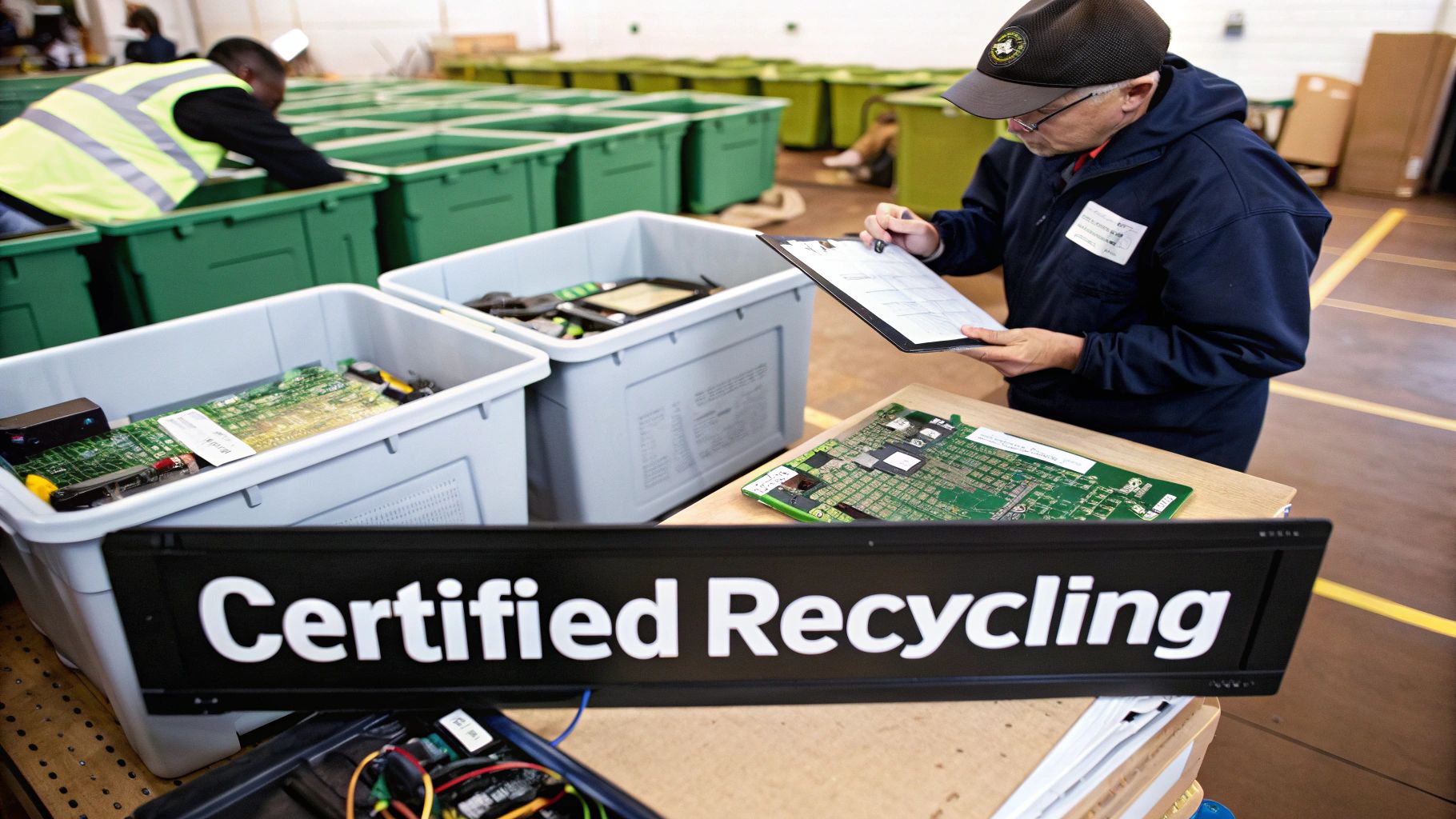
Those outdated machines are packed with some nasty stuff. We're talking heavy metals like lead, mercury, and cadmium. If that equipment finds its way into a landfill, these toxins can leach into the soil and contaminate groundwater, creating a serious hazard for local ecosystems and public health. This is exactly why a proper e-waste strategy is a non-negotiable part of any modern business's environmental stewardship.
The sheer scale of this problem is staggering. The global e-waste recycling market was valued at an incredible USD 80,432.8 million in 2025, and North America makes up about 37% of that. That number tells a story about the massive industrial effort needed to manage our discarded technology the right way. You can read more about the scale of the e-waste recycling market to really grasp its economic and environmental significance.
What "Certified" Really Means
When you see the word "certified," don't just brush it off as marketing fluff. It’s a guarantee. Choosing a certified electronics recycler is like picking an accredited university over some random online course—it proves they meet tough, third-party standards for safety, security, and accountability.
Two of the biggest names in the industry are R2 (Responsible Recycling) and e-Stewards. Getting these certifications is no walk in the park. A recycler has to go through intensive, rigorous audits to prove they are handling every piece of material correctly and ethically.
A certified recycler is committed to a transparent and secure process. They don't just promise to recycle your old computers; they prove it through a documented chain-of-custody that tracks your assets from the moment they leave your facility to their final disposition.
This level of accountability is what separates a legitimate partner from a scrap hauler who might just illegally export your e-waste to a developing country, where it gets dismantled in unsafe conditions. That's a nightmare scenario that can create a massive reputational risk for your organization.
Why Certification Is Your Best Defense
Partnering with a certified recycler is one of the smartest risk-management moves you can make when retiring old computers. It’s not just about being green; it’s about protecting your organization from every angle.
Here’s why it’s so critical:
- Environmental Compliance: Certified recyclers are legally bound to handle hazardous materials in an environmentally sound way. This keeps you compliant with a web of federal, state, and local regulations.
- Data Security: Data destruction isn't an afterthought; it's a core requirement of these certifications. An R2 or e-Stewards partner has audited, proven procedures for secure data wiping or physical shredding, protecting you from data breaches even on worthless old machines.
- Brand Protection: Imagine a photo of your company's old computers sitting in an overseas landfill going viral. The damage is instant and often irreparable. Certification completely eliminates this risk.
- Total Accountability: You get the paperwork to prove you did the right thing. Certificates of Recycling and Data Destruction provide a clear, auditable trail showing you acted with due diligence.
The Chain of Custody Explained
The "chain of custody" is the backbone of certified recycling. Think of it as a detailed paper trail that follows your old computer every single step of its final journey. It starts the moment a recycler picks up your assets, logging each one by its unique serial number.
From there, the documentation tracks everything. Was the device dismantled for parts? Was the hard drive shredded into tiny pieces? Were the raw materials separated for commodity recovery? Every single handoff is recorded.
This unbroken chain of custody gives you complete transparency. It's your ultimate proof that your equipment was handled exactly as promised—securely, ethically, and in full compliance with environmental laws. Without it, you’re just crossing your fingers and hoping for the best, and that’s never a good business strategy when dealing with sensitive company assets and hazardous waste.
Finding Local ITAD Services In Atlanta
When it's time to retire your old computers, it's easy to think of the big national logistics chains as the only real option. But for businesses here in Metro Atlanta, partnering with a local IT Asset Disposition (ITAD) provider brings some serious advantages to the table. Working with a team in your own backyard means faster response times, more flexibility, and a level of personal service that the larger, more rigid companies often just can't deliver.
A local partner gets it. They know the ins and outs of Atlanta's logistical quirks, from navigating rush hour traffic on I-285 to coordinating pickups in crowded commercial hubs like Buckhead or sprawling industrial parks out in Norcross. That kind of ground-level knowledge saves you real money and cuts down on operational headaches.
Solutions That Actually Fit Your Atlanta Business
Instead of trying to shoehorn your needs into a one-size-fits-all national program, a local ITAD expert builds a plan around you. This isn't just about hauling away old gear; it's about delivering a responsive, customized service that protects your company at every single turn.
Here’s what that local partnership really looks like:
- Flexible Pickup Schedules: Need an urgent pickup or have to schedule around your team's operating hours? A local crew can often make that happen, while a national provider stuck to a fixed route might not have that wiggle room.
- On-Site Services: For maximum security, you want services brought directly to you. Local providers are far better equipped to offer on-site hard drive shredding, letting you witness the destruction firsthand and keep your chain of custody airtight.
- Customized Reporting: Whether you need detailed asset reports for a compliance audit or specific documentation for your company's green initiatives, a local partner can tailor the paperwork to match exactly what you need.
That hands-on approach delivers something invaluable: peace of mind. Knowing you have a direct line to the team managing your sensitive data and valuable assets is a huge security advantage.
End-to-End Management You Can Actually Trust
A great local partner simplifies the entire decommissioning process, providing comprehensive support from start to finish. For organizations in the Atlanta area, this means you get a single point of contact for everything—from the initial assessment to the final reports. This streamlined process is a critical part of professional IT asset removal, making sure no detail gets missed.
Choosing a local provider isn't just a transaction; it's building a relationship. You get a dedicated partner who is invested in your security and compliance, offering direct accountability and a real understanding of your business.
This level of service is crucial for hitting both your security targets and sustainability goals. While the global e-waste recycling rate is stuck around a disappointing 22.3%, countries like Germany show what's possible, reaching an impressive 56% recycling rate through focused, responsible management. A local partner helps your Atlanta business be part of the solution, ensuring your old computers are handled with the highest environmental standards. You can check out more global recycling statistics on 4thbin.com.
Frequently Asked Questions
When it's time to retire your old office computers, a lot of questions pop up. It's totally normal. Here are a few of the most common things we hear from businesses trying to figure out the best path forward.
How Can I Be Sure My Company Data Is Truly Gone?
This is the big one, and for good reason. Just dragging files to the trash bin does absolutely nothing. The only way to sleep at night is with certified data destruction, a professional process that makes information impossible to get back.
You’ve got two solid, industry-standard options:
- Software Wiping: We use specialized software to blast every single sector of a hard drive with random data, following strict protocols like NIST 800-88. Think of it like scrubbing a whiteboard so clean you can't even see the ghost of what was written before.
- Physical Destruction: If a drive is too old or damaged to have any resale value, it meets the shredder. We use industrial machines to grind drives into tiny metal fragments. There's no coming back from that.
Whatever you do, make sure you get a Certificate of Data Destruction from your ITAD partner. This is your proof—a legal document showing you did everything right to protect your company’s sensitive information.
Is It Worth It to Resell Just a Few Old Computers?
Honestly, for just a couple of machines, probably not. Trying to handle it yourself—wiping the drives, testing everything, creating listings, dealing with shipping—is a huge time suck. The cash you might get back often doesn't justify the hours you'll spend, especially if the computers are more than a few years old.
But here's where working with a pro helps. An ITAD partner can take your small batch of computers and bundle them with equipment from other companies. This makes them more attractive to bulk buyers and can squeeze out a bit more value. Even if the check isn't huge, the real win is having an expert handle the data destruction and logistics for you, taking all that risk off your plate.
What Is the Biggest Mistake Companies Make?
By far, the most dangerous mistake we see is ignoring the data security risk of old equipment. So many businesses just shove outdated computers into a storage closet and forget about them. But those machines are still packed with sensitive company files, customer lists, and employee info. They’re ticking time bombs of liability just sitting there.
The second-worst error? Just tossing old gear into the dumpster. Not only is it terrible for the environment, but it’s often illegal and can come with some eye-watering fines and a major hit to your reputation. A simple, structured disposal plan avoids both of these critical screw-ups.
Ready to handle your old IT assets the right way? The experts at Montclair Crew Recycling provide certified data destruction, value recovery, and eco-friendly recycling for businesses all over Metro Atlanta. Contact us today to create your custom ITAD plan.
