

Let's be honest, getting rid of old tech isn't just about making room for the new stuff—it's a serious security operation. For any business here in Metro Atlanta, a proper IT asset removal plan is your front line of defense against data breaches from forgotten hard drives, painful non-compliance fines, and environmental trouble. Think of it as the final, critical chapter in your technology's life.
Why Your Business Needs a Secure IT Asset Removal Plan
When a server, laptop, or company phone is taken out of commission, it doesn't just turn into junk. It becomes a ticking liability. These devices are often ghosts of your company's past, holding everything from customer lists and financial records to employee PII and trade secrets. Disposing of them improperly is like leaving the keys to your digital kingdom on a park bench.
A single hard drive tossed in a dumpster and found by the wrong person can unleash a devastating data breach. The financial fallout and damage to your reputation can be impossible to recover from. These aren't just hypotheticals; it's a daily risk for companies that haven't planned ahead.
The High Stakes of Non-Compliance
Beyond the immediate threat of a data leak, there are regulatory bodies watching closely. They've put strict rules in place for both data privacy and environmental responsibility. If you're a Metro Atlanta business, especially in sensitive fields like healthcare or finance, you absolutely have to follow standards dictating how you handle information, right up to the point of disposal.
Here’s what you’re up against:
- Data Privacy Laws: Regulations like HIPAA for healthcare or Gramm-Leach-Bliley for financial firms require secure data destruction. Get it wrong, and the penalties are severe.
- Environmental Regulations: The EPA has no-nonsense rules for handling e-waste. You can't just dump old electronics in a landfill. It’s irresponsible, illegal, and can lead to hefty fines.
- Chain of Custody: Can you prove you handled asset retirement by the book? Without meticulous documentation, you have no defense if an audit comes around or a data leak is traced back to you.
Without a professional ITAD (IT Asset Disposition) strategy, Metro Atlanta businesses are exposed to significant threats. The table below breaks down the most common risks and what they could mean for your bottom line.
Key Risks of Improper IT Asset Removal
| Risk Category | Description | Potential Business Impact |
|---|---|---|
| Data Breach | Failure to securely erase or destroy data on retired assets, leaving sensitive company, customer, or employee information accessible. | Financial loss from fines and legal fees, severe reputational damage, loss of customer trust, and potential business closure. |
| Regulatory Fines | Non-compliance with industry-specific (e.g., HIPAA, GLBA) or environmental (e.g., EPA) regulations for data handling and e-waste disposal. | Hefty financial penalties, mandatory audits, and potential suspension of business operations. |
| Environmental Liability | Improperly disposing of electronic waste, which contains hazardous materials like lead and mercury, in landfills. | Fines from the EPA, negative publicity, and the cost of mandated cleanup efforts. |
| Loss of Value | Discarding retired IT assets that still have resale or remarketing value without assessing their potential for refurbishment or component harvesting. | Missed revenue opportunities that could otherwise offset the cost of disposition and technology upgrades. |
These risks underscore that just "getting rid of" old equipment is a gamble no business can afford to take. A structured, compliant process is the only way to protect your organization.
Turning a Liability Into a Strategic Asset
A well-designed plan does more than just sidestep disaster—it can actually uncover hidden value. Many of your retired assets, especially enterprise-grade servers and networking gear, are worth more than you think. A professional IT Asset Disposition (ITAD) partner can refurbish and resell this equipment, creating a revenue stream that often covers the cost of the entire service.
This is the core of what we call ITAD. You can dive deeper into the complete lifecycle in our guide on https://www.montclaircrew.com/what-is-it-asset-disposition/.
The ITAD market is booming for a reason. Valued at USD 25.31 billion in 2024, it's on track to hit USD 54.54 billion by 2030. This incredible growth is fueled by companies realizing that secure, responsible disposal is no longer optional.
When you're planning a major business transition, IT asset removal should be a key part of your checklist, just like any other operational detail mentioned in The Ultimate Business Moving Checklist. It turns a logistical headache into a secure, compliant, and even profitable part of your business.
Building Your Asset Inventory Before Removal
Before a single server gets unplugged or a laptop leaves your office for the last time, the most important work happens right where you are. A meticulous, detailed inventory isn't just paperwork—it's the absolute foundation of any successful IT asset removal project. Think of it as your first and best line of defense against lost equipment, surprise compliance failures, and the sheer chaos of an undocumented disposal process.
Trying to offload assets without a clear manifest is like trying to balance your books with half the receipts missing. It’s a guaranteed recipe for expensive mistakes. This first step creates an undeniable chain of custody, making sure every piece of hardware is tracked from the moment it’s taken offline to its final, certified destruction or resale.
Moving Beyond Simple Spreadsheets
Look, a basic spreadsheet might seem like enough, but in our experience, it's where things start to go wrong. It’s just too easy for human error to creep in, and critical details get missed all the time. A modern, compliant ITAD process demands a more systematic and bulletproof way of documenting everything.
The goal here is to build a comprehensive record for every single asset. It's like creating a final passport for your tech, packed with all the vital stats it needs before it officially exits your organization.
A detailed asset inventory isn't just an administrative box to check; it's a core security measure. It provides the concrete, verifiable proof you need to demonstrate due diligence and maintain a secure chain of custody from start to finish.
This record becomes your single source of truth, the document you'll rely on for audits and internal accountability.
What to Document for Each Asset
A solid inventory is way more than just a list of device names. To get total accountability, your audit needs to capture specific, verifiable details for every single item you're getting rid of. Many pros use a robust system for managing computer tags to keep things organized.
Here’s a quick rundown of the must-have data points to record:
- Asset Tag Number: This is your company's unique ID. It's the primary way you'll track the item internally.
- Serial Number: The manufacturer's unique identifier. This is non-negotiable—you can't get a Certificate of Data Destruction without it.
- Device Type: Be specific. Is it a laptop, desktop, server, switch, router, or something else?
- Brand and Model: Get precise, like "Dell Latitude 7420" or "HPE ProLiant DL380 Gen10."
- Physical Condition: Make a quick note. Is it working, physically damaged, or missing parts? This is hugely important for figuring out any potential resale value.
- Current Location: Document the exact office, server rack, or closet where the asset is sitting before it's moved.
I know it can feel a bit tedious, but capturing this level of detail is exactly what separates a professional, buttoned-up asset removal plan from a risky guessing game.
Insider Tips for an Efficient Audit
Let's be real, conducting a physical audit can be a huge time sink. But there are ways to make it faster and far more accurate.
We see a lot of organizations using mobile scanning apps that hook directly into their asset management systems. This lets the team on the ground simply scan a barcode or QR code on an asset tag. The app instantly pulls up the existing record, allowing them to update its status to "slated for disposal" on the spot.
This approach practically eliminates the manual data entry that causes so many typos and errors in spreadsheets. Plus, it gives you a real-time dashboard view of how the audit is progressing. For a deeper dive into setting this up, check out these IT asset management best practices that can really help your whole process run smoother.
At the end of the day, putting in the time for a meticulous inventory upfront will save you from major headaches down the road. It paves the way for a smooth, secure, and fully documented IT asset removal, giving you total confidence that every single device is accounted for and handled the right way.
Mastering Data Destruction and Sanitization
This is where the real security work begins in any IT asset removal project. Hitting 'delete' or even reformatting a hard drive doesn't actually erase your data. It just tells the operating system that the space is available to be overwritten, leaving the original files completely recoverable with off-the-shelf software. Proper data destruction ensures your company’s sensitive information is gone for good, not just out of sight.
Without this crucial step, every retired server, laptop, or workstation is a ticking time bomb. Think about it: a single hard drive could hold customer lists, internal financial records, or your most valuable trade secrets. This is the moment you close the loop on your data security, making sure old hardware can never come back to haunt you.
Before any destruction happens, though, a solid inventory process is key. You need to know exactly what you have before you can decide how to handle it.
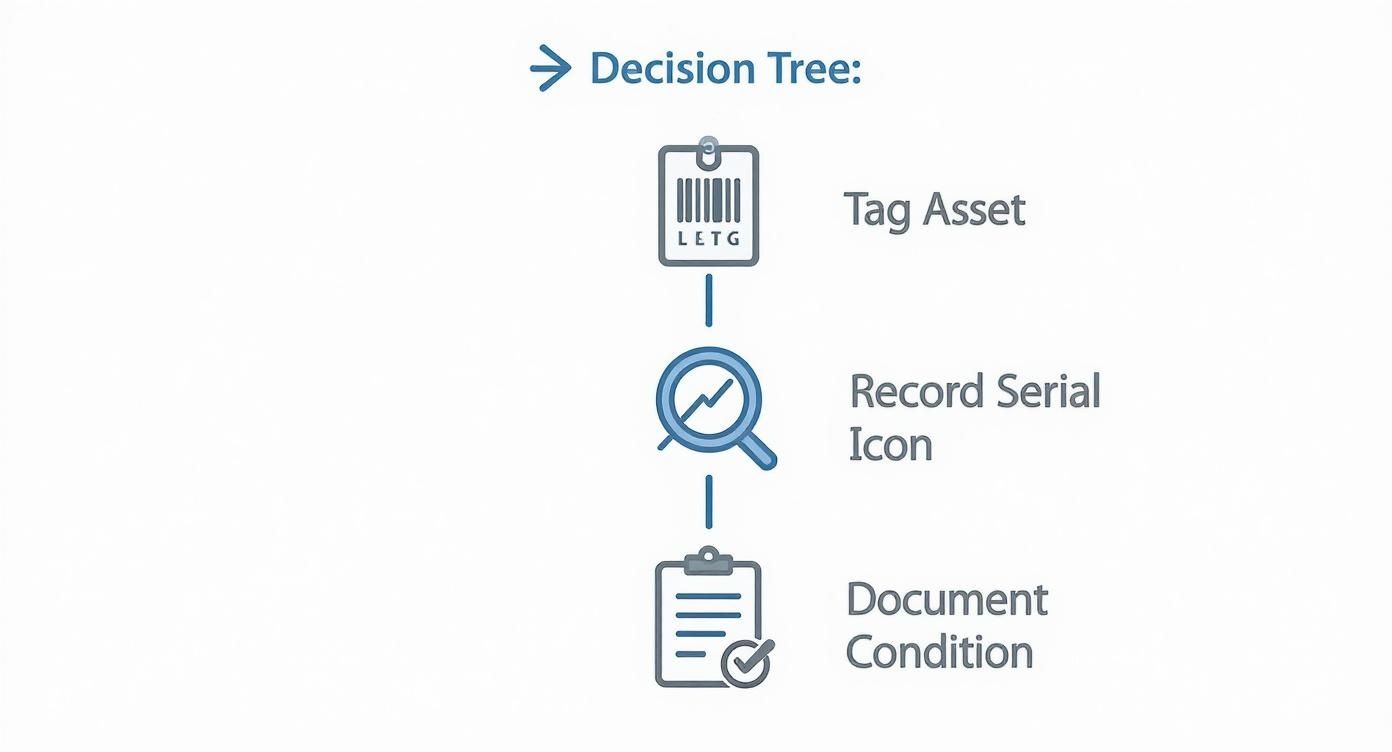
This simple workflow—tagging, recording, and documenting—is the foundation. It establishes a clear chain of custody that’s essential for compliance and peace of mind.
Understanding the Methods of Data Destruction
Choosing the right data destruction method isn't a one-size-fits-all decision. It all comes down to the type of storage media and your organization's specific security needs. What works perfectly for a traditional spinning hard drive is useless for a modern Solid-State Drive (SSD). Getting this wrong is a huge risk.
For a deeper dive, check out our complete overview of what is data sanitization to understand the core principles.
Here are the three main techniques we use every day:
- Software-Based Wiping: This involves using specialized software to overwrite every sector of a drive with random data, often multiple times. The DoD 5220.22-M standard, for instance, calls for a three-pass overwrite. This is a great choice for equipment you plan to resell or reuse because it leaves the hardware fully functional. Keep in mind, it’s less reliable for SSDs because of wear-leveling technology that can leave data fragments behind.
- Degaussing: For traditional hard disk drives (HDDs) and magnetic tapes, degaussing is a fast and powerful solution. It uses an incredibly strong magnetic field to instantly scramble the magnetic patterns where data is stored. The drive is rendered completely unusable, but the data is gone in seconds. It's important to know that degaussing has zero effect on SSDs, as they don't use magnetic storage.
- Physical Shredding: This is the ultimate guarantee. We feed hard drives, SSDs, smartphones, and other devices into an industrial shredder that grinds them into tiny, confetti-like pieces. There's no coming back from that. Shredding is the gold standard for devices with highly sensitive data or for media that can't be wiped, like damaged drives.
Data Destruction Methods Compared
Picking the right method can feel complex, so here's a quick comparison to help you match the technique to your specific needs and compliance goals.
| Method | Best For | Key Benefit | Compliance Level |
|---|---|---|---|
| Software Wiping | HDDs and some SSDs intended for resale or reuse | Preserves the hardware for remarketing value | High (NIST 800-88, DoD 5220.22-M) |
| Degaussing | HDDs, Magnetic Tapes | Extremely fast and effective for magnetic media | Very High (Meets NSA and DoD requirements) |
| Physical Shredding | All media types, especially SSDs and damaged drives | The most secure, verifiable method of destruction | Highest (Irreversible, exceeds all standards) |
Ultimately, the best approach often involves a mix of these methods, tailored to the specific inventory of assets you're retiring.
The Unmatched Value of a Certificate of Data Destruction
So, your assets have been wiped or shredded. How do you prove it? This is where the Certificate of Data Destruction (CoDD) is absolutely critical. This document is much more than a receipt—it's your legally defensible proof that you followed a secure and compliant process.
A legitimate CoDD isn't just a generic form. It must be a detailed, serialized document that lists:
- A unique tracking number for the certificate.
- The serial numbers of every single device that was destroyed.
- The specific method of destruction used (e.g., shredding, degaussing).
- The date and location where the destruction took place.
- A formal transfer of custody statement.
Think of the Certificate of Data Destruction as your liability shield. If you ever face an audit or a legal challenge, this document is your concrete proof that you took every professional step to protect sensitive data. It officially closes your loop of responsibility.
Without this serialized proof, you're leaving your organization exposed. If a data breach was ever traced back to one of your old assets, the lack of a CoDD would make defending your company's actions nearly impossible. Insisting on a detailed certificate is a non-negotiable part of any professional IT asset removal.
Getting Your Retired Assets Off-Site Securely
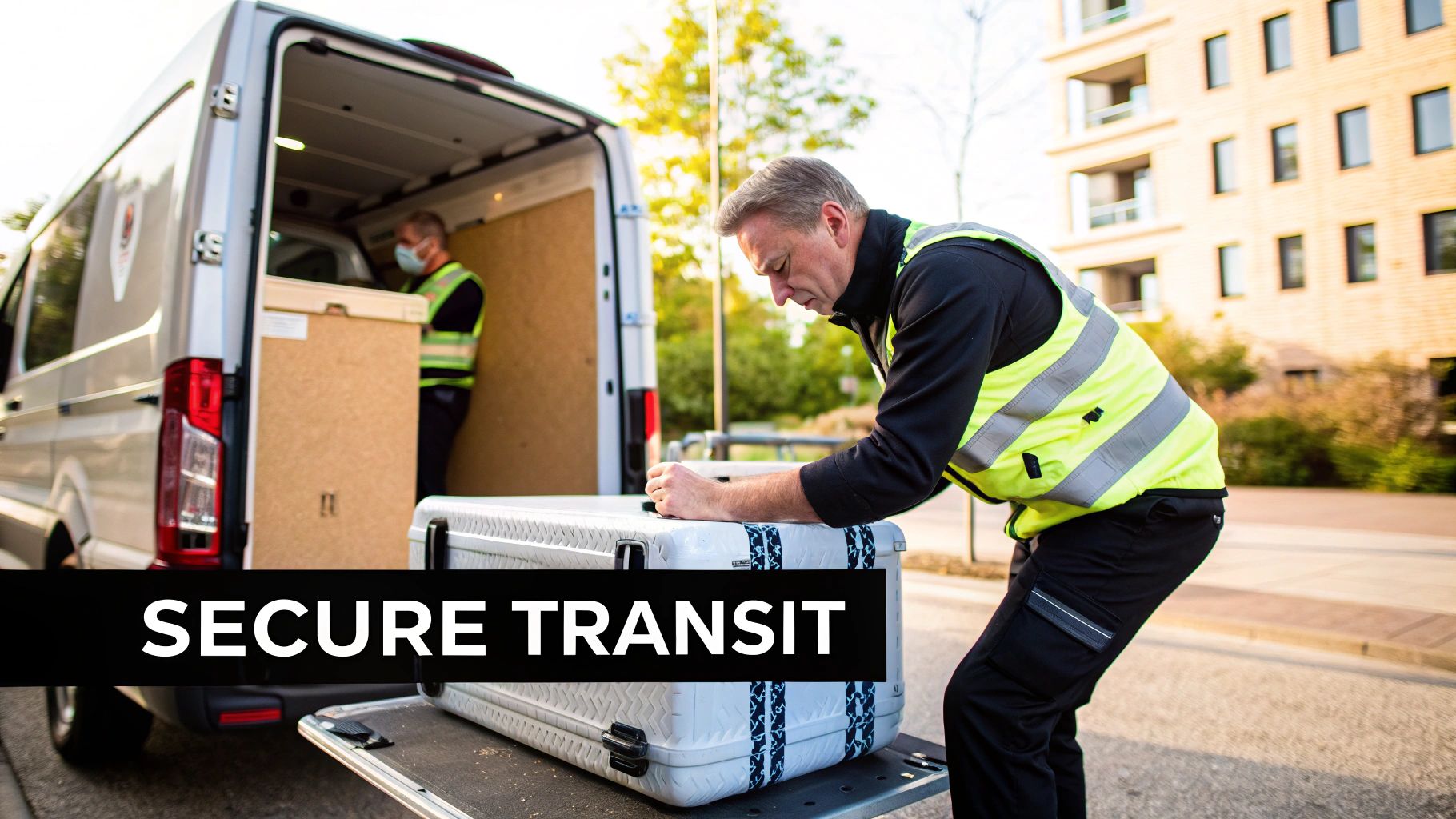
So, you’ve wiped the data. The job’s done, right? Not even close.
Those physical pieces of hardware—every last server, laptop, and hard drive—still represent a huge security risk. The process isn't truly over until everything is safely transported and accounted for. This is where the logistics of IT asset removal take center stage. You need to be sure the secure chain of custody you established during your inventory audit remains unbroken all the way from your facility to its final stop.
Sloppy transportation can completely undermine even the most meticulous data sanitization. Think about it: an unsecured truck or an undocumented handoff is just an open invitation for theft, loss, and compliance headaches. It only takes one missing asset to trigger a painful, expensive investigation, especially if it was thought to hold sensitive data.
This part of the process is all about maintaining control and visibility. It’s not enough to just hand your equipment over to someone; you need a rock-solid process that guarantees security from door to door.
The Unbreakable Rule: A Secure Chain of Custody
A secure chain of custody is really just a documented trail that follows every single asset through every step of its retirement. When it comes to transportation, this means you know exactly who has your equipment, where it is at all times, and that it’s locked down tight.
To get this level of security, you need to demand some non-negotiables from your ITAD partner.
- Vetted Personnel: Only uniformed, insured, and thoroughly background-checked technicians should be handling your assets. Period.
- Secure, Unmarked Vehicles: Your equipment should travel in locked, unmarked vehicles. You don't want to advertise what's inside.
- GPS Tracking: Real-time GPS tracking on every truck gives you an extra layer of visibility and peace of mind.
- Dock-to-Dock Security: The trip should be direct, with no unscheduled stops or unsecured transfers between your loading dock and their processing facility.
These aren't nice-to-haves; they are fundamental requirements for any company that's serious about protecting its assets and its reputation.
How This Plays Out: An Atlanta Healthcare Provider’s Story
Let’s look at a real-world scenario. Imagine a big healthcare provider in Sandy Springs is retiring 200 workstations that handled sensitive patient records. With HIPAA on the line, any slip-up could mean massive fines and a complete loss of patient trust.
After their ITAD partner finishes the on-site inventory and data destruction, the logistics kick in. Technicians carefully pack the workstations onto pallets and shrink-wrap them securely. Each pallet gets its own manifest that matches the initial asset list, making sure every serial number is accounted for.
The pallets are then loaded onto a sealed, GPS-tracked truck by badged, background-checked personnel. The truck drives directly to a certified processing facility in Alpharetta—no other pickups or drop-offs. The healthcare provider gets real-time updates and a final notification when the truck arrives safely, closing the loop on the physical transfer. This is how you maintain HIPAA compliance from start to finish.
A secure logistics plan is the physical extension of your data security policy. It treats retired hardware with the same level of importance as your live network, recognizing that the risk doesn't end until the asset is fully processed and documented.
This is exactly the level of detail that regulators and auditors want to see. It shows a commitment to due diligence that protects everyone involved.
What to Ask Your Logistics Partner
Before you sign anything, grill your potential ITAD partner on their transportation security. How they answer will tell you everything you need to know about their professionalism and commitment.
Key Questions to Ask:
- Are your drivers and technicians full-time, background-checked employees?
- Are your trucks equipped with GPS tracking and security seals?
- What’s your protocol if a truck is delayed or has to make an unscheduled stop?
- Can you provide a complete, serialized chain of custody document for the whole trip?
Having these protocols locked down is crucial. While we’ve focused on moving whole assets, don't forget the finality of physical destruction. For those who need the highest level of assurance, it's worth exploring hard drive shredding services near me to see how on-site options can complement secure transport. A bulletproof logistics process is the final, critical piece of a successful IT asset removal plan, protecting your physical gear just as fiercely as you protect your digital data.
Compliant Recycling and Unlocking Asset Value
The final lap of any professional IT asset removal project is all about responsible closure. Your data has been securely wiped, but what about the physical hardware? You can't just toss it. How you handle the equipment at this stage is a huge deal—not just for security, but for environmental and financial reasons, too. This is where your IT strategy connects directly to your company's reputation and, believe it or not, your bottom line.
Let's be clear: sending old electronics to a landfill is simply not an option anymore. This isn't just about being green. E-waste is packed with hazardous stuff like lead, mercury, and cadmium that can seep into the soil and water. For any business in Metro Atlanta, getting this wrong can lead to some hefty fines and tarnish the reputation you've worked so hard to build.
The Non-Negotiable Need for Certified Recycling
Partnering with a certified electronics recycler is the only way to go. This isn't a place to cut corners. You need to look for the two most respected certifications in the industry: R2 (Responsible Recycling) and e-Stewards.
These aren't just fancy logos a company can buy. They represent rigorous, audited standards that prove a vendor is committed to the highest levels of environmental protection, worker safety, and data security.
Choosing a certified partner gives you peace of mind that:
- Hazardous materials are managed correctly and never illegally shipped overseas.
- Anything reusable is salvaged, and raw materials are properly recovered.
- Your company is hitting its environmental, social, and governance (ESG) targets.
A certified recycler will provide a Certificate of Recycling, which officially documents the compliant handling of your assets. This document, combined with your Certificate of Data Destruction, completes your chain-of-custody and proves you’ve done your due diligence from start to finish. For a deeper dive into local options, check out our guide on how to recycle in Atlanta.
Unlocking the Hidden Financial Value in Your Old IT
Okay, beyond just doing the right thing, there's often a surprising financial upside to a well-managed IT asset removal project. So many businesses we talk to are shocked to learn that their "obsolete" equipment still holds real market value. This is especially true for enterprise-grade hardware—think servers, networking gear, and newer laptops.
This process is called asset remarketing. Instead of being shredded for scrap metal, functional equipment gets tested, cleaned up, and resold on the secondary market. It’s a way to generate a revenue stream that can seriously offset the costs of your ITAD project. In many cases, it can even result in a net profit for your company.
What makes one piece of old gear valuable and another worthless? It really boils down to a few key factors:
- Age and Model: No surprise here. Newer, more powerful equipment is always going to fetch a higher price.
- Condition: Assets that are fully working and look good cosmetically are far more appealing to buyers.
- Completeness: A server with all its original RAM and hard drive caddies is worth much more than a stripped-down shell.
- Market Demand: Sometimes, a specific model or component is just in high demand, and that drives the price up.
This financial return completely changes the conversation. Suddenly, IT asset removal isn't just a cost center—it's a value-recovery opportunity.
Asset remarketing does more than just put money back in your budget. It extends the life of functional technology, supporting a circular economy and reducing the environmental impact of manufacturing new devices.
It’s the point where smart business sense and sustainability meet. A true win-win.
How Remarketing Actually Works
So, how does a server go from your data closet to a new owner? Any professional ITAD partner should have a clear, transparent process to get you the best possible return.
It starts with an audit. Every single asset tagged for potential resale is individually tested. Technicians check its functionality, cosmetic shape, and exact specs. Using that data and what’s happening in the market, they determine a fair market value. You should always get a detailed report that breaks down the expected return for each item.
Transparency here is absolutely critical. You need a partner who gives you clear, itemized reporting on what each asset sold for and exactly what your revenue share is. As companies upgrade their hardware more frequently, the sheer volume of retired equipment has skyrocketed. This trend is only making reliable remarketing programs more valuable than ever.
By pulling together compliant recycling and smart remarketing, your IT asset removal plan becomes a powerful tool. It protects your data, safeguards your reputation, meets your environmental goals, and turns old tech into a surprising source of cash.
Common Questions About IT Asset Removal
Even with a great plan, a few questions always seem to pop up when it's time to get rid of old IT gear. For a lot of businesses in Atlanta, this might be the first time you've put a formal process in place, so getting clear answers is everything. We've pulled together the most common questions we hear to help you handle these final steps like a pro.
What Is the Difference Between IT Asset Removal and E-Waste Recycling?
This is a big one, and the confusion is understandable. Think of it this way: IT asset removal, which you'll also hear called IT Asset Disposition or ITAD, is a complete, security-focused operation. The main goal is to create an unbreakable chain of custody, perform certified data destruction, and give you detailed reports to prove you’re compliant. The recycling part only happens after all that is done.
E-waste recycling is just one piece of the puzzle. A proper ITAD plan always ends with environmentally responsible recycling, but a basic e-waste guy often skips the critical data security steps your business needs to be protected. ITAD is the whole security mission; recycling is just the final, responsible destination.
How Do I Know My Company Data Is Truly Gone?
The only way to know for sure is with certified, legally defensible proof. A professional ITAD partner will hand you a serialized Certificate of Data Destruction when the job is done. This isn't just some generic receipt—it's a legal document that lists every single hard drive and server by its unique serial number and confirms exactly how it was sanitized.
This certificate is your official liability shield. If you ever face an audit or legal question, it’s undeniable proof that you did everything by the book to protect sensitive company and customer information.
For companies that need absolute certainty, you can even ask for on-site shredding. A mobile destruction truck comes right to your office or data center, and you can literally watch your hard drives get turned into tiny pieces of metal. It doesn't get more secure than that.
Can We Get Any Money Back From Our Old Equipment?
Absolutely. In fact, this is one of the best parts of working with a real ITAD professional. The process of refurbishing and selling equipment that still works is called asset remarketing. A surprising amount of retired gear, especially newer laptops, servers, and networking equipment, still has a good bit of life—and value—left in it.
Your partner should give you a completely transparent report showing what was sold and for how much. That cash comes right back to you and can seriously cut down the cost of the entire project. For bigger jobs, like a full data center cleanout, it’s not uncommon for the process to actually make you money. It turns a line-item expense into a revenue stream.
What Certifications Should My IT Removal Vendor Have?
Certifications are your best shortcut to knowing if a vendor is serious about security, compliance, and doing things the right way. They are proof from a third party that the company meets tough industry standards. When you’re looking at potential partners, there are a few credentials that are non-negotiable.
Here are the gold standards you should be looking for in the ITAD world:
- R2 (Responsible Recycling): This one is all about making sure the recycling is done in an environmentally safe way, protecting workers, and securing data through the entire process.
- e-Stewards: Much like R2, e-Stewards is another top-tier certification that guarantees responsible recycling and, importantly, prohibits shipping hazardous e-waste to developing countries.
- NAID AAA Certification: When it comes to data destruction, this is the seal of approval. It verifies that a vendor’s entire process—from who they hire to the security of their building—meets the highest standards for wiping and destroying data.
Finding a partner with these certifications is the surest way to know your it asset removal is being handled professionally and ethically from start to finish.
Ready to put a secure and profitable IT asset removal plan in place for your Atlanta business? Montclair Crew Recycling delivers certified data destruction, compliant electronics recycling, and transparent asset remarketing to protect your company and get the most value back from your old tech. Contact us today to schedule your secure pickup.
