
Let's be blunt: secure hard drive disposal isn't just about throwing old tech away. It's the critical process of making every bit of data on your old drives completely unreadable and impossible to recover before you even think about recycling or discarding the hardware.
This is the only way to stop sensitive personal and business information from getting into the wrong hands.
Why Dragging Files to the Trash Is a Huge Mistake
It's an easy mistake to make. You drag your files to the recycle bin, click "empty," and assume they're gone for good. But that's not what happens at all.
Think of it like this: that action is like tearing out the table of contents from a book, not shredding the actual pages. The real data—your financial records, client lists, personal photos—is still sitting right there on the drive, just waiting to be overwritten. And that could take a very, very long time.

Even formatting a drive doesn't cut it. A standard format just rebuilds the file system, making the data invisible to your operating system but leaving it ripe for the picking by anyone with the right software. This is a massive security gap, and it's exploited all the time.
The Real-World Risks of Getting It Wrong
Imagine a small business upgrading its office computers. They do a standard Windows format on the old machines and donate them to a local charity, feeling good about their decision. A few months later, the owner is horrified to find their entire client database and private financial records for sale on the dark web.
This isn't just a scare tactic; it happens. Because the data was never truly destroyed, it was easily pulled from those "wiped" hard drives. The fact that professional data recovery services can retrieve "lost" information should tell you everything you need to know about how persistent that data really is.
The difference between a simple delete and true data erasure can lead to some devastating consequences:
- Identity Theft: Your tax documents, bank info, and personal files become a goldmine for criminals.
- Corporate Espionage: Competitors can get their hands on your trade secrets, customer data, and strategic plans.
- Financial Fraud: Recovered credit card numbers or financial statements can drain your accounts in a heartbeat.
- Reputational Damage: A data breach can completely shatter the trust you've built with your clients, causing harm that's impossible to repair.
To help you understand the stakes, here's a quick look at how different disposal methods stack up in terms of security.
Disposal Method vs Security Level
| Method | How It Works | Data Recovery Risk |
|---|---|---|
| Deleting Files | Removes the file system "pointer" to the data. | Extremely High. Data is still on the drive and easily found with basic software. |
| Formatting Drive | Rebuilds the file system, making data invisible to the OS. | High. A "quick format" leaves data intact; a "full format" is better but still vulnerable. |
| Physical Destruction | Drilling, hammering, or shredding the drive platters. | Low. If done thoroughly, recovery is nearly impossible, but it can be messy and hard to verify. |
| Software Wiping | Overwrites every sector of the drive with random data. | Very Low. Professional software makes data unrecoverable by overwriting it multiple times. |
As you can see, the only truly safe options involve either complete physical annihilation or professional-grade software wiping.
Understanding True Data Erasure
To actually protect yourself, you need to use methods that either physically obliterate the drive or systematically overwrite every single bit of data on it. This entire process is known as data sanitization.
A proper wipe ensures every sector is overwritten with random characters—ones, zeros, or a mix—making it physically impossible to piece the original information back together. If you want to get into the technical weeds, our guide on "what is data sanitization?" is a great place to start: https://www.montclaircrew.com/what-is-data-sanitization/
The core issue is that deleting a file only removes the pointer to that file, not the file itself. The ones and zeros that make up your sensitive document remain on the disk's platters until they are overwritten by new data, which might not happen for years.
The industry is waking up to these risks in a big way. The secure data destruction market is projected to explode from $3.35 billion to $5.45 billion by 2029. This isn't just about good practice; it's driven by strict compliance laws like GDPR and HIPAA and the staggering amount of e-waste we generate.
To put it in perspective, Microsoft alone reported shredding two million drives in a single year. That’s the scale of the problem we’re dealing with.
Using Software to Securely Wipe Reusable Drives
Sometimes, physical destruction just feels wrong. If a hard drive is still perfectly functional, smashing it to bits is a waste. That’s where software wiping comes in. It’s the perfect way to confidently sell, donate, or repurpose a drive, knowing every last trace of your sensitive data has been permanently scrubbed. The goal here is simple: give the hardware a second life without giving away your privacy.
This process is technically called data sanitization, and it works by overwriting the entire drive with random junk data. Instead of just telling the computer to "forget" where your files are, it systematically fills every single sector with meaningless ones and zeros. Many programs do this over and over again in multiple "passes" to make sure the original data is completely unrecoverable, following standards like the DoD 5220.22-M three-pass method.
Choosing Your Wiping Tool
When it comes to the software itself, you've got some great options, both free and paid. The biggest differences usually come down to how easy they are to use, whether they provide official certificates, and a few extra features.
- Free Tools (like DBAN): For years, Darik's Boot and Nuke (DBAN) has been the trusted, open-source workhorse for this job. It's incredibly powerful and gets the job done for personal use, especially on traditional spinning hard disk drives (HDDs).
- Paid Tools: If you're running a business, paid solutions are often the way to go. They typically offer a much cleaner interface, generate certified erasure reports (which are crucial for compliance), and provide better support for modern hardware like Solid State Drives (SSDs), which need a different approach to wiping.
Here’s a look at the famously no-frills DBAN interface. You'll usually run this by booting your computer from a USB drive.
As you can see, it's a purely functional tool. The screen shows it has found a drive and is just waiting for you to tell it what to do. It’s designed to do one thing and do it extremely well.
Key Steps for a Safe Software Wipe
Before you even think about starting, let me give you a serious word of caution: this process is 100% irreversible. Once you hit go, that data is gone for good. To avoid a catastrophic mistake, preparation is everything. If you want a complete A-to-Z walkthrough, check out our guide on how to wipe a computer before recycling.
The absolute most critical step is to physically disconnect all other hard drives from the computer. I'm not kidding. It is shockingly easy to click the wrong drive in the menu and accidentally vaporize your main operating system or, even worse, your backup drive. I’ve seen it happen, and it’s a gut-wrenching, unfixable error.
Once you’re sure only the target drive is connected, you're ready to proceed.
- Create a Bootable USB: First, download the software you chose (like DBAN). Then, use a simple utility to create a bootable USB stick with that software on it.
- Boot from the USB: Restart the computer. You'll need to jump into the BIOS/UEFI settings (usually by pressing a key like F2, F12, or Del during startup) and change the boot order so the machine boots from your new USB drive instead of its internal hard drive.
- Run the Wipe: From there, just follow the software's on-screen instructions. You'll select the drive you want to erase and pick an erasure method. A wipe with more passes will take longer, but it also provides a higher level of security.
Pro Tip: For most personal use on older HDDs, a single-pass wipe that just overwrites everything with zeros is perfectly fine. But if you're dealing with business data or anything highly sensitive, I’d recommend a three-pass wipe (like the DoD standard) as the bare minimum for peace of mind.
This software-first approach is incredibly effective for desktops and laptops. The same logic applies to other devices, too. For example, if you're getting rid of an old phone, you need to know how to securely factory reset an Android phone to make sure all your personal data is properly removed before it leaves your hands.
Physical Destruction for Ultimate Data Security
When software wiping just won't cut it, physical destruction is the only way to be 100% sure your data is gone for good. This is the go-to method for highly sensitive information—think proprietary research, government data, or critical financial records. If even the slightest chance of data recovery is a risk you can't afford, this is your solution. It's the final, irreversible step in a secure hard drive disposal plan.
The idea is straightforward: mangle the drive's platters so thoroughly that no technology on Earth can piece them back together. We're not talking about a few dents in the casing; we're talking about complete and utter obliteration. The goal is to turn a complex piece of hardware into a pile of worthless, unreadable bits of metal and plastic.
Professional Hard Drive Shredding
This is exactly what it sounds like. Industrial-grade shredders, armed with powerful steel teeth, grab hard drives and rip them into tiny, coin-sized fragments. This process doesn't just damage the drive; it completely destroys the magnetic platters where your data lives, making recovery physically impossible.
For a few key reasons, shredding has become the gold standard for secure data destruction:
- It’s verifiable: You can literally see the shredded remains of your drives. No guesswork involved.
- It’s effective on all drive types: Works just as well on old-school HDDs as it does on modern SSDs.
- It’s compliant: Shredding meets the tough requirements of regulations like HIPAA, FACTA, and GDPR.
The hard disk destruction equipment market was valued at around USD 1.927 billion, with hard drive shredding leading the charge. Its dominance comes from the sheer peace of mind it offers, which is non-negotiable for any organization handling confidential information. You can find more insights about the hard drive destruction service market and its growth drivers online.
This decision tree gives you a simple way to figure out whether software wiping or physical destruction is the right call for your old drive.
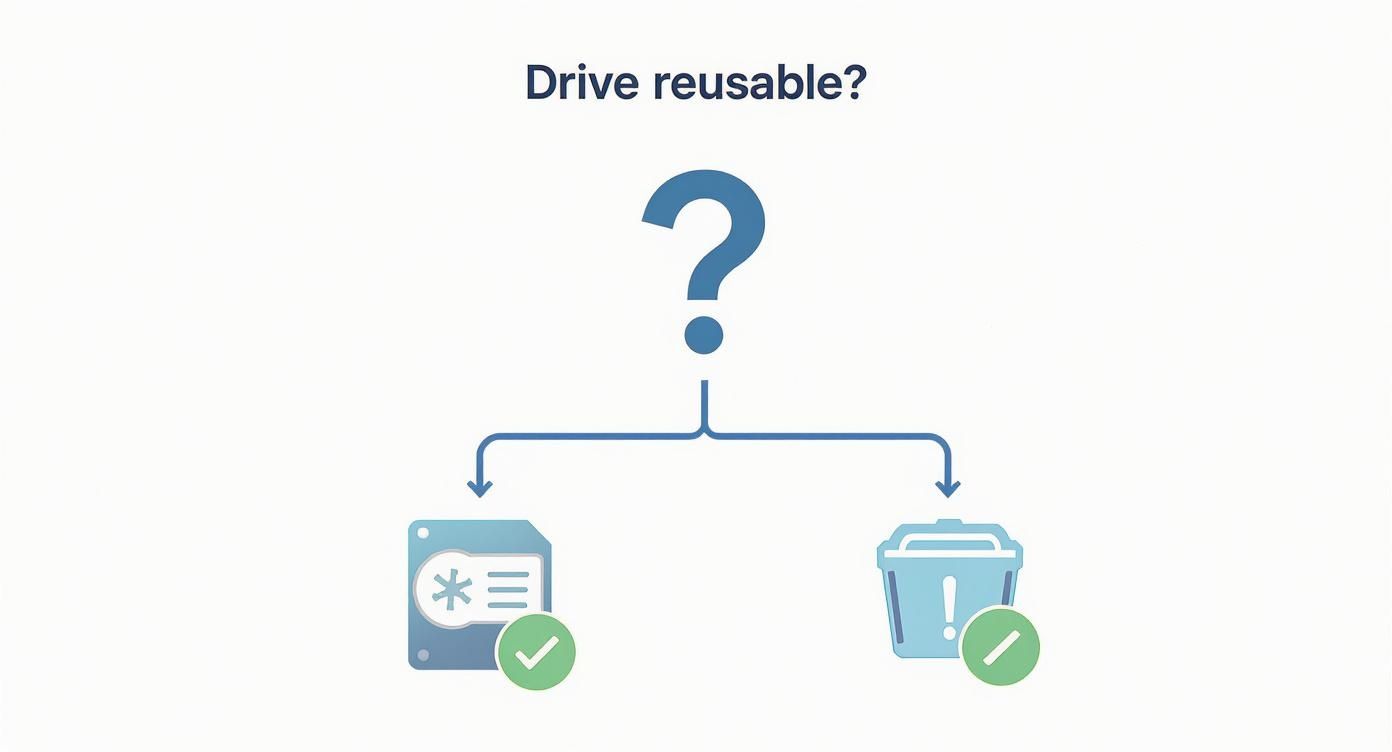
The main takeaway here is obvious: if the drive has no future, shredding is the most direct path to total data security.
Key Insight: The real value of professional shredding isn't just the destruction itself; it's the certified, auditable process that comes with it. When a certified vendor gives you a Certificate of Destruction, you have legally defensible proof that you did your due diligence to protect your data.
Degaussing Your Hard Drives
Another powerful option for traditional HDDs is degaussing. This involves a machine that generates an incredibly strong magnetic field—way stronger than anything inside the hard drive. When the drive passes through this field, the magnetic domains on the platters that represent your data are instantly and permanently scrambled into meaningless noise.
The result is a drive that is completely blank and can never be used again. It’s a fast and very effective method, but it has one massive catch: degaussing is completely useless on SSDs. Solid-state drives store data on flash memory chips and have no magnetic parts, so the magnetic field has no effect on them.
DIY Destruction Attempts and Safety Warnings
It can be really tempting to take a hammer or a drill to an old hard drive. While it might feel satisfying, it's a risky and surprisingly ineffective way to dispose of a hard drive securely. Drilling a few holes might damage parts of the platters, but it often leaves large sections of data perfectly intact and potentially recoverable by a determined forensics team.
Even more importantly, DIY destruction can be flat-out dangerous. Hard drive platters can shatter into razor-sharp shards when struck or drilled, creating a serious safety hazard. For reliable and documented security, professional services are always the better choice. If you're thinking about professional options, our detailed overview of secure hard drive shredding explains exactly what to look for in a service provider.
How to Choose a Professional Data Destruction Service
For most businesses juggling more than a handful of devices, bringing in a professional for hard drive disposal just makes sense. But handing over your company’s sensitive data to a third party is a big deal, and it requires a serious level of trust. You have to vet them properly, and knowing what to look for is what separates the real pros from the risky operators.
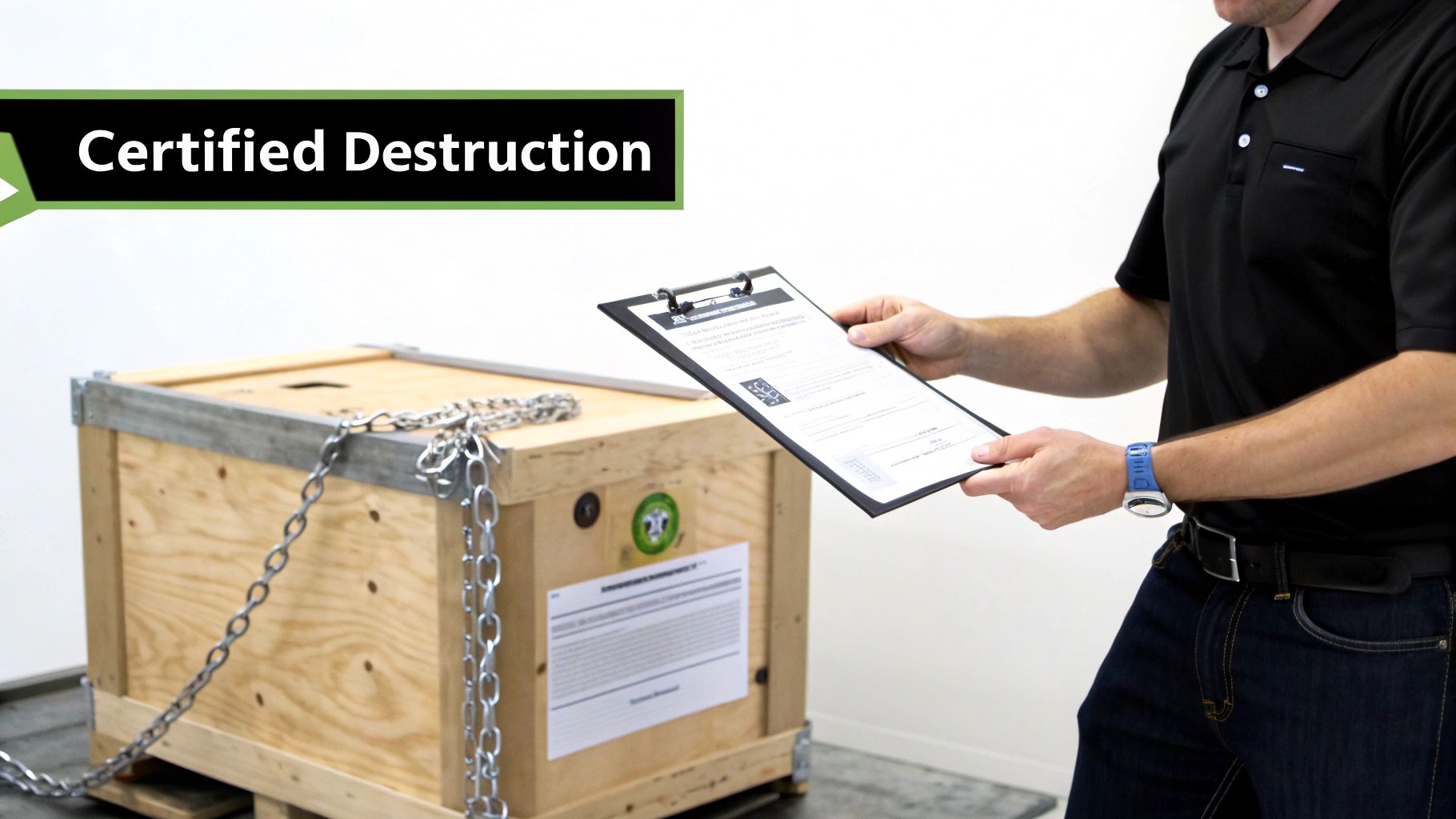
Your first move? Check their credentials. The absolute gold standard in this industry is NAID AAA Certification. This isn't some sticker they can just buy online; it’s a grueling, ongoing audit that scrutinizes everything—their security protocols, employee background checks, and the destruction methods they use. A NAID certified vendor is your best defense against a potential data breach.
On-Site vs. Off-Site Destruction
One of the first decisions you'll face is where the destruction happens: at your place or theirs. Each has its own set of pros.
- On-site Destruction: This is when a mobile shredding truck pulls up right to your office. You can literally stand there and watch the whole thing happen, from the moment they collect your drives to the final shred. It offers the ultimate peace of mind and is often a non-negotiable for compliance in tightly regulated fields like healthcare and finance.
- Off-site Destruction: With this option, the provider loads your drives into secure, locked containers and transports them back to their facility for destruction. It’s usually more cost-effective and efficient, especially if you have a massive number of drives to get rid of—as long as they have a rock-solid chain-of-custody process.
The Importance of a Chain of Custody
Speaking of which, a secure chain of custody is non-negotiable, particularly for off-site services. This is a detailed log that tracks every single person who touches your assets, from the second they leave your building until they’re turned into fragments. It needs to include serial number tracking, secure transport logs, and final confirmation of destruction.
Without that paper trail, you have a massive security hole. If a drive vanishes in transit, you have zero proof it was handled correctly, leaving your business completely exposed to liability.
Key Takeaway: A professional service’s real value isn't just in the shredder—it's in the auditable proof they deliver. Never even consider a vendor who can't provide a clear, documented chain of custody from start to finish.
Getting Proof with a Certificate of Destruction
Once the job is complete, the vendor absolutely must give you a formal Certificate of Destruction. This is a legal document that serves as your official record, proving you followed all data privacy laws. It should clearly list the date, the method used, and the serial numbers of every single asset that was destroyed.
Think of this certificate as your shield. If you ever face an audit or a legal question, this document proves you took responsible, necessary steps to protect your data and officially transfers liability over to the destruction vendor.
Choosing the right partner is everything, and many companies specialize in different aspects of IT asset disposal. For a bigger picture of who’s out there, check out our guide to the top e-waste disposal companies to get more context.
Meeting Compliance and Environmental Standards
Getting rid of old hard drives correctly is about much more than just good security hygiene. It's where legal compliance and environmental ethics meet head-on. In an era of intense data privacy scrutiny, simply tossing old hardware without a certified process is a massive business risk. You have to remember, data protection laws have real teeth and the penalties for being negligent are severe.
Take laws like the Health Insurance Portability and Accountability Act (HIPAA) and the General Data Protection Regulation (GDPR), for example. They have very specific rules for how personal information must be handled, right up to the end of its life. If you fail to properly dispose of a drive that held patient or customer data, it’s not just a simple security slip-up—it’s a direct violation that can lead to crippling fines and damage to your reputation that can last for years.
The Dual Mandate of Security and Sustainability
Beyond the legal side of things, there's a growing responsibility for all of us to tackle the global e-waste problem. Hard drives are full of hazardous materials like lead and mercury. If those end up in a landfill, they can cause serious environmental damage. This creates a dual mandate for any organization: your data must be completely destroyed, and the physical junk left over has to be managed responsibly.
This is exactly why picking a disposal partner with dual certifications is so critical. You should be looking for providers who are not only NAID AAA Certified for data destruction but also hold credentials like R2 (Responsible Recycling). That combination is your guarantee that the data is gone for good and the hardware itself is recycled to the highest environmental standards.
The ultimate goal is to create a closed-loop process. Your data is verifiably destroyed, and the raw materials from the drive are responsibly recovered and reintroduced into the manufacturing stream, preventing both data leaks and pollution.
Proof of Compliance and Corporate Responsibility
More and more, organizations are demanding certified services that provide a clear audit trail and environmentally sound disposal. It's no surprise that the secure data destruction market is projected to grow to over USD 10 billion. This boom is driven by the rapid pace of IT hardware becoming obsolete and a much stronger focus on corporate accountability, which requires secure and eco-friendly disposal methods. You can read more about why hard drive destruction is essential in 2025 at ci-infomanagement.com.
The absolute key to proving you've met these standards is the documentation. After any professional destruction service, you must get a formal document that serves as your proof of compliance. To get a better handle on what this involves, it's worth learning about the importance of a certificate of destruction. Think of this document as your official record—it shows you took every necessary step to protect sensitive data while following environmental laws. It’s your best defense if you're ever facing an audit or legal questions.
Got Questions About Hard Drive Disposal?
Even with a solid plan, you're bound to have some questions when it's time to get rid of old hard drives. Let's tackle a few of the ones I hear all the time. Getting these answers straight will help you handle the final steps of your IT asset's lifecycle with total confidence.
Is Smashing a Hard Drive with a Hammer Good Enough?
It might feel satisfying, but taking a hammer to an old drive is a surprisingly bad idea. The real prize inside is the heavy, circular platters—that's where your data actually lives. They're much tougher than you'd think. It’s entirely possible for large, intact fragments to survive a good whack.
With the right tools, a determined data recovery specialist could absolutely pull significant information off those pieces. If you're dealing with sensitive data, professional shredding or degaussing is the only way to guarantee destruction. It's a much safer bet.
How Should I Handle an Old Solid State Drive (SSD)?
SSDs are a totally different ballgame than their spinning-platter cousins (HDDs). They store data on flash memory chips, not magnetic platters. This means degaussing is completely ineffective. Seriously, don't even bother trying.
Your best move for getting rid of an SSD for good is physical destruction, and I mean shredding it into tiny particles. A lot of modern SSDs also have a "Secure Erase" command built right into their firmware. Running that command is a great first step to sanitize the drive before you hand it over for destruction.
A Pro Tip: Wiping a drive before sending it to a certified destruction service isn't strictly necessary if they have a secure chain of custody. But for maximum peace of mind? I always recommend it. It’s a "belt and suspenders" approach that ensures your data is gone before the hardware even leaves your building.
Taking that extra step means that the moment the drive is out of your hands, it's just a useless piece of metal and plastic. It adds a powerful layer of protection to the whole process.
At Montclair Crew Recycling, we help businesses across the Atlanta area manage their IT asset disposal with certified, secure, and environmentally sound solutions. From DoD-compliant wiping to on-site shredding, we give you the peace of mind you need. Contact us today to handle your secure hard drive disposal needs.
