

A sample certificate of destruction is more than just a piece of paper; it's a template for legally defensible proof. It confirms, without a doubt, that sensitive data and the physical hardware it lived on have been permanently and securely destroyed. For any business, this official record is the final word on compliant IT asset disposition and proves you maintained a secure chain of custody from start to finish.
What Is a Certificate of Destruction

Think of a Certificate of Destruction (CoD) as less of a receipt and more of a sworn affidavit. It’s a formal, auditable document that validates the complete and permanent disposal of your sensitive assets. For organizations handling anything confidential—from customer PII to proprietary company secrets—the CoD is the final, critical checkpoint in an asset's lifecycle.
Without that document, you're flying blind. There's simply no verifiable proof that your data was handled correctly, leaving your business exposed to massive legal and financial risks.
This proof is absolutely essential for meeting today's strict regulatory demands. A properly executed CoD is your ticket to demonstrating compliance with data protection laws like HIPAA, GDPR, and FACTA. It's the document that stands between you and potentially crippling fines. At its core, the certificate's purpose is to create an unbroken, defensible record of diligence.
A robust Certificate of Destruction process transforms a potential liability into a documented asset. It’s the definitive proof that you’ve met your legal and ethical obligations to protect sensitive data.
Key Components at a Glance
For a CoD to hold up under scrutiny, it needs to contain specific, non-negotiable pieces of information. While the layout might differ slightly between vendors, every legitimate certificate must include a few key elements to ensure there’s no room for ambiguity. You can learn more about where this fits into the larger process in our complete guide to IT asset disposition.
Here's a quick look at the essential fields you’ll find on any valid sample certificate of destruction.
Essential Components of a Certificate of Destruction
This table breaks down the core fields that every CoD must have to be considered a legitimate, auditable record. Think of it as a quick-reference cheat sheet for verifying your own destruction documents.
| Component | Purpose | Example Information |
|---|---|---|
| Asset Details | To uniquely identify every single item that was destroyed. | "Dell Latitude 7420," Serial Number: "ABC123XYZ" |
| Destruction Method | To specify exactly how the data or physical asset was destroyed. | "DoD 5220.22-M 3-pass wipe," "Physical Shredding" |
| Chain of Custody | To document who handled the assets and when, creating a clear timeline. | Names, titles, and signatures of responsible parties. |
| Signatures | To legally validate the entire process and transfer liability. | Authorized signatures from your company and the vendor. |
Each of these components works together to create a single, powerful document that closes the loop on your IT asset's lifecycle, providing the peace of mind that comes with documented proof of compliance.
Anatomy of a Sample Certificate of Destruction

A proper Certificate of Destruction (CoD) isn't just a simple receipt—it's a detailed, legally binding document. Every single field on it has a job to do. Think of it as a legal affidavit that proves you’ve done your due diligence, and it has to be solid enough to withstand the tough scrutiny of a compliance audit.
Knowing what goes into a CoD is key to confirming your data was securely handled and the paperwork you get back is complete. This breakdown goes through a typical sample certificate of destruction, piece by piece, explaining why each part matters.
Unique Transaction and Company Identifiers
Right at the top, you'll find the basic details that frame the whole job. This section answers the fundamental "who" and "when" of the destruction service, giving the entire process a unique paper trail.
Here's what you should see:
- Unique Transaction ID: This is a reference number assigned by the vendor (that's us, Montclair Crew) for this specific job. It's absolutely crucial for tracking everything later, allowing you or us to pull up the records for this service in a snap.
- Client Information: This part clearly names your organization, including the official business name, physical address, and a main contact person. Getting this right is vital for legal clarity.
- Vendor Information: You'll see the details for the IT Asset Disposition (ITAD) company that did the work. This will include their name, address, contact info, and often their certifications, like NAID AAA or R2.
- Date of Issuance: This is the date the certificate was officially generated. It might be a day or two after the actual destruction, and that's perfectly normal.
Detailed Asset Inventory and Serial Numbers
This is, without a doubt, the heart of the document. If the asset list is vague or missing details, the CoD becomes practically worthless. For a chain of custody to be truly unbroken, every single device has to be accounted for individually.
A compliant inventory list absolutely must include:
- Item Description: The type of device, including its manufacturer and model (for instance, "Dell OptiPlex 7080 Desktop").
- Serial Number: The unique manufacturer serial number for each and every piece of equipment. This is the most important unique identifier on the document, and it's completely non-negotiable for a valid certificate.
- Asset Tag (Optional): If your company uses its own internal asset tags, including them adds another strong layer of verification, tying the device directly back to your own inventory system.
An entry needs to be specific, like "HP EliteBook 840 G8, Serial: 5CG12345ABC," not just "Laptop." That level of detail leaves zero room for error or ambiguity.
Destruction Method and Location Specifics
This section gets into the "how" and "where." It provides the hard evidence that the methods used are up to snuff with industry standards and whatever regulatory requirements you fall under. Using fuzzy terms like "destroyed" just doesn't cut it here.
A Certificate of Destruction is your documented, defensible proof of due diligence. Specificity in describing the destruction method—such as "DoD 5220.22-M 3-pass wipe"—transforms the document from a simple record into a powerful compliance tool.
The certificate has to spell out:
- Method of Destruction: A precise description of what was done. Good examples are "Physical Shredding to 2mm Particle Size" or "Degaussing via NSA-Approved Degausser."
- Date and Location of Destruction: The exact date the work was performed and the physical address of the secure facility where it all happened. This confirms the entire process was handled in a controlled, secure environment. You can learn more about how these documents fit into your bigger data security plan in our overview of record retention guidelines for businesses.
Authorized Signatures and Attestation
Finally, the signatures are what make the whole document official. They serve as a formal declaration from authorized people on both sides that all the information is true and accurate. Without signatures, a CoD is just an incomplete form with no legal standing.
You need signatures from both parties:
- Your Company’s Representative: This could be the employee who handed over the assets or even witnessed the destruction.
- The Vendor’s Representative: The professional who actually performed or supervised the destruction process.
Each signature has to have a printed name, title, and date next to it. This final step seals the deal and confirms who is accountable for the entire process.
Why Is a Certificate of Destruction So Important for Security and Compliance?
A Certificate of Destruction, or CoD, isn't just another piece of paper. Think of it as your official, legally-binding proof that sensitive data and the hardware it lived on are gone for good. In a world full of data security threats and tough regulations, this document is your first line of defense, providing a clear, auditable trail that you’ve done your due diligence.
Without that proof, you’re leaving your organization wide open. A single data breach traced back to an improperly retired asset can trigger catastrophic financial penalties, invite legal action, and cause damage to your brand’s reputation that you can never fully repair. A CoD effectively closes the loop on your IT asset's lifecycle, protecting your business from some very costly "what ifs."
The Steep Price of Non-Compliance
These days, just tossing out old equipment is out of the question. Major data protection laws demand secure data disposal, and the penalties for getting it wrong are designed to hurt.
- HIPAA (Health Insurance Portability and Accountability Act): For healthcare providers, exposing Protected Health Information (ePHI) can lead to fines running into the millions.
- GDPR (General Data Protection Regulation): If you handle data for EU citizens, a violation could cost you up to 4% of your annual global turnover.
- FERPA (Family Educational Rights and Privacy Act): Educational institutions that fail to protect student records risk losing federal funding.
A proper CoD shows you’ve taken concrete, verifiable steps to meet these legal requirements, acting as a powerful shield if an auditor comes knocking. And just as a CoD validates secure data destruction at the end of an asset's life, it's equally important to secure data while it's being transmitted. For instance, best practices for secure electronic faxing for HIPAA compliance are critical for safeguarding patient data in transit.
Building an Audit Trail That Holds Up
A truly solid security strategy requires an unbroken, documented chain of custody for every single asset. A sample certificate of destruction serves as the final, critical piece of that chain. It gives you a detailed, timestamped record covering the "who, what, when, where, and how" of the entire disposal process, leaving absolutely no room for doubt.
The global e-waste recycling market's projected growth is heavily influenced by mandates demanding ironclad certificates of destruction. For Atlanta-area businesses, this auditable trail is essential for proving data sanitization and reducing breach risks, which averaged $4.45 million per incident in 2023. You can explore more about these ITAD and e-waste trends.
This documented proof is essential for showing you had control over sensitive information from the moment an asset was taken offline to its final destruction. It confirms your data sanitization process isn’t just a policy written in a handbook—it’s a verifiable practice that protects your customers, your employees, and the future of your business.
Comparing Data Destruction Methods
When you look at a sample certificate of destruction, the method of destruction is one of the most important details listed. Not all techniques are created equal, and they don't all provide the same level of security.
The right choice really comes down to the type of media you're dealing with and what your company’s compliance rules demand. The three big players in the game are physical shredding, degaussing, and software-based wiping.
Physical Shredding
Physical shredding is just as intense as it sounds. It’s a process where hard drives, tapes, and other media are fed into a machine that pulverizes them into tiny, confetti-like pieces. You can't get data back from that.
This is widely considered the gold standard for completely obliterating data, which makes it the go-to choice for highly sensitive assets. It works like a charm on both old-school Hard Disk Drives (HDDs) and the newer Solid-State Drives (SSDs).
Degaussing
Degaussing, on the other hand, takes a different approach. It uses incredibly powerful magnets to scramble and neutralize the magnetic fields where data lives on certain types of media.
The process is instant, permanent, and completely erases everything on magnetic storage like HDDs and backup tapes. But here's the catch: degaussing is ineffective on SSDs. Since SSDs use flash memory and don't store data magnetically, the magnets have no effect on them.
Software-Based Data Wiping
Finally, there's software-based wiping. This involves using special programs to overwrite every bit of existing data on a drive with random characters. Think of it as writing over a document with gibberish again and again until the original is impossible to read.
Standards like the DoD 5220.22-M call for a three-pass overwrite process to make sure the data is gone for good. This method is great for HDDs and has a key benefit: it allows the drives to be reused, resold, or donated, which is fantastic for sustainability.
While it's solid for HDDs, some wiping techniques can be less reliable on SSDs because of their built-in wear-leveling technology. You can dive deeper into these technical details in our guide on what data sanitization is.
To help you visualize the best approach for your needs, here's a quick comparison of the most common methods.
Comparison of Data Destruction Methods
| Destruction Method | How It Works | Best For | Compliance Level |
|---|---|---|---|
| Physical Shredding | Devices are mechanically pulverized into small, irrecoverable fragments. | HDDs, SSDs, optical media, tapes, and mobile devices containing highly sensitive data. | Highest. Meets standards like NIST SP 800-88, DoD, and HIPAA for complete data elimination. |
| Degaussing | Powerful magnets neutralize the magnetic field of storage media, erasing all data. | Magnetic media only, such as HDDs and magnetic tapes. Not effective for SSDs. | High. Compliant with NIST and DoD for magnetic media, but only when correctly applied. |
| Software Wiping | Specialized software overwrites existing data with random characters in multiple passes. | Reusable HDDs. Allows for asset resale or donation while ensuring data is unrecoverable. | Moderate to High. Varies by standard (e.g., DoD 5220.22-M). Less effective on SSDs. |
Ultimately, choosing the right method is a balancing act between your security requirements and the potential for asset reuse. Whichever path you take, that decision should be clearly and accurately documented on every Certificate of Destruction you receive.
As this diagram shows, a properly documented destruction process is about more than just checking a box.
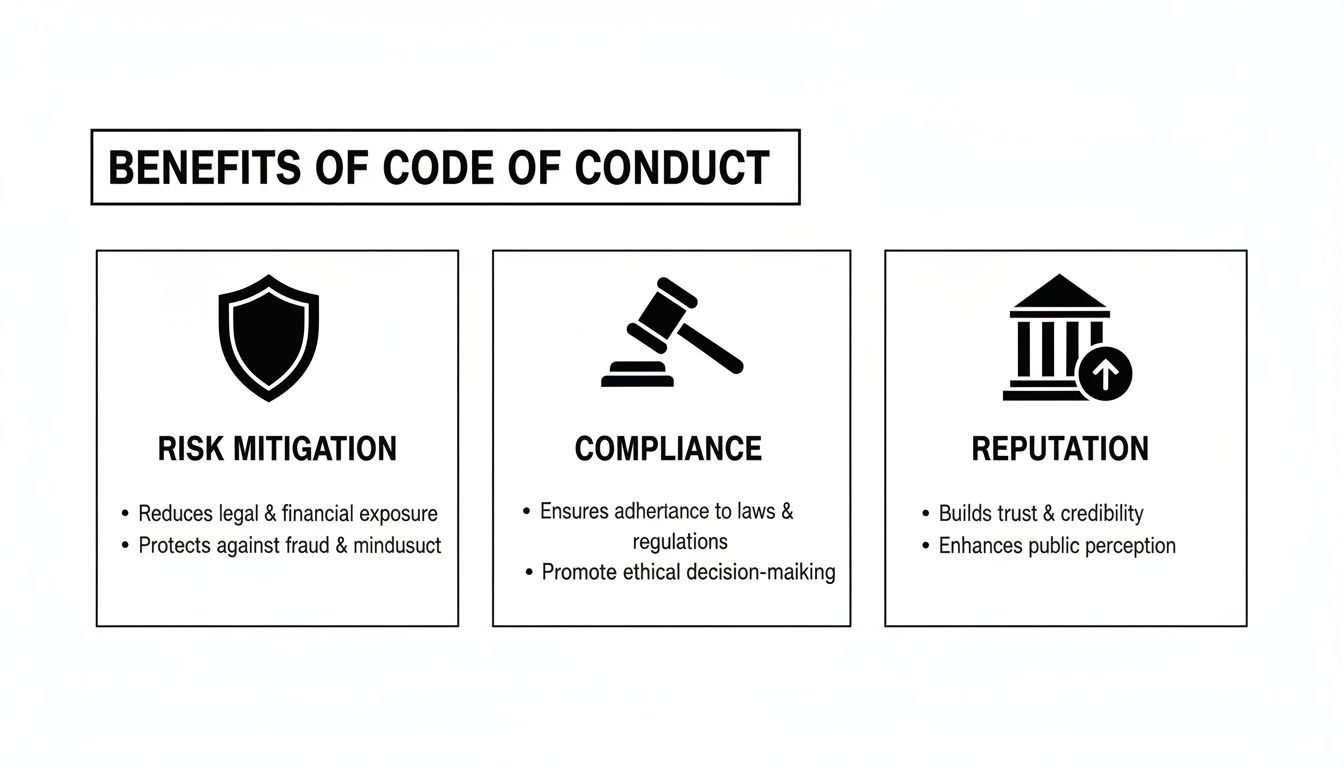
It’s a fundamental part of mitigating risk, locking down compliance, and protecting your company’s hard-earned reputation.
The Importance of a Secure Chain of Custody

The real integrity of any sample certificate of destruction comes down to its chain of custody. This isn't just jargon—it's the chronological, documented trail that proves who handled your sensitive IT assets, from the second they leave your control to the moment they're physically destroyed.
Think of it as a detailed logbook for your data's last journey. Every single time your assets change hands, it has to be recorded. This creates an unbroken, auditable timeline that confirms your equipment was never lost, stolen, or accessed by anyone unauthorized. If there’s even one gap in that chain, the whole process is compromised, and the legal value of your CoD weakens significantly.
Building an Indisputable Record
A rock-solid chain of custody isn't optional; it's a non-negotiable part of compliant IT asset disposition (ITAD). It's the hard proof you need to show that every step, from pickup to destruction, was handled inside a secure, controlled system. This documentation is what stops data breaches before the shredder even gets turned on.
Key moments that must be logged include:
- On-site Pickup: The technician’s name, date, and exact time of collection must be recorded.
- Secure Transit: Details about the locked, GPS-tracked vehicle used to transport your assets.
- Facility Arrival: The official log-in of the assets when they arrive at the secure destruction facility.
- Final Disposition: Confirmation of the final handover to the certified destruction technician.
A strong chain of custody is what turns your Certificate of Destruction from a simple receipt into a legally defensible affidavit. It’s the documented proof that every link in the security chain held firm, ensuring end-to-end data protection.
This meticulous tracking makes your CoD a trustworthy document that will stand up to scrutiny during any compliance audit. When you need to get rid of sensitive hardware and want a partner you can trust, you can find more information in our guide to hard drive shredding services near you. In the end, this unbroken record is what proves your commitment to data security was absolute, from start to finish.
Common Mistakes to Avoid with a CoD
A sloppy or incomplete Certificate of Destruction is practically worthless during a compliance audit. When auditors come knocking, a CoD is your proof, but small oversides can create huge legal headaches. Knowing the common pitfalls helps you make sure the certificates you receive are ironclad and ready to stand up to scrutiny.
The most dangerous—and frequent—mistake we see is using vague descriptions for destroyed assets. An entry like "15 Laptops" or "Box of Hard Drives" is an instant compliance failure. Why? Because it doesn't create a traceable, auditable record for each individual device.
Incomplete Asset Identification
A Certificate of Destruction has to be crystal clear. Without that clarity, you can't prove that a specific device that held sensitive data was properly destroyed. This ambiguity completely invalidates the chain of custody and guts the entire document of its legal power.
To get it right, every certificate must include:
- Manufacturer and Model: Think "Dell Latitude 7420," not just "laptop."
- Unique Serial Number: This is the single most important identifier for any piece of equipment. It's non-negotiable.
- Internal Asset Tag: If your company uses its own asset tags, including them adds a powerful second layer of verification.
Vague Destruction Methods and Missing Signatures
Another classic blunder is failing to specify how something was destroyed. Simply stating "Destroyed" or "Wiped" on a CoD isn't good enough. Auditors need to know the exact method used so they can confirm it meets the required security standards for the type of data you're dealing with.
Instead of a generic "Wiped," a compliant CoD should be specific, like: "Data sanitized using a 3-pass DoD 5220.22-M wipe standard."
An unsigned Certificate of Destruction holds no legal weight. It's an incomplete document that fails to transfer liability or formally validate the destruction process, rendering it useless for audit purposes.
Finally, remember that a CoD without signatures from both your company and the vendor is just a piece of paper. The signatures are what create accountability and legally seal the deal on the entire process. Any professional computer disposal company worth its salt will make sure this final, critical step is handled correctly every single time.
Answering Your Questions About Destruction Certificates
When you're dealing with IT asset disposition, the paperwork can sometimes feel as complicated as the hardware. A good sample certificate of destruction is a great starting point, but knowing the rules and best practices behind it is what really matters. Let's tackle some of the most common questions we hear to help you handle your destruction records like a pro.
How Long Should I Keep a Certificate of Destruction?
There’s no single, universal answer for how long you need to hang onto a CoD. The right retention policy really hinges on your industry and the specific regulations you have to follow. A good rule of thumb for most businesses is to keep these certificates for a minimum of three to five years.
However, if you're in a more heavily regulated field, that timeline can stretch out quite a bit:
- HIPAA: Anyone handling healthcare data should plan on keeping records for at least six years.
- Financial Services: In the world of finance, regulations often push the retention period to seven years or even longer.
- Government Contracts: These agreements can sometimes require you to keep certain asset documents indefinitely.
Your best bet is to sit down with your legal or compliance team to hammer out a formal policy. Make sure it lines up perfectly with your obligations. Storing the CoDs digitally in a secure, backed-up archive is the smartest way to go—it makes pulling them for an audit incredibly simple.
Is a CoD Required for All Electronic Waste?
Not every piece of old electronics needs a Certificate of Destruction. The main purpose of a CoD is to provide solid proof that you've securely wiped out data-bearing assets.
You absolutely need a CoD for items like:
- Hard Disk Drives (HDDs) and Solid-State Drives (SSDs)
- Servers and networking gear
- Laptops, desktops, and tablets
- Smartphones and company mobile devices
- Backup tapes or any other kind of storage media
For gear that doesn't store data—think keyboards, mice, monitors, or power cords—a CoD isn't necessary. What you should get for those items is a Certificate of Recycling. This document confirms they were handled in an environmentally sound way.
Certificate of Destruction vs Certificate of Recycling
Your ITAD partner will likely issue both of these documents, but they serve two totally different purposes. Getting them mixed up can create some serious compliance headaches down the road.
Think of it this way: a Certificate of Destruction is your proof of data security. It’s the document that verifies sensitive information has been completely and permanently destroyed. A Certificate of Recycling, on the other hand, is your proof of environmental compliance. It shows that the physical hardware was processed according to standards like R2 or e-Stewards.
Both are essential for a responsible ITAD program, but only the CoD addresses your legal duty to protect data.
Can I Create My Own Certificate of Destruction?
Technically, sure, you could create your own internal CoD for equipment you destroy yourself. But when it comes to legal defensibility, a self-issued certificate is nowhere near as strong as one from a certified, third-party vendor.
An internal document just doesn't have the independent, third-party verification that gives it authority during an audit or legal challenge. That’s why the universally accepted best practice is to partner with a certified ITAD provider who issues their own validated certificates. It's the only way to be sure you have indisputable proof.
At Montclair Crew Recycling, we provide NAID AAA certified data destruction that comes with a complete, audit-proof Certificate of Destruction for every single job. We make sure your sensitive assets are handled with the highest security and compliance standards. Partner with us for real peace of mind and legally sound proof of your due diligence. Find out more about our secure ITAD solutions at https://www.montclaircrew.com.
