
The storage closet often tells the truth before the asset register does.
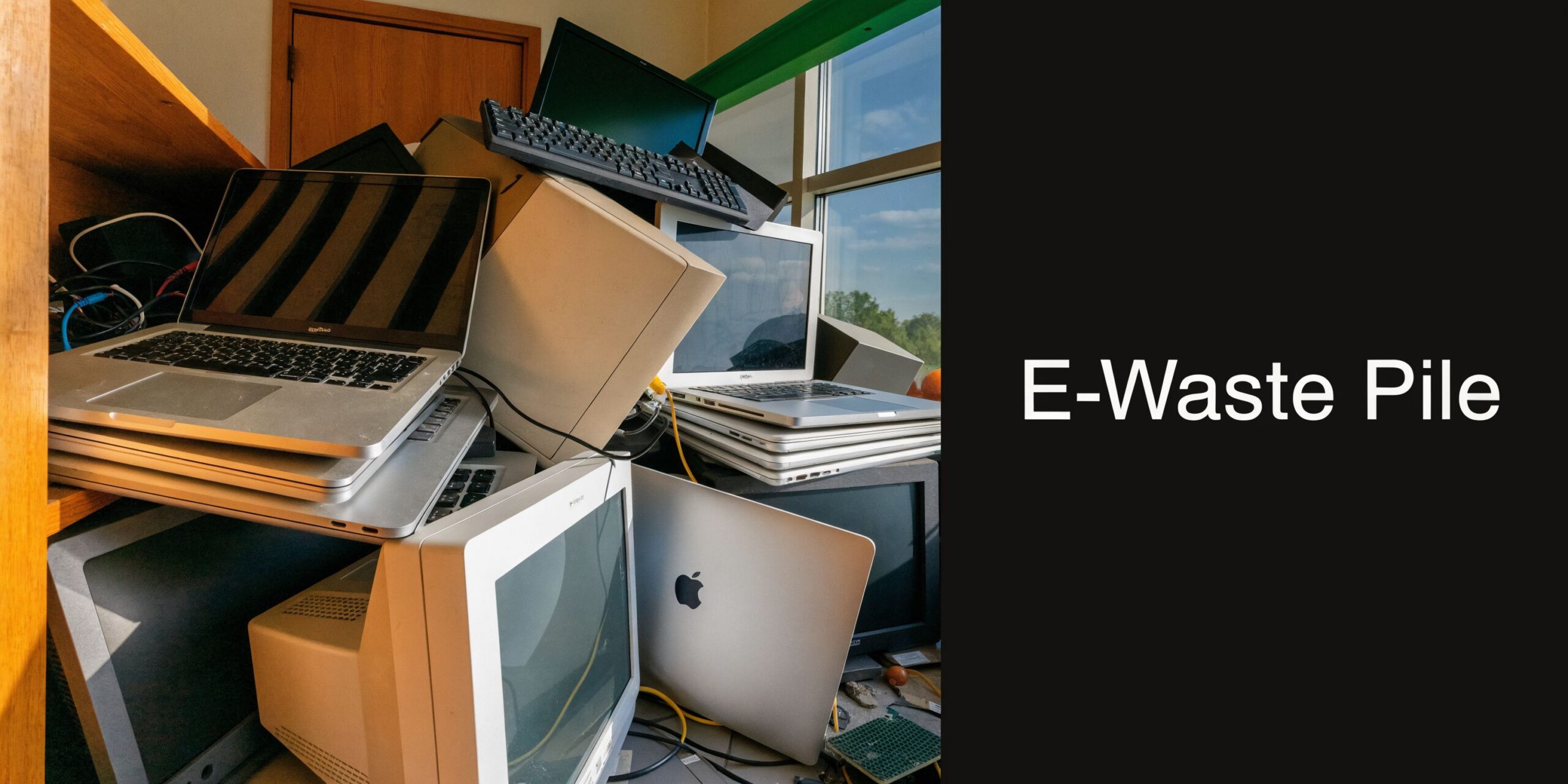
A few dead laptops sit under a folding table. Two LCD monitors lean against a wall. There is a retired firewall no one wants to touch, a printer from a remodel, and a banker box full of drives, cables, docks, and old phones. Someone says, “Can’t we take it to Best Buy?”
For households, that question makes sense. For a business, it is incomplete. Recycling electronics Best Buy is an option for certain items, but it is not the same thing as a business-grade IT asset disposition process. Once devices hold customer records, employee data, patient information, financial files, legal documents, or internal credentials, disposal stops being a convenience task and becomes a risk-management decision.
The E-Waste Problem in Your Storage Closet
Most Atlanta businesses do not create one big e-waste event. They create a slow backlog.
A few laptops come out of service after a refresh. A monitor gets replaced. A network switch dies. A stack of tablets from a field team gets boxed up “for later.” Later turns into six months, then a year. The closet fills up, and nobody wants to make the wrong call.
Why the easy answer can become the risky answer
At that moment, retail recycling sounds attractive. A local store is familiar. The process feels simple. Put devices in a car, drive over, unload, done.
That works better in theory than in a business environment.
The first problem is data. The second is documentation. The third is scale. If your organization cannot show what left the building, who handled it, how data was destroyed, and where assets went next, the disposal step may create a new compliance problem instead of closing one.
Best Buy’s public-facing recycling information leaves a major business gap. Their public material provides zero transparency about B2B workflows, certified data destruction partnerships, or asset auditing capabilities, which creates a knowledge gap for organizations disposing of servers, data center gear, or equipment from multi-location refreshes, as described in Best Buy’s own public recycling guidance and corporate article.
That matters more than many teams realize.
What businesses usually overlook
A closet full of retired electronics is not junk. It may contain:
- Data-bearing assets such as laptops, desktops, phones, tablets, servers, SAN components, and removable drives
- Regulated records exposure if devices were used in healthcare, finance, legal, education, or government settings
- Chain-of-custody issues when equipment is moved informally by office staff with no audit trail
- Lost recovery value if reusable equipment gets treated as scrap too early
If a device ever touched sensitive data, the recycling decision should start with security requirements, not convenience.
Many organizations lump everything together. They treat a keyboard, a core switch, a copier hard drive, and an employee laptop as the same disposal category. They are not.
One belongs in a simple recycling stream. Another may require wiping, shredding, serialized tracking, and formal destruction records. That distinction is where good disposal programs are won or lost.
A practical first step is to separate environmental disposal from information security. They overlap, but they are not identical. If you need a quick refresher on why old electronics create a broader business and environmental issue, this overview of the environmental impact of electronic waste is useful context.
Your Two Recycling Paths An Overview
There are two different paths on the table. They serve different users, solve different problems, and should not be treated as interchangeable.
Path one is consumer retail recycling
Best Buy built one of the largest consumer-facing e-waste programs in the country. The company launched the program in 2009 and reached 1 billion pounds of recycled electronics and appliances by 2015, establishing itself as America’s largest retail collector of e-waste through a model centered on in-store drop-offs, according to Waste Dive’s coverage of the program milestone.
That scale matters. It shows the program is established and operationally significant. For households and very small quantities of common items, that footprint is valuable.
The core design, though, is retail. Consumers bring approved items to a store. The store acts as a collection point. The experience is built around convenience, standardization, and high-volume intake from the public.
Path two is business IT asset disposition
A professional ITAD provider starts from a different premise.
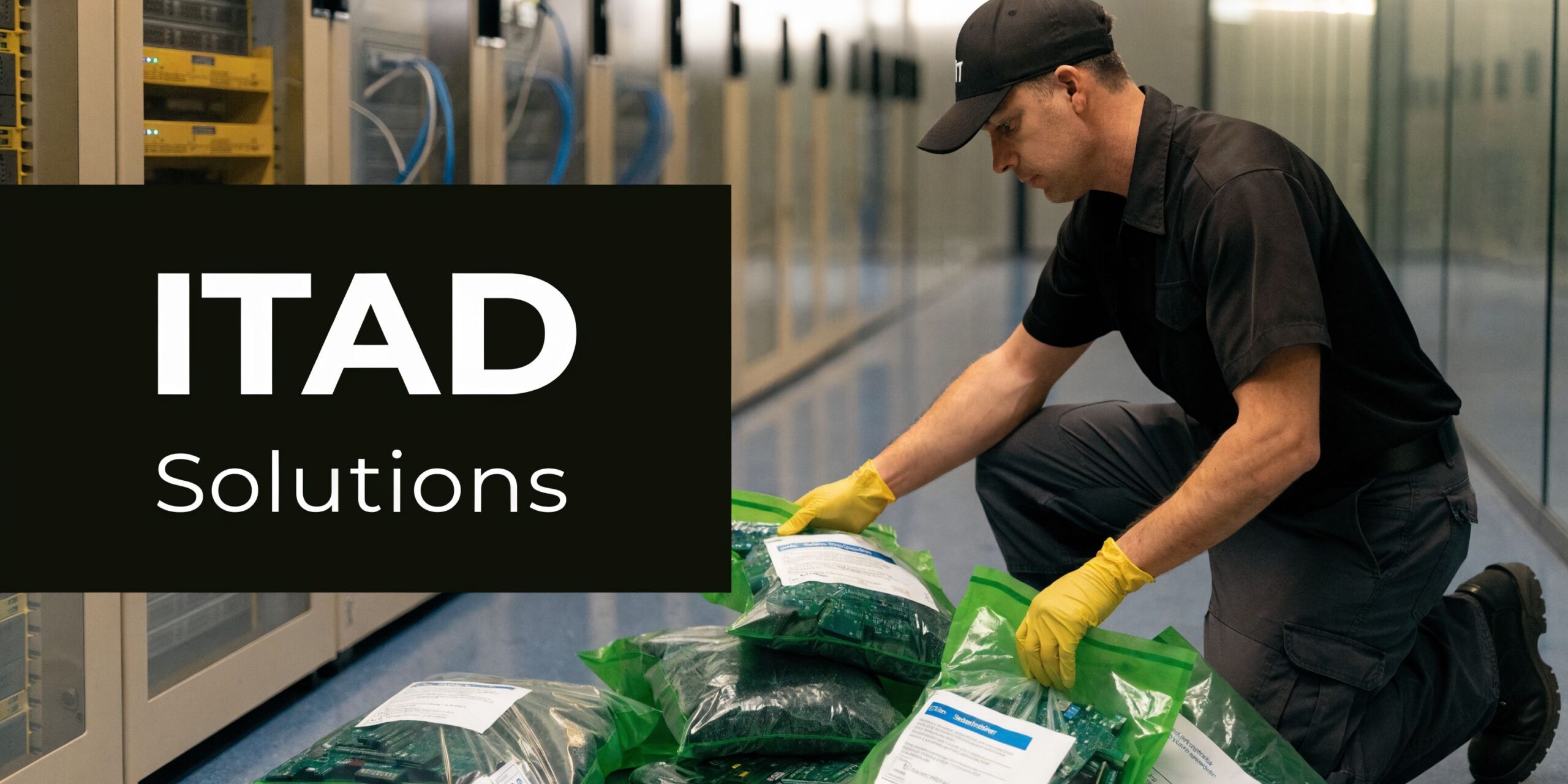
The provider is not just taking material for recycling. The provider is managing the full retirement process for business technology assets. That can include pickup, inventorying, serialized tracking, secure transport, data destruction, remarketing when equipment still has value, and compliant downstream recycling when it does not.
This is the path organizations use when they need more than a drop-off counter.
For many teams, the simplest way to frame the difference is this:
- Retail recycling answers, “Where can I take this item?”
- Business ITAD answers, “How do I retire this asset without creating security, compliance, or operational risk?”
A good explainer on the business side is this overview of what IT asset disposition is.
Why the distinction matters in Atlanta
An office manager in Buckhead with two broken monitors may be dealing with a disposal task.
An IT director in Alpharetta decommissioning user laptops, phones, and network gear is dealing with an asset control problem.
A healthcare office in Roswell retiring workstations is dealing with a data governance problem.
A warehouse operation in Marietta replacing handheld devices across multiple sites is dealing with a logistics problem.
Those situations all involve “old electronics,” but they do not require the same service model.
A consumer program is built to accept items. A B2B ITAD program is built to manage risk around those items.
That is why comparisons based only on “what they recycle” miss the point. The better comparison is purpose. One option helps the public recycle common electronics. The other helps organizations close out equipment in a controlled, auditable way.
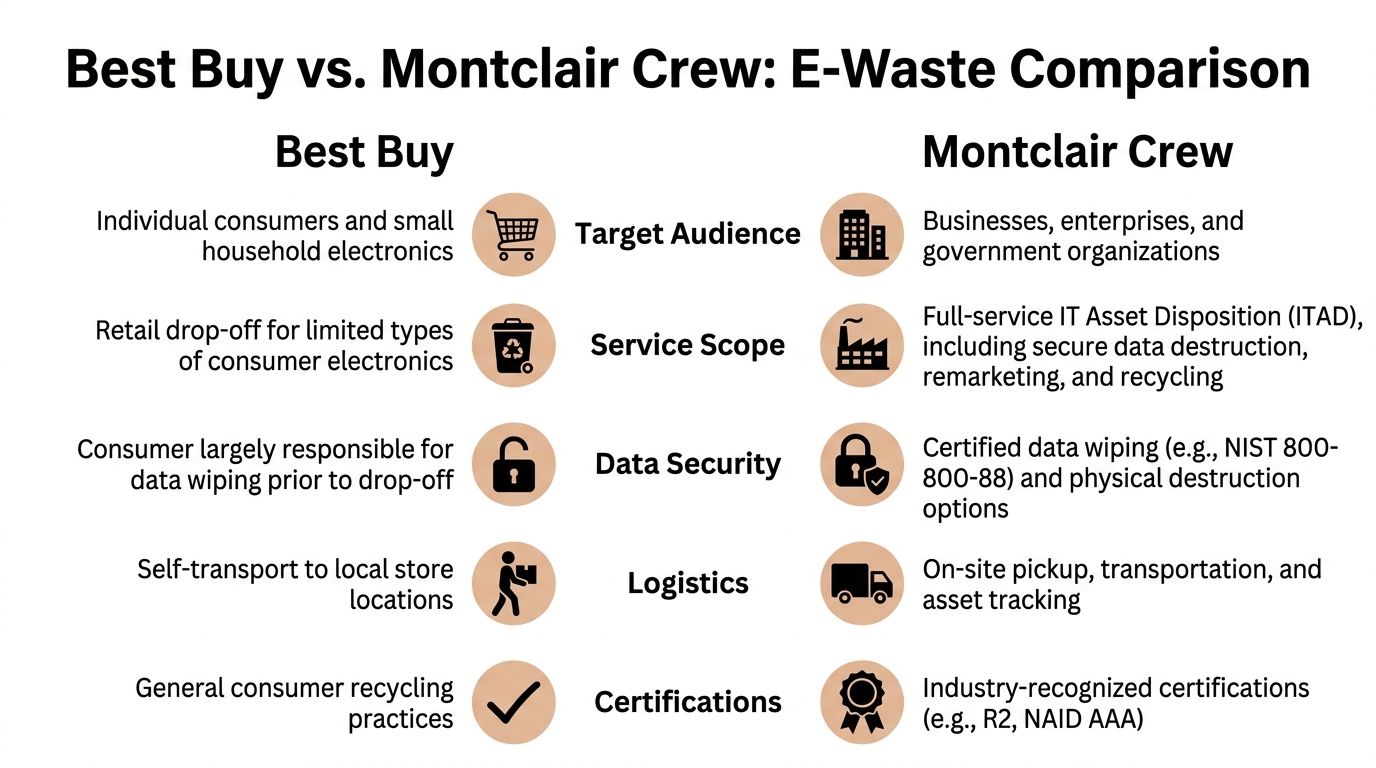
Comparing Best Buy and Montclair Crew Head to Head
A facilities manager in Atlanta clears out a storage room and finds six old laptops, two printers, a firewall, loose hard drives, and a stack of monitors. At that point, the question is no longer, “Who takes electronics?” The important question is which service model reduces business risk without creating extra work for IT, compliance, or operations.
That is the right basis for comparison.
| Feature | Best Buy (Consumer Retail) | Montclair Crew (B2B ITAD) |
|---|---|---|
| Target use | Consumer and household drop-off | Business and organizational asset disposition |
| Primary workflow | Self-transport to store | Coordinated pickup and managed processing |
| Best fit | Small quantities of low-risk items | Bulk, data-bearing, or regulated equipment |
| Data handling | Public-facing program does not provide clear B2B data-destruction workflow transparency | Business-focused data destruction and audit processes |
| Asset tracking | Limited public transparency on B2B asset auditing | Designed for inventory, tracking, and documentation |
| Value recovery | Trade-in for certain qualifying devices, retail-oriented | Business remarketing and recovery when applicable |
| Logistics | Customer does the move | Provider handles on-site removal and transport |
| Compliance posture | Consumer recycling framework | Built for business security and compliance needs |
What each service is built to handle
Best Buy is built for standardized retail intake. That works for straightforward consumer items that can be carried into a store, accepted under current program rules, and processed without any business-specific documentation.
Business retirements are seldom that clean.
A typical Atlanta office cleanout can include user devices, printers, docking stations, access points, VoIP phones, switches, UPS units, rack gear, and loose media spread across departments or sites. Some assets still have resale value. Some contain data. Some require documented destruction. Some are awkward to move without carts, labor, and scheduling.
That difference matters more than the accepted item list.
Data security changes the decision
For any device with storage, the comparison should start with proof. Who wiped it, what standard was used, whether the media was shredded, and what record the business receives afterward.
Best Buy’s public program is not presented as an enterprise data disposition workflow with serialized reporting, destruction certificates, or project-based chain of custody for business clients. A professional ITAD provider is built to supply those controls. Here, Atlanta businesses encounter trouble. A consumer drop-off may feel efficient, but if a laptop, copier drive, firewall, or server leaves the company without a defined process, the business has accepted security risk to save a short trip or a modest fee.
Assumption is not a control.
Asset tracking and auditability
Retail recycling answers the disposal question. Business ITAD answers the audit question too.
If finance retires a batch of assets, IT needs a record of what left. If compliance asks how storage media was handled, someone needs to produce documentation. If a branch office sends back equipment, the inventory should match what was removed from service. That is why many organizations review IT asset disposition companies based on tracking, documentation, pickup capability, and downstream reporting, not just whether they accept electronics.
This is a practical difference, not a marketing one. A store counter is designed for intake. A B2B ITAD workflow is designed for accountability.
Logistics are part of the risk
First-mile handling causes many avoidable problems.
If employees have to collect devices, store them temporarily, load vehicles, drive them across town, and unload them at a retail location, your internal team has become the transport chain. During that gap, devices can sit in unsecured rooms, get separated from asset lists, or leave without anyone confirming serial numbers.
That may be manageable for a keyboard or a broken monitor. It is a weak process for laptops, phones, drives, network gear, or equipment coming from more than one location.
Professional pickup closes that gap. The provider handles removal, transport, and intake as a controlled project.
Environmental performance versus business transparency
Best Buy has significant scale in electronics recycling, and that matters for public collection. For a business customer, though, scale alone is not the decision point.
The harder question is whether your company can see what happened to its specific assets. Were units remarketed, dismantled, or recycled? Was any value recovered? Was media destroyed? Can the business support an internal audit or a sustainability review with asset-level records?
Consumer programs do not give businesses that level of visibility. A B2B ITAD engagement often does, and that difference becomes important when security, finance, and ESG reporting all touch the same equipment retirement.
Cost is more than the drop-off fee
Retail recycling can look cheaper because the visible transaction is simple. The hidden cost sits inside your business.
It shows up as staff time, site coordination, internal moving labor, vehicle use, missed resale recovery, and the cost of fixing gaps after the fact. If one data-bearing device leaves without proper sanitization, the economics change immediately.
A fair comparison should include both direct cost and exposure.
Bottom line
Best Buy is a convenient outlet for small, low-risk electronics in limited quantities. Montclair Crew is built for business assets that need pickup, tracking, data destruction, audit support, and value recovery.
For Atlanta organizations, that is the true head-to-head comparison. One option helps you get rid of items. The other helps you close out assets without creating a security, compliance, or logistics problem.
When Could a Business Use Best Buy Recycling
On Friday afternoon, an office manager in Atlanta is clearing out a supply room before a move. On one side are dead keyboards, tangled cables, and a broken break-room appliance. On the other are two old laptops, a printer, and a firewall nobody has touched in years. Those items do not belong in the same disposal path.
A business can use Best Buy recycling in a narrow set of cases. The safe use case is small-volume electronics with no data, no asset tag, no chain-of-custody requirement, and no meaningful resale value.
Low-risk items with no business record attached
Retail drop-off can work for incidental items such as:
- A broken office microwave
- Loose cables and chargers
- An old keyboard or mouse
- A small speaker or other basic accessory
- A printer if it holds no stored data and your company does not need disposal records
Use an internal test. If the item vanished and nobody in IT, legal, finance, compliance, or security would ask for documentation, a consumer drop-off program may be acceptable.
That answer changes fast once a device stores data, connects to your network, carries an asset tag, or appears on a fixed-asset list.
Occasional cleanup, not a business process
Retail recycling fits one-off cleanup. It does not fit a repeatable retirement process for company assets.
That distinction matters because staff behavior follows convenience. If employees get used to taking business electronics to a consumer counter, the rule starts to blur. First it is cables and a dead monitor. Next it is a laptop with a drive still inside or a multifunction printer that cached scanned documents.
I see that category drift often. It is one of the easiest ways a harmless errand turns into an avoidable security and compliance problem.
Set a clear line before equipment leaves the office
The practical policy is simple:
- Use retail recycling for a few non-data items with low value and no reporting requirement.
- Use a business ITAD provider for computers, phones, tablets, servers, network gear, storage media, printers with memory, and any equipment tied to inventory, audits, or regulated information.
For Atlanta companies, that line should be written down and easy for staff to follow. If your team needs a commercial pickup option instead of asking employees to improvise, free business electronics pickup in Georgia is the type of service that fits business disposal better than stretching a retail program past its intended use.
Why Atlanta Organizations Need a Professional ITAD Partner
Metro Atlanta businesses do not retire technology under ideal conditions. They do it during office moves, cloud migrations, lease turnovers, mergers, clinic upgrades, branch consolidations, and storage-room cleanouts. The stakes change fast once the equipment carries regulated data or meaningful resale value.
Healthcare and legal work need proof, not assumptions
A medical office in Roswell retiring workstations is not just getting rid of old hardware. It is closing out devices that may have held patient records, scans, billing information, and staff credentials.
A law firm in Marietta may be disposing of laptops that stored case files, correspondence, and privileged material.
In both cases, the organization needs more than a place to unload equipment. It needs a defensible process. That means documented handling, controlled transport, data destruction standards, and records that support internal policy and outside audits.
Retail drop-off is not built around that burden of proof.
Data centers and enterprise projects create logistics problems
An Alpharetta company decommissioning racks, servers, and network hardware faces a different problem. The challenge is not just security. It is coordination.
Someone has to inventory gear, remove it safely, maintain chain of custody, separate reusable assets from scrap, and keep the project moving without disrupting operations. If the company has multiple sites around Metro Atlanta, the complexity grows. In these scenarios, consumer convenience loses its appeal.
A retail program may recycle a few approved items. It does not function like a controlled decommissioning partner.
Finance teams also need visibility into value
Old business equipment is not always waste. Some assets still have resale potential. Others have component value. Others should go straight to compliant recycling.
Best Buy’s public recycling information does not provide meaningful public transparency into what percentage of collected material is resold versus dismantled or the specific market value of recovered materials. That opacity is a significant limitation for business decision-makers evaluating disposition options, as reflected on Best Buy’s recycling services page.
That matters in practical terms.
If your accounting team asks what happened to retired assets, “they were recycled” may not be enough. They may want to know whether working devices were remarketed, whether any recovery offset the project cost, and what paperwork exists to support the disposition decision.
Professional ITAD is not only about avoiding downside. It is also about preserving recoverable value before equipment gets treated like scrap.
What a business-grade partner changes
For Atlanta organizations, a professional ITAD partner usually improves outcomes in four ways:
- Security control through verified wiping or shredding before assets leave the business process
- Compliance support through documentation, certificates, and chain-of-custody discipline
- Operational efficiency through pickup, sorting, and project management instead of self-haul
- Financial clarity through evaluation of resale, reuse, or recovery before final recycling
These are not luxury features. They are the difference between informal disposal and managed disposition.
A school district retiring classroom devices, a bank branch replacing teller workstations, and a manufacturer clearing out old industrial PCs all need some version of the same thing. They need the retirement process to be secure, documented, and realistic for the scale of the job.
Your E-Waste Decision Checklist
Most businesses do not need a philosophical answer. They need a practical one.
Use this checklist before deciding whether your next batch of equipment belongs in a consumer program or a business ITAD workflow.
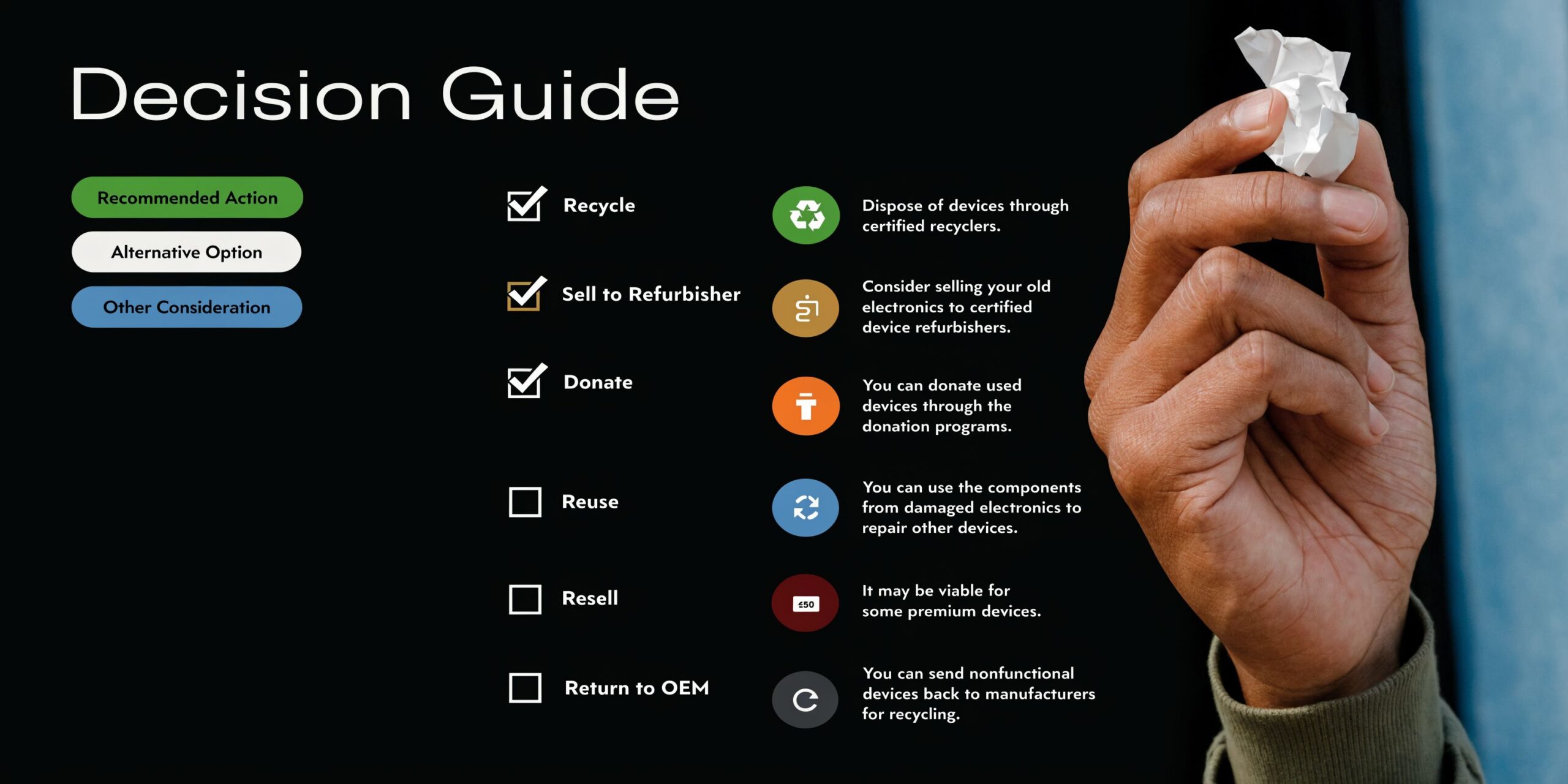
Start with the devices themselves
Ask what you have, not what the closet “mostly” contains.
How many devices are involved
A handful of low-risk accessories is one thing. A stack of laptops, monitors, phones, and drives is another. Volume changes labor, transport, and error risk.
Do any of the devices store data
If the answer includes laptops, desktops, servers, tablets, phones, copiers, firewalls, NAS units, or loose drives, stop treating the project as basic recycling. It is now a data disposition task.
Are any items unusually hard to move
Large monitors, printers, UPS units, rack gear, and mixed office cleanouts create handling issues. If your team has to improvise transport, the process is already weaker than it should be.
Then look at compliance and documentation
A good disposal decision should stand up to internal review.
Ask these questions next:
Would an auditor, client, or regulator expect proof of destruction
Many organizations need more than verbal confirmation. They need records that show what was destroyed and how.
Do you need serial-number-level tracking
If finance, IT, or compliance expects asset-level accountability, retail drop-off will not give you the documentation depth you need.
Does your industry handle regulated information
Healthcare, legal, financial services, education, and government environments should assume retired devices need formal controls unless proven otherwise.
If formal records are part of your requirement, review what a certificate of destruction is supposed to support before releasing anything.
Evaluate labor, not just disposal
Businesses often underestimate the internal cost of “free” recycling.
Consider who will:
- gather equipment from desks, closets, and storage rooms
- verify devices are decommissioned
- remove or track drives
- load vehicles
- transport everything
- keep records of what left
- answer later questions from finance, IT, or compliance
If no one owns those steps clearly, the disposal process will become fragmented. Fragmented processes create missing assets, incomplete records, and avoidable security exposure.
If your staff has to invent the workflow as they go, you probably do not have the right disposal channel.
Decide whether the equipment may still have value
Not every retired device belongs in the scrap stream.
Ask:
- Could some devices be resold or remarketed
- Would component recovery offset part of the project
- Do you want visibility into what happened to reusable assets
- Would finance care about recovery proceeds or asset closeout support
These questions matter most during refresh cycles, office consolidations, and data center decommissions. Throwing all equipment into a single “recycling” bucket can erase value that a more careful disposition process would preserve.
Use the checklist to make the call
A consumer option like recycling electronics Best Buy can be a reasonable choice when all of the following are true:
- the volume is small
- the items are low-risk
- no storage media is involved
- no pickup is needed
- no formal destruction records are required
- no one expects asset-level reporting or value recovery
A professional ITAD path is the better choice when any of the following are true:
- devices contain or may contain sensitive data
- the project involves business-scale volume
- your team needs pickup or multi-site coordination
- compliance requires proof of destruction
- finance wants visibility into resale or recovery
- IT needs an auditable chain of custody
That is the practical dividing line. Not whether a store will take the item, but whether your organization can defend the disposal decision afterward.
If your business needs a secure, documented way to retire computers, servers, drives, phones, or mixed IT equipment in Metro Atlanta, Montclair Crew Recycling provides B2B pickup, data destruction, compliant recycling, and value-recovery support designed for business assets rather than consumer drop-offs.
