
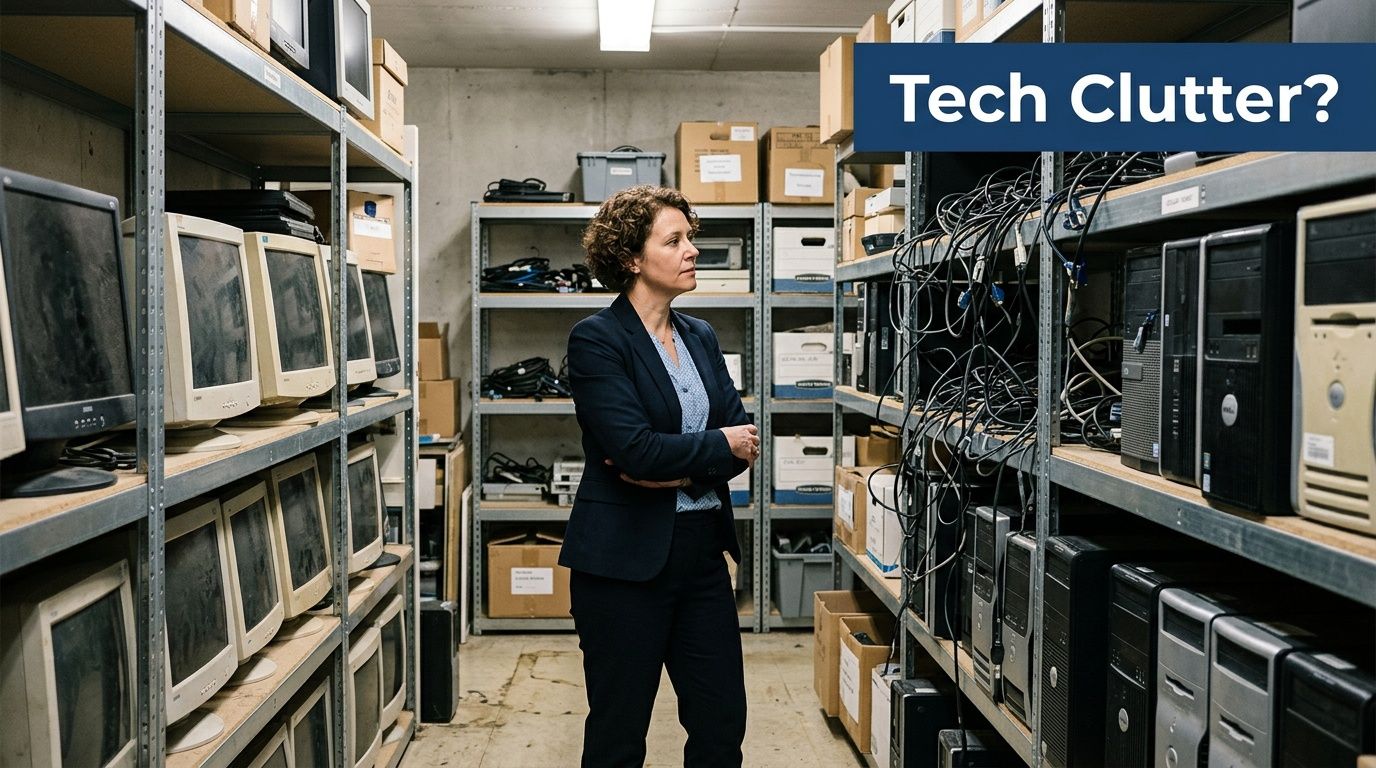
A lot of office cleanouts start the same way. There is a closet, a back room, or a shelf in the server room filled with retired laptops, a few dead monitors, tangled chargers, an old printer cable nobody wants, and at least one hard drive everyone forgot about. The practical question comes fast. Can we just take this to Best Buy?
For some situations, yes. That instinct is reasonable. Best Buy built one of the most visible consumer recycling programs in the country, and it works well for many household devices and small personal drop-offs.
For a business, though, convenience is only part of the decision. The harder question is whether a retail drop-off model gives you enough protection if those devices held customer records, employee files, financial data, login credentials, or regulated information. That is where the trade-off shows up.
Your Guide to Electronics Recycling Starts Here
The appeal of Best Buy is simple. You already know where the store is, the process feels familiar, and the program exists at national scale.
That scale is significant. Best Buy launched its electronics and appliances recycling program in 2009 and has since collected over 2.7 billion pounds of e-waste, making it the largest retail collector in the U.S. The company collected over 189 million pounds in FY22 alone, according to Best Buy’s corporate recycling program information.
For a homeowner dropping off a broken tablet, an old phone, or a dead router, that setup can be perfectly workable. It is built for speed and accessibility. You bring in the item, staff confirm it fits the program, and it enters a broader recycling stream.
When Best Buy makes sense
Best Buy is a practical fit when you have:
- A small number of personal devices that do not require formal documentation
- No business compliance requirement tied to the equipment
- No need for pickup, inventory tracking, or serialized reporting
- No expectation of resale proceeds from reusable equipment
That covers a lot of consumer use cases.
Where this guide matters for business owners
The problem starts when a business owner treats a consumer recycling option like a business IT disposition program. Those are not the same thing.
A medical office clearing out desktop PCs, a law firm retiring old laptops, a school replacing classroom devices, or a manufacturer decommissioning networking gear has different obligations. Those organizations usually need documented handling, secure data destruction, and a clear record of what left the building.
Key takeaway: Best Buy is strong at consumer convenience. Businesses need to judge more than convenience.
If you are personally recycling a few devices, this guide will help you do it correctly. If you are in Metro Atlanta and looking at stacks of office equipment, the more important part is knowing when retail recycling stops being the right tool.
What Best Buy Accepts for Recycling
If you are recycling electronics at Best Buy, the first rule is to think in categories, not in “old tech” as one big pile. The store accepts many common consumer devices, but not everything people assume belongs in the program.
Common categories that typically fit the program
Best Buy’s recycling flow follows a hierarchy. Items are first screened for reuse or refurbishment, then handled with data security protocols, then sent to responsible recycling when they are end-of-life, according to Best Buy’s recycling guidelines.
In practice, the common drop-off categories include:
- Computers and tablets. Laptops, tablets, and related computer hardware are among the most straightforward items to bring in.
- Phones and small mobile devices. Old smartphones and similar personal electronics generally fit the consumer model well.
- Hard drives and storage-related items. These may be accepted for recycling, but acceptance does not remove your responsibility to clear data first.
- Monitors and TVs within program limits. Size and state rules matter here.
- Small accessories. Cables, chargers, and similar low-complexity items often make sense for a retail drop-off trip.
- Some small appliances. Best Buy’s broader program also includes certain household appliances.
If you have old hardware, it helps to identify it before you go. A machine built around an Intel Pentium II processor is a good example of the kind of legacy equipment many offices still discover in storage during cleanouts.
Limits that trip people up
The most common reason for a wasted trip is assuming “they recycle electronics” means “they take all electronics in any quantity.”
That is not how the program works.
- Household limit. Best Buy accepts up to three items per household per day for free for covered categories, based on the verified program details in Best Buy’s published materials.
- Laptop exception. The same verified guidance notes laptops can be accepted up to five per day.
- TV and monitor rules vary. Certain displays can involve a fee in some states, and oversized items may be restricted.
- State-specific restrictions apply. The guidelines note item limits and fees can vary by state.
- Non-compliant items can be rejected. Best Buy’s published guidance notes rejection rates of 20-30% for oversized or non-accepted items in affected cases through state-specific rules and program limits.
A practical sorting method before you load the car
Before heading to the store, separate your items into three groups:
| Group | What belongs here | What to do |
|---|---|---|
| Likely accepted | Phones, tablets, laptops, cords, small accessories | Confirm current local acceptance before visiting |
| Maybe accepted with limits | Monitors, TVs, certain appliances | Check size, state fee rules, and quantity limits |
| Poor fit for retail drop-off | Bulk office equipment, servers, rack gear, mixed business lots | Use a business-focused recycling path instead |
If your main clutter is old mobile gear, this walkthrough on recycling old cell phones is useful because phones are one of the easiest categories to prepare properly before a retail drop-off.
Tip: Do your sorting before you drive. Retail recycling works best when the load is simple, clearly accepted, and already cleaned of personal or company data.
How to Prepare Your Electronics for Drop-Off
A business owner loads old devices into the car expecting a quick errand. What they often miss is the significant exposure. The risk is not the trip to Best Buy. It is the laptop with saved payroll files, the phone still tied to a company Apple ID, or the USB drive that never got wiped.
That is why preparation has to start with data control, not with sorting chargers.
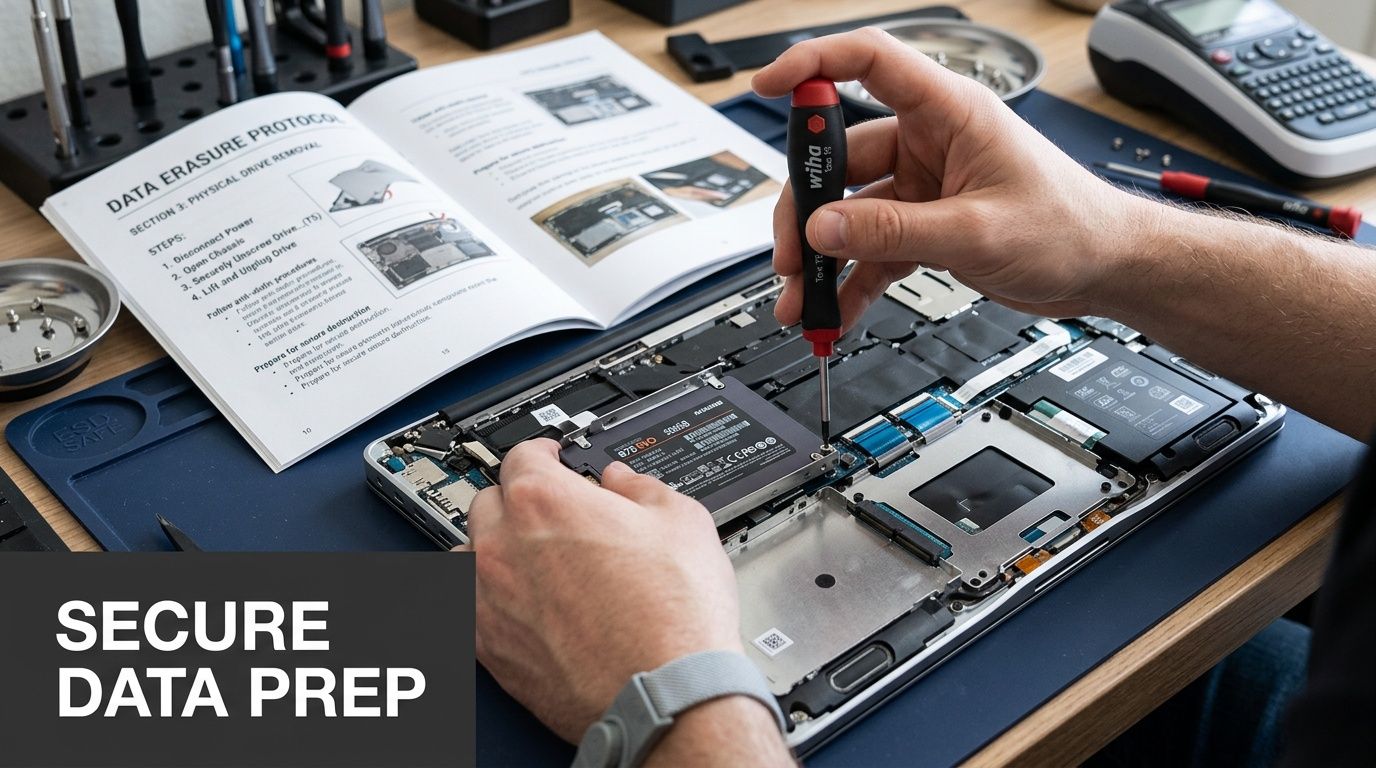
Best Buy’s drop-off process is built for consumers. For a few personal devices, that can be perfectly reasonable. For business equipment, the gap is documentation, chain of custody, and proof that data was destroyed. Before anything leaves your office, treat every device as a data-bearing asset first and a recycling item second.
Start with the data before you touch the box pile
Use a simple order of operations.
Back up what you need
Save photos, documents, accounting exports, browser bookmarks, and any records you may need later. Use a secure destination such as approved cloud storage, a file server, or an encrypted external drive.Remove account ties
Sign out of Apple, Google, Microsoft, Adobe, and any mobile device management or endpoint management system attached to the hardware. A reset does not always remove activation locks or management controls.Reset consumer devices
Phones, tablets, and many home-use laptops can be erased through the built-in reset process if they only held personal data.Use a stronger method for computers that held business data
If the machine stored customer records, employee information, contracts, or financial files, use a proper wipe process or remove the drive before release. This walkthrough on how to wipe a computer before recycling covers the steps and the common errors that leave recoverable data behind.
A factory reset is often enough for a family tablet. It is not the standard I would trust for a company laptop headed out the door with no destruction record.
Phones and tablets
Consumer devices are usually the easiest to prep, but they still create problems when account locks are left in place.
Use this checklist:
- Back up photos, notes, messages, and app data
- Turn off Find My iPhone or similar lock features
- Sign out of Apple ID or Google account
- Erase all content and settings
- Remove the SIM card and any microSD card
If you are clearing space first so you can save what matters before resetting, this guide on how to clear storage on your iPhone is a practical resource.
Laptops and desktops
Computers deserve more attention because they usually contain the broadest mix of business and personal information. Email archives, saved passwords, HR files, tax documents, remote access tools, and browser sessions often remain long after an employee believes the machine is "empty."
Prepare computers with this checklist:
- Export anything you still need
- Deauthorize licensed software
- Remove the device from company management tools
- Delete local user profiles only after backup is confirmed
- Run the operating system reset or wipe process
- For sensitive systems, wipe the drive to a recognized standard or physically remove it
For a single home PC, retail recycling may be fine after proper prep. For a batch of office laptops, the trade-off changes. Without serialized tracking and documented data destruction, a business is relying on its own informal process and hoping nothing was missed.
External drives, SSDs, and USB storage
These are the items companies forget most often, and they carry some of the highest risk per inch.
Portable storage can hold years of concentrated data in a pocket-sized device. Do not toss loose drives into a box and assume they will be handled safely later.
For removable storage:
- Verify what is on the device
- Wipe the media, not just the visible files
- Keep labeled business drives separate from personal items
- Do not mix wiped and non-wiped storage in the same container
If a drive came from a finance, legal, healthcare, or operations system, retail drop-off is usually the wrong channel.
Physical prep still matters
Software cleanup is only part of the job. The physical condition of the hardware affects safety, handling, and whether private information is exposed in obvious ways.
Check each item before you leave:
- Remove asset tags, password notes, and employee labels
- Take out SD cards, SIM cards, and USB receivers
- Keep useful accessories with the device only if that helps identification
- Set aside any swollen or damaged battery for special handling
- Open the desktop, downloads folder, and recycle bin for one final review
Here is the practical rule I give clients. If you would hesitate to hand the powered-on device to an unknown person across a counter, it is not ready for retail recycling.
For households, this prep work usually closes the gap. For businesses, it often reveals a bigger issue. Once you need audit trails, pickup logistics, asset reporting, and verified destruction, consumer drop-off stops being a recycling decision and becomes a liability decision.
The In-Store Recycling Experience
Walking into Best Buy with electronics is usually less dramatic than people expect. The process is retail-simple. That is both the benefit and the limitation.
Visitors often head to Customer Service or the Geek Squad area. Staff usually look over the items, confirm they appear to fit the accepted categories, and check whether you are within the daily limit.
What the store staff are doing
They are not performing a forensic review of your device. They are not auditing your company inventory. They are not certifying data destruction at the counter.
They are typically checking practical things such as:
- Is this an item the program accepts
- Does it appear to fit the quantity limit
- Does it trigger a fee or special restriction
- Is there any obvious issue that prevents intake
That is why preparation before arrival matters so much. The store interaction is designed for intake, not consultation.
What to expect at drop-off
A normal visit often looks like this:
- You carry items in yourself
- An employee visually inspects the load
- You may be directed to a service area or front desk
- Accepted items are taken into the store’s process
- You leave once intake is complete
If you want a deeper understanding of downstream handling after intake, this explanation of what happens to recycled electronics gives useful context on how equipment is sorted, reused, dismantled, and processed after collection.
What not to expect
Many business users misread the service here.
Do not expect:
- On-the-spot data wiping
- A serialized asset list
- A certificate of destruction
- A formal chain-of-custody record
- Bulk loading help for a large office disposal project
That does not make the program bad. It means the program is built for consumer drop-off, not enterprise disposition.
Tip: If your goal is to clear one shelf of personal electronics, the in-store process is usually easy. If your goal is to retire company assets with audit needs, the same simplicity becomes a weakness.
The Business Blind Spot Why Best Buy Recycling Falls Short
Best Buy’s program solves a real problem for consumers. It does not solve every problem businesses have.
That distinction matters most when the devices came from a workplace. A retired office laptop is not just another object to recycle. It can contain client communications, tax documents, saved VPN credentials, employee records, contracts, scanned IDs, or browser sessions tied to cloud systems.

The liability gap
For businesses, the biggest issue is not whether Best Buy recycles responsibly. The issue is whether a consumer-focused drop-off model gives your organization enough proof and enough control.
Best Buy’s published information leaves a key gap for organizations that need formal security handling. As noted in Best Buy’s recycling FAQs, the program does not offer auditable certificates of destruction for businesses, and there is a lack of guidance around business-grade data security standards such as DoD 5220.22-M. For organizations that must address frameworks like HIPAA, that creates a potential liability issue.
A consumer can often accept that ambiguity. A business should be more careful.
Where retail recycling breaks down for organizations
No documented chain of custody
Once equipment leaves your office, you need to know who handled it, when, and under what controls. A retail counter handoff does not usually provide that level of documentation.
No formal certificate of destruction
For many businesses, “we dropped it off” is not enough. Auditors, clients, legal teams, and internal compliance staff often want proof that storage media was destroyed or sanitized through a defined process.
Quantity limits do not fit office cleanouts
A daily household-style limit does not work well when a company has a room full of laptops, docking stations, monitors, and drives. Even if a small office tried to make multiple trips, the process becomes inefficient fast.
Mixed loads create mistakes
Business disposals rarely involve only one type of item. A real cleanout often includes laptops, old VoIP phones, switches, access points, backup drives, cables, and maybe one forgotten desktop from a former employee. Retail programs are not designed around asset-level audit control.
The hidden risk with “good enough”
The most dangerous phrase in IT disposal is “it’s probably fine.”
That thinking causes problems like:
- A laptop reset without account deactivation
- A hard drive dropped off without verified sanitization
- A pile of devices leaving the office with no itemized record
- An HR or medical workstation handled like a home computer
The issue is not that every retail drop-off ends badly. The issue is that a business cannot afford to rely on luck when disposing of data-bearing equipment.
For companies comparing options in Metro Atlanta, this overview of electronics recycling best buy is useful because it frames the same core question from a business disposal perspective rather than a household one.
Business rule: If an asset ever held regulated, confidential, or customer-related information, treat disposal as a compliance task, not an errand.
A Secure & Compliant Solution for Atlanta Organizations
Once you move from household clutter to business assets, the standard changes. The right service is no longer the easiest store counter. It is the provider that can document what happened, protect data, and handle the logistics without creating work for your staff.
The clearest way to evaluate the difference is side by side.
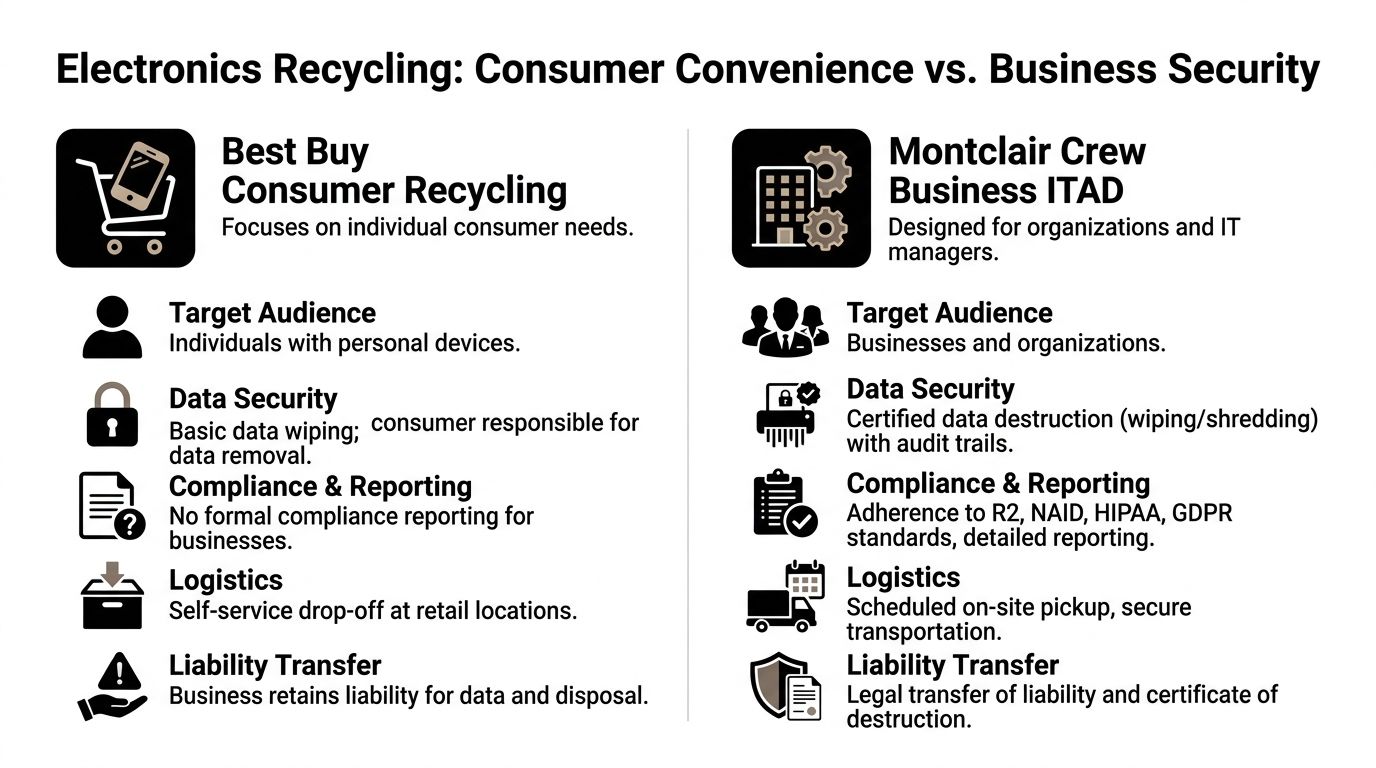
Best Buy Recycling vs. Professional ITAD A Comparison for Businesses
| Feature | Best Buy Recycling | Montclair Crew (Professional ITAD) |
|---|---|---|
| Target user | Consumer and household drop-off | Organizations, IT teams, schools, healthcare offices, data centers |
| Logistics | Self-transport to retail location | Scheduled pickup and on-site removal |
| Data handling | Consumer responsible before drop-off | Free DoD 5220.22-M three-pass wiping and optional on-site shredding |
| Documentation | Limited retail-style intake experience | Asset audit, reporting, and certificates of destruction |
| Chain of custody | Not built as a formal business workflow | Managed business process with tracked handling |
| Scale | Best for small personal loads | Built for office cleanouts and larger IT refreshes |
| Value recovery | Consumer trade-in model only | Profit-sharing and resale options when equipment has reuse value |
Why a business-grade process works differently
A professional IT asset disposition service is designed around accountability.
That means the workflow usually includes:
- Pickup at your location so your staff are not loading personal vehicles with company hardware
- Asset review so you know what left the building
- Defined data destruction procedures matched to the media type
- Certificates and records that support audits and internal compliance
- Environmental disposition that keeps non-usable equipment out of improper waste streams
- Value recovery when reusable assets still have market value
That last point is one of the biggest differences. According to Best Buy’s service information, the retail model focuses on recycling and consumer trade-ins, but it does not offer businesses a mechanism to receive revenue from reselling functional servers or bulk IT assets, which is exactly the kind of service specialized ITAD providers handle, as noted in Best Buy’s recycling services page.
Where this matters in Metro Atlanta
Atlanta-area organizations often deal with a wider range of equipment than a household program anticipates.
Typical examples include:
- Small businesses replacing employee laptops and docking stations
- Medical offices retiring front-desk PCs and storage devices tied to patient workflows
- Schools clearing classrooms, media labs, and administrative offices
- Manufacturers decommissioning shop-floor workstations and networking gear
- Data centers and larger IT teams handling servers, storage arrays, rails, switches, and telecom hardware
These are not one-box drop-offs. They are operational projects.
A local provider with scheduled pickup, secure processing, and reporting is usually the cleaner path. Businesses looking for that type of workflow can review Georgia ITAD services to see what a business-focused process typically includes.
A practical decision test
Use this filter before choosing a recycling route.
| Situation | Better fit |
|---|---|
| One or two personal devices, no sensitive business data | Best Buy |
| Office move with mixed IT assets | Professional ITAD |
| Any device that held regulated or confidential records | Professional ITAD |
| Need for certificates, reporting, or audit trail | Professional ITAD |
| Equipment may still have resale value | Professional ITAD |
Key takeaway: Consumer recycling is built to accept items. Professional ITAD is built to transfer risk correctly.
Frequently Asked Questions About Electronics Recycling
Is Best Buy trade-in the same as recycling
No. Trade-in is a resale program for eligible devices that still hold consumer market value. Recycling is the end-of-life path for equipment that is broken, obsolete, unsupported, or outside that resale model.
For a business owner, that distinction matters because trade-in does not replace formal IT asset disposition. It does not solve chain of custody, data destruction proof, or disposal records.
Can my small business use Best Buy if we only have a few items
Yes, in limited cases.
A very small office with a couple of low-risk accessories or old peripherals may find a retail drop-off acceptable. The decision changes as soon as those devices held customer records, employee information, financial files, or regulated data. One overlooked hard drive can create more exposure than the recycling itself is worth.
Does Best Buy take servers and server racks
Server-room equipment usually falls outside what a consumer recycling counter handles well.
Even if a location accepts some pieces, businesses still need itemized tracking, secure transport, and documented disposition for servers, loose drives, rails, switches, and rack components. Those jobs are better handled through a scheduled business pickup and processing workflow.
Is recycling electronics at Best Buy secure enough for company laptops
For personal devices, many consumers are comfortable wiping a laptop and dropping it off. Businesses need a higher standard.
The gap is proof. If your company ever has to show who handled the device, whether data was destroyed, and when custody changed, a retail drop-off usually does not give you the paperwork an auditor, insurer, or legal team will ask for.
Why do easy drop-off programs still matter
Convenient public programs still have value because they give households a practical way to recycle common electronics instead of storing them indefinitely or throwing them away improperly.
That benefit does not close the business liability gap. Consumer convenience and business risk transfer are two different goals.
What is the simplest rule to follow
Use retail recycling for personal devices and low-risk household electronics.
Use a professional ITAD provider for company-owned assets, especially any laptop, desktop, server, drive, or network device that stored sensitive information or needs a documented chain of custody.
If your company in Metro Atlanta needs a safer path than a retail drop-off, Montclair Crew Recycling handles business electronics disposal with pickup, asset audits, certified data destruction, compliant recycling, and value recovery for reusable IT equipment. It is the better fit when retired devices are not just clutter, but a security, compliance, and documentation responsibility.
