
Old computers and hard drives might look like harmless office clutter, but it's better to think of them as unlocked filing cabinets stuffed with sensitive files. Just hitting 'delete' or even reformatting a drive doesn't actually get rid of the information. That's where secure IT asset destruction comes in. It's the only way to be absolutely certain that your retired hardware can't become the source of a catastrophic data breach. This isn't just a cleanup task; it's an essential security function.
Why IT Asset Destruction Is a Critical Security Layer
Failing to properly destroy old IT assets is like leaving the blueprints to your entire company on a park bench for anyone to find. The risks are huge, from data breaches that can cost millions to serious legal trouble for not complying with data protection laws. Every organization, big or small, has a treasure trove of sensitive information on its devices.
This data usually includes things like:
- Customer Information: Names, addresses, credit card numbers, and other personal details.
- Employee Records: Social Security numbers, payroll information, and confidential HR files.
- Proprietary Data: Trade secrets, internal financial reports, and strategic business plans.
When a device gets old, this data doesn't just vanish. It stays right there on the hard drives, SSDs, and other storage media, and it can be pulled off with surprisingly basic software tools.
The Final Step in Data Protection
Think of IT asset destruction as the final, non-negotiable step in the entire IT Asset Disposition (ITAD) process. A solid ITAD strategy handles everything from tracking inventory to remarketing old gear, but destruction is the ultimate safety net. A formal destruction plan is your company's last line of defense, making sure confidential data never, ever falls into the wrong hands. The need for proper destruction applies to all devices, making it crucial to have a plan for securely disposing of personal computers like a standard-issue MacBook Air.
A single discarded hard drive can contain enough data to bankrupt a company, ruin its reputation, and trigger massive regulatory fines. Treating destruction as an optional expense is a gamble that no modern business can afford to take.
A Growing Market Reflects a Growing Risk
The focus on secure disposal isn't just talk; it's a booming market. The global IT Asset Disposition (ITAD) market is on track to more than double, jumping from USD 18.7 billion in 2025 to USD 39.3 billion by 2035. The destruction services part of that market already claims a 28.9% market share, which shows just how critical it is for preventing data breaches and meeting legal requirements.
This growth points to a simple business reality: the more data we create, the more we need certified, verifiable ways to destroy it. You can see how destruction fits into the bigger picture by learning more about what is it asset disposition and its core components.
Choosing Your Method: Data Wiping vs. Physical Destruction
When it's time to retire old IT gear, you hit a fork in the road. Do you wipe the data and keep the hardware, or do you obliterate the device completely? There’s no single right answer. The best path depends on the type of equipment you have, your company's security rules, and whether the hardware is still worth anything.
Think of it like getting rid of a sensitive paper document. You could carefully black out every single word, leaving the paper intact to be used for scratch notes. Or, you could just toss it in a cross-cut shredder and turn it into confetti. Both get the job done, but the end goals are totally different.
Making this call is usually the first and most important step in your asset disposal plan. This simple flowchart breaks down the core question every IT manager faces with old equipment.
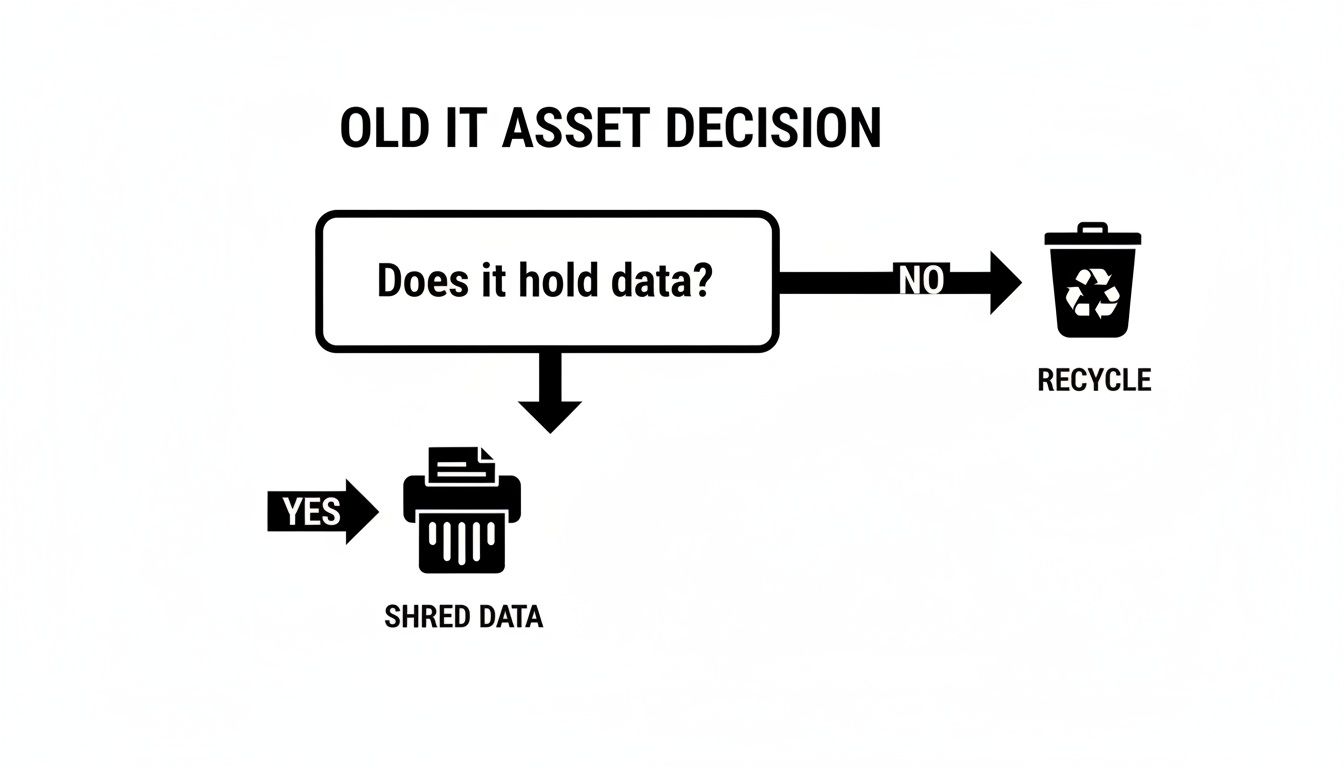
As you can see, if an asset holds data, secure destruction is non-negotiable. If it doesn't, it can head straight to a responsible recycler.
The Digital Scrub: Data Wiping and Sanitization
Data wiping, also called data sanitization, is like a deep clean for your hard drives. It uses special software to methodically write patterns of meaningless data—usually just zeroes and ones—over every last sector of the drive. This isn't like hitting "delete," which just hides the file. Wiping completely overwrites the original information, often multiple times, to make it impossible to recover, even with forensic tools.
The huge plus here is that the hardware is left perfectly usable. This opens up a few great options:
- Resale and Remarketing: Wiped devices can be sold, letting you recoup some of your initial investment.
- Donation: You can give functional equipment to schools or charities, helping the community and giving the gear a second life.
- Internal Redeployment: Securely wiped assets can be passed down for less critical roles within your own company.
But wiping isn't a silver bullet for everything. It works best on older magnetic hard disk drives (HDDs). Newer solid-state drives (SSDs) are trickier; their internal technology can sometimes leave bits of old data behind in areas the wiping software can't reach.
The Magnetic Reset: Degaussing
For magnetic media like HDDs and old backup tapes, degaussing is another powerful option. It involves hitting the device with an incredibly strong magnetic field that instantly scrambles the magnetic particles where your data is stored.
Think of your hard drive's platter as a canvas covered in tiny, perfectly aligned iron filings, each representing a bit of data. A degausser is like a giant magnetic tidal wave that washes over the canvas, instantly mixing up all the filings into a random, unreadable mess.
This process is lightning-fast and extremely secure for the right kind of media. The catch? It also fries the electronics that make the drive work, rendering it totally useless. After degaussing, there’s zero chance of ever reusing or reselling that hard drive.
The Final Word: Physical Destruction
When you absolutely, positively cannot afford any risk, physical destruction is the only way to go. This is the ultimate solution for highly sensitive data or for old, worthless hardware. It’s simple, verifiable, and guarantees that data can't be recovered because the device it lived on is literally gone.
The go-to method here is shredding. We’re not talking about your office paper shredder. Industrial-grade shredders can turn hard drives, SSDs, phones, and backup tapes into a pile of tiny metal and plastic fragments. For top-secret applications, the shred size can be as small as a few millimeters.
Physical destruction works on everything—HDDs, SSDs, CDs, flash drives, you name it. It offers the highest level of security and is often required for government agencies and industries handling classified information. To get a closer look at how it works, check out our guide on the best ways to destroy a hard drive. Shredding gives you total peace of mind, backed by a Certificate of Destruction that serves as your legal proof that the job was done right.
Comparison of Data Destruction Methods
To help you decide, here’s a quick breakdown of the main methods we’ve covered. This table lines up each technique, showing where it shines and what its limitations are.
| Method | Description | Best For | Allows Reuse? | Security Level |
|---|---|---|---|---|
| Data Wiping | Overwrites existing data with random characters using specialized software. | HDDs, devices intended for resale or redeployment. | Yes | High |
| Degaussing | Exposes magnetic media to a powerful magnetic field, erasing all data. | Magnetic HDDs and tapes requiring fast, secure erasure. | No | Very High |
| Shredding | Physically grinds devices into small, irrecoverable fragments. | All media types, especially SSDs and end-of-life hardware. | No | Absolute |
Choosing the right method comes down to balancing cost, security needs, and the potential for asset recovery. For many businesses, a mix-and-match approach often works best—wiping newer, valuable assets and shredding the older, more sensitive ones.
Understanding the Rules of Secure Data Disposal
Proper IT asset destruction is way more than just a security best practice—it’s a legal and regulatory minefield. Simply crossing your fingers and hoping for the best won't cut it during an audit or, worse, after a data breach. Compliance is the absolute bedrock of a trustworthy destruction program, and it's all guided by specific standards that dictate exactly how sensitive information has to be put to rest for good.
Navigating these rules can feel like trying to read a phonebook, but they all boil down to one simple goal: making sure data is verifiably and permanently gone. Think of these regulations as the official rulebook for a high-stakes game. You can’t play safely, let alone win, without knowing the rules cold.
Key Frameworks and Regulations
Several key standards form the foundation for compliant data destruction. The big one is NIST SP 800-88, the National Institute of Standards and Technology's "Guidelines for Media Sanitization." This is widely considered the gold standard, offering incredibly detailed instructions on how to properly sanitize everything from old-school magnetic hard drives to modern SSDs.
Beyond the general guidelines, a lot of industries have their own strict data handling rules.
- HIPAA (Health Insurance Portability and Accountability Act): If you handle any kind of protected health information (PHI), this is non-negotiable. HIPAA demands that you have safeguards to protect patient data all the way through to its final disposal.
- GDPR (General Data Protection Regulation): This EU regulation has long arms, affecting any company that handles the personal data of EU residents. It enshrines the "right to be forgotten," which means you must be able to securely and permanently delete data when it's no longer needed.
To stay on the right side of these complex rules, digging into the specifics is a must. A detailed resource, like this Guide to Building an Actionable Registre RGPD, can be a lifesaver for clarifying the kind of documentation you need to prove you're handling data correctly.
The Unbroken Chain of Custody
Imagine you're shipping a priceless diamond. You wouldn't just toss it in a mailer; you'd want a signed, documented record of every single person who touched it from the moment it left your hands. That's the exact idea behind a Chain of Custody in IT asset destruction.
This documented trail is your company's official logbook. It tracks every single asset—down to the serial number—from your office, to the destruction vendor, and through to its final shredding or recycling.
A strong Chain of Custody isn't just paperwork; it's a critical security control. It closes the gaps where a hard drive could "walk away," giving you an unbroken, legally defensible history of your equipment's journey.
A proper Chain of Custody document has to include:
- Unique serial numbers for every asset.
- The date and time of pickup.
- Names and signatures of everyone handling the assets.
- Secure transportation logs.
- Confirmation of arrival at the destruction facility.
This obsessive tracking ensures accountability at every step. Without it, you have zero proof that your assets were handled securely, leaving your business wide open to major liability.
Your Legal Proof The Certificate of Destruction
After the shredders have turned your hard drives into metal confetti, the process ends with one last, crucial document: the Certificate of Destruction (CoD). This is not just a receipt. It's a formal, legal document that serves as your official proof that your IT assets were destroyed securely and in full compliance with the law.
The CoD is your ace in the hole during an audit or legal battle. It certifies the who, what, where, when, and how of the entire process, officially transferring the liability from your shoulders to your destruction vendor. It will list the exact destruction methods used and, most importantly, the serial numbers of every device that was processed.
This certificate is the capstone of a compliant ITAD program. It’s essential to have this proof on file, and you can learn more about what makes a certificate of destruction a legally sound document and why it's so critical for your business. In the end, it’s what lets you sleep at night, knowing your sensitive data is truly and verifiably gone forever.
Balancing Security with Sustainability and Value
When you hear IT asset destruction, it's easy to picture a shredder tearing through old hard drives, and that’s certainly part of the story. But a truly effective approach doesn't stop there. It has to balance that critical need for security with environmental responsibility and, believe it or not, financial common sense. The choice is no longer just between secure and insecure—it's between a wasteful, costly process and a smart, circular one.
Every device you retire, whether it's a server, laptop, or company smartphone, instantly becomes electronic waste, or e-waste. This isn't your average office trash. E-waste is often loaded with hazardous materials like lead, mercury, and cadmium. If these items end up in a landfill, those toxins can eventually seep into the soil and groundwater, creating a serious environmental mess.
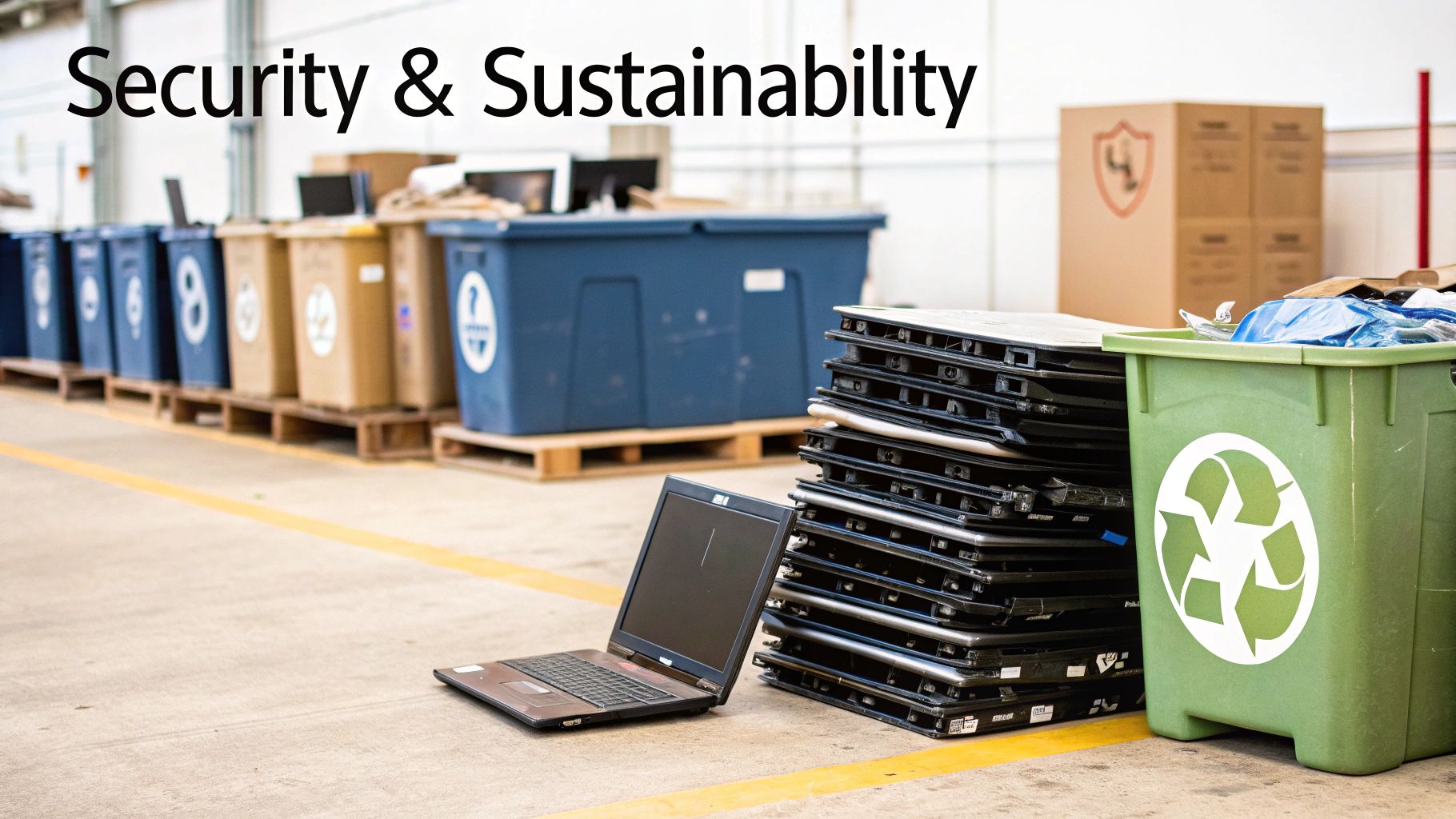
This is exactly why certified e-waste recyclers are such crucial partners. They ensure that once your assets are destroyed, the leftover materials are handled the right way.
The Role of Certified E-Waste Recycling
You can't just hand off your shredded materials to any recycler and call it a day. To make sure you’re actually meeting environmental compliance standards, you need to work with a vendor that holds the right industry certifications. Think of these as a seal of approval, confirming the recycler follows strict standards for safety, security, and environmental protection.
Here are the two big ones to look for:
- R2v3 (Responsible Recycling): This is a top-tier standard that covers everything from worker health and safety to environmental impact and data security through the entire recycling chain.
- e-Stewards: Developed by the Basel Action Network, this certification is famous for its zero-tolerance policy on exporting hazardous e-waste to developing nations. It’s your guarantee that your materials are processed ethically.
When you partner with a certified recycler, you ensure the valuable commodities from your old gear—like copper, aluminum, and gold—are recovered and put back into the supply chain. At the same time, the hazardous stuff gets disposed of safely. For businesses in Metro Atlanta, learning the local options for responsible it asset recycling is the first step toward building a greener, smarter ITAD program.
Unlocking Value from Retired Assets
While physically shredding a device is the ultimate security guarantee, it also means you get zero financial return from the hardware. But for many assets that are still perfectly functional, there’s a much smarter path: value recovery through secure data wiping.
By choosing to professionally sanitize a device instead of destroying it, you keep the hardware intact. This opens the door to remarketing and reselling the equipment, which can create a brand-new revenue stream for your company. A good ITAD partner can look at your inventory of retired assets and pinpoint which devices still have market value.
A strategic ITAD program doesn't just manage costs; it creates value. By securely wiping and reselling functional laptops, servers, and networking gear, you can turn a line-item expense into a positive return on investment.
Here's how that process usually works:
- Auditing Assets: A specialist identifies the makes, models, and conditions of your gear to figure out its resale potential.
- Secure Wiping: Certified software is used to completely erase all data, meeting rigorous standards like NIST 800-88.
- Remarketing: The ITAD vendor uses its established sales channels to sell the refurbished equipment for the best possible price.
By folding value recovery into your strategy, IT asset destruction becomes a powerful tool. You can meet every security obligation without compromise while also helping fund your IT budget and contributing to a circular economy by giving usable electronics a second life. It’s the perfect blend of airtight security, financial prudence, and environmental responsibility.
How to Select a Certified IT Asset Destruction Partner
Picking the right vendor for your IT asset destruction needs is hands-down the most important decision you'll make in this whole process. This isn't just about hiring someone to do a job; it’s about finding a partner you can trust with your company's most sensitive information.
The right partner is like an extension of your own security team. But the wrong one? That’s a shortcut to a world of hurt—think catastrophic data breaches, painful legal fines, and a reputation that's suddenly in tatters. You have to look past the price tag and dig deep into a vendor's certifications, processes, and transparency. A cheap service with a flimsy audit trail is a massive liability just waiting to blow up.

Non-Negotiable Vendor Qualifications
Before you even glance at a quote, any potential partner needs to have a few key industry-recognized credentials. These aren't just fancy logos for their website; they're proof that the vendor has passed tough, third-party audits on everything from their security controls to their employee screening.
Here's your must-have checklist:
- NAID AAA Certification: This is the gold standard for data destruction. It confirms a vendor’s entire operation—from hiring and background checks to facility security and destruction methods—meets the strictest industry requirements.
- R2v3 or e-Stewards Certification: These credentials are all about responsible environmental practices. They guarantee your shredded e-waste is managed safely and ethically, so hazardous materials don't end up poisoning a landfill somewhere.
- Insurance Coverage: Make sure the vendor has solid liability insurance, especially downstream data liability coverage. This is your safety net in the rare case something goes wrong after the assets leave your building.
Your first question should always be, "Can I see proof of these certifications?" If the answer is anything but a confident "yes," you should walk away.
Evaluating Chain of Custody and Reporting
A vendor can promise you the moon, but without a rock-solid, documented Chain of Custody, those promises are worthless. This audit trail is your legal proof that you did your due diligence. You need to get granular on how a potential partner handles this.
A vendor's Chain of Custody is the narrative of your asset's final journey. If there are any gaps in the story—un-badged handlers, un-tracked vehicles, or incomplete paperwork—that's where your data security risk lives.
Don't be shy about asking specific questions. Do they use GPS-tracked, secure vehicles for transport? Are all their employees background-checked and uniformed? Can they provide detailed, serialized reports that follow each asset from your office to its final destruction? A comprehensive Certificate of Destruction listing individual serial numbers isn't a "nice-to-have"—it's an absolute must.
On-Site vs Off-Site Destruction Services
Certified vendors usually offer two main ways of getting the job done. The right choice really comes down to your organization's security policies and how much risk you're willing to accept.
- On-Site Destruction: A mobile shredding truck pulls up right to your facility. You get to physically watch your hard drives and other media get chewed into tiny pieces before they ever leave your property. This offers the ultimate security and peace of mind, making it the go-to for industries like healthcare and finance.
- Off-Site Destruction: Your assets are packed into secure, locked containers and transported to the vendor’s specialized facility for destruction. This is usually the more budget-friendly option, especially if you have a lot of equipment. As long as the vendor is NAID AAA certified and their Chain of Custody is airtight, it’s just as secure.
For businesses here in Metro Atlanta, partners like Montclair Crew offer both on-site and off-site solutions, so you can pick what works best for you. It's always a good idea to understand the bigger picture of a vendor relationship, which is why checking out some IT vendor management best practices can give you a solid framework for making that final call.
Understanding Cost Drivers
Let's be realistic: while security is priority number one, the budget is always part of the conversation. The cost of IT asset destruction services can vary based on a few key things. Knowing what they are will help you make a smart financial decision without skimping on security.
Here’s what typically influences the price:
- Volume of Assets: The more you have, the lower the price per unit usually gets. Bulk has its benefits.
- Asset Type: Shredding hefty servers or large storage arrays is a bigger job than destroying standard hard drives, and the price will reflect that.
- Service Level: On-site shredding costs more than off-site services because you're paying for the convenience and logistics of bringing the shredder to you.
- Logistics: Simple things like your location, whether there are stairs or elevators involved, and how much labor is needed to remove everything can all impact the final quote.
By carefully checking certifications, digging into security protocols, and understanding your service options, you can find a partner who doesn't just destroy your data, but truly protects your business.
Still Have Questions About IT Asset Destruction?
Even with a solid plan in place, it's normal to have a few questions when you get down to the nitty-gritty of IT asset destruction. Moving from theory to practice always brings up the finer details. We've gathered some of the most common questions we hear from businesses to give you clear, straightforward answers.
Think of this as your final check-in before securing your retired hardware for good.
What's the Difference Between Data Wiping and Physical Destruction?
The main difference is what happens to the actual piece of hardware. Data wiping is a software-based process that overwrites all the data on a hard drive or SSD, essentially scrubbing it clean so nothing can be recovered. The key here is that the device itself is left perfectly functional.
On the other hand, physical destruction means the device is mechanically obliterated. Shredding, for instance, turns a hard drive into a pile of tiny, mangled fragments. There's no coming back from that because the physical media that held the data is gone forever.
So, when do you choose one over the other? It’s a simple trade-off:
- Go with wiping if you want to get some value back from the asset. This is the path for resale, donation, or re-using the equipment inside your own company.
- Go with physical destruction when security is the absolute top priority. This is for devices with highly sensitive data or older hardware that has no resale value anyway.
Why is a Certificate of Destruction So Important?
A Certificate of Destruction (CoD) is way more than a receipt. It’s your official, legally-defensible proof that your IT assets—and the data on them—were destroyed using secure, compliant methods. This piece of paper is a critical part of your risk management and legal defense.
Think of a CoD as your ironclad alibi in the world of data security. If an auditor or regulator ever questions your disposal practices, this certificate demonstrates irrefutable proof of due diligence and shifts liability to your certified destruction partner.
Without a CoD, you have no verifiable evidence that you did your part to protect confidential information. If you ever face a data breach investigation under rules like HIPAA or GDPR, that certificate could be the one thing that saves your business from massive fines and a damaged reputation. It lists what was destroyed, how it was done, when it happened, and includes all the serial numbers, creating a bulletproof audit trail.
Is On-Site or Off-Site Destruction More Secure?
Honestly, both are incredibly secure as long as you’re working with a properly certified vendor (look for a NAID AAA certification). The right choice for you usually boils down to your company's internal security rules, your budget, and how much risk you're comfortable with.
On-site destruction, where a mobile shredding truck pulls up to your facility, gives you maximum peace of mind. You can literally watch your hard drives get shredded, which completely removes any risk during transport. This "witnessed destruction" is the go-to for organizations that can't afford even a sliver of doubt.
Off-site destruction involves having your assets securely transported in locked containers to a specialized, high-security facility. While you have to trust your vendor’s chain of custody, it's often more affordable, especially when you have a lot of equipment. Any certified partner will use GPS-tracked vehicles and background-checked drivers to make sure the process is just as secure as doing it on-site.
Can I Just Use a Hammer to Destroy a Hard Drive?
Please don't. While taking a hammer to a hard drive might feel satisfying, it's a terrible and non-compliant way to handle IT asset destruction. You might shatter the outer case, but the internal platters—the little shiny discs where the data actually lives—are surprisingly tough. They can often survive the beating.
A determined data thief could potentially pull those damaged platters and recover a shocking amount of information. Worse, this DIY approach leaves you with zero proof of destruction. Professional shredding pulverizes the entire drive, platters and all, into tiny particles, making data recovery physically impossible. Most importantly, a professional service gives you that crucial Certificate of Destruction you need to prove you met your legal and regulatory obligations. A hammer just can't do that.
Ready to implement a secure and compliant IT asset destruction plan for your Metro Atlanta business? Montclair Crew Recycling offers certified on-site and off-site solutions tailored to your security needs, ensuring your data is verifiably destroyed and your e-waste is handled responsibly. Contact us today for a free consultation and quote.
