
For businesses all over Georgia, figuring out what to do with old electronics isn't just a chore—it's a critical task that can protect your company or expose it to major risks. This guide is your clear path to managing IT Asset Disposition (ITAD), covering everything from data security and environmental compliance to getting cash back for your old gear.
Why Smart IT Recycling Is a Must-Do for Georgia Businesses

Let's be honest. That storage closet packed with old computers, monitors, and servers isn't just taking up space. It's a ticking clock of financial and legal headaches waiting to happen. For any Georgia business, whether you're a law firm in Sandy Springs or a manufacturing plant near Savannah, ignoring proper IT disposal is a massive oversight.
The consequences are real. We're talking steep fines for not following the rules and, even worse, the kind of brand damage from a data breach that you can't just fix.
A formal IT equipment recycling plan—often called an IT Asset Disposition (ITAD) strategy—isn't some optional "green" initiative anymore. It's a core business function. It tackles three critical areas that every single company leader needs to have on their radar.
Protect Your Brand and Your Bottom Line
The biggest and most immediate risk hiding in that old hardware is the data. A single discarded hard drive can be a goldmine of sensitive files: customer lists, financial records, and company secrets. Just hitting "delete" does absolutely nothing. If that data gets into the wrong hands, the fallout can be catastrophic.
Think about it. A healthcare provider in Marietta gets rid of old workstations without certified data destruction. If patient records are found on those drives, they're looking at huge HIPAA violation penalties and a total collapse of patient trust. A smart ITAD plan stops this nightmare before it starts by making sure all data is permanently destroyed, using methods like DoD-standard wiping or physical shredding, and giving you a Certificate of Destruction to prove it.
This isn't just about dodging a bullet. It's about showing you're a responsible business.
A documented, compliant recycling program sends a powerful message. It tells your customers, employees, and partners that you take data privacy and environmental responsibility seriously. That's how you build a rock-solid reputation in today's market.
Turn That Old Tech Into New Capital
Too many businesses look at a pile of outdated equipment and see worthless junk. Big mistake. Retired IT assets often have plenty of financial value left in them. This is where a key part of our Georgia businesses guide to IT equipment recycling comes in. An experienced ITAD partner can check out your inventory for resale potential, turning those depreciated assets into a surprising source of revenue.
We see it all the time with assets like these:
- Enterprise Servers: Even a five-year-old server can have valuable processors and high-capacity RAM that are in high demand.
- Business-Grade Laptops: A whole fleet of laptops from your last employee upgrade can be refurbished and sold, with the profits coming right back to you.
- Networking Gear: High-end switches and routers from brands like Cisco often hold their value for years on the secondary market.
When you work with a recycler who offers value recovery, you flip a disposal cost into a financial gain. You can then put that capital right back into your technology budget, making your next IT refresh that much more affordable.
Meet Your Environmental and Legal Duties
The mountain of electronic waste is growing at an alarming rate. In 2022, the world generated a staggering 62 million tonnes of e-waste—that's an 82% increase from 2010. What's worse is that less than a quarter of it was properly recycled.
This isn't some far-off problem; it has local consequences. Dumping electronics improperly can let hazardous materials like lead and mercury seep into our soil and water right here in Georgia. State and federal regulations, including those from the Georgia Environmental Protection Division, make businesses responsible for their assets from cradle to grave. You can't plead ignorance.
Working with a certified recycler like Montclair Crew ensures every single piece of equipment is handled correctly and in full compliance with all environmental laws. You can check out our article on the environmental impact of electronic waste to get the full picture.
Creating Your IT Asset Inventory and Audit
Before you can even think about recycling a single laptop or server, you have to know exactly what you’ve got. A detailed IT asset inventory is the absolute foundation of any successful recycling project.
This isn’t just about making a list; it’s a strategic move that dictates your security plan, potential financial returns, and all the logistics involved. Trying to skip this step is like navigating Atlanta traffic blindfolded—you’re going to get lost, waste a ton of time, and definitely miss out.
The goal is to get way beyond a vague headcount like "50 old computers." Think about a mid-sized accounting firm in Alpharetta getting rid of 75 workstations. A generic list does nothing for them. But a detailed audit? That transforms a messy pile of hardware into an organized asset portfolio, primed and ready for disposition.
Building Your Master Asset List
You don't need fancy software. A simple spreadsheet is usually all it takes to get started. What truly matters are the details you track. A vague inventory will only get you lowball offers and create logistical headaches. A detailed one, however, gives you the power to lock in the best value and ensure total accountability.
For every single device you plan to retire, your audit needs to capture:
- Asset Type: Is it a laptop, desktop, server, switch, or monitor?
- Brand and Model: Get specific. Think "Dell Latitude 7420" or "Cisco Catalyst 2960."
- Serial Number: This is non-negotiable. It’s essential for tracking and creating a bulletproof chain of custody.
- Key Specifications: Note the processor (e.g., Intel Core i7), RAM (e.g., 16GB), and storage type/size (e.g., 512GB SSD).
- Physical Condition: Use a simple grading system. A-Grade for like-new, C-Grade for heavy wear—this helps set realistic expectations on value.
- Original User/Department (Optional): This can be a lifesaver for internal tracking and confirming how sensitive the data on the device might be.
This level of detail is your biggest point of leverage. Any recycling partner can give you a much more accurate quote and plan the pickup far more effectively when they know exactly what they're dealing with.
Why This Audit Is So Important
Putting this list together does more than just tidy up your storage closet. It has a direct impact on your company's security and bottom line. First off, it guarantees no device gets left behind. An unlisted hard drive that slips through the cracks is a data breach just waiting to happen.
Second, it maximizes your financial return. Without a detailed breakdown of specs, you could be leaving thousands of dollars on the table. A batch of high-end graphic design workstations is worth a lot more than standard office PCs, but a recycler won't know that from a generic "50 computers" list. This audit gives you the hard data to see the real resale value in your equipment.
A detailed IT inventory is your proof of due diligence. It demonstrates to auditors, stakeholders, and regulators that you have a systematic process for managing company assets and their associated data from cradle to grave.
Ultimately, this inventory becomes the master document for your entire recycling project. Your ITAD partner will use it to verify the pickup, generate Certificates of Destruction, and create the final settlement report. Taking the time to build a comprehensive list is the single most important step for a smooth, secure, and profitable recycling process. For more information on this process, Montclair Crew offers extensive guidance on enterprise IT asset management to help you get organized.
How to Guarantee Your Data Is Actually Destroyed
Hitting "delete" on a company computer isn't enough. Think of it like crumpling up a sensitive contract and tossing it in the office trash can—the information is still right there for anyone who knows how to get it. For any Georgia business, making sure confidential data is gone for good isn't just a smart move; it's a legal and financial necessity.
True data destruction really boils down to two approaches: software-based wiping and good old-fashioned physical destruction. Figuring out which one is right for you is the key to protecting everything from your customer lists to your company's financial secrets.
Understanding Software-Based Wiping
Software wiping, or data sanitization, is a process where a special program writes over every single bit of a hard drive with random, meaningless data. This isn’t your standard delete function. It’s a methodical burial of your original data, making it impossible to recover with today's technology.
The go-to industry standard for this is the DoD 5220.22-M three-pass wipe. This method, originally from the Department of Defense, overwrites your data in three separate passes:
- Pass One: Writes a string of zeros across the entire drive.
- Pass Two: Writes a string of ones across the entire drive.
- Pass Three: Writes random characters and then verifies the overwrite was successful.
For most business equipment—like the laptops from your last sales team refresh or old office desktops—this is more than enough security. It thoroughly cleans the drive while leaving the hardware itself perfectly usable, which means you can still get some value back through resale or donation.
When Physical Destruction Is Non-Negotiable
Sometimes, a software wipe just doesn't cut it. Physical destruction is the final word in data security. There’s no chance of data recovery because the drive itself is completely obliterated. This is the only option when the stakes are incredibly high.
Picture a healthcare provider in Augusta getting rid of a server filled with patient records covered by HIPAA. Or a financial firm in Buckhead retiring drives with sensitive investment data. In those situations, you can't afford even a tiny risk of a data leak. The only answer is to physically destroy the hardware.
A Certificate of Destruction is your legal proof that you did your due diligence. This formal document, provided by your ITAD partner, lists the serial numbers of every destroyed drive and the method used. It's your ultimate defense in an audit, proving you took every step to protect sensitive information.
On-site hard drive shredding gives you the most peace of mind. A mobile shredding truck comes right to your office, and you can literally watch your hard drives get ground into tiny metal fragments. It removes any chain-of-custody concerns and gives you immediate, verifiable proof that the data is gone forever.
Deciding between these methods can be tough. It's smart to compare them to see what really fits your company's risk profile and compliance needs.
Data Destruction Methods Compared
| Method | Security Level | Best For | Asset Reusability |
|---|---|---|---|
| Software Wiping | High | Most business assets (laptops, desktops) where value recovery is a goal. | High |
| Degaussing | Very High | Magnetic media (tape backups, older hard drives). Not for SSDs. | None |
| On-Site Shredding | Absolute | High-security needs (healthcare, finance, government), all drive types. | None |
| Off-Site Shredding | Very High | Cost-effective bulk destruction with a trusted, certified vendor. | None |
Ultimately, choosing the right method depends on your data's sensitivity and your industry's regulations. For a deeper dive, reviewing the specifics of secure data destruction services can clarify which option is best for your business.
This decision tree can help you map out your initial audit, which is the first step toward figuring out your data security needs.
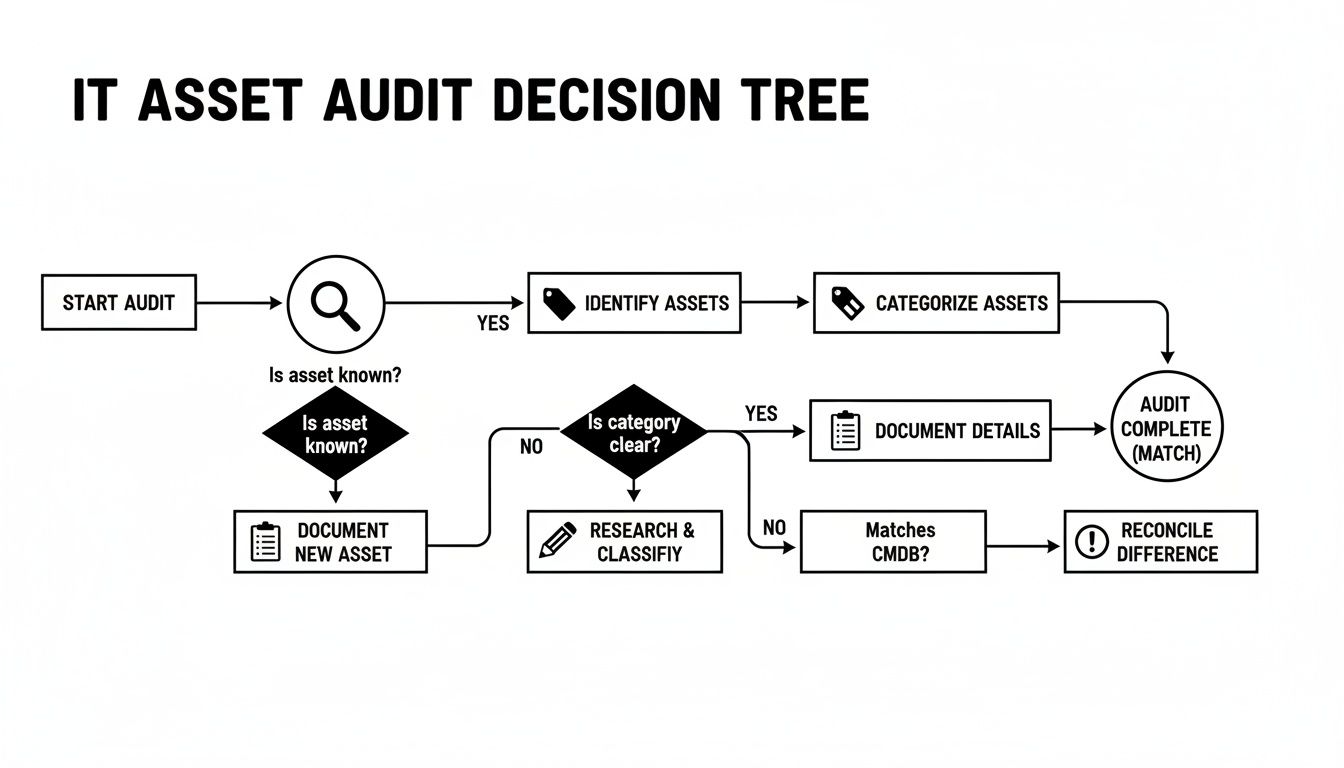
This process of identifying, categorizing, and documenting your assets is what creates a clear path for secure and compliant IT recycling. It’s no surprise that with tightening data security rules, the IT disposal market is seeing an 8% annual growth rate. Businesses need partners they can trust.
Managing Logistics and Ensuring Chain of Custody
Okay, so your data is wiped clean. Now what? You've got a pile of old equipment that needs to get from your office to the recycling facility, and you can't afford for anything to get lost or mishandled along the way.
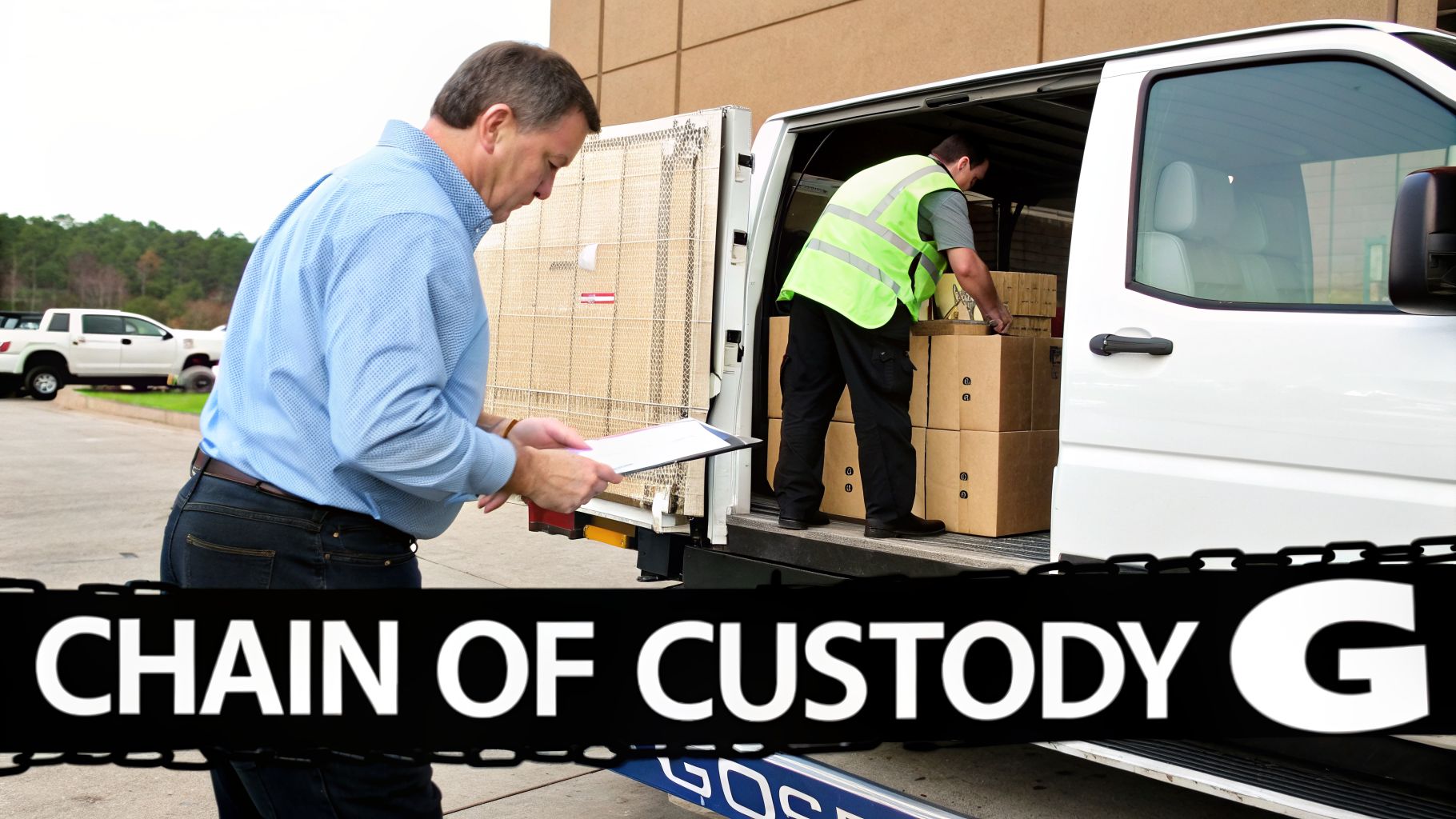
This is where logistics and the chain of custody become absolutely critical. This isn't just about moving boxes. It’s about creating a documented, unbroken trail that proves every single asset was handled securely from the moment it left your control. This paper trail is your best defense against theft, loss, or any future claim that you disposed of equipment improperly.
Scheduling Pickup vs. Using Drop-Off Services
How you get the gear to the recycler really boils down to how much stuff you have. A small business in Smyrna with a couple of old desktops has different needs than a major corporation in downtown Atlanta clearing out an entire data center.
Bulk Pickup Services: This is the go-to for most businesses. If you're dealing with a large-scale project, an office move, or decommissioning servers, this is for you. A professional crew shows up with the right gear to pack and haul everything away safely. It’s efficient and secure.
Drop-Off Centers: Got just a few items? This is your best bet. It’s perfect for small businesses that can manage the transport themselves. Companies like Montclair Crew have local drop-off points so you can bring your equipment on your own time. It’s simple and cost-effective for smaller quantities.
Either way, everything starts with the asset inventory list you already prepared. Your recycling partner will use that list to check off every item during the handoff. This is the first, crucial link in your chain of custody.
What a Secure Pickup Actually Looks Like
A real, professional pickup is more than just a truck showing up. It's a methodical process built around security and accountability, right from the moment the team walks into your Georgia office.
When the crew arrives, they should have your asset list in hand, ready to verify every device. Each server, laptop, and switch is checked off and accounted for before being carefully loaded into a secure, locked vehicle—many of which are GPS-tracked for added security.
A rock-solid chain of custody is non-negotiable. It starts with verifying assets on-site and doesn't end until you get a final settlement report. This documentation is your proof that every piece of equipment was managed responsibly, shielding you from liability.
Once the truck is loaded and sealed, you should be handed a Bill of Lading or a similar transfer document. This piece of paper is incredibly important—it officially transfers responsibility for the assets from your company to your ITAD partner. Keep it safe with your records.
Why Certified Recyclers Are a Must
So, where is that truck headed? This might be the single most important question you can ask. Your company's reputation and your legal compliance are literally riding on the answer. Handing your e-waste over to an uncertified recycler is a huge gamble you can't afford to take.
That’s why you have to partner with a recycler holding an R2 (Responsible Recycling) or e-Stewards certification. These aren't just logos they put on a website; they're proof that the facility is regularly audited and meets the highest industry standards for:
- Environmental Safety: They are forbidden from illegally exporting e-waste and must prove they handle hazardous materials correctly.
- Data Security: They must follow strict protocols for data destruction and maintain secure facilities.
- Worker Health & Safety: They must provide a safe working environment for their employees.
Working with a certified partner guarantees your old electronics won’t end up in a Georgia landfill or on a barge overseas. It ensures they'll be handled responsibly, protecting both the environment and your business. For any company in Metro Atlanta, understanding the local options for a secure electrical waste collection is the right next step.
Choosing the Right IT Recycling Partner in Georgia
Let's be blunt: not all IT recyclers are the same. Picking the wrong one for your Georgia business can quickly sour a smart financial decision, leaving you open to data breaches and serious compliance headaches. This isn't just about finding the cheapest quote; it's about finding a real partner who will safeguard your business long after your old equipment has been hauled away.
You have to look past the sales pitch and really vet these companies. A local partner who knows the landscape from Alpharetta to Macon is going to give you more responsive and reliable service than some faceless national chain ever could.
This process is about so much more than just scheduling a pickup. It’s about making sure your partner is certified, insured, and totally transparent about everything they do, from wiping your data to reporting on environmental compliance.
Start with Certifications and Insurance
Your first filter for any potential IT recycler should be their credentials. Uncertified recyclers are a huge liability. They offer zero guarantees about where your gear—and more importantly, your data—is actually going.
The absolute, non-negotiable starting point is checking for top-tier industry certifications. These aren't just logos for their website; they're proof of intense, ongoing audits and a commitment to the highest standards.
- R2 (Responsible Recycling): This certification confirms the vendor is following strict best practices for environmental safety, worker protection, and data security.
- e-Stewards: This is another elite certification, with a heavy focus on stopping the illegal export of hazardous e-waste to developing countries.
Don’t just take their word for it. Ask for their certification number and look it up yourself on the official R2 or e-Stewards websites. Any legitimate partner will be happy to provide this. In fact, they'll see your diligence as a sign you're a serious client.
Once you’ve confirmed their environmental cred, you have to verify their insurance. Ask to see proof of general liability, errors and omissions (E&O), and cyber liability insurance. This is what protects your business if something goes wrong during transport or data destruction.
Evaluate Their Data Security Protocols
After you've verified certifications, the next critical step is to dig into their data destruction process. You need 100% certainty that your sensitive business information is gone for good. A partner worth their salt will be an open book about their methods.
Ask them to walk you through their standard operating procedure. Do they offer DoD 5220.22-M three-pass wiping as their default service? For most Georgia businesses, this is the sweet spot—it’s secure, cost-effective, and keeps the hardware intact for potential resale.
But for organizations with stricter security needs, like healthcare or financial firms, on-site hard drive shredding is the only way to go. Your vendor should be able to bring a mobile shredding truck right to your office so you can watch your drives get turned into tiny pieces of metal.
Assess Their Value Recovery and Financial Transparency
A huge part of a modern Georgia businesses guide to IT equipment recycling is understanding the money side of things. Old hardware isn't just junk; it's a potential asset. A professional ITAD partner will have a clear, fair, and transparent value recovery program.
Be skeptical of vague promises of "cash for your electronics." A reputable partner will give you a detailed, itemized quote based on the inventory you provide. They should be able to explain exactly how they test, grade, and value every single piece of equipment.
Ask about their profit-sharing model. For high-value assets like enterprise servers or a large batch of newer laptops, a 50/50 split of the net revenue (after their costs for refurbishment and sales) is a common and fair deal. If they offer less, you should ask why. This model makes them a true partner, as you’re both motivated to get the highest possible return.
The infrastructure for this is only getting stronger. The electronic goods recycling industry is expected to grow to over 860 businesses in the US by 2026, thanks to the explosion of IoT devices and a greater demand for process visibility. For businesses in the Atlanta area, this means more reliable and local partners to choose from. You can read more on these trends from IBISWorld.
This growth means you're dealing with a mature and stable market. It ensures that the partner you pick has the systems to not only handle your equipment responsibly but also to accurately track and share the value they recover for you.
Common Questions About Business IT Recycling
When it’s time to retire old IT gear, Georgia business owners and managers always have a few key questions. Getting clear, straightforward answers is what protects your company’s data, finances, and reputation. We hear these questions all the time, so let's get you the answers you need.
What Types of Business Equipment Can Be Recycled?
The short answer? Pretty much all of it. A professional IT recycler can handle nearly all of your business-grade electronics.
This includes the obvious stuff like desktops, laptops, servers, and monitors, but also all the connecting pieces—networking gear like switches and routers, phone systems, and peripherals. If it plugged into the wall and lived in your office, it’s almost certainly a good candidate for recycling.
Now, there are some exceptions. Highly specialized medical or industrial equipment can sometimes have unique materials or disposal regulations. It's always a smart move to run your inventory list by your recycling partner first, just to confirm they can take everything off your hands in one go.
The rule of thumb is this: if it holds data or has a circuit board, a professional ITAD vendor can almost always manage it. This simplifies everything, so you aren't stuck trying to find different vendors for different types of gear.
Is Our Data Really Gone After a Hard Drive Wipe?
Yes, but only when it’s handled by a professional using certified methods. We’re not talking about a simple delete-and-format.
A proper wipe, like the DoD 5220.22-M standard, overwrites your drive’s data multiple times with random characters. This process makes the original information virtually impossible to get back with any current technology. It's the same standard trusted by government agencies and financial institutions.
For absolute, 100% certainty—especially with extremely sensitive data or on failed drives that can't be wiped—physical shredding is the final answer. This is exactly what it sounds like: a machine grinds the drive into tiny pieces. No matter which method is used, a reputable vendor will always give you a Certificate of Destruction as your legal proof that the job was done right.
What Are the Costs for IT Equipment Recycling?
This is where it gets interesting. The cost can vary quite a bit, and in many situations, recycling your old IT gear can actually make you money. Many professional recyclers, including us, offer free services for qualifying loads of equipment, and that often includes pickup and data wiping.
Here’s how to think about the financials:
- Potential Costs: You might see fees for specific services like on-site hard drive shredding. Costs can also apply for getting rid of items that have low value and are costly to recycle, like old, heavy CRT monitors.
- Potential Returns: This is the good part. If your assets include newer, high-value equipment—think enterprise servers, a fleet of recent laptops, or quality networking gear—you could get a check back through a value recovery or profit-sharing program.
Always demand a detailed quote based on your exact inventory. A transparent partner will give you a full breakdown of any costs and show you the potential return on your valuable assets. This is a key part of any modern Georgia businesses guide to IT equipment recycling—turning what used to be a cost into a source of revenue.
Why Do We Need a Certificate of Destruction?
Think of this document as your "get out of jail free" card. It’s your official, legal proof that your company’s sensitive data was destroyed securely and in full compliance with privacy laws.
It’s a detailed record that lists the serial numbers of the destroyed hard drives, the method used (wiping or shredding), the date, and the vendor’s signature.
For any business that has to comply with regulations like HIPAA (healthcare), GLBA (finance), or FACTA (consumer information), this certificate is non-negotiable. It’s what protects you from massive liability by proving you took responsible, documented steps to safeguard information. If you ever face an audit or legal challenge, this piece of paper is your best friend. If you are looking for more details on local options, you might be interested in our guide on where businesses can recycle IT equipment in Georgia.
Ready to implement a secure, compliant, and profitable IT recycling program for your Georgia business? Montclair Crew offers end-to-end solutions, from on-site pickup and asset audits to certified data destruction and value recovery. Contact us today to get a quote and see how we can help.
