

That pile of old laptops and servers isn't just taking up space—it's a goldmine of security risks and untapped value. For any Atlanta organization, a quick search for "e-waste recycling near me" is the first step in turning a potential liability into a secure, compliant, and even profitable asset. Let's walk through how to do it right.
Why Atlanta Businesses Must Rethink E-Waste
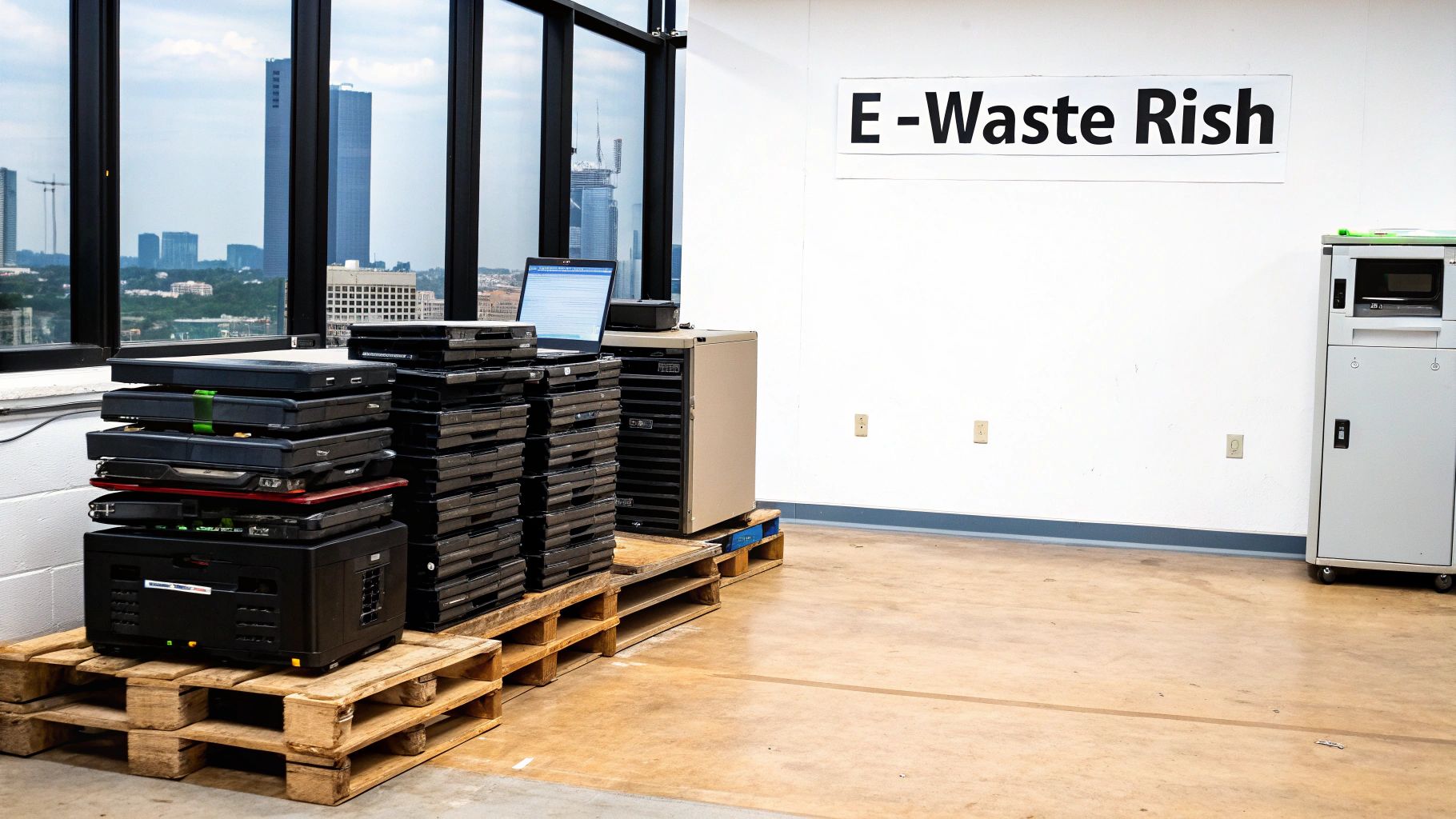
Let's be clear: improper disposal of your old IT equipment is more than just an environmental misstep. It’s a direct threat to your business. We've seen the consequences firsthand, from serious data breaches to steep compliance fines and completely missed financial opportunities.
Think about it. Every single decommissioned server, laptop, and network switch holds a history of your company's operations, client data, and proprietary information.
Leaving these devices to gather dust in a storage closet or, even worse, tossing them in a dumpster, creates a massive security vulnerability. Working with a certified local e-waste expert isn't just about "doing the right thing"—it's a critical business decision that protects your data, your reputation, and your bottom line.
The Growing E-Waste Challenge
The scale of the global e-waste problem is almost hard to believe, and its impact is felt right here in our community. The world generated an incredible 62 million tonnes of e-waste recently, which is an 82% increase from 2010. Projections show it will surge another 32% to 82 million tonnes by 2030.
Even more concerning? Only 22.3% of this e-waste was properly collected and recycled. That means a staggering US$62 billion in valuable resources—like gold, silver, and copper—was lost to landfills or informal dumping. You can dig into the full report in The Global E-Waste Monitor 2024.
For Atlanta businesses, this global trend creates a local imperative. Each piece of retired tech represents a choice: contribute to a growing environmental crisis, or recover valuable materials responsibly while ensuring total data security.
This guide is about moving past the problem and finding a clear path forward. For local businesses, making the right choice means understanding the full lifecycle of your electronic assets. The environmental impact of electronic waste is a huge factor, but so are the real-world operational and financial benefits of a well-managed ITAD (IT Asset Disposition) program.
To get the full picture, it's helpful to see how solutions like refurbished devices fit into the broader e-waste issue. Extending the life of electronics is one of the most powerful strategies we have. You can learn more about this connection by reading about Refurbished iPhones and E-Waste.
Your Pre-Recycling IT Asset Playbook

Before you can even think about recycling your old tech, you need a clear game plan. This is about more than just boxing up equipment—it’s about taking control, guaranteeing security, and setting up a smooth handoff to your recycling partner. A little organization upfront prevents a world of chaos and keeps your sensitive data locked down.
Here’s where many Atlanta businesses stumble: they fail to create a clear chain of custody before a single device leaves the building. Without that paper trail, you have zero documented proof of what was sent out for disposal, creating a massive compliance headache.
Nailing Down Your IT Asset Inventory
Your first real step is to conduct a quick but thorough inventory of all retired assets. This doesn’t need to be some monumental project that drags on for weeks. Just focus on grabbing the essential details you'll need for the recycling process.
Make sure your inventory list clearly records:
- Asset Type: Is it a server, laptop, networking switch, or VoIP phone?
- Serial Number: This is the key unique identifier for tracking each piece.
- Data-Bearing Status: Does the device have a hard drive or SSD? Mark it clearly.
- Physical Location: Note the office, storage closet, or data center where it is right now.
This initial list is the foundation for everything that follows, from data destruction to the final paperwork. It’s also what you'll need to get an accurate quote when you search for "e-waste recycling near me." If you want to dive deeper, exploring some IT asset management best practices can seriously help refine your internal process.
Sorting Assets by Data Sensitivity
Once you know what you've got, it's time to sort the equipment based on the sensitivity of the data it contains. This is a crucial step that often gets overlooked. Not all data is the same, and your disposal strategy needs to reflect that.
A server that held customer financial records, for example, demands a much higher level of scrutiny than a conference room monitor. Grouping devices by their data risk profile makes the entire disposition process faster and more secure.
Pro Tip: Don't forget about the less obvious gear. Decommissioned telecom equipment, old office printers with internal hard drives, and even network firewalls can store sensitive configuration data or user logs. Getting these into your sorting plan is key to truly comprehensive data security.
By creating distinct piles—like "High-Risk: Customer PII" or "Low-Risk: No Data Storage"—you make it easy for your recycling partner to apply the right data destruction method to the right assets. This simple bit of organization dramatically lowers the risk of an accidental data leak and ensures a secure, compliant, and painless handoff.
Choosing Your Data Destruction Method
For any business in Metro Atlanta, especially when you're handling client records, financial data, or proprietary information, data security simply isn't negotiable. After you’ve figured out what IT assets you have, the next big decision is how to permanently wipe the sensitive data they hold.
Ultimately, your choice boils down to two industry-standard methods: software-based wiping or good old-fashioned physical destruction.
Your decision here directly impacts your compliance, risk level, and even whether you can get some money back through asset resale. There’s no single right answer—it all depends on your organization's specific needs, your tolerance for risk, and the kind of gear you're retiring.
The Gold Standard of Software Erasure
The most common and highly effective way to erase data with software is through DoD 5220.22-M three-pass wiping. This isn't just about dragging files to the trash can; it's a deep sanitization process that overwrites every single sector of a hard drive with new data, multiple times.
Here’s a quick look at how it works:
- Pass 1: Writes a specific pattern of ones and zeros across the entire drive.
- Pass 2: Writes a different, complementary pattern to scramble things even more.
- Pass 3: Writes random characters and then verifies the whole process was successful.
This triple-overwrite process makes the original data practically impossible to recover with any known technology. It's the go-to method for making sure data is forensically unrecoverable while keeping the hard drive itself physically intact.
This approach is perfect for assets that you hope to refurbish and resell, like newer laptops or servers. A local school district, for example, might choose DoD wiping for a fleet of student tablets. This lets them securely erase all student data while recovering value from the hardware, which can help pay for their next tech refresh.
You can learn more about how this fits into a broader security strategy in our business owner’s guide to secure data destruction.
When Physical Destruction Is the Only Option
For some organizations, the only acceptable proof of destruction is seeing the device physically annihilated. Nothing else will do.
This is where on-site hard drive shredding comes into play. A mobile shredding truck comes right to your facility, and you can personally watch every single hard drive and SSD get fed into an industrial shredder that reduces them to small, irreparable bits of metal.
This method offers the ultimate peace of mind because there's zero ambiguity. The data storage medium is physically gone, and you have a clear, documented chain of custody from your office straight to the shredder.
This is the preferred choice for organizations with the highest security requirements or those governed by strict compliance mandates like HIPAA or PCI.
Imagine a financial firm in Buckhead decommissioning a server that held sensitive client investment data. They would almost certainly insist on witnessing the on-site shredding to eliminate any possibility of a data leak during transport. For them, the absolute certainty of physical destruction far outweighs any potential resale value of the drives.
To help you decide, here’s a quick comparison of the two approaches.
Comparing Data Destruction Options for Your Business
| Feature | DoD 5220.22-M Wiping | On-Site Hard Drive Shredding |
|---|---|---|
| Process | Software overwrites data in multiple passes, rendering it unrecoverable. | Industrial machinery physically grinds drives and media into small, irreparable fragments. |
| Asset Condition | Preserves the physical hard drive, allowing for reuse or resale. | Completely destroys the hard drive, making it unusable. |
| Best For | Newer equipment with resale value (laptops, servers, workstations). | Outdated or failed drives, high-security data, or strict compliance needs. |
| Verification | A digital certificate of sanitization is generated for each drive. | A certificate of destruction is issued, and you can witness the shredding in person. |
| Primary Advantage | Maximizes return on investment (ROI) by enabling asset recovery. | Provides absolute, verifiable proof that the data and the media it was on are gone forever. |
| Cost | Generally more cost-effective, especially when offset by resale revenue. | Typically a higher upfront cost, as there is no potential for asset value recovery. |
The final choice between these two methods really hinges on your risk profile and operational goals. One prioritizes value recovery, while the other prioritizes absolute certainty.
Getting Your E-Waste Out the Door: Logistics Made Simple
You’ve inventoried your assets and have a solid data destruction plan. Now for the practical part: actually getting all that old equipment out of your office. For any business in the Atlanta area, this boils down to two simple choices—schedule a pickup or drop it off yourself. The right call really just depends on the size of your project and what your team can handle.
A full-service, scheduled pickup is almost always the answer for bigger jobs. We're talking about situations like a full data center teardown, a company-wide refresh of a few hundred laptops, or a big office move. The sheer volume and weight of the equipment in these scenarios make trying to haul it yourself a non-starter.
The Case for a Professional Pickup
When you schedule a pickup, a logistics team shows up at your door ready to take care of everything. They’ll handle the careful packing, palletizing servers, and securely loading everything onto the truck. It's all designed to get the job done with minimal disruption to your day-to-day operations.
Imagine a healthcare provider in Marietta retiring dozens of old workstations. They can't afford to pull their IT staff off critical tasks to spend days hauling heavy gear. A scheduled pickup gets the job done safely and efficiently, usually in just a few hours, and establishes a clear chain of custody from the moment it leaves your building. You can find more details on how to recycle electronics with a free pick up service and see just how much easier it makes things.
To make this all work on their end, professional recyclers have to be smart about their scheduling. Understanding what is route optimization gives you a peek behind the curtain at how they plan their days to serve multiple clients across the metro area without wasting time or fuel.
When a Drop-Off Makes More Sense
On the flip side, the drop-off model is perfect for smaller businesses or those that don't have a constant stream of old tech to get rid of. If your company is just retiring a handful of laptops and a monitor every quarter, arranging a whole pickup service is probably overkill.
A small business in Smyrna or Alpharetta can just load up the car and bring its e-waste to a designated drop-off center. This approach is usually more cost-effective for small batches and lets you handle it on your own time, no coordination needed.
Before your devices get picked up or dropped off, this decision tree is a great tool for figuring out the best path forward for anything containing data.
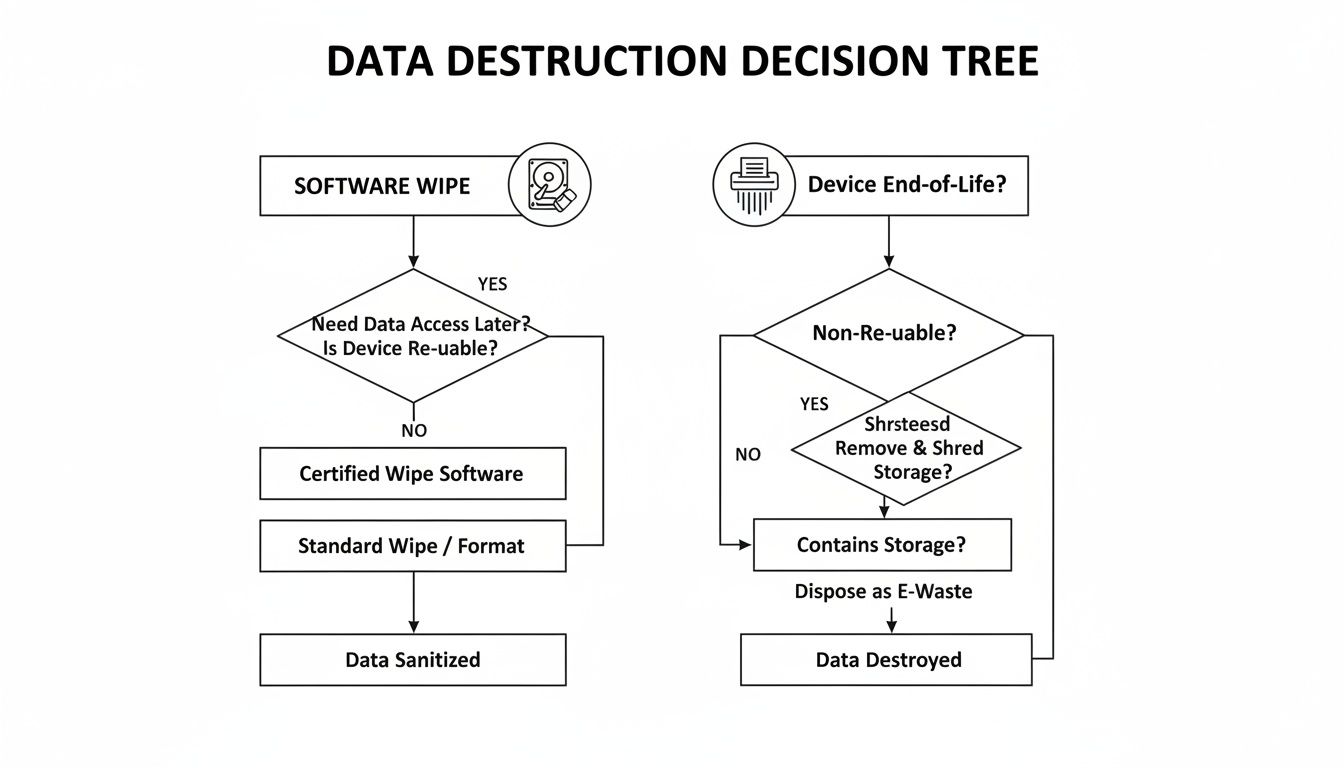
As you can see, software wiping keeps the asset intact for potential resale value, whereas shredding offers the ultimate data security but destroys the hardware in the process.
How To Vet Your Atlanta E-waste Partner
Go ahead, type "e-waste recycling near me" into a search bar. You'll instantly get a long list of options here in the Atlanta area. But here’s the thing: not all of them are built to handle the security, compliance, and logistical headaches that come with business IT assets.
Choosing the right partner isn't about finding the cheapest quote. It’s about protecting your organization from some pretty massive risks. This is one of those decisions that requires a little bit of homework. You absolutely need a partner who can provide a solid, documented chain of custody and verifiable proof that your data was completely wiped out. Anything less is just asking for a data breach or a compliance nightmare down the road.
Look for Certifications That Matter
When you're sizing up a potential recycler, the first thing you should ask about are their industry certifications. These aren't just fancy logos they slap on a website; they are your guarantee that the company is held to strict, third-party-audited standards for both environmental practices and data security.
The two big ones you want to see are:
- R2 (Responsible Recycling): This certification ensures the recycler is following best practices for environmental safety, worker health, and data security from the moment they pick up your gear until it's fully processed.
- e-Stewards: Often considered the gold standard, e-Stewards certification guarantees that no hazardous e-waste gets shipped off to developing countries and that their data security protocols are top-tier.
Working with a certified recycler gives you peace of mind that your old equipment won't end up in a ditch somewhere. This is a bigger deal than you might think. For some perspective, Europe is leading the charge with a 42.8% formal e-waste collection rate, a direct result of regulations that prevent millions of tons of CO2 emissions every year. By choosing certified providers, your company avoids becoming part of the 77.7% of e-waste that gets lost or dumped, ensuring those valuable materials are recovered, not wasted. You can dig into more of these global e-waste statistics and their implications if you're curious.
Demand Crystal-Clear Documentation
A legitimate, professional ITAD partner runs on a foundation of thorough documentation. This part is completely non-negotiable. If a company gets cagey or vague about their paperwork process, that's a huge red flag.
The single most important piece of paper you will get is the Certificate of Data Destruction. This is your official, legally defensible proof that the data on your hard drives, SSDs, and other media has been permanently erased. It should list the serial number of every single drive they handled.
Beyond that, you should also expect detailed asset reports. This usually includes a serialized inventory list confirming exactly what equipment they picked up from your office. This paper trail is what you'll rely on to prove compliance during any internal or external audits. If a potential vendor can’t show you clear examples of their reporting, you should walk away.
You can also find some more pointers on what to look for in our guide to choosing the right electronic waste disposal companies. A true professional will be transparent about their entire process—from pickup to final disposition—and be ready to back it all up with clear, auditable records.
Finding the Hidden Value in Your Old Tech
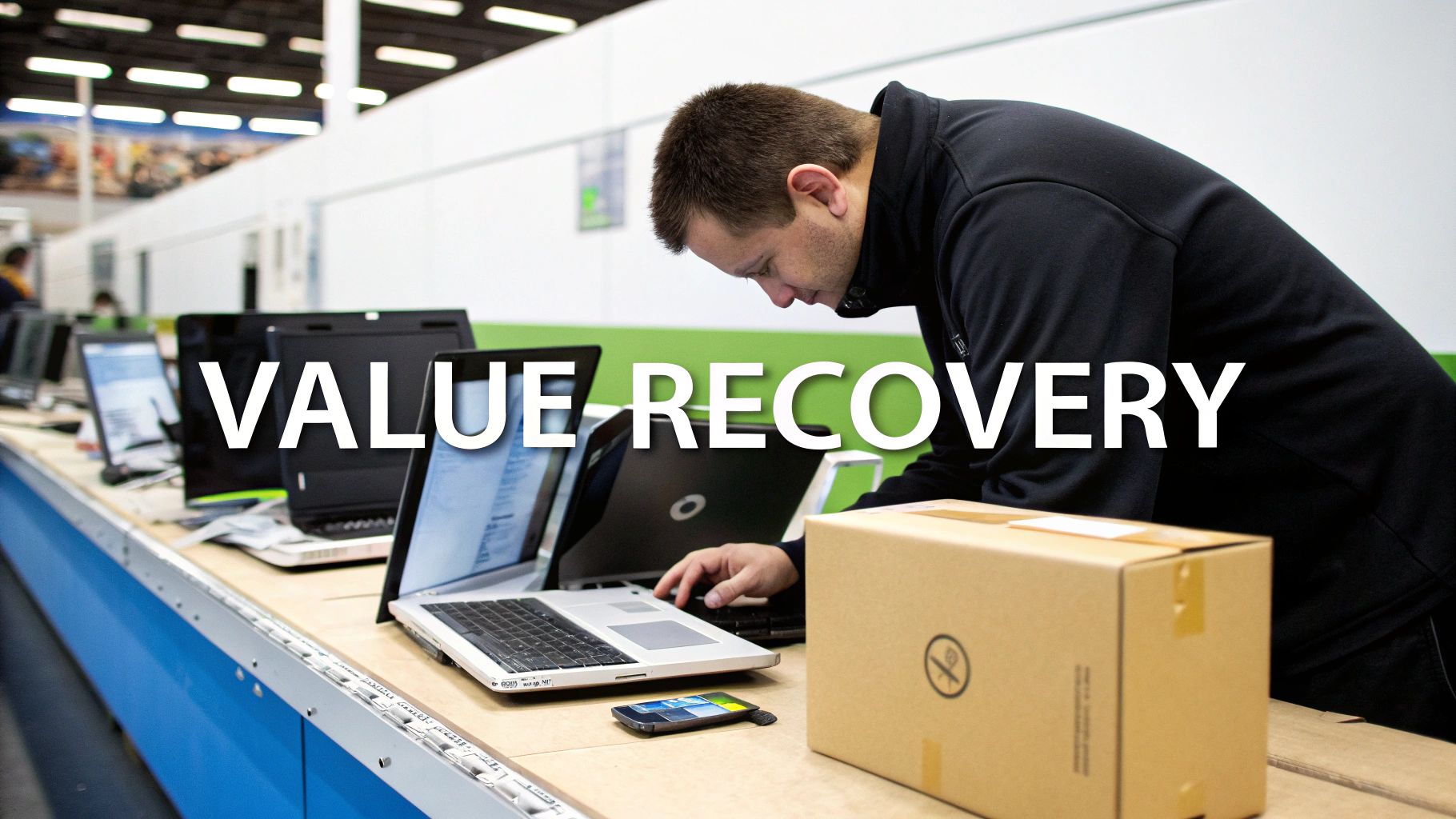
Many Atlanta businesses still see old IT equipment as just another line item on the disposal budget—a cost to be managed. But what if you could flip that script? What if those retired assets could actually turn into a genuine revenue stream?
This is where a smart IT Asset Disposition (ITAD) strategy completely changes the game. It’s about looking beyond simple disposal and focusing on value recovery. Not every piece of equipment you’re retiring is destined for the shredder. In fact, newer, in-demand assets from a recent tech refresh are often prime candidates for a second life on the secondary market.
How Asset Recovery Actually Works
When you partner with a professional ITAD provider, the first step after secure data wiping is a thorough assessment. Their technicians will test and grade your equipment, identifying items that still have real market value.
This could include things like:
- Laptops and desktops that are only a few years old.
- Enterprise-grade servers with still-powerful processors and memory.
- Networking gear like switches and routers that other businesses need.
After being tested, graded, and securely wiped, these items get carefully refurbished. This process is far more than just a quick cleanup; it’s about restoring the hardware to a marketable condition to maximize its value for both you and the recycler.
This approach directly taps into the circular economy. By extending the useful life of your old equipment, you’re not only recovering capital but also making a significant environmental impact by keeping functional electronics out of the waste stream.
The financial incentive for responsible e-waste recycling is becoming a major driver for businesses. The global electronic waste recycling market is projected to hit USD 251.9 billion by 2034, with a huge focus on material and asset recovery. The reality is that businesses are finally recognizing the value locked inside their discarded tech, and the right partner can help you unlock it. You can explore more data on this growing market and its financial opportunities.
Turning a Cost Into a Profit
This is where things get really interesting for your bottom line.
Many certified ITAD partners in the Atlanta area offer profit-sharing models. Instead of you paying them for their services, they share the revenue generated from the resale of your valuable assets with you.
This model can significantly offset—or in many cases, completely eliminate—your recycling costs. For large-scale projects, like a data center decommission, it can even mean a substantial check coming back to your company.
Suddenly, what was once a capital expense for disposal becomes a net positive for your budget. It makes the search for "e-waste recycling near me" a strategic financial decision, not just an operational chore.
Your E-Waste Recycling Questions Answered
When you're putting together a recycling plan for your company's old tech, questions always pop up. It's totally normal. So, let's get right into the most common things we hear from Atlanta businesses trying to find the right "e-waste recycling near me."
How Much Does Business E-Waste Recycling Cost?
This is always the first question, and the honest answer is: it depends. The final cost really boils down to what you have, how much of it there is, and what you need done. Things like on-site hard drive shredding or handling a massive volume of equipment will influence the price.
But here's the good news. For most standard IT equipment, core services like data wiping and logistics are often handled at no cost to you. If your old assets still have some life left in them and can be resold, you might even get into a profit-sharing situation. That’s right—you could actually get paid for your old gear.
The only way to know for sure is to get a custom quote based on your specific inventory list.
How Do I Get Proof My Data Was Destroyed?
This is a big one, and it's non-negotiable. Any certified, professional recycler must provide a Certificate of Data Destruction for every single hard drive, SSD, or storage device they process.
This isn't just a piece of paper; it's your official audit trail. It lists every drive by its unique serial number, proving you met your compliance duties.
Want absolute certainty? Ask about on-site physical shredding. This is where the recycler brings a mobile shredder to your office. You and your team can literally watch your hard drives get turned into tiny, unreadable pieces of metal before they even leave your building. It completely removes any chain-of-custody worries.
What Kinds of Business Equipment Do You Accept?
A professional ITAD (IT Asset Disposition) partner takes way more than just old laptops and desktop computers. Think bigger.
We're talking about the full spectrum of business technology, including:
- Servers and entire storage arrays (SANs, NAS)
- Networking gear like switches, firewalls, and routers
- Old business phone systems and VoIP equipment
- All the usual peripherals: keyboards, mice, docking stations, and monitors
If you have something really specialized, like a piece of medical or industrial equipment, a good partner can usually handle it or will know exactly who to call to make sure it's managed correctly.
Should My Team Wipe Our Drives Before Pickup?
You can, but honestly, it’s not necessary if you’re working with a certified ITAD provider. Secure data destruction is a fundamental part of their service—it's what they do, and they're audited on it.
They use processes like DoD 5220.22-M wiping protocols or physical shredding to guarantee the data is gone for good. Letting them handle it not only saves your IT team a ton of time but also gives you a third-party, compliant audit trail that you can depend on.
Ready to stop seeing your retired IT assets as a liability and start treating them like a secure, managed resource? Montclair Crew Recycling provides certified, complete e-waste solutions for businesses all across Metro Atlanta.
Let's figure out the best way to handle your e-waste. Get a free, no-obligation quote today.
