
When it comes to managing old IT gear, Georgia businesses have a choice: treat it as a liability or handle it like a pro. Corporate electronics recycling isn't just about disposal; it’s a secure and compliant way to deal with outdated assets, protecting your data and the environment while even recovering some value.
Why Georgia Businesses Need a Smart E-Waste Strategy
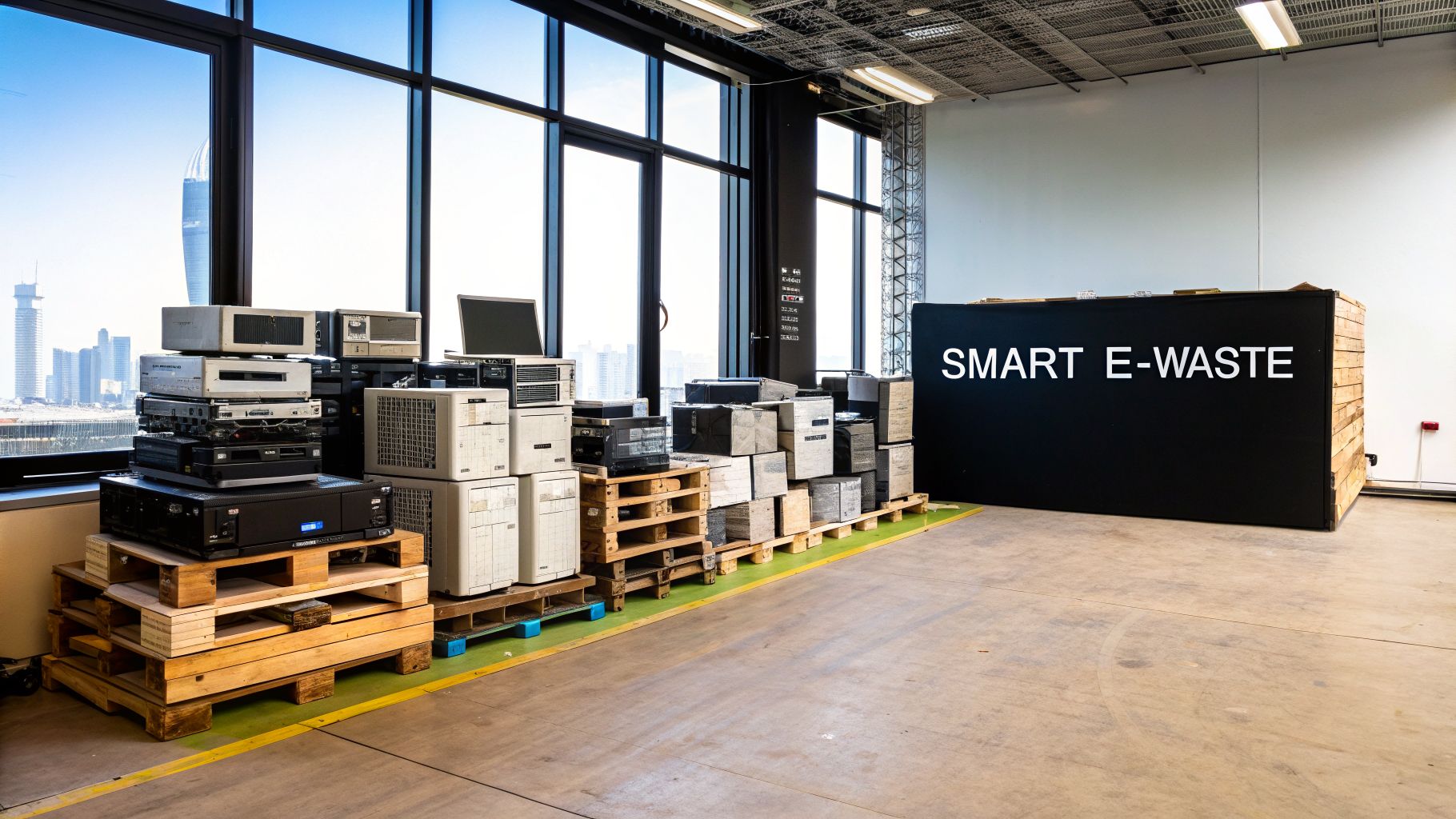
Is the closet full of old computers, servers, and phones starting to overflow? You're not alone. For companies all over Georgia, especially in the Metro Atlanta tech hub, fast-paced upgrades mean a constant cycle of retired hardware. That growing pile isn't just clutter; it's a real headache involving data security, environmental rules, and even lost money.
What used to be a "nice-to-have" option has become a must-do. A formal plan for your corporate electronics is now a core part of doing business right. The risks hiding in that old equipment are serious, and the consequences are no joke.
The Hidden Risks in Old Equipment
Every single server, laptop, and company phone you retire is a data breach waiting to happen. Without certified data destruction, sensitive information is just sitting there. We’re talking customer lists, financial records, and employee data. One hard drive that isn't wiped properly can cause a world of financial and reputational pain.
On top of that, you've got to think about the environment. E-waste is packed with hazardous stuff like lead, mercury, and cadmium. If it ends up in a landfill, those toxins can seep into the soil and water, landing your company in hot water with regulators.
We see it all the time with Georgia businesses. The biggest liability isn't what it costs to recycle—it's the massive cost of not recycling. One data breach or environmental fine will always cost more than a secure IT asset disposition (ITAD) program.
The Growing E-Waste Challenge in Georgia
Georgia’s booming tech and data center scene is a huge driver of the e-waste problem. In fact, projections show Georgia's e-waste is on track to hit 52,000 tonnes a year by 2027. That's a huge jump.
Worse yet, the state’s circularity rate—the amount of material recovered for reuse—is a tiny 1.48%. This tells us that almost nothing is being properly recycled. It's a massive environmental red flag and shows exactly why professional ITAD services are so badly needed.
A real e-waste strategy tackles these risks head-on. It gives you a clear process for:
- Tracking Your Assets: Knowing exactly what you have and where it is.
- Securing Your Data: Getting certified proof that all sensitive information is gone for good.
- Staying Compliant: Following all the environmental and data privacy laws.
- Recovering Value: Finding gear that can be resold to help cover the costs.
When you have a smart plan, e-waste stops being a liability. It becomes a manageable—and sometimes even profitable—part of your business operations. It protects your brand, secures your data, and shows you’re serious about being a responsible company. By putting a solid plan in place, you can take control of your old tech and move closer to achieving corporate sustainability goals in Atlanta. This guide will show you how to get started.
How to Audit Your IT Assets for Disposal
So you've got a storage room, or maybe an entire warehouse, filled with old electronics. Before you can even think about recycling any of it, you need to know exactly what you’re dealing with. This is where a proper IT asset audit comes in. It’s not just about counting old laptops; it’s about turning a chaotic pile of hardware into an organized, actionable inventory.
Without an audit, you're flying blind. You can't ensure data security, meet compliance, or recover any potential value. A good audit creates a detailed manifest for every single retired device—desktops, servers, networking gear, you name it. This record is the starting point for a secure chain of custody, making sure nothing gets lost and no data gets exposed.
Building Your Disposal Inventory
First things first: you need a master inventory list. For most businesses, a simple spreadsheet does the job just fine. If you’re dealing with a massive volume of equipment, you might look into dedicated IT asset management tools to make tracking easier.
For each piece of equipment, make sure you capture the key details:
- Asset Type: Is it a laptop, server, printer, or something else?
- Brand and Model: This is crucial for figuring out resale value.
- Serial Number or Asset Tag: The unique ID for tracking each item.
- Physical Location: Which office, closet, or data center is it sitting in?
- Condition: Be honest. Is it working, damaged, or missing parts?
Getting this inventory right is the backbone of the entire project. It removes all the guesswork. This is a fundamental part of effective enterprise IT asset management and will make the whole process run smoothly from here on out.
Categorizing Assets by Data Sensitivity
Once you have your list, it's time to sort everything based on the data it holds. This might be the single most important step in the whole audit. Why? Because it determines your security protocol. A server that held sensitive customer financials is a world away from a conference room monitor in terms of risk.
You need to group your assets into clear, risk-based categories.
Example Categories:
| Category | Description & Device Examples | Recommended Action |
|---|---|---|
| High-Risk | Holds PII, financial records, or trade secrets. (Think: Accounting laptops, HR computers, primary servers) | On-site physical destruction is your safest option. No questions asked. |
| Medium-Risk | Standard employee workstations or internal servers without critical data. (e.g., Marketing PCs, development servers) | Certified data wiping (like DoD 5220.22-M) is a solid, secure choice. |
| Low-Risk | Devices with no internal data storage. (e.g., Monitors, keyboards, printers, docking stations) | These can go straight to recycling or resale. No data worries here. |
This simple act of categorizing focuses your security efforts where they matter most, giving you peace of mind that your most critical data is handled with the highest level of care.
Assessing for Resale Versus Recycling
With a detailed and categorized inventory in hand, you can finally make the smart call: resell or recycle? The goal here is to maximize your return while being environmentally responsible with the rest.
As a general rule, look for equipment that is less than 3-4 years old and in good working shape. These are your prime candidates for remarketing.
At Montclair Crew, this is what we do day-in and day-out. We can quickly look at your inventory and spot the remarketing opportunities. You'd be surprised how often enterprise-grade servers, networking switches, and bulk lots of recent laptops have significant value that can help pay for the entire recycling project.
But don't write off older gear as worthless just yet. Sometimes, even individual components can be recovered and sold. For everything else—the broken, the obsolete, the ancient—recycling is the only responsible move. This audit gives you the data to make that decision confidently for every single asset you own.
Choosing Your Data Destruction Method
For most Georgia businesses we talk to, the biggest headache with old electronics isn't the hardware itself—it’s the sensitive data trapped inside. Deciding how to destroy that data can seem complicated, but it really boils down to a choice: software wiping or physical destruction.
Each method has its place. The right one for your Atlanta-area business depends entirely on your data's sensitivity and your tolerance for risk. Let's cut through the technical jargon and look at your real-world options.
Software-Based Data Wiping
Software-based data wiping is exactly what it sounds like. We use a specialized program to write random characters over every single part of a hard drive, multiple times. Think of it like painting over a canvas again and again until the original image is completely gone, with no way to see what was underneath.
The gold standard for this is the DoD 5220.22-M method, a wiping process developed by the U.S. Department of Defense. It’s a three-pass wipe that is widely accepted as a highly secure way to sanitize drives, making the original data unrecoverable.
This approach is a critical part of a proper IT asset audit, helping you decide which devices need which level of security.
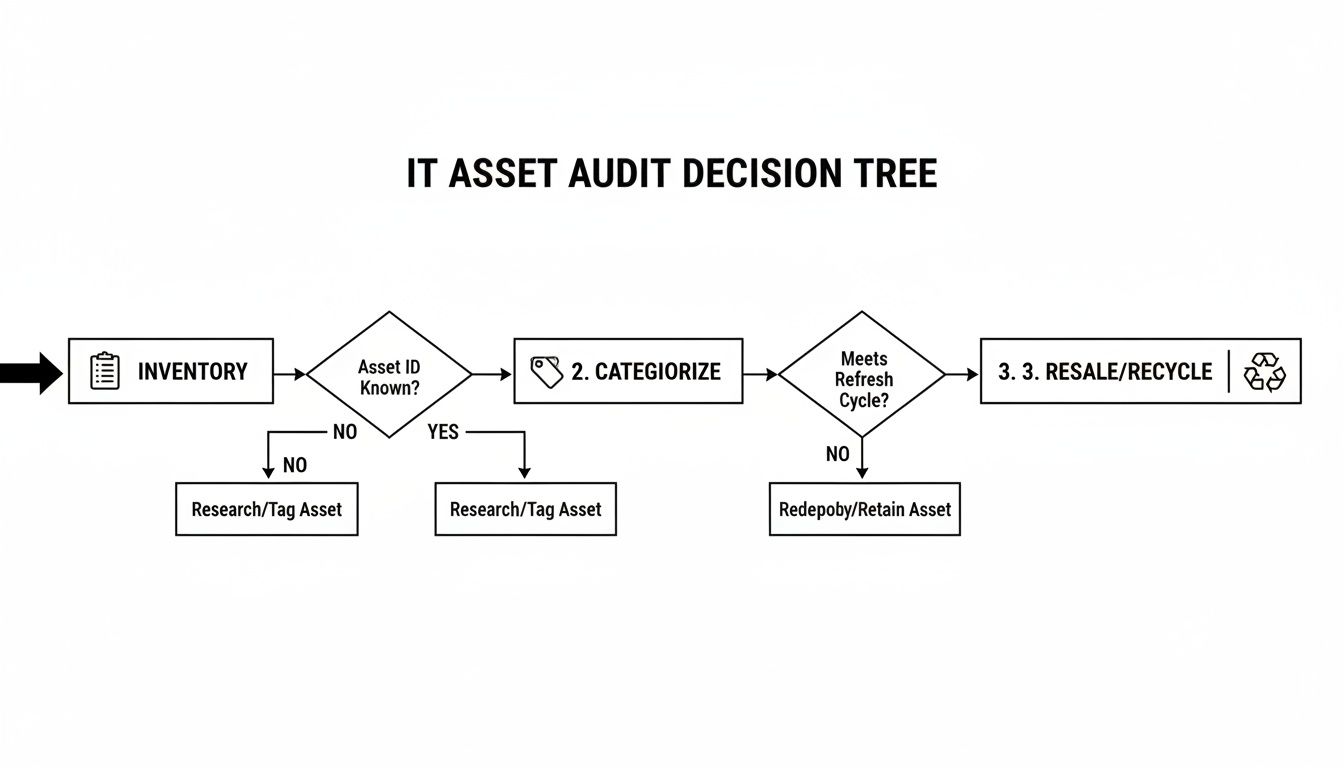
As you can see, figuring out what kind of data is on your assets is the first step. That decision directly points you toward either wiping or shredding.
Software wiping is a great fit for many common scenarios:
- Standard Office Gear: For a marketing agency in Decatur retiring old employee laptops, a certified DoD wipe is more than enough to protect company files and client information.
- Assets with Resale Value: Wiping keeps the hard drive and the computer intact. This is huge because it means the equipment can be refurbished and resold, helping you recover some of your initial investment.
- Cost-Effective Security: For large batches of devices with low-to-medium risk data, wiping is almost always the more budget-friendly route compared to physical destruction.
At Montclair Crew, we provide DoD 5220.22-M data wiping at no charge for our clients. It's our way of ensuring a baseline of certified security for every single device that comes through our doors.
Physical Hard Drive Destruction
When you need absolute, 100% certainty, nothing beats physical destruction. This isn't just erasing data; it's making the hard drive physically impossible to use ever again by shredding, crushing, or degaussing it. There’s no ambiguity. The drive is gone, and the data is gone with it.
For businesses with the highest security needs, on-site hard drive shredding is the ultimate solution. We bring a mobile shredding truck right to your office in the Atlanta area, and you can personally watch every single drive get turned into a pile of tiny metal fragments.
We worked with a law firm in Sandy Springs that handled extremely sensitive client case files. For them, the potential cost of a data breach was catastrophic. Being able to witness the physical shredding of their old hard drives gave them irrefutable proof of destruction and total peace of mind.
Physical destruction is the only answer when:
- You Handle Highly Sensitive Data: Financial institutions, healthcare providers with HIPAA data, government contractors, and law firms should always opt for shredding.
- Compliance Demands It: Sometimes, your own internal security policies or industry regulations will flat-out require physical destruction.
- You Need to Eliminate All Doubt: If you want zero chance—not even a theoretical one—of data recovery, shredding is the definitive choice.
If this level of security sounds right for you, we've got more details on how we manage secure hard drive destruction services in Georgia for businesses that can't afford to take any chances.
To make the choice clearer, here's a quick comparison of the common methods.
Comparing Data Destruction Methods
Deciding between wiping and shredding comes down to balancing security, compliance, and cost. This table breaks down the key differences to help you choose the right path for your organization's IT assets.
| Method | Security Level | Best For | Compliance Suitability | Cost-Effectiveness |
|---|---|---|---|---|
| DoD 5220.22-M Wipe | High | Assets with resale value; medium-sensitivity data; standard office equipment. | Meets most compliance needs (e.g., SOX, GLBA) but may not satisfy highest-level mandates. | High. Often included free with recycling services, preserves asset value. |
| On-Site Shredding | Extreme / Absolute | Top-secret, financial, or healthcare (HIPAA) data; end-of-life drives with no value. | Exceeds all known compliance requirements, including NSA and DoD standards. | Lower. Involves a service fee, eliminates any potential resale value from the drive. |
| Degaussing | Very High | Magnetic media like tape backups and older hard drives; quick on-site sanitization. | Excellent for magnetic media, but doesn't work on modern Solid State Drives (SSDs). | Moderate. Degaussing equipment is expensive; less common as a standalone service. |
Ultimately, both wiping and shredding are valid, secure methods. The key is to match the method to the sensitivity of the data you're trying to protect.
The Deciding Factor: Your Certificate of Destruction
No matter which method you go with, the job isn't done until you have a Certificate of Data Destruction in your hands. This document is your official, legally defensible proof that your data was properly and securely destroyed.
A proper certificate must list the unique serial numbers of every hard drive and state exactly what method was used (e.g., DoD 5220.22-M wipe or physical shredding). If you ever face an audit or a legal question, this certificate is your non-negotiable proof that you did your due diligence. Without it, you have no verifiable record and are leaving your business exposed.
Navigating E-Waste and Data Privacy Laws in Georgia
What are your actual legal responsibilities for old electronics in Georgia? It’s a common question we get from businesses across Metro Atlanta, and the answer isn't as simple as you might think.
Unlike some other states, Georgia doesn’t have one big, overarching law that forces businesses to recycle e-waste. But don't let that fool you into thinking you're off the hook. A powerful web of federal laws and strict data privacy mandates are very much in play, and failing to understand them is a huge risk. Your real compliance duties are shaped more by the data on your devices and the hazardous materials inside them than by your zip code.
The Federal Rules That Still Apply
Even without a statewide mandate, federal regulations have a long reach. The big one you need to know is the Resource Conservation and Recovery Act (RCRA). This law dictates how hazardous waste is handled, from the moment it’s created to its final disposal.
Why does this matter for your office PCs, servers, and monitors? Because old electronics are packed with hazardous materials. Think about:
- Lead in old-school CRT monitors
- Mercury in LCD screens and laptop backlights
- Cadmium in some types of rechargeable batteries
If your retired equipment is mishandled and ends up in a landfill, these toxic substances can leak into the soil and groundwater. The EPA can hold the original owner—that’s you—financially liable for the cleanup costs under RCRA. This makes partnering with a certified recycler who handles these materials correctly not just a smart choice, but a critical defensive strategy for your business.
Data Privacy Laws Are Non-Negotiable
While environmental laws are a major factor, the more immediate and financially punishing risks often come from data privacy regulations. These laws don’t care where your business is located; they care about the type of data you manage. For any organization handling sensitive information, secure data destruction isn't just a good idea—it's the law.
Several key federal acts demand strict data security when you get rid of old hardware:
- HIPAA (Health Insurance Portability and Accountability Act): If you're in healthcare—from a small clinic in Marietta to a major hospital system—you must protect patient health information (PHI) on every single device. The fines for failing to do so are massive.
- FACTA (Fair and Accurate Credit Transactions Act): This applies to nearly every business. It mandates the destruction of any documents and devices with consumer credit information to prevent identity theft.
- GLBA (Gramm-Leach-Bliley Act): Financial institutions like banks, investment firms, and insurance companies across the Atlanta area must have a rock-solid plan to protect their customers' private financial data, even on retired equipment.
The bottom line is simple: if your old hard drives contain any protected personal, financial, or health information, you are legally required to destroy it securely. Just deleting the files is never, ever enough.
This is especially critical here in Georgia, where the data center industry is booming—we're the second-largest hub in the nation. This growth is speeding up hardware refresh cycles and creating more e-waste. With no statewide IT recycling policy, the responsibility falls squarely on private companies to manage their old tech responsibly. IT Asset Disposition (ITAD) providers have become essential partners, helping businesses protect data and stay compliant in this fast-paced tech landscape.
Turning Compliance into a Competitive Advantage
Meeting these legal requirements isn't just about dodging fines. When you adopt a formal, responsible policy for your corporate electronics recycling solutions in Georgia, you do more than check a box—you build your brand. It sends a powerful message to your clients, partners, and employees that you take security and environmental stewardship seriously.
This fits perfectly with modern Corporate Social Responsibility (CSR) goals. Showing a real commitment to secure, sustainable practices can become a valuable part of your company's story, turning a simple compliance task into a real competitive edge. For more information, check out our guide on responsible Georgia electronics recycling.
How to Select the Right Recycling Partner in Atlanta

Choosing a vendor for your old electronics isn't just about getting a good price quote. You're handing over your company's data, your brand reputation, and your environmental liability to someone else. It's a decision based on trust.
This is the final, most critical step in a secure ITAD process. Getting it right is everything.
When you're searching for the best corporate electronics recycling solutions in Georgia, the first question out of your mouth should always be: "Are you certified?" A logo on a website isn't enough. You need proof of third-party validation that a vendor meets the absolute highest industry standards.
Any recycler who isn't certified is a massive red flag. Plain and simple.
The Non-Negotiable Certifications
As you start vetting potential partners here in the Atlanta area, your checklist must begin with two certifications. These are the gold standards in our industry. Any serious player will hold at least one of them.
- R2v3 (Responsible Recycling): Think of this as a top-to-bottom audit. It covers everything from data security and worker safety all the way to tracking every scrap of material downstream. An R2v3-certified partner guarantees your e-waste won't end up illegally dumped.
- e-Stewards: This is another powerhouse certification, developed by the Basel Action Network. It has an intense focus on preventing the export of hazardous e-waste to developing nations and also includes tough data protection requirements.
If a vendor can't show you proof of their R2v3 or e-Stewards certification on the spot, walk away. Your search isn't over.
Ask the Right Questions About Security and Transparency
Once you've confirmed they're certified, it's time to dig into their actual process. A true professional will welcome these questions and have confident, clear answers. You need to know exactly what happens to your assets from the second they leave your office.
Here are the questions we get asked all the time—and what you should be asking, too:
- "Can I witness the data destruction?" Whether it’s watching the shred truck at your own loading dock or tuning into a live video feed at their facility, a transparent partner says yes.
- "Show me a sample Certificate of Destruction." A real certificate is detailed. It should list every single serial number and state the exact method of destruction. Don't accept a vague summary.
- "What’s your asset tracking and reporting process?" They need to explain their chain-of-custody protocols from start to finish and show you what the final inventory report looks like. Every item should be accounted for.
The right partner operates on trust and transparency. If a vendor gets evasive, can’t produce clear documents, or resists verification, it’s a sign their practices aren't as secure as they claim.
The Advantage of a Local Atlanta Partner
Sure, national providers exist. But partnering with a local Atlanta-area company like Montclair Crew offers some serious advantages for businesses right here in Georgia. Proximity means better service and often, lower costs.
Working with a local expert means faster pickups, whether you're in Alpharetta or Marietta. It means lower transportation fees and a real relationship. You’re not just an account number; you’re a local business they are accountable to. This is especially vital when navigating the world of IT asset disposition services in Georgia, where one-size-fits-all solutions just don't work.
Choosing a certified local recycler also directly boosts our state's economy. Georgia's advanced recycling sector is a powerful economic engine, attracting over $1.8 billion in investment and creating more than 1,230 jobs.
With major projects like an $85 million electronics recycling facility in Savannah, the state's commitment is clear. When you partner with a Georgia-based certified recycler, you’re an active part of that growth.
Common Questions About Corporate E-Waste Recycling
Even with a solid plan, you're going to have questions when it's go-time. We get it. We hear the same things from businesses all over Georgia who are ready to do the right thing with their old tech but just need to iron out the details.
Let's cut right to the chase and answer those questions so you can move forward with confidence.
How Does Pricing Work for Corporate Recycling
This is always the first question, and the honest answer is: it depends. Pricing for corporate electronics recycling solutions in Georgia isn't a simple flat fee. It's a balance between the services you need and the value left in your equipment.
A few things will shape the final cost or payout:
- Logistics: The work involved in getting the equipment out of your building and onto a truck. A major cleanout from a downtown Atlanta skyscraper has different needs than a quick pallet pickup in Kennesaw.
- Data Destruction: Standard data wiping might be included, but if you need on-site physical shredding of hard drives, that's a separate service. It requires specialized trucks and certified technicians, which comes with its own fee.
- Asset Value: This is the big one. The age, model, and condition of your gear matter. Newer servers, business-class laptops, and networking switches often have good resale value that can offset or even completely cover your costs.
- Labor: How much work does our on-site team need to do? If everything is already on pallets and ready to go, that's different from us having to consolidate, palletize, and wrap everything from multiple floors.
Get an itemized quote. That's the bottom line. A trustworthy partner will break down every cost and every credit so you know exactly where the numbers came from. If you get a vague, all-in-one price, ask for the details.
What Happens During a Scheduled Pickup
Once your pickup is on the calendar, our side of the job is to make it seamless for you. Our crew shows up at your office with everything they need—pallets, shrink wrap, moving equipment, and the right tools.
You'll see them work quickly to check items against the inventory list you provided. Their job is to safely pack and load everything for secure transport, causing as little disruption to your day as possible. A professional team is in and out before you know it.
Can You Handle Specialized or Industrial Equipment
Yes, this is a critical question for companies outside of a typical office environment. We see a lot more than just laptops and servers.
- Medical Devices: Hospitals and clinics have equipment that falls under HIPAA rules. You absolutely need a vendor who understands how to handle patient data and the specific disposal requirements for medical gear.
- Industrial Machinery: Large manufacturing controls and heavy-duty systems aren't a problem, but they demand a partner who has the muscle and logistics to move big, bulky items safely.
- Laboratory Equipment: Scientific and testing instruments are a unique mix of electronics and sensitive materials. They need careful handling.
At Montclair Crew, we've built a solid network. If there's a unique device we can't process in-house, we tap into trusted, certified partners like Beyond Surplus who specialize in that area. No matter what you've got, we make sure it gets to the right place.
What Happens to My Assets After They Leave
The moment your electronics are on our truck, the "chain of custody" begins, and every step is documented.
- Receiving and Auditing: Your assets arrive at our secure facility. We immediately check everything in against the pickup manifest, verifying every single serial number.
- Data Destruction: Any device with a hard drive or storage is sent to a secure, monitored area. This is where we perform the data destruction method you chose—either certified wiping or physical shredding.
- Triage for Resale or Recycling: Our technicians then test and sort everything. Items that still have market value are refurbished and prepared for resale.
- Demanufacturing and Recycling: Anything headed for recycling is carefully taken apart. We separate all the materials—plastics, steel, aluminum, circuit boards, and glass. These raw commodities are then shipped to certified downstream partners to be refined and used in new products.
This entire process is tracked from start to finish. When it's all done, you get the final reports and Certificates of Destruction, giving you concrete proof that your company's assets were handled securely and responsibly.
Are you ready to implement a secure, compliant, and efficient electronics recycling program for your Georgia business? Let Montclair Crew handle the details. We provide end-to-end ITAD services, from on-site logistics to certified data destruction, ensuring your old assets are managed responsibly. Contact us today for a transparent quote and see how easy it can be. Visit us at https://www.montclaircrew.com.
