
Let's get one thing straight: just hitting "delete" on a file is like tearing the table of contents out of a book. The story is still there, and anyone who really wants to find it, can. For any Georgia business, whether you're a startup in Smyrna or a major data center in Alpharetta, secure data destruction isn't just a good idea—it's a critical defense against crippling data breaches and legal trouble.
Why Secure Data Destruction Is Critical For Georgia Businesses
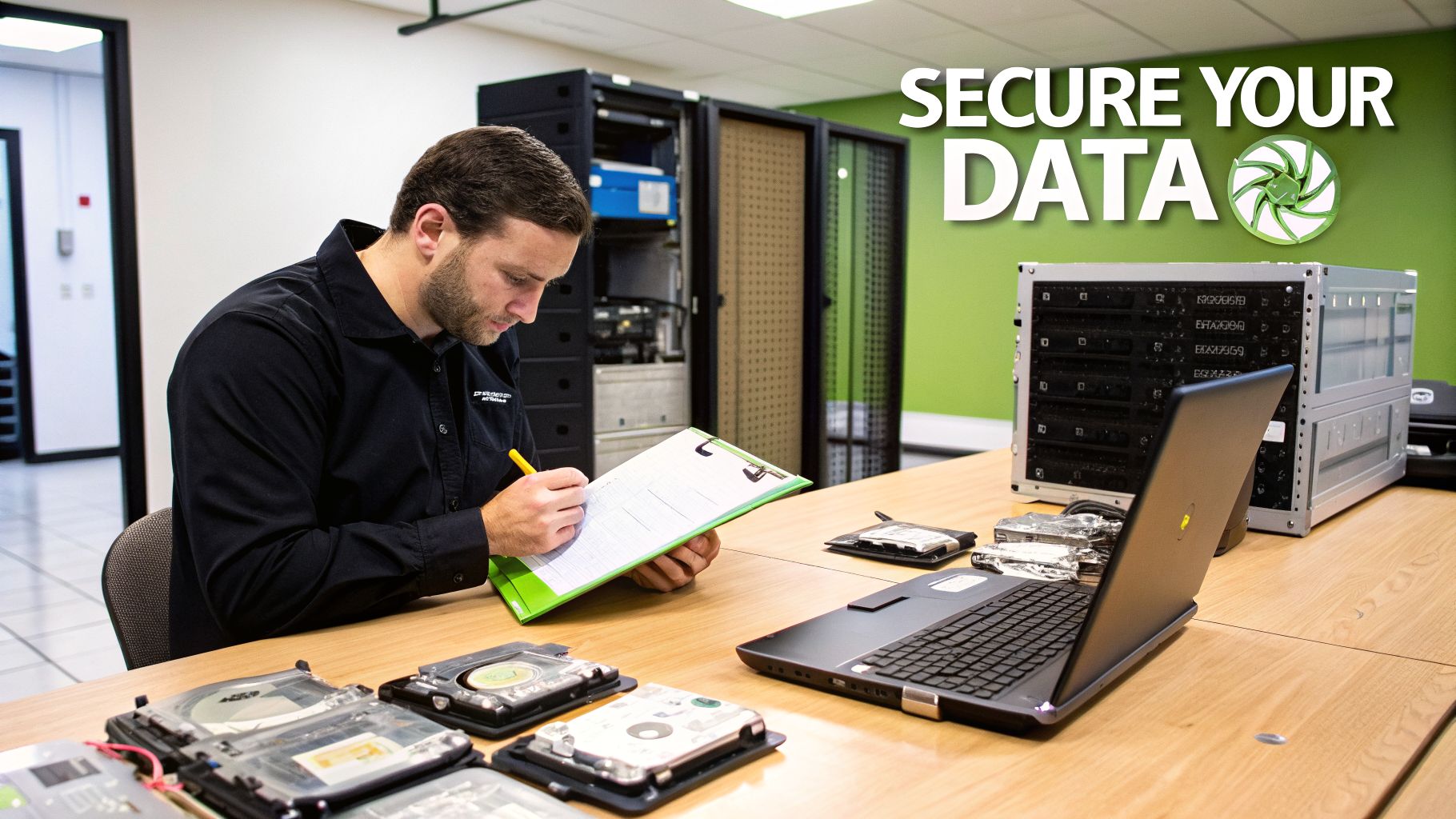
Every single piece of IT equipment you retire, from an old office PC to a full server rack, holds a ghost of its former life: your data. One day they're valuable assets; the next, they're major liabilities just waiting for a mistake to happen. Without a formal, locked-down process for disposal, you're leaving your company wide open to risk.
This isn't just about protecting your secret sauce. It's about all the sensitive information that could ruin you if it got out. Think about what your company deals with every single day:
- Customer Information: Names, home addresses, credit card details, and buying habits.
- Employee Records: Social Security numbers, bank account info for payroll, and private health data.
- Proprietary Data: Your intellectual property, financial statements, and future business strategies.
Failing to permanently destroy this data before getting rid of the hardware isn't a simple oversight. It's a direct threat to your bottom line and your reputation in the community.
The Real-World Consequences Of Getting It Wrong
The fallout from improper IT asset disposal is very real, and it can be devastating. Just picture a local medical clinic in Marietta tossing an old computer, only to have patient records pulled from the hard drive. That leads directly to massive HIPAA fines and a total loss of trust. Or imagine a financial services firm in Buckhead that recycles a server without certified data wiping, leading to a breach that puts them on the evening news for all the wrong reasons.
These risks aren't just hypothetical—they're the unfortunate reality for businesses that cut corners on end-of-life data security. A single discarded hard drive can have a ripple effect, leading to financial penalties, legal battles, and a damaged brand that takes years to repair.
To help you visualize the potential damage, we've broken down the four biggest risks Georgia businesses face from improper data disposal.
Top 4 Risks Of Improper Data Disposal For Georgia Organizations
| Risk Category | Description of Impact |
|---|---|
| Financial Losses | Fines from regulations like HIPAA or FACTA can be massive. You'll also face costs from breach notification, credit monitoring for affected individuals, and potential lawsuits. |
| Reputational Damage | Customer trust is everything. A data breach erodes that trust almost instantly, leading clients to take their business to your competitors. Rebuilding that reputation is a long, expensive process. |
| Legal & Compliance Penalties | Georgia has its own data breach notification laws. Failing to comply, on top of federal regulations, can trap your business in a nightmare of legal proceedings and government audits. |
| Loss of Intellectual Property | Your old devices might contain trade secrets, R&D data, or strategic plans. If a competitor gets their hands on that, it could sink your business entirely. |
As you can see, the consequences go far beyond a simple slap on the wrist. Taking a proactive approach to data destruction is the only way to truly protect your organization.
To fully grasp the financial hit, it's worth understanding the staggering cost of a data breach and how quickly those expenses can pile up.
The industry is exploding for a reason. Data destruction services are on track to grow from a $10.50 billion global market in 2024 to $24.28 billion by 2030. This boom is a direct response to tougher privacy laws and a shocking 68% jump in reported data breaches between 2021 and 2022 alone.
A Proactive Defense For Your Business
Putting a solid data destruction strategy in place is one of the smartest defensive moves you can make. When you start treating every retired device as a potential security threat, you switch from a reactive, "clean up the mess" mindset to a proactive one that protects your data from the start.
For more ideas on building a strong defense, check out these 10 actionable cybersecurity tips for small businesses. Ultimately, this isn't just an IT task—it's a fundamental business practice for protecting your clients, your team, and the future of your Georgia company.
Navigating Georgia's Data Privacy And Compliance Maze
Feeling like you're drowning in a sea of acronyms? HIPAA, GLBA, FACTA… you're not alone. For many Georgia businesses, figuring out the legal rules for data isn't just confusing—it’s downright intimidating. But here's the bottom line: you can't afford to ignore them. One old computer tossed in a dumpster without proper data destruction can set off a chain reaction of legal headaches and steep financial penalties.
Think of these regulations as the non-negotiable blueprints for handling sensitive information. While Georgia doesn't have a single, massive privacy law like some other states, we do have a critical piece of legislation every business must follow: the Georgia Personal Identity Protection Act (GPIPA).
This law is all about what you must do after a data breach. It’s less about telling you how to set up your defenses and more about your absolute duty to sound the alarm when they fail.
Understanding Georgia's Core Mandate: GPIPA
At its core, GPIPA (O.C.G.A. § 10-1-910 et seq.) is about one thing: immediate transparency. If your business suffers a security breach that exposes unencrypted personal information—think a customer's name plus their Social Security or driver's license number—you are legally on the hook to notify every single affected Georgia resident "without unreasonable delay."
And for bigger incidents that hit more than 10,000 individuals, the responsibility grows. You're also required to loop in all the major consumer reporting agencies. This isn't a friendly suggestion; it's a legal command enforced by the Georgia Attorney General. Imagine a clinic in Marietta simply tossing out old PCs. If that data gets out, they're suddenly facing a reportable breach and serious consequences.
Key Takeaway: GPIPA effectively puts the burden of proof on your business. If a breach happens, you have to prove you took reasonable steps to protect that data. This is where certified data destruction becomes your best friend—it provides the auditable trail you need to show you did your due diligence.
A Certificate of Destruction from a professional vendor isn't just a piece of paper; it's your hard evidence.
Federal and Industry Regulations Still Apply
Beyond Georgia's state law, many businesses here fall under much stricter federal and industry-specific mandates. These rules get very granular about how data must be managed from creation to its final, irreversible destruction.
Here are the big ones we see most often that demand certified data destruction:
- HIPAA (Health Insurance Portability and Accountability Act): If you're a healthcare provider, clinic, or any business associate touching patient records, HIPAA is your rulebook. It mandates that Protected Health Information (PHI) must be made completely unreadable and indecipherable before you get rid of the device it was on.
- GLBA (Gramm-Leach-Bliley Act): This one's for the financial world. Banks, credit unions, and investment firms across Georgia must follow GLBA. Its Safeguards Rule specifically demands a written security plan, and a huge part of that plan is the secure disposal of customer financial information.
- FACTA (Fair and Accurate Credit Transactions Act): The Disposal Rule within FACTA applies to almost every business out there. If you handle any consumer report information for a business purpose, you are legally required to destroy it properly. We're talking methods like shredding, pulverizing, or completely wiping the data.
On top of these, many Georgia companies must also adhere to broader compliance frameworks like SOC vs SOX, which have their own tough standards for data handling and destruction. And remember, proper data destruction is just one piece of the puzzle. To learn more about your other responsibilities, check out our Georgia guide to responsible e-waste recycling.
Turning this maze of regulations from a source of anxiety into a simple checklist really starts with one step: making sure no data ever leaves your building in a readable state. Certified destruction isn't just a security measure—it's your first and best line of defense for staying compliant.
The Three Core Methods Of Secure Data Destruction
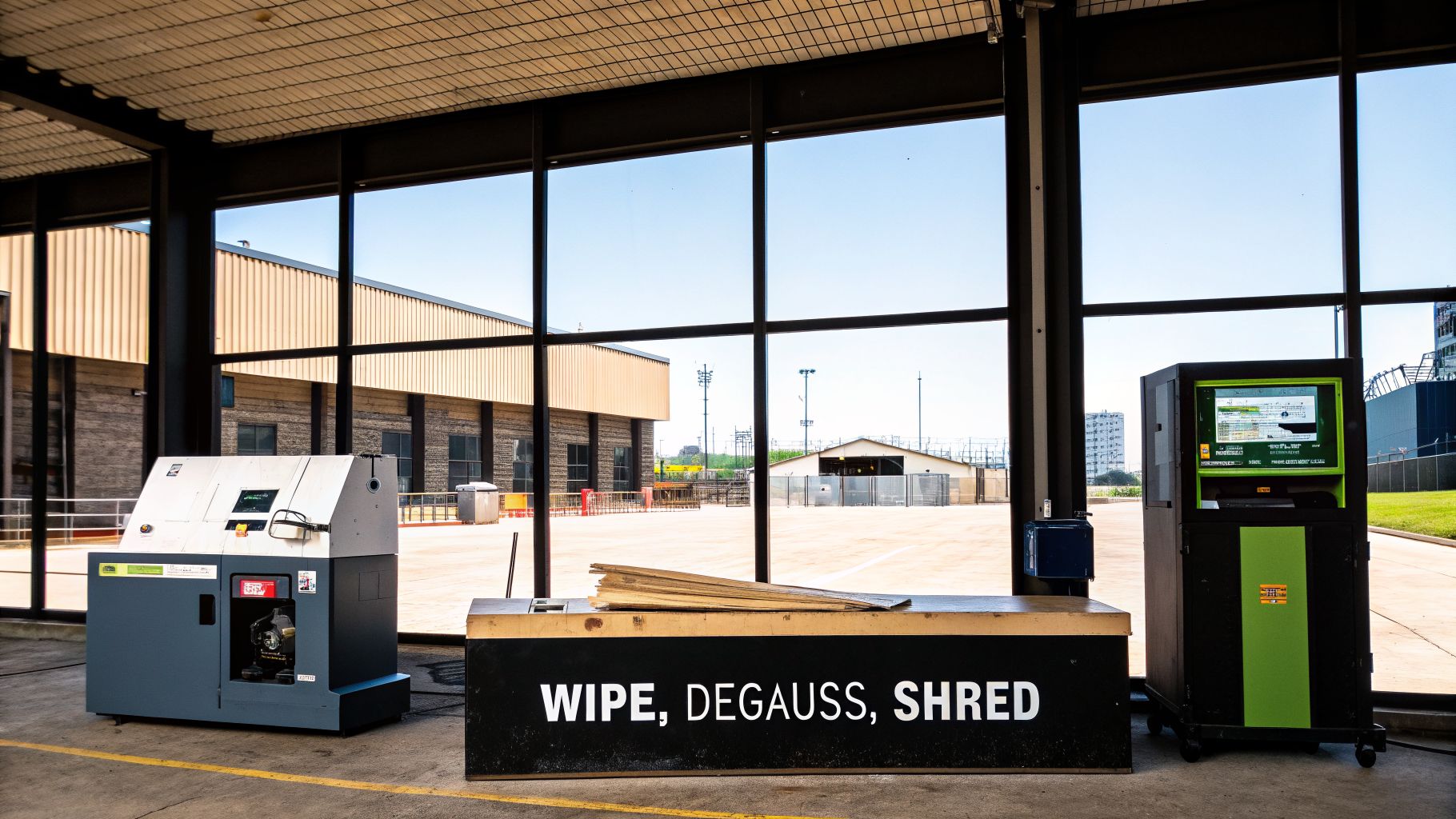
When it comes to getting rid of sensitive data for good, simply hitting the "delete" key or dragging a file to the trash bin is basically useless. Those actions just tell your computer it can write over the old file eventually. Real security demands a deliberate and irreversible process.
Luckily, secure data destruction isn't some kind of dark art; it's a set of proven, standardized methods. For any business in Georgia, getting a handle on these techniques is the first step toward having an intelligent conversation with a disposal vendor and ensuring your company's information is truly gone.
Let's break down the three main ways your data is professionally and permanently wiped out. Each one has its place, depending on the type of hardware you have and the level of security you need.
Method 1: Data Wiping
Think of a hard drive like a whiteboard covered in sensitive company secrets. Just erasing it with a standard eraser might leave faint, ghostly images of the notes behind. Data wiping, or data sanitization, is like power-washing that whiteboard with a special solution, then painting over it—not just once, but multiple times with different patterns.
This is done with specialized software that overwrites every single bit on a hard drive with random 1s and 0s. A single overwrite might be enough to confuse a casual snooper, but professional services follow strict standards that require multiple passes. This ensures absolutely nothing can be recovered.
Two of the most recognized standards you'll hear about are:
- DoD 5220.22-M: A three-pass overwrite method that was once the go-to for the U.S. Department of Defense.
- NIST 800-88: This is the current gold standard from the National Institute of Standards and Technology. It provides a modern framework for clearing, purging, and destroying data across all sorts of media.
The biggest upside to wiping is that it leaves the hardware intact. The hard drive is perfectly usable afterward and can be safely resold, donated, or put back into service, which is great for both your budget and the environment.
Method 2: Degaussing
Degaussing is the brute-force approach, but only for magnetic storage. Imagine taking a giant, incredibly powerful magnet to an old cassette tape. It would instantly scramble the recording, leaving nothing but garbled noise. That's exactly what a degausser does to a traditional hard disk drive (HDD).
A degausser creates a massive magnetic field that completely neutralizes the magnetic particles on the drive's platters where your data lives. The process is incredibly quick and completely effective at destroying the data. However, it also destroys the drive itself, frying the control electronics and rendering it totally useless.
Crucial Distinction: Degaussing is a fantastic tool for older magnetic media like HDDs and backup tapes. It is, however, completely useless on modern Solid-State Drives (SSDs), which don't store data magnetically. Trying to degauss an SSD gives a false sense of security, as all the data on its flash memory chips remains perfectly readable.
Method 3: Physical Destruction
When you need absolute certainty that data is gone forever, there is no substitute for physical destruction. This is the most final method, guaranteeing that information can't be recovered simply because the device it was stored on is reduced to a pile of scrap. And no, taking a hammer to a drive in the back alley doesn't cut it. Professional destruction uses industrial-grade machinery.
The gold standard here is shredding. A powerful shredder uses sharp, counter-rotating steel teeth to grab hard drives, SSDs, phones, and tapes, tearing them into tiny, mangled pieces of metal and plastic. It's physically impossible to reassemble a drive from this heap of fragments. It's the cornerstone of many secure hard drive destruction services in Georgia.
This demand for total destruction is growing fast. The global market for these services, valued at USD 1.65 billion in 2024, is expected to skyrocket to USD 5.05 billion by 2035. This shows just how seriously businesses are taking the threat of data breaches and the need for certified destruction partners.
To help you decide which method fits your organization’s needs, take a look at this quick comparison.
Comparing Data Destruction Methods
| Method | How It Works | Best For | Key Advantage |
|---|---|---|---|
| Data Wiping | Overwrites all data sectors with random characters using certified software. | Functional HDDs and SSDs intended for resale, donation, or reuse. | Preserves the hardware's value and enables a second life for the asset. |
| Degaussing | Scrambles magnetic data with a powerful magnetic field, rendering the drive useless. | End-of-life magnetic hard drives (HDDs) and tapes with highly sensitive data. | Extremely fast and effective for destroying data on compatible magnetic media. |
| Physical Destruction | Industrial shredders tear devices into small, unsalvageable metal fragments. | All media types, especially SSDs, and for meeting the highest compliance standards. | Provides absolute, verifiable proof that the data and the device are gone forever. |
Ultimately, picking the right data destruction service comes down to balancing your security needs, the value of your assets, and any compliance rules you have to follow. A good partner will help you create a smart strategy, using the right method for the right device to ensure your data security is airtight.
Your Checklist For Choosing A Georgia Data Destruction Partner
Picking a partner to handle your data destruction isn't like ordering office supplies. This isn't about finding the cheapest quote—it’s about finding a partner you can trust with your company's most sensitive information.
You're not just buying a service; you're entrusting a company with an ironclad defense against a data breach. The wrong choice can lead to disaster, while the right one brings total peace of mind.
Think about it like hiring a security team to guard a vault full of cash. You wouldn't just hire the cheapest crew. You’d vet them, inspect their process, and make sure their track record was spotless. That’s the same level of care you need when choosing a provider for something as critical as a Georgia secure data destruction services guide recommends.
This checklist will help you cut through the noise and find a genuinely secure and reliable partner right here in the Atlanta metro area.
Verify Critical Certifications
Certifications aren't just fancy logos a company slaps on its website. They are hard-earned proof that a vendor meets the absolute strictest industry standards for security. Think of them as the first and most important filter in your search.
These are the non-negotiable certifications you need to see:
- NAID AAA Certification: This is the gold standard for data destruction, plain and simple. It means the company has passed tough, unannounced audits of its hiring, security, and destruction processes. A NAID AAA certified partner provides a secure, documented chain of custody from beginning to end.
- R2 or e-Stewards Certification: These certifications are all about environmental responsibility. They ensure your old IT assets aren't just securely destroyed but are also recycled correctly, keeping toxic e-waste out of landfills.
If a potential vendor can't show you these credentials, they don't meet the baseline requirements for a secure operation. End of story.
Scrutinize Their Chain Of Custody Procedures
The Chain of Custody is the single most important part of this entire process. It’s the unbroken, documented paper trail that tracks your equipment from the moment it leaves your building to its final, verified destruction.
A proper Chain of Custody isn't just a process; it's your legal evidence. It should document every single step, including serial number tracking, transport in locked containers, and signatures from authorized personnel. This paperwork is your ultimate proof of due diligence if an auditor ever comes knocking.
Ask vendors to walk you through their exact procedure. How do they log assets when they pick them up? Are their trucks GPS-tracked? What kind of security do they have at their facility? Vague answers are a huge red flag.
Evaluate Their Service Capabilities
Not all destruction jobs are the same. Your partner should offer a variety of services to match what you need, whether it’s based on your hardware, your industry, or specific compliance rules. A "one-size-fits-all" approach is usually a sign you're dealing with an inexperienced outfit.
Here are some key service questions to ask:
- On-Site vs. Off-Site Destruction: Can they bring a mobile shredding truck to your office? For many Georgia businesses in finance or healthcare, witnessed, on-site destruction is a must-have for compliance.
- Handling Modern Hardware: What's their process for Solid-State Drives (SSDs)? Degaussing is completely useless on SSDs—they have to be physically shredded. A partner who knows their stuff will understand this critical difference.
- Integrated ITAD Services: Can they manage the entire retirement process? The best partners offer comprehensive IT Asset Disposition (ITAD) services. You can see how these integrated services benefit businesses by learning about leading IT asset disposition companies.
The global market for data destruction is expected to hit USD 26.08 billion by 2032, a huge jump driven by companies waking up to breach risks. Smart providers in Georgia are already ahead of this trend, offering full logistics and asset audits that turn a simple compliance task into a real strategic advantage. You can learn more about the growing data destruction market and its key drivers.
Choosing the right partner is the most important decision you'll make in your asset retirement plan. This checklist ensures you find a vendor that doesn’t just destroy your data, but truly protects your business.
The Step-By-Step Playbook For Decommissioning IT Assets
That storage closet full of old servers and laptops isn't just collecting dust—it's a security risk waiting to happen. Turning that pile of hardware into a secure, documented, and stress-free process is easier than you might think.
We've put together a simple playbook for Georgia businesses. Following this chronological guide transforms IT decommissioning from a headache into a straightforward series of manageable steps. This is all about creating a defensible process that accounts for every device and every piece of data.
Step 1: Create Your Asset Inventory
Before you can get rid of anything, you need a clear picture of what you have. The first step is to create a basic inventory of every IT asset that's being retired. You don't need fancy software for this; a simple spreadsheet will do the job just fine.
For each piece of equipment, you'll want to log a few key details:
- Asset Type: Is it a server, laptop, desktop PC, or network switch?
- Serial Number: This is the unique identifier you'll use to track the asset from start to finish.
- Location: Note where the device is right now (e.g., "Marketing Dept, 3rd Floor").
- Data Sensitivity: Classify the data on the device. Is it Public, Internal, Confidential, or subject to regulations like HIPAA?
This inventory list is the foundation for the entire project. For a more detailed look, especially for complex hardware, our server decommissioning checklist can provide extra guidance.
Step 2: Segregate And Secure Devices
Once your inventory is ready, it's time to physically gather up the equipment. This is a crucial control point in the process. Move all the decommissioned devices into one secure, designated spot—a locked storage room or a caged-off section of your warehouse is perfect.
Next, group the devices together based on the data sensitivity you recorded in your inventory. This makes it easy to decide on the right destruction method later. For example, laptops with only basic internal files might be wiped for resale, but that old finance server with regulated data needs physical destruction, likely on-site.
Step 3: Engage A Vendor For A Quote
Now you can bring in the pros. Use your asset inventory to reach out to a certified data destruction provider in the Atlanta area. With that list, they can give you a transparent and accurate quote for their services.
A professional vendor will ask about the device types and quantities, your location, and what level of security you require. You should be ready to discuss whether you need on-site shredding right at your facility or if you're comfortable with secure off-site transport. A good partner will walk you through the options to help you find the right balance of cost, convenience, and compliance for your business.
The graphic below shows what to look for when evaluating a secure data destruction partner.
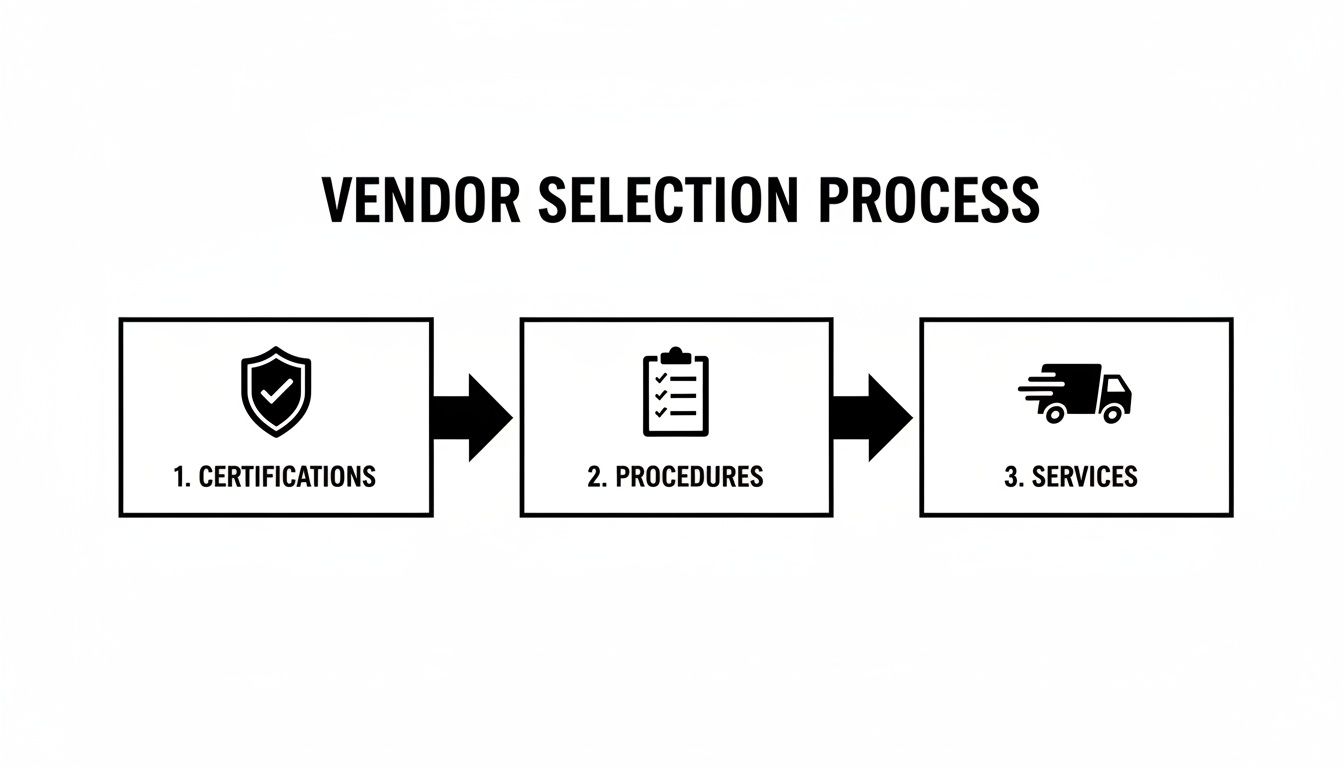
This highlights that choosing a vendor isn't just about price. It's a careful evaluation of their certifications, their documented security procedures, and the specific services they offer.
Step 4: Execute And Verify Destruction
After you've picked your partner, it's time for the final step: the destruction itself. Your involvement here is key, whether the service is performed at your location or theirs.
On-Site Destruction: If a mobile shred truck comes to your Georgia facility, have someone from your team watch the process. As drives are scanned and shredded, match their serial numbers against your inventory list.
Off-Site Destruction: If you're using off-site services, it's all about the chain of custody. Make sure every asset is accounted for as it's loaded into a locked, GPS-tracked vehicle. The vendor must provide a signed document acknowledging they've taken possession of your assets.
The job isn't truly done until you have the Certificate of Destruction in your hands. This is your official, legally-defensible proof that the job was done right. It lists every single serial number and confirms the date and method of destruction. File this certificate away safely—it officially closes the loop on your IT asset's lifecycle and protects your business from liability.
How Montclair Crew Puts It All Together For You
Knowing the rules and the risks of data destruction is half the battle. The other half? Finding a local partner you can actually trust to handle it all. That's where we come in. Montclair Crew is here to turn all that theory into action for businesses all over Metro Atlanta.
We didn't just create a service; we built a complete, hands-off solution for your end-of-life IT gear. Our goal is to make top-tier data security a reality for everyone, whether you're a small business just getting started or a major corporation.
We’re Your Local IT Asset Partner
From healthcare clinics in Marietta and tech startups in Alpharetta to financial firms in Sandy Springs, we're on the ground serving a huge range of industries across the Atlanta area. We're not just another vendor. We’re your neighbors, and we get the specific challenges and compliance hurdles Georgia businesses face every day.
We’ve rolled everything you need into one smooth process, combining secure data destruction with full IT asset disposition. That means our team handles it all:
- On-Site Logistics: We come straight to your office, data center, or warehouse to manage the entire pickup. No need to lift a finger.
- Detailed Asset Audits: You get a full inventory list and all the paperwork you need for your own records and compliance audits.
- Certified Destruction: We provide a formal Certificate of Destruction, giving you the official proof you need to show your data was handled correctly.
Making Smart Security Simple
We’re firm believers that proper data security shouldn't be a complex, expensive headache. Our entire approach is built on being practical, focusing on what you actually need while delivering real value and supporting sustainability.
We include complimentary DoD 5220.22-M compliant data wiping for every viable hard drive we process. This multi-pass, professional sanitization makes your data gone for good, but it also keeps the hardware in one piece for responsible reuse. It's a win for security and your company's green initiatives.
For those drives that can't be wiped or for situations demanding the absolute highest level of security, we bring the shredder to you. Our mobile hard drive shredding truck will come right to your location, so you can watch your drives get turned into tiny pieces with your own eyes. This is the kind of transparent proof you need for strict HIPAA, GLBA, or other tough compliance standards.
Our all-in-one model doesn't just protect your sensitive information. It helps you get some money back from your retired equipment and makes sure everything is recycled responsibly. Let us show you just how straightforward and strategic secure IT asset disposal can be. Reach out for a quick, no-pressure quote and see what it’s like to work with a team that delivers total confidence.
Frequently Asked Questions About Georgia Data Destruction
When it comes to data destruction, we get it—the details can be confusing. We hear a lot of the same questions from businesses across Georgia. To help you out, we've put together some quick, straightforward answers to clear things up so you can make confident choices about your company's data.
What Is The Real Difference Between Wiping And Shredding Hard Drives?
Let's break it down with an analogy. Think of data wiping as professionally deep-cleaning a reusable container. We use certified software to write gibberish over every single part of the drive, making the original data impossible to get back. The drive itself, however, is perfectly fine to be reused or sold, which is a great way to recoup some of your initial investment.
Physical shredding, on the other hand, is like tossing that container into an industrial woodchipper. There's no coming back from that. We feed hard drives and SSDs into powerful shredders that tear them into a pile of mangled metal fragments. It's absolute, permanent, and the go-to choice for devices with highly sensitive information or when you need to meet the toughest compliance rules, like those under HIPAA.
Do I Actually Need A Certificate Of Destruction For My Business?
Yes, you absolutely do. A Certificate of Destruction isn't just a piece of paper; it’s your official, legally-defensible proof that you took care of business and destroyed your data for good. This document is your shield when it comes to compliance and managing risk.
Think of your Certificate of Destruction as your key piece of evidence in an audit or security incident. It shows you followed the right protocols and took every reasonable step to prevent a data breach, effectively closing the liability loop on your old IT gear.
Without it, you have no way to prove you did the right thing. That could leave your business wide open to serious fines and legal headaches you just don't need.
What Factors Determine The Cost Of Data Destruction In The Atlanta Area?
Data destruction pricing in the Atlanta area isn't one-size-fits-all. The final cost really comes down to a few key things that affect the time and logistics involved.
- Service Type: On-site shredding, where we bring our mobile shred truck right to your office, generally costs a bit more than off-site services. You're paying for the convenience and extra layer of security of watching it happen yourself.
- Volume and Device Type: How many devices do you have? Is it a mix of traditional hard drives (HDDs), solid-state drives (SSDs), and backup tapes? The total count and media mix are major factors in the quote.
- Logistics: Simple things can change the price. Your location in the Metro Atlanta area, building access (a few stairs versus a freight elevator), and the amount of labor needed to gather and move the equipment all play a part.
How Do You Securely Destroy Data On Solid-State Drives (SSDs)?
This is a huge point that a lot of people miss. Old-school methods like degaussing, which uses powerful magnets to wipe data, are completely useless on SSDs. Why? Because SSDs don't store data magnetically—they use flash memory chips.
The only certain way to destroy data on an SSD is to physically demolish it. Those little memory chips have to be pulverized or shredded into tiny pieces to make sure no one can ever piece them back together. This is exactly why you need a Georgia data destruction partner who knows the difference and uses the right tool for the job.
Ready to put a secure, compliant, and simple data destruction plan in place? The experts at Montclair Crew Recycling are here to help. We provide certified, on-site services across the Atlanta area to ensure your data is gone for good. Get your free, no-obligation quote today!
