
Staring at a pile of old computers, it’s easy to think a quick format or dragging files to the trash bin is good enough. That's a dangerous assumption to make. The hard truth is that deleted data is easily recoverable with basic, off-the-shelf software, leaving your business wide open to a breach.
Why Dragging Files to the Trash Is a Security Risk
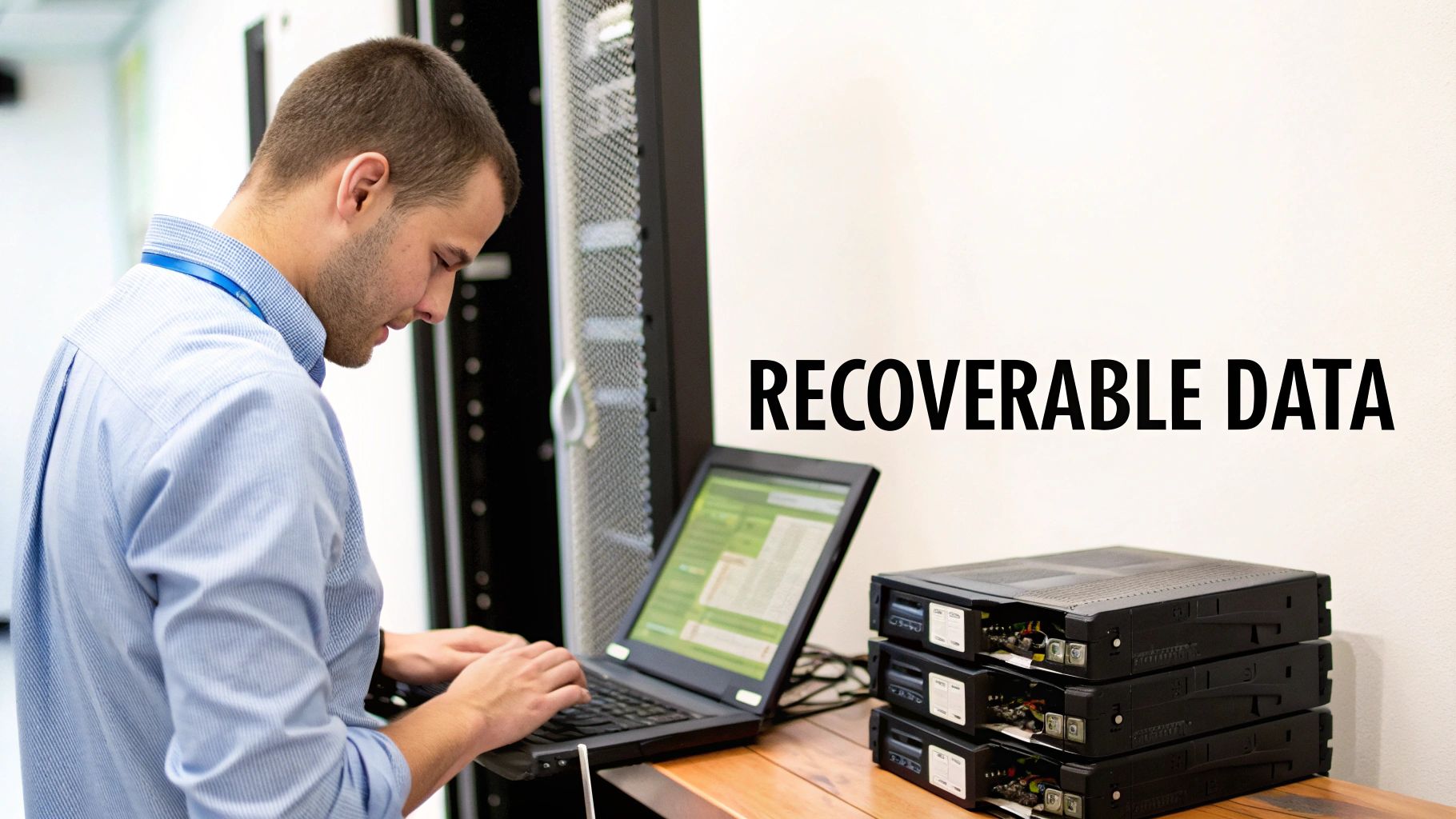
When you "delete" a file, your operating system doesn't actually wipe the information. It just marks the space that file occupied as available for new data. Until something else is written over it—which can take a surprisingly long time—the original data is still sitting right there on the hard drive's platters.
This digital ghost can be brought back to life with tools anyone can download.
Think about a healthcare clinic right here in Atlanta upgrading its computer systems. If they toss old drives without destroying them properly, sensitive patient records—full of Social Security numbers and private medical histories—could be pulled from a dumpster. A single mistake like that can trigger a catastrophic HIPAA breach, millions in fines, and completely shatter their reputation.
The Real-World Consequences
The stakes are incredibly high. Just look at the major companies that have been penalized for improper data disposal. Financial services giant Morgan Stanley was hit with a $35 million fine from the SEC for failing to protect customer information on decommissioned hardware. Their big mistake? They hired a moving company with zero expertise in data destruction to handle thousands of drives.
This story highlights a critical truth: physical destruction is the only foolproof method to guarantee that data is gone for good. It's why searching for a professional "shredding hard drives near me" service is no longer a nice-to-have—it's an essential part of any solid security strategy.
In fact, the global market for these services is projected to hit USD 631.8 million by 2025, a clear sign that businesses are waking up to the risks of rising data breaches and stricter regulations.
Relying on in-house methods like formatting or using magnets creates a false sense of security. Modern hard drives are built to be resilient, and only physical obliteration ensures the data can never be pieced back together.
To really grasp the security risks, it helps to see how complex and expensive data recovery can be, which makes proper destruction an obvious choice. You can get a better sense of this by understanding hard drive data recovery costs.
Ultimately, professional shredding isn't an expense; it's insurance against a future data disaster. To dive deeper into the different ways to properly dispose of data, check out our guide on what is data sanitization.
On-Site vs. Off-Site Shredding: What You Need to Know
When you start looking up "hard drive shredding near me," one of the first forks in the road you'll hit is deciding where the destruction happens. You've got two main paths: on-site shredding, where a mobile shred truck rolls up to your office, or off-site shredding, where your devices get securely carted away to a specialized facility.
Honestly, the best choice really just boils down to your company's specific needs for security, compliance, and budget. Neither one is flat-out better than the other; they just solve different problems. On-site gives you that ultimate peace of mind from seeing it happen, while off-site often brings efficiency and cost savings, especially for bigger jobs.
Let's dig into the practical differences so you can figure out what makes sense for your Atlanta business.
The Case for On-Site Mobile Shredding
On-site shredding is as straightforward as it sounds. A specialized truck, basically a shredding plant on wheels, comes right to your location. Your old hard drives are gathered up, their serial numbers are scanned for a detailed inventory, and you get to physically watch them get tossed into the shredder and ground down into tiny metal scraps.
This method is the absolute gold standard for any organization dealing with strict regulations or incredibly sensitive data.
- Ultimate Chain of Custody: The chain of custody is as short and secure as it gets. Your hard drives never leave your property until they're nothing but confetti, which completely wipes out any risk of them getting lost or stolen in transit.
- Compliance Verification: If you're in a field governed by HIPAA, GLBA, or government contracts, being able to witness the destruction provides rock-solid, indisputable proof for any audit. You walk away with a Certificate of Destruction right then and there.
- Immediate Peace of Mind: There's zero guesswork. You see with your own eyes that the job is done and done right before the truck even leaves your parking lot.
Picture a law firm in Sandy Springs retiring a few old servers. The partners need 100% certainty that confidential client files are permanently destroyed. On-site shredding lets their IT manager stand right there, check off each serial number, and watch every single drive get pulverized. It’s a simple way to satisfy both internal policy and critical legal duties.
When Off-Site Shredding Makes More Sense
With off-site shredding, a secure truck comes to your office to pick up your hard drives, which are then sealed in locked, tamper-evident bins. From there, they are safely transported to a secure, monitored shredding facility where they are destroyed under constant video surveillance. You still get a fully serialized Certificate of Destruction once everything is complete.
This is often a much more practical and budget-friendly route, especially when you're dealing with a large-scale IT asset cleanout.
Off-site shredding is the go-to for businesses that have a high volume of drives and don't have a strict compliance mandate to witness the process. It really streamlines the logistics and can often be scheduled more flexibly.
For instance, a school district in Marietta that's recycling hundreds of old classroom computers at once would find off-site shredding incredibly efficient. The time and disruption of shredding that many drives on-site would be a logistical headache. Instead, a scheduled, secure pickup lets them clear out all the old gear quickly and affordably, and they still receive the certified proof of destruction they need for their records.
Comparing On-Site and Off-Site Shredding Services
To help you make the best call for your Atlanta-area business, it helps to see how these two services stack up side-by-side.
Here’s a quick breakdown of the key factors to consider:
| Feature | On-Site (Mobile) Shredding | Off-Site (Plant-Based) Shredding |
|---|---|---|
| Security | Highest level; you witness the destruction in real-time. | High, with secure transport and facility surveillance. |
| Chain of Custody | Unbroken and verified on-premises. | Documented from pickup to destruction at the plant. |
| Cost | Typically higher due to the convenience and equipment involved. | More budget-friendly, especially for large volumes. |
| Convenience | Extremely convenient; the service comes directly to you. | Requires coordinating a secure pickup and transport. |
| Ideal For | Healthcare, finance, legal, and government contractors. | Large corporate cleanouts, data centers, and schools. |
Ultimately, both options provide secure, certified destruction. The choice hinges on whether the absolute, verified security of on-site service is a necessity for your compliance and peace of mind, or if the efficiency and cost-effectiveness of off-site service is a better fit for your project's scale.
How To Vet A Local Shredding Company
A quick Google search for "hard drive shredding near me" will spit out a ton of local options. But here’s the thing: not all shredding companies are created equal. Choosing the right partner isn't about finding the cheapest quote; it’s about finding a company that shields you from massive liability and guarantees your data is gone for good.
Think of it like hiring for a high-security role in your company. You wouldn't just hire the first person who walked in. You'd check credentials, run a background check, and grill them on their process before handing over the keys. You need to do the same before handing over your hard drives.
One of the first decisions you'll make is whether you need to see the destruction happen with your own eyes.
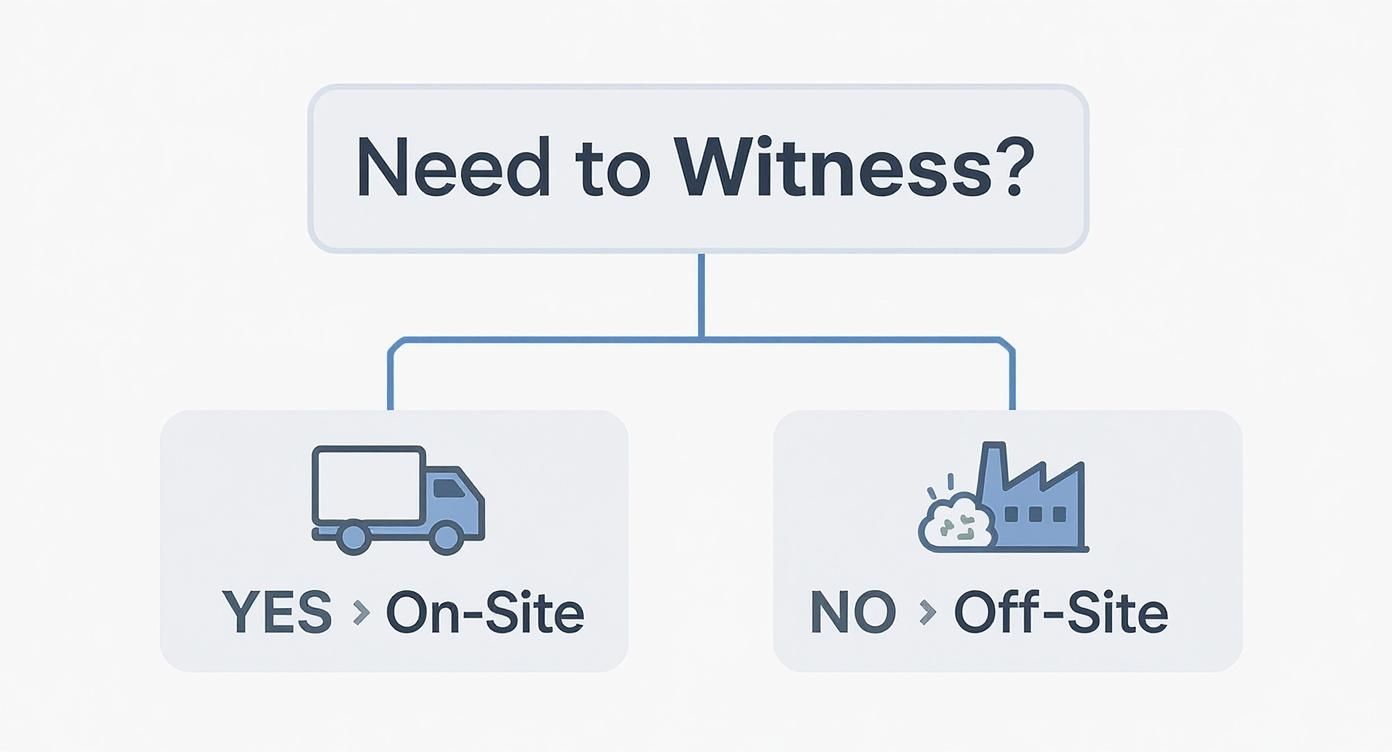
It really is that simple. If compliance rules or your own peace of mind demand that you witness the shredding, on-site is the only way to go.
Look for NAID AAA Certification
Your very first filter should be for NAID AAA Certification. This isn't just some fancy sticker they put on their truck. It's a hardcore, third-party certification from the International Secure Information Governance & Management Association (i-SIGMA®), the industry's top watchdog.
A company with this certification is subject to surprise, unannounced audits that cover every inch of their operation. This includes:
- Employee Screening: Verifying every single technician has passed extensive background checks. No exceptions.
- Secure Processes: Ensuring there's an unbreakable, documented chain of custody from the second they touch your drives.
- Equipment Standards: Confirming their shredders are powerful enough to chew hard drives into tiny, unrecoverable fragments that meet specific particle-size requirements.
By only considering NAID AAA Certified vendors, you've immediately raised your security game. It proves you've done your due diligence and are serious about data protection.
Key Questions to Ask Every Vendor
Once you have a shortlist of certified companies, it's time to get on the phone and start asking some tough questions. Don't be shy. A legitimate, professional outfit will have solid, confident answers ready to go.
Here's what you need to ask:
- "Can you walk me through your chain of custody process, step by step?" They should be able to clearly describe a secure, documented procedure from pickup to final destruction, talking about locked containers, authorized personnel, and secure transport.
- "Do you provide a serialized Certificate of Destruction?" The answer has to be a firm "yes." This document is your legal proof that the job was done right and should list the unique serial number of every single drive you gave them.
- "Are your technicians background-checked, drug-tested, and insured?" This is completely non-negotiable. You can't have just anyone handling your company's confidential data.
Imagine you're a financial firm in Atlanta needing to comply with GLBA. That serialized certificate is your golden ticket during an audit. The verified chain of custody is what protects you from a nightmare data breach claim down the road.
Of course, a big part of vetting any local service is checking them out online, which often reflects their investment in reputation management for small businesses. Good reviews and a professional web presence are strong signs that you're dealing with a trustworthy operator.
Remember, the goal is to find a partner, not just a vendor. You need a company whose security protocols are as tough as your own, making sure your data is protected right up to the very end.
The need for these secure services is skyrocketing. The global market for hard disk destruction equipment was valued at around USD 2.69 billion in 2024, pushed by industries with strict data security mandates. If you want to dive deeper into our own process, check out our complete hard drive destruction services.
Getting Your Hard Drives Ready for Destruction
So, you've picked a vendor to shred your hard drives. That's a huge step, but the next critical phase happens inside your own building.
Properly prepping your drives isn't just about making the shredding company's job easier—it's about locking down your chain of custody and making sure your records are completely airtight for any future audits. A little groundwork now prevents some major headaches down the road.
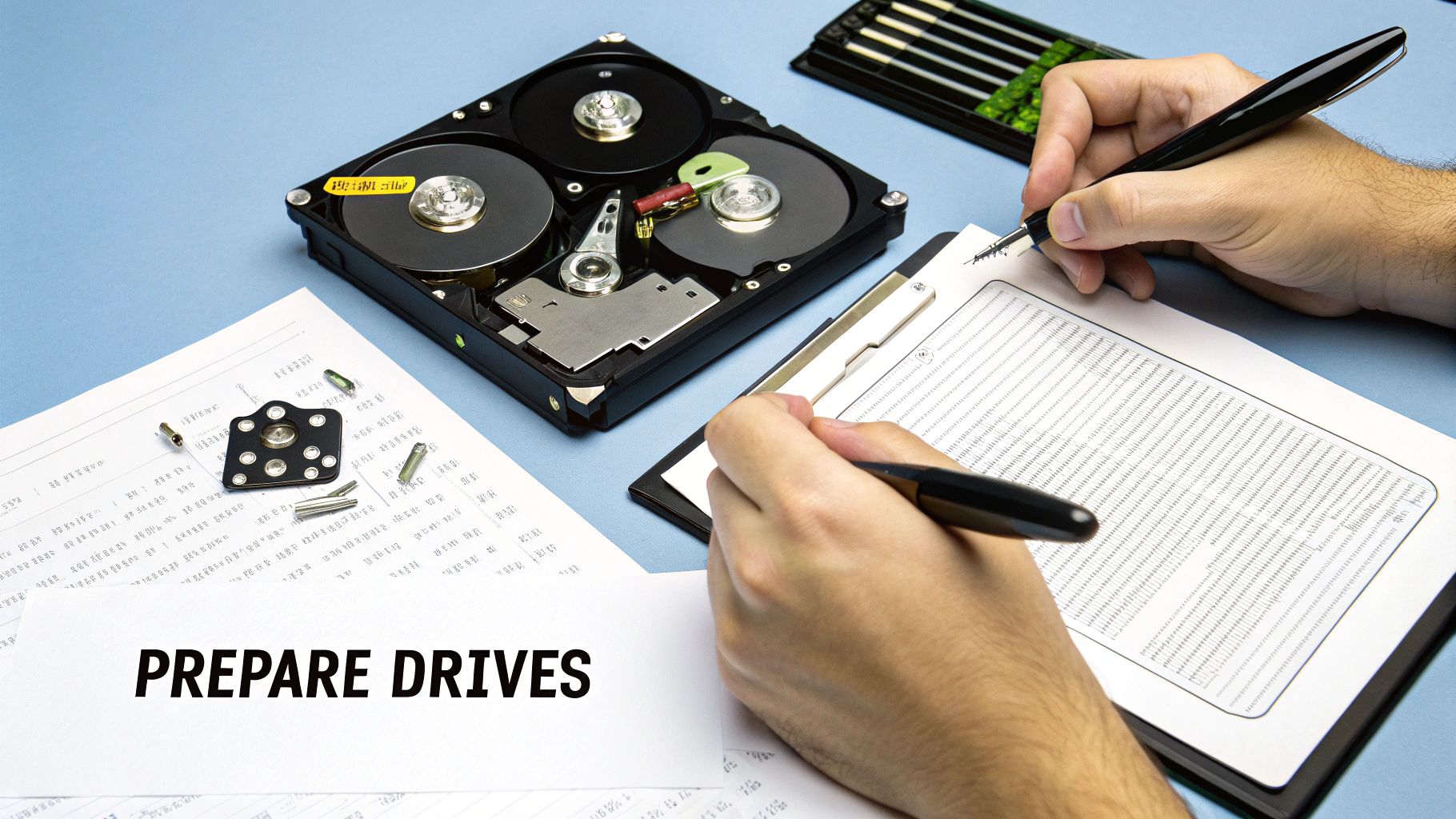
The first thing you have to do is create a detailed inventory log. This is non-negotiable. It's the absolute backbone of your data destruction records. Before a single drive leaves its machine, you need to document the unique serial number of every device you plan to destroy.
This list is exactly what your vendor will use to generate your Certificate of Destruction. Without it, you have no way to prove which specific assets were destroyed, leaving a massive hole in your compliance trail.
Establishing an Internal Chain of Custody
Before the shredding truck even pulls up, you need to get those drives secured. A data breach doesn't have to happen in transit; a single drive going missing between the server room and the loading dock is a serious vulnerability.
Designate a secure, locked area where all decommissioned drives will be stored. Think of it as a secure holding pen. You'll want to limit access to this room to only a few trusted team members. This simple step prevents any drive from "walking away" or getting mixed in with active equipment, ensuring every single device on your inventory log makes it to the shredder.
The Practical Side of Drive Removal
Now for the hands-on part. Physically pulling hard drives from machines can be a piece of cake or a real puzzle, depending on the hardware. Laptops and desktops are usually straightforward—most just need a standard Phillips head screwdriver. Servers, on the other hand, can be a different beast, sometimes involving specialized sleds or complex RAID arrays.
Here are a few practical tips I've learned over the years to make this go smoothly:
- Get Your Tools Ready: Have a basic IT toolkit on hand. You'll want various screwdriver bits, anti-static wrist straps, and maybe a small plastic pry tool for those stubborn laptop casings.
- Label Everything: As soon as you pull a drive, check its serial number against your master inventory list. Some people I work with even attach a small printed label directly to the drive itself.
- Work in Batches: Don't jump all over the place. Tackle one type of machine at a time—do all the Dell OptiPlex desktops first, then move on to the laptops. This creates an efficient, repeatable workflow that minimizes mistakes.
Your internal process is the very first link in the security chain. A meticulous approach to inventorying and securing drives ensures that what you plan to destroy is exactly what gets destroyed—no more, no less.
Handling the prep work yourself is a crucial step, but it helps to understand the full picture of secure disposal. For more background, you can explore our guide on how to destroy a hard drive before disposal, which dives into different methods. This preparation ensures everything is smooth, secure, and fully documented when your shredding partner arrives.
What to Expect for Pricing and Service Day Logistics
So, what’s this actually going to cost, and what happens when the shredding truck shows up? Let's pull back the curtain on the pricing and on-site process so you know exactly what to expect. No surprises, just a clear picture of how you can budget and prepare when you're looking for "shredding hard drives near me."
Pricing models are usually pretty straightforward. If you've only got a handful of drives, you’ll likely pay a per-drive fee. This typically runs anywhere from $7 to $20 per drive, and most companies will have a minimum service charge to make the trip worthwhile.
However, if you're managing a massive cleanout, like decommissioning an entire office or data center, vendors will almost always switch to a per-pound rate. This is far more economical when you're dealing with a large volume of media.
Data security is a huge deal these days, and it's driving major growth in this industry. The global hard drive destruction market was valued at a whopping USD 1.65 billion in 2024 and is projected to hit USD 5.05 billion by 2035. You can dig into the numbers yourself in the full market research report.
On Service Day What Happens Next
When the big day arrives and the shredding truck pulls up, the process is surprisingly quick and transparent. The first thing the technician will do is verify your inventory. They’ll scan the serial number of every single hard drive, checking it against the list you prepared. This is a critical step to ensure your Certificate of Destruction is 100% accurate.
Next, you get to watch the magic happen. You’ll be invited to witness the entire shredding process. Each drive is fed into a massive industrial shredder, and you can often see it happen on a mounted camera monitor as the machine pulverizes your sensitive data into tiny, useless bits of metal.
This is hands-down the biggest benefit of on-site shredding. That visual confirmation gives you absolute peace of mind that your data is gone for good. It’s an undeniable, documented end to the data lifecycle.
If you opt for an off-site service, the process is just as secure. The technician will place all your drives into a locked, tamper-evident container while you watch. That container stays sealed until it arrives at the secure shredding plant, maintaining a perfect, unbroken chain of custody.
Once every drive has been destroyed—whether on-site or off—you’ll be issued a Certificate of Destruction. This is the legal document you need for your records. It should detail the date, destruction method, and a complete, serialized list of every drive that was destroyed. Hold onto this; it’s your official proof of compliance.
Many companies that handle data destruction also deal with other IT assets. If you've got other old equipment piling up, you can learn about your options by reading our guide on how to recycle electronics with free pick up.
Common Questions About Hard Drive Shredding
After you've picked a vendor and put the service on the calendar, it's totally normal to have a few last-minute questions pop up. We get it. You want to be 100% sure you've covered all your bases. Let's walk through the questions we hear most often from our clients here in Atlanta.
Think of this as your final peace-of-mind checklist. It'll leave you confident you’re making the right move to permanently protect your company's sensitive data.
Do I Need to Wipe Drives Before Shredding?
Nope, you don't. Honestly, it's redundant. The entire purpose of physical shredding is to completely obliterate the storage platters, making the data permanently unrecoverable. The shredding process is the final, definitive step.
Some organizations with incredibly strict internal security policies might wipe drives first as an extra precaution, but for most businesses, it's an unnecessary use of time and money. The shredder handles everything, guaranteeing that data is gone for good.
Your Certificate of Destruction (CoD) is the official, legal document proving your media was destroyed in compliance with privacy laws. It's the most critical piece of your audit trail and your primary defense if you ever need to prove due diligence.
A real CoD is more than just a receipt. To be valid, it has to include specific details:
- The exact date and location of destruction.
- A clear description of the method used.
- A serialized list of every single item that was destroyed.
- The signature of an authorized representative from the shredding company.
This document is your key to proving compliance with regulations like HIPAA, FACTA, and GLBA.
Can You Shred Solid-State Drives (SSDs)?
Yes, but this is a critical question to ask your vendor. You have to confirm they use specialized equipment designed for SSDs. A traditional hard disk drive (HDD) stores data on magnetic platters, but solid-state drives (SSDs) use tiny flash memory chips scattered across a circuit board.
A standard shredder might not pulverize those small chips effectively enough to guarantee every bit of data is destroyed. Reputable, NAID AAA Certified vendors use high-security shredders that grind media down to a much smaller particle size—often just 2mm. This ensures every single memory chip on an SSD or other flash media is completely obliterated. Our own process of secure hard drive disposal accounts for all types of modern media.
What Happens to the Shredded Pieces?
The job isn't done once your drives are reduced to a pile of metal and plastic fragments. From there, the shredded material is securely transported to a certified recycling partner.
At the recycling facility, the raw materials are sorted and processed under strict environmental regulations. This responsible, R2-certified approach ensures your e-waste is kept out of landfills. It's the final piece of the puzzle, blending hardcore data security with environmental sustainability so your old tech is handled right from start to finish.
When you're ready to protect your business with certified, secure, and environmentally responsible hard drive destruction, Montclair Crew Recycling is here to help. We make the process simple and transparent for businesses all across Metro Atlanta. Contact us today to schedule your secure shredding service.
