
Let's be honest, ignoring that closet full of old tech is a risk most Tucker businesses just can't afford to take anymore. This isn't just about cleaning out a storage room; it's a critical security function. A real IT asset disposition (ITAD) strategy in Tucker, GA, does more than just get junk out of your way—it protects your company from crippling compliance fines and data breaches, and you might even find some cash in equipment you thought was worthless.
Why Smart IT Asset Disposition Is a Must-Do in Tucker
Getting rid of outdated IT equipment is something every business has to face eventually. For companies here in Tucker—whether you're a healthcare clinic on Lawrenceville Highway needing to stay HIPAA compliant or a local manufacturer on Mountain Industrial Boulevard protecting proprietary designs—the stakes are incredibly high.
Leaving old hard drives, servers, or company laptops sitting around is like leaving the back door unlocked. A single data breach can lead to devastating financial penalties and do permanent damage to your reputation.

This is where a professional ITAD partner like Montclair Crew Recycling comes in, giving you a secure and compliant way forward. The process is so much more than just hauling away old electronics. It's a structured approach ensuring every bit of your data is handled responsibly. To really get a handle on the nuts and bolts, you can check out our detailed guide on what IT asset disposition actually is.
https://www.montclaircrew.com/what-is-it-asset-disposition/
It’s Not Just a Local Trend
The need for a formal ITAD process isn't just something we're seeing in Tucker; it's a global shift. The worldwide ITAD market hit USD 19.70 billion in 2025 and is on track to reach an incredible USD 48.48 billion by 2034.
North America is leading the way, holding a 42.50% market share. These numbers show a massive change in how businesses are thinking about their end-of-life electronics. It's a clear signal that companies are waking up to the huge risks—and responsibilities—that come with retired tech.
A proper ITAD strategy transforms a potential liability into a controlled, secure process. It's an investment in risk management that protects your most valuable asset—your data—while making sure you're following all the environmental rules.
More Than Just Security: Value and Risk
Beyond locking down your data, a smart disposition plan is just good financial sense. When you're thinking about your IT investments, it's easy to forget about the Total Cost of Ownership, which goes way beyond the initial purchase price. From that perspective, you start to see that some of those assets gathering dust might have some life left in them through resale or parts harvesting.
A professional partner can audit your old equipment and pinpoint items that can be remarketed. This can create a new revenue stream that helps offset, or even cover, the costs of disposal. For your Tucker business, this turns what used to be a pure expense into a potential financial positive.
Before any of your old IT gear leaves your Tucker facility, a little prep work goes a long way. This isn’t just about being organized; it's the first and most critical step in building a rock-solid, defensible data security plan for your company.
The first move? Get a clear, accurate inventory of what's going out the door. Don't overthink it—a simple spreadsheet is all you need. The real goal is to log every single asset you plan to dispose of, which is absolutely vital for tracking and compliance down the line.
Create Your Disposition Inventory
Start by jotting down the key details for each piece of equipment. A truly useful inventory needs to be more than just a headcount of devices.
- Asset Type: What is it? A desktop, laptop, server, or maybe a networking switch?
- Serial Number: This is your unique tracking number for every single device.
- Assigned User/Department: Knowing who used it helps trace where the data came from.
- Physical Location: Where was it last sitting in your office?
This spreadsheet becomes your primary tool for maintaining a complete chain of custody. It's the proof of exactly what you handed over to your ITAD partner, ensuring every item is accounted for from the moment it leaves your Tucker office to its final destination.
An itemized list is non-negotiable. It protects your business by creating a clear, auditable trail—the very first thing regulators will ask for if a data breach ever happens. This record proves you did your due diligence.
Consolidate and Secure Your Assets
Once everything is logged, it's time to get the hardware ready. Have your IT team disconnect every device from your live network to shut down any lingering access points. For a deeper dive into the initial data security steps, you can learn more about how to wipe a computer before recycling in our complete guide.
With everything disconnected, gather all the assets into one secure, designated spot. This could be a locked storage closet, a caged-off area in a warehouse, or even a conference room with keycard access. This simple step is surprisingly effective at preventing equipment from "walking away" or getting lost before pickup.
Finally, label each item with its inventory number. This small detail is what connects your digital spreadsheet to the physical hardware. It’s crucial for when a team like Montclair Crew shows up for the pickup. It allows our crew to quickly verify your asset list, confirming that every server, laptop, and hard drive on your list is present before it ever leaves your building. This methodical approach is a cornerstone of professional IT asset disposition in Tucker, GA.
Choosing The Right Data Destruction Method
When it comes to getting rid of old IT gear, protecting your company's sensitive data is everything. This is single-handedly the most critical part of any IT asset disposal plan for a Tucker business. It’s where the biggest risks are, but it’s also where a professional partner shows their true value.
Deciding how to permanently wipe that data can sound technical, but it really boils down to two main paths: software wiping or physical destruction.
Think of it this way: are you restoring a classic car or sending it to the scrapyard? If the car has value and can be safely put back on the road, you restore it. If it's a wreck or too risky to drive, you scrap it for parts. Your old servers, laptops, and hard drives aren't all that different.
This simple workflow helps map out the first few steps you'll take before even thinking about data destruction.
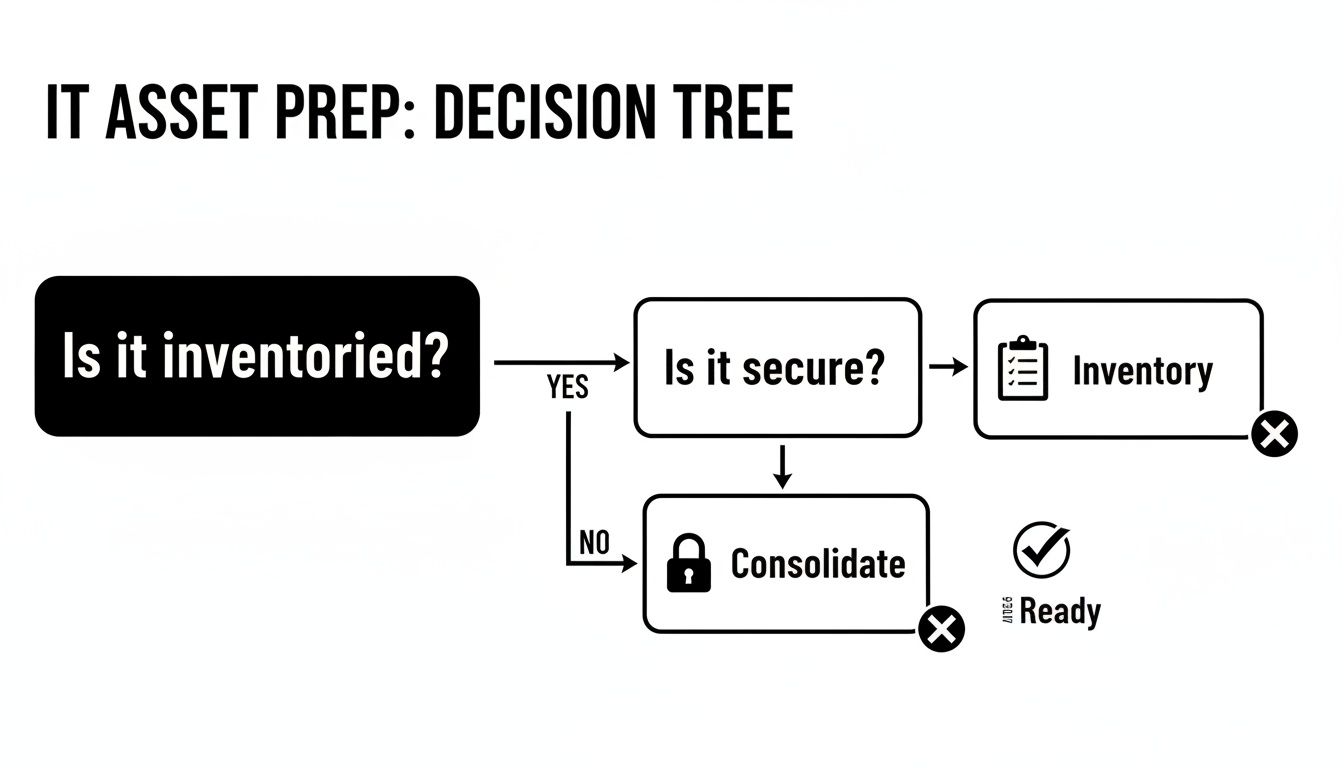
As you can see, getting a solid inventory and securing all the assets is the foundation for a smooth and successful project.
When Software Wiping Makes Sense
Software-based data destruction is a process that overwrites all the information on a hard drive with random data, making the original files impossible to get back. We often use standards like DoD 5220.22-M for this. The biggest benefit? The hard drive itself is left completely intact and ready for its next life.
This is the perfect choice for newer or more valuable equipment that you want to resell. Let's say a tech company in Tucker is upgrading its entire team's laptops. Software wiping lets those devices be safely refurbished and sold, recovering a good chunk of the original investment. The key here is preserving the asset's value.
The Certainty Of Physical Destruction
On the other side of the coin is physical destruction, and the most common method is on-site shredding. A specialized truck comes right to your office in Tucker, and you can literally watch your hard drives, SSDs, and backup tapes get dumped into an industrial shredder and turned into tiny metal bits. There’s zero guesswork.
This method delivers the ultimate peace of mind. For a local law firm or a financial services company handling sensitive client data, that absolute, verifiable proof of destruction is non-negotiable. The asset is completely destroyed, which slams the door on any possibility of data recovery. For a deeper dive, you can check out our guide on the best ways to destroy a hard drive.
To help you decide, here’s a quick comparison of the two main approaches.
Comparing Data Destruction Methods
| Feature | DoD 5220.22-M Wiping | On-Site Physical Shredding |
|---|---|---|
| Asset Condition | Preserves the device for resale or reuse | Destroys the device and storage media completely |
| Value Recovery | High. Allows for maximum resale value. | None. Value is in scrap material, not the device. |
| Best For | Newer laptops, servers, and PCs with resale potential. | Old, obsolete, or damaged drives; high-security needs. |
| Security Level | Very high; data is forensically unrecoverable. | Absolute; physical destruction is irreversible. |
| Verification | Certificate of Data Destruction with drive serial numbers. | Certificate of Destruction, often with video proof. |
| Compliance | Meets HIPAA, SOX, FACTA, and DoD requirements. | Meets the highest compliance standards (e.g., NSA). |
Ultimately, the choice depends on your priorities. If you need to recover costs, wiping is the way to go. If your only goal is eliminating risk, nothing beats shredding.
The global demand for these secure services is massive. Large enterprises account for 66.9% of the ITAD market, and the data destruction segment is on track to blow past USD 5 billion. This just shows how critical secure e-waste solutions have become as cyber threats grow and regulations get tougher. With an estimated 80% of data breaches traced back to improperly disposed-of assets, the stakes couldn't be higher.
Moving Your Equipment: Pickup and Logistics in Tucker
Okay, you've cataloged your assets and decided on a data destruction plan. Now for the practical part: getting all that old equipment out of your Tucker office and into the right hands. This is where the rubber meets the road, turning your plan into action.
For any business dealing with more than a few stray devices, scheduling a professional pickup is almost always the smartest, most secure move.
When you bring in an experienced IT asset disposition team from the Tucker, GA area, they handle the heavy lifting—literally. You can expect an insured crew to show up at your office with everything needed to manage the removal. They'll bring pallets, shrink wrap, and specialized bins to safely pack and move everything from bulky data center servers to entire carts of old laptops. Nothing gets tossed around or damaged.
This isn't just about convenience; it's a critical step in maintaining the chain of custody. Before a single piece of equipment leaves your building, the crew will verify it against your inventory list, ensuring a seamless and fully accountable handover.
Getting Ready for Pickup Day
A little prep work on your end can make the whole process incredibly smooth. Think of it like you would any major removal service. While ITAD is a specialized field, some of the basic logistics are similar to what you'd find in a general junk removal guide.
Here are a few quick tips to make sure pickup day is a breeze:
- Make a Clear Path: Ensure hallways, doorways, and elevators are clear from your equipment storage area to the loading dock or building exit.
- Pick a Point Person: Designate one employee to be the main contact for the pickup crew. They should have the final inventory list handy and be authorized to sign the initial paperwork.
- Coordinate with the Building: If you’re in a shared commercial space in Tucker, give your property manager a heads-up. They can help reserve the service elevator or clear the loading dock for the scheduled time.
Now, if you only have a handful of devices, dropping them off might make more sense. But for the vast majority of businesses, the security and sheer efficiency of a professional pickup just can't be beaten. You can learn more about how this service simplifies the process in our guide on recycling electronics with free pickup.
Crucial Takeaway: The paperwork you receive after the job is done is far more than just a receipt. Documents like the Certificate of Data Destruction and the Certificate of Recycling are your legal proof of compliance, showing you met all data security and environmental regulations.
These certificates are non-negotiable for your business records. They provide a concrete, defensible audit trail confirming every single asset was handled responsibly. This documentation is what officially closes the loop on your ITAD project, giving you verifiable proof that your Tucker business did everything by the book.
Unlocking Hidden Value in Your Retired IT Assets
Most businesses see that closet full of old tech and just see another line item expense. But what if those retired servers, laptops, and networking gear held untapped cash? For any organization here in Tucker, a smart approach to IT asset disposition can flip a cost center into a surprising source of revenue.
It’s a process we call value recovery, and it’s a non-negotiable part of any modern ITAD strategy.
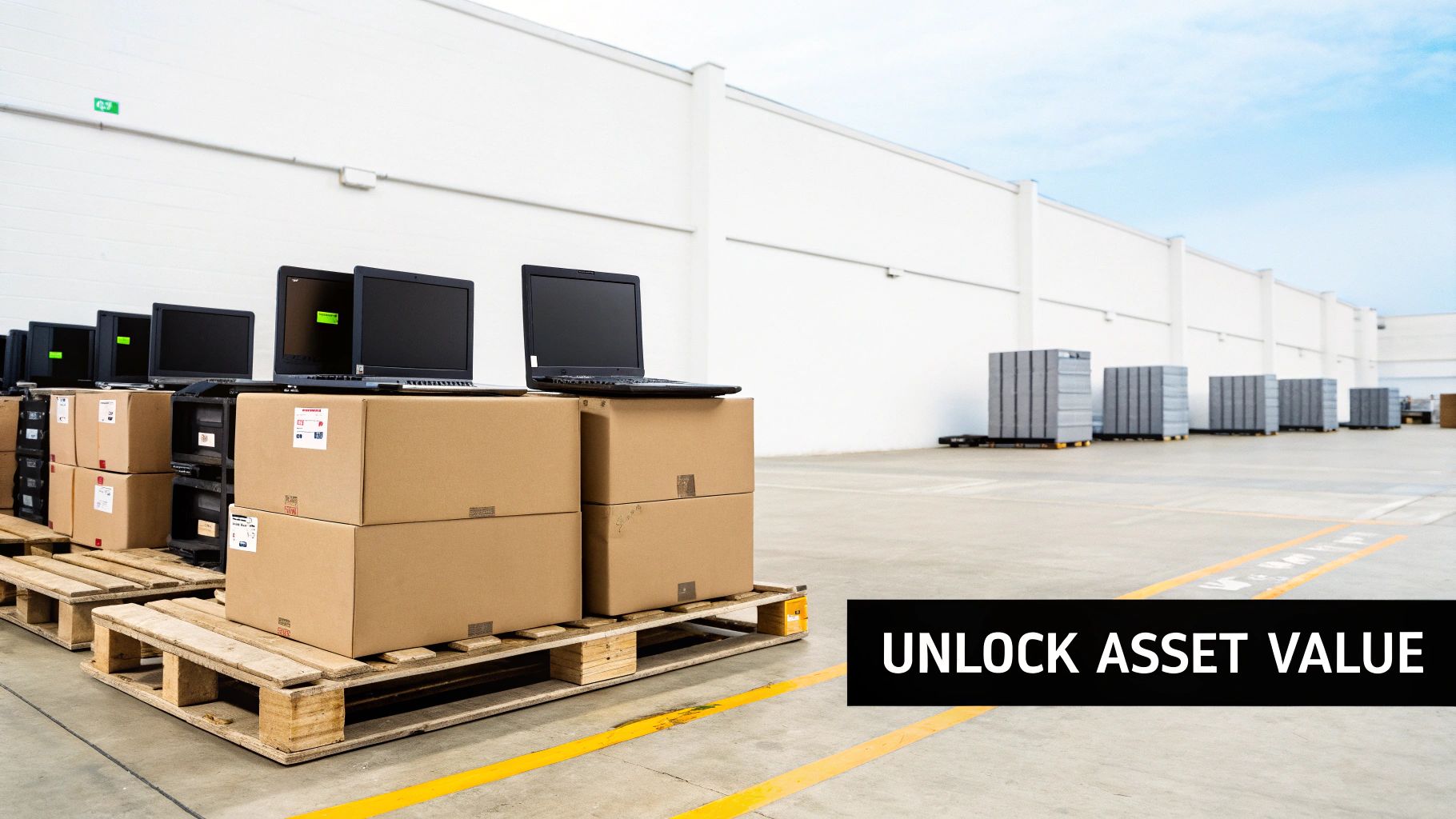
It all kicks off with a detailed audit. When your equipment hits our secure facility, it’s not just tossed into a recycling bin. We meticulously evaluate, test, and grade every single asset based on its condition, age, and what it’s currently worth on the secondary market. This is way more than just seeing if a machine powers on; we’re running functional tests on the guts of the machine—processors, RAM, storage, you name it.
What Holds Value and What Gets Recycled
Let's be realistic—not every piece of old equipment is a goldmine. Knowing what has resale potential helps you set the right expectations for your IT asset disposition in Tucker, GA.
Here’s a quick rundown of what we typically see:
- High-Value Assets: We're talking enterprise-grade servers, networking switches, and storage arrays that are less than five years old. These often hold significant value. Large batches of recent-model laptops and desktops from big names like Dell, HP, and Lenovo are also hot commodities.
- Moderate-Value Assets: Think older but still working equipment, specialized devices, or even individual components like CPUs or memory sticks. These can often be sold for parts.
- Low-to-No Value Assets: This is where you’ll find the broken monitors, ancient printers, old keyboards, and heavily damaged gear. These items don't have a resale market, so they're ticketed for responsible, environmentally-sound recycling.
To put it in perspective, a pallet of 100 three-year-old Dell Latitude laptops will probably bring a nice return. On the other hand, a mixed pallet of ten-year-old desktops and printers is almost certainly a straight recycling job.
The goal is simple: squeeze every last bit of life and utility out of every component. By finding the gear with market value, you directly offset the costs of data destruction and recycling for the stuff that doesn't.
Turning Old Tech into New Revenue
This whole value recovery market is booming. The data center server segment alone is projected to hit US$7.2 billion by 2030. A professional remarketing partner can often help you get back 20-30% of an asset's original value. That's a huge financial win, especially when you consider that global e-waste topped 62 million metric tons in 2022.
For your Tucker business, this usually works on a profit-sharing model. Once the gear is audited, wiped, and sold, you get a check and a detailed report breaking down every transaction. It’s a transparent process that turns a pile of junk into a real asset.
If you’re wondering what your individual devices might be worth, our guide on how to sell an old computer offers some great insights. Ultimately, this approach is not just good for your bottom line; it fuels a circular economy and keeps usable technology out of our landfills.
Answering Your ITAD Questions in Tucker
Even with a great plan in place, it's completely normal to have some questions before you hand over your company's old tech. The world of IT asset disposition has its own language and processes, so getting clear, straight-up answers is the best way to feel confident you're making the right move.
We've been doing this for a while, and we tend to hear the same questions pop up. Here are the most common ones we get from businesses right here in Tucker.
What Happens to My Really Old Equipment That Can’t Be Resold?
This is a big one, and we hear it all the time. Many companies worry their ancient or broken gear is just worthless junk. But that's almost never the full story. When an asset has no resale value—we're talking about that ten-year-old desktop, the printer that's been busted for years, or an obsolete server—the goal simply shifts from recovering cash to responsible recycling.
A certified ITAD partner won't just dump it. Instead, we'll de-manufacture it. This is a careful process where each unit is broken down into its core materials: plastics, metals, circuit boards, and glass. Every single component gets funneled into the right recycling stream. This ensures hazardous materials like lead and mercury are managed safely and, most importantly, kept out of our landfills. The mission is 100% landfill diversion, turning a potential environmental headache into a compliant, sustainable action.
The number one goal of ITAD is always secure and compliant disposal. Getting some money back is a great perk, but responsible recycling is the core promise for every single piece of equipment we handle, no matter how old or beat up it is.
Is a Certificate of Data Destruction Really Necessary?
Yes. Absolutely. A Certificate of Data Destruction is probably the single most critical piece of paper you'll get back in this whole process. Think of it as more than just a receipt—it's your legal, verifiable proof that your data was completely and permanently wiped out according to strict industry standards.
Your certificate needs to have a few key details:
- The exact date of destruction.
- The method used (like DoD 5220.22-M wiping or physical shredding).
- A detailed list of the unique serial numbers for every hard drive destroyed.
Without this document, you're left with no audit trail. If your Tucker business ever faces a compliance audit or, worse, a legal issue tied to a data breach, this certificate is your ironclad proof of due diligence. It officially shifts the liability for that data from your company to us.
How Long Does This Whole Process Usually Take?
The timeline for an IT asset disposition project in Tucker, GA, really depends on the size of the job, but we can give you a pretty good ballpark. For most of our small- to medium-sized business clients, the whole thing, from the first call to the final report, usually wraps up in about two to four weeks.
Here’s how it generally breaks down:
- Initial Chat & Quote: We can typically get this sorted out in 1-3 business days.
- Scheduling the Pickup: We can usually get our truck out to you within 5-10 business days, working around your schedule and logistical needs.
- Processing & Wiping Data: Once the gear is at our secure facility, the auditing, testing, and data destruction phase takes about another 5-7 business days.
- Final Reports: You’ll get your settlement report and all your certificates right after the processing is finished.
Now, if you're talking about a massive project like decommissioning an entire data center, the timeline will obviously be longer. The most important thing is open communication so we can set the right expectations from day one.
Ready to build a secure and compliant ITAD plan for your organization in Tucker? The experts at Montclair Crew Recycling are here to guide you through it all, from the initial pickup and data destruction to maximizing value and ensuring responsible recycling. Get in touch with us today for a straightforward quote.
