
Before you even think about where that old computer is going, we need to talk about the most critical step: your data. The only truly safe way to dispose of old computers starts long before they leave your sight. It really boils down to three key stages: backing up your essential files, performing a secure data wipe to obliterate everything, and then finding a certified e-waste recycler.
Hitting "delete" and dragging files to the trash bin? That’s a massive mistake that leaves your personal information dangerously exposed.
Your First Steps for Safe Computer Disposal
That old machine collecting dust in your closet is a treasure trove of your personal life. It’s packed with everything from financial records and tax documents to private photos and an untold number of saved passwords. If that information falls into the wrong hands, it’s a direct pipeline to identity theft, financial fraud, or worse.
This isn't just a hypothetical "what if" scenario; it's a very real risk.
That’s why adopting a security-first mindset is absolutely non-negotiable. Before you even search for a recycling center, your entire focus needs to be on protecting the sensitive data locked away on that hard drive. Get this part right, and it won't matter where the physical hardware ends up—your digital life will remain secure.
The Data Protection Process
The initial process is all about safeguarding what you need and completely destroying what you don't. This infographic breaks down the essential workflow for handling your computer's data before it goes anywhere.
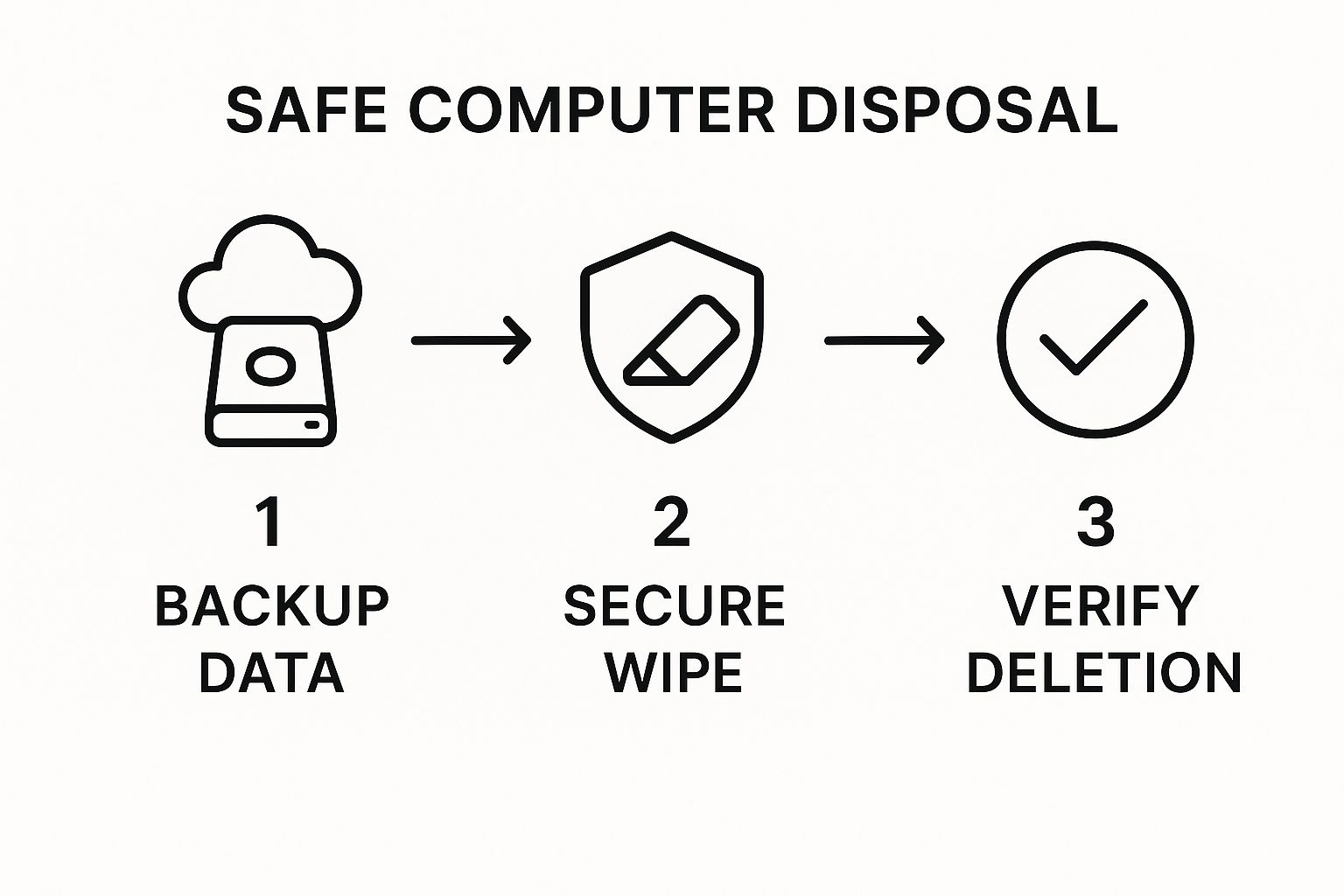
As the visual guide shows, verifying that the wipe was successful is just as important as the wipe itself. You need to be 100% sure your data is truly gone for good.
Before you jump to recycling, it’s worth taking a moment to see if your old machine has any resale value. This is a great first step that helps you decide if your old items are trash or treasure. If it's too outdated or broken to sell, recycling becomes the next responsible choice.
You can learn more about which electronics are generally accepted by recyclers to see where your old machine fits in. For a better idea, check out our guide on the types of accepted items for recycling.
To make this easier, here's a quick checklist to follow.
Quick Checklist for Safe Disposal
Follow these essential steps before you physically get rid of any old computer to protect your data and the environment.
| Action Item | Why It's Critical | Recommended Tool/Method |
|---|---|---|
| Backup Important Data | You don't want to lose photos, documents, or financial records forever. | External hard drive, cloud storage (Google Drive, Dropbox), or a USB flash drive. |
| Perform a Secure Wipe | Deleting files isn't enough; they can be recovered. A secure wipe overwrites the data, making it unrecoverable. | For Windows: DBAN (Darik's Boot and Nuke). For macOS: Disk Utility's "Erase" function with security options. |
| Physically Destroy the Drive | This is the ultimate guarantee. If the drive is physically destroyed, the data can't be accessed. | Professional shredding service or physically drilling holes through the hard drive platters. |
| Check for Resale Value | An old computer might still be valuable to someone else. | Check marketplaces like eBay or Facebook Marketplace for similar models. |
| Find a Certified Recycler | Ensures your device is handled in an environmentally responsible way, preventing toxic materials from ending up in landfills. | Look for R2 or e-Stewards certified recyclers in your area. |
Sticking to this checklist ensures you're not leaving anything to chance.
The biggest hazard of unsafe data disposal is that you may not even know about a data leak until much later when the damage is done. Protecting your information upfront is the only guaranteed way to stay safe.
Wiping Your Hard Drive to Protect Your Identity
That simple act of dragging a file to the trash bin feels final, doesn't it? But it’s a dangerous illusion. Hitting 'delete' just tells your computer that the space is available for new data. Your old files—tax returns, client contracts, personal photos, passwords—are still sitting there, easily recoverable with basic software until they're overwritten.
This is, without a doubt, the most critical part of disposing of old computers safely. You have to make sure your data is gone for good before that machine ever leaves your sight.
Software Wipes for Total Data Removal
For most folks, a good software wipe is the most straightforward and effective way to protect your identity. This isn't just deleting files; it's using a special tool to scribble random gibberish over every single part of your hard drive, sometimes multiple times. It essentially shreds the original information, making it impossible to piece back together.
Think about the difference here. An old family computer that mostly stored photos and homework might only need a standard secure erase. But what about a work laptop? If it held sensitive client data, invoices, or proprietary project files, you need the peace of mind that comes from a more aggressive, multi-pass wipe.
A fantastic, free tool for this is DBAN (Darik's Boot and Nuke). It's been the go-to for years for a reason.

This tool is built for one purpose: to completely obliterate data. That’s exactly the level of certainty you need before recycling or donating.
A common mistake is confusing a "quick format" with a secure wipe. A quick format is like removing the table of contents from a book—the pages are still there. A secure wipe is like shredding every single page one by one.
You don't always need a third-party tool, though. Modern operating systems have some pretty solid options built right in.
- For Windows 10 & 11: The "Reset this PC" feature is your friend. When you run it, make sure you choose "Remove everything" and then the option to "Clean the drive." This tells Windows to perform an overwrite, not just a quick format.
- For macOS: Pop open the Disk Utility app. When you go to Erase a drive, you'll see a "Security Options" button. Sliding that scale up tells your Mac to perform multiple passes, meeting some pretty stringent Department of Defense standards.
If you want a deeper dive into the different methods, there are plenty of great resources that walk you through the various options for secure data wiping.
When Physical Destruction Is the Only Answer
Let's be clear: sometimes, a software wipe just isn't enough. If you're a business that handles medical records, proprietary trade secrets, or any data governed by strict compliance laws like HIPAA or PCI DSS, the risk is too high. When a data breach could be financially or reputationally catastrophic, you can't leave anything to chance.
This is where physical destruction comes in. It’s the final word in data security.
There are really three ways to do it:
- Drilling: This is exactly what it sounds like. You take a power drill and bore several holes straight through the drive's platters—the shiny discs where the data lives. This shatters the magnetic surface, making data recovery impossible.
- Degaussing: This involves hitting the drive with an incredibly powerful magnetic field. It instantly and permanently scrambles all the magnetically stored data, rendering it a useless brick.
- Shredding: The gold standard. The entire hard drive is fed into an industrial shredder that chews it up into tiny, twisted metal fragments. There's no coming back from that.
While degaussing and shredding are jobs for professional services, drilling can be a DIY solution if you have the tools and take the right safety precautions (wear eye protection!). For the highest-stakes data, it offers the ultimate guarantee that no one will ever access it again.
Prepping Your Old Computer for Its Final Journey
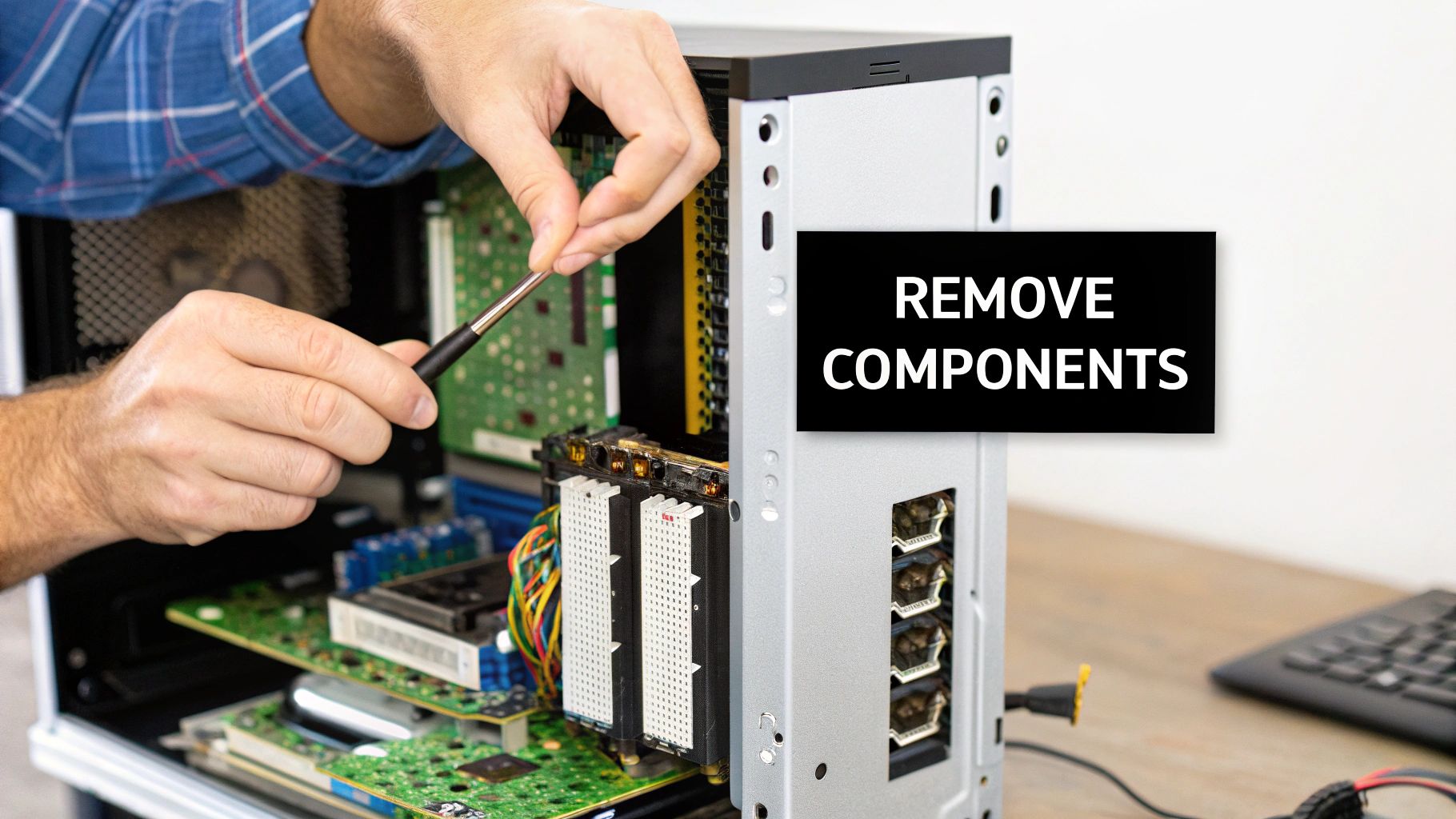
Once your data is gone for good, the next step is dealing with the physical hardware. Prepping a machine for recycling isn't as simple as just unplugging it and dropping it off. You've got to think about the components inside—what's valuable, what's reusable, and what's downright dangerous if handled improperly.
Taking the time to properly pull out key components is a smart move. It makes the recycling process way more efficient. Plus, parts like RAM sticks and graphics cards often have a bit of life left in them and can be sold or donated separately. This is a great way to keep usable electronics out of the e-waste pile and maybe even make a few bucks back.
Identifying Reusable and Hazardous Components
Before you grab a screwdriver, you need to know what you’re looking at. A computer case is a mixed bag of parts, and some of them need a little extra TLC. The goal here is to separate the good stuff from the chassis and flag anything hazardous that requires special handling.
Here are some of the most common things you’ll want to pull out:
- RAM (Random Access Memory): These little circuit boards are super easy to pop out and are almost always accepted by electronics buyers.
- Graphics Cards (GPUs): If you're retiring an old gaming rig or workstation, the GPU can be one of the most valuable parts inside.
- Hard Drives (HDD/SSD): Even after a secure wipe, you might want to physically destroy the drive or just hang onto it. Call it peace of mind.
- Power Supply Units (PSUs): These can be recycled, but be careful—they contain capacitors that can still hold a charge even when unplugged.
This is a fundamental part of a solid strategy for how to dispose of old computers safely. For a business that’s retiring dozens or hundreds of machines, figuring out the logistics of hardware removal is a huge piece of any successful IT equipment decommission project.
Handling Hazardous Materials with Caution
Let's be clear: safety is everything here, especially with older gear. Some components are packed with toxic materials that are bad for you and even worse for the environment if they end up in a landfill.
Laptops are a whole different beast, mainly because of their lithium-ion batteries. If you accidentally puncture one while trying to remove it, you could easily start a fire. Always be gentle and never use sharp metal tools to pry them out.
And don't even get me started on old CRT monitors. While you don't see them much anymore, they contain several pounds of lead, a serious neurotoxin. These should never be taken apart at home. They need to go directly to a certified e-waste recycler who knows how to handle them.
By carefully sorting these components, you’re making sure the valuable parts get a second chance and the hazardous stuff stays out of our soil and water. It’s this final, thoughtful step that truly completes the process of responsible computer disposal.
Finding Responsible Computer Disposal Options
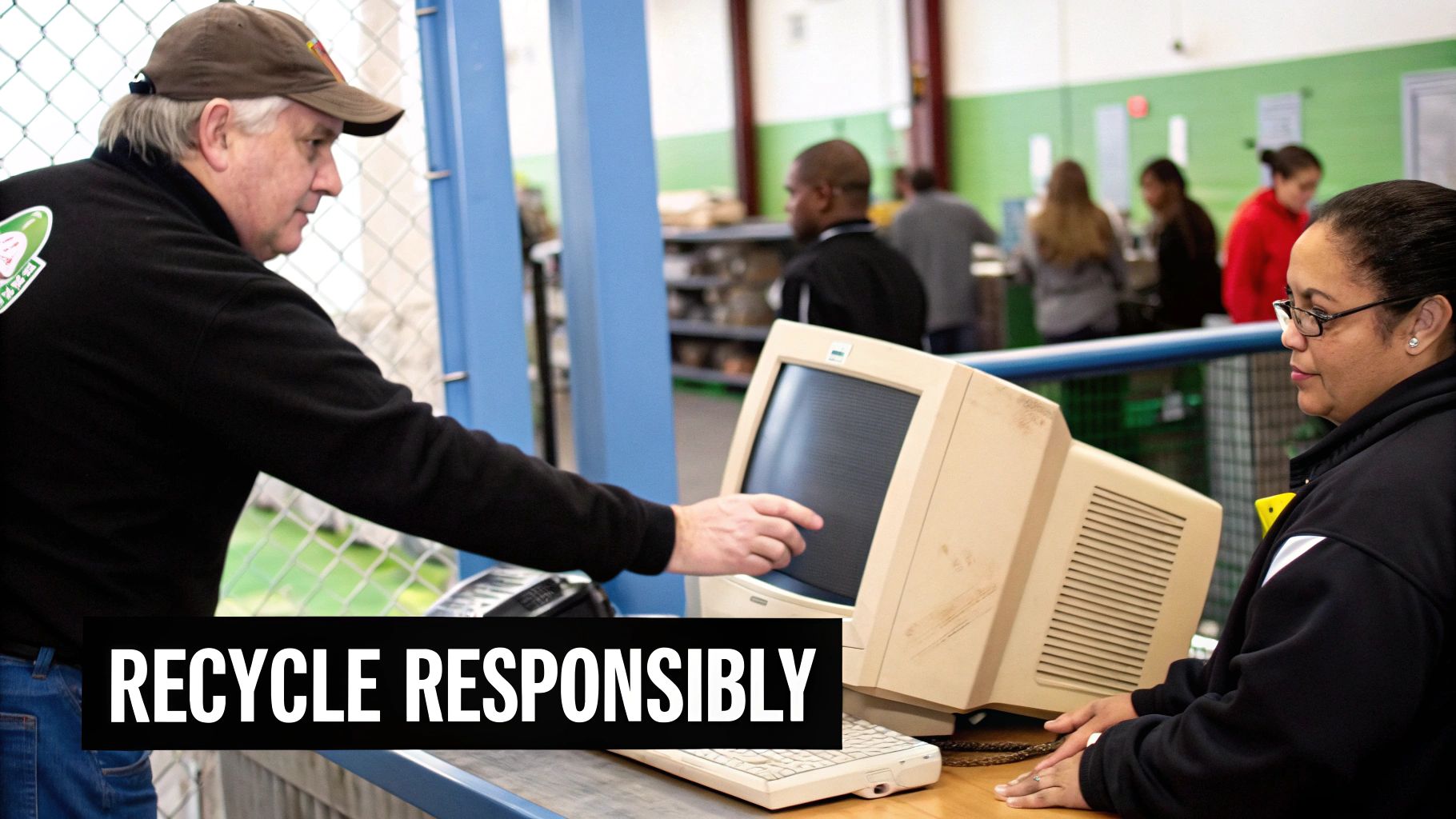
Okay, you've handled the data wipe and dealt with any hazardous parts. Now for the final piece of the puzzle: finding the right home for your old hardware.
Let's be clear—tossing it in the trash is never an option. Not only is it incredibly damaging to the environment, but it's also flat-out illegal in many areas. The real goal is to choose a path that’s ethical, eco-friendly, and keeps your data secure for good.
Fortunately, you’ve got several excellent routes to make sure your old computer is handled the right way, whether it's getting a new life or being broken down into its raw materials.
Give Old Tech a Second Chance Through Donation
If your computer is still working but just can't keep up with your demands, donation is a fantastic choice. Plenty of nonprofits refurbish older machines and get them into the hands of schools, community centers, and families who need them. It's a powerful way to help bridge the digital divide.
Organizations like World Computer Exchange are all about this mission. They take donated desktops, laptops, and other gear, giving them a second life in communities that desperately need access to technology. Before you pack it up, always check the organization’s specific requirements. Some have minimum specs to make sure the devices are still genuinely useful.
And remember, the data wipe is still on you. Reputable charities don't handle data destruction, so make absolutely sure your hard drive is clean before you hand anything over.
Use Manufacturer and Retail Take-Back Programs
It turns out many of the companies that make and sell electronics are also happy to help you recycle them. These take-back programs are designed to close the loop, making it super convenient for you to return a device at the end of its life.
- Apple Trade In: Apple will often give you store credit for your old device or just recycle it for free, no matter its condition.
- Dell Technologies: Dell has mail-back recycling programs and even partners with Goodwill for drop-off locations, making it easy to offload any brand of computer.
- HP Planet Partners: This program gives you a few different options for mailing back old equipment for responsible recycling.
Big retailers have stepped up, too. Best Buy, for instance, accepts a huge range of electronics for recycling right in their stores. For a lot of people, this is one of the easiest and most accessible options out there.
These programs are incredibly convenient, but always double-check what they accept. While most take laptops and desktops, they might have different rules for monitors, printers, or other peripherals.
Finding Certified E-Waste Recyclers
When a computer is truly at the end of its road, a certified e-waste recycler is the only way to go. These facilities are regularly audited to prove they follow strict environmental and data security standards. They know how to safely dismantle electronics, recovering valuable materials like gold and copper while properly disposing of toxic stuff like lead and mercury.
You'll want to look for recyclers with one of two key certifications:
- R2 (Responsible Recycling): This certification focuses on protecting the environment, keeping workers safe, and ensuring data security throughout the entire process.
- e-Stewards: This is often seen as the gold standard. The e-Stewards certification has a zero-tolerance policy for exporting hazardous e-waste to developing countries.
Choosing a certified recycler guarantees your old computer won't end up in a landfill or an overseas scrapyard where it can cause real harm.
For businesses dealing with a lot of devices, working with a professional service that can provide pickup and certified disposal is a must. If you need some help finding a partner, our guide on companies that pickup electronics can point you in the right direction.
Let's not forget the bigger picture. The global challenge of e-waste is massive. It's projected that worldwide e-waste will top 65 million metric tonnes in 2025, yet only about 20% of it is properly recycled today. Your choice really does make a difference.
Comparing Computer Disposal Methods
To make things a little easier, I've put together a quick comparison of the most common disposal options. This should help you figure out the best fit for your situation.
| Disposal Method | Best For | Data Security Level | Environmental Impact |
|---|---|---|---|
| Donation | Functional, but older computers that can be reused by schools or nonprofits. | DIY (You are responsible for the data wipe). | High. Extends the device's life, reducing the need for new manufacturing. |
| Take-Back Program | Convenient drop-off or mail-in for most common consumer electronics. | High. Reputable companies ensure proper data handling and recycling. | High. Supports closed-loop recycling systems run by manufacturers. |
| Certified Recycler | End-of-life, broken, or obsolete equipment, especially in bulk. | Very High. Certified to strict data destruction and security standards. | Highest. Guarantees responsible material recovery and toxic waste disposal. |
| Landfill | Nothing. Ever. | None. Leaves your data and personal information completely exposed. | Very Low. Contributes directly to soil and water contamination. |
Ultimately, whether you're donating a single laptop or recycling an office full of desktops, taking that extra step ensures your old tech is handled responsibly.
Navigating E-Waste Laws and Regulations
Let's be blunt: tossing an old computer in the dumpster isn't just a bad look—it's very often illegal. What you're allowed to do with your old electronics, or e-waste, is governed by a confusing web of rules that changes dramatically from one town to the next.
This isn't just bureaucratic red tape. These laws are in place for a serious reason: to stop toxic heavy metals inside your old gear from seeping into our soil and water. Getting a handle on these rules is a critical part of responsibly disposing of your old machines.
In North America, for example, there's no single, overarching federal law. Instead, states and provinces have had to step up. Right now, over 25 U.S. states have put laws on the books that make electronics recycling mandatory, explicitly banning computers and monitors from ever seeing the inside of a landfill.
If you’re doing business in a state like California, Illinois, or Pennsylvania, this means you are legally on the hook to recycle your old tech through a certified program. Breaking these rules can sting you with fines, but the bigger issue is that it feeds a massive, and growing, environmental crisis.
The Global Push for Responsible Recycling
This problem obviously doesn't stop at the state line; it's a global headache. The European Union has been way ahead of the curve with its Waste Electrical and Electronic Equipment (WEEE) Directive.
This is a game-changing framework that puts the responsibility squarely on manufacturers to pay for the collection and recycling of the products they sell. It's a powerful "producer responsibility" model that has sent recycling rates soaring across Europe.
What this does is create a more circular economy where companies have a real financial reason to design products that are easier to take apart and recycle. The WEEE Directive has become the gold standard, shaping e-waste policies worldwide and nudging the entire tech industry toward more sustainable habits.
When you choose to find a certified recycler, you're not just following a local rule. You're plugging into a massive international effort to tackle the e-waste crisis. It's a small step that connects you to a much larger, global solution.
The market for e-waste management is also shifting based on these dynamics. North America is seeing the fastest growth in this sector, which is projected to balloon into a USD 326 billion industry by 2035, all thanks to a strong recycling infrastructure and tougher laws.
At the same time, the Asia Pacific region is expected to have the highest demand for these services, driven by explosive economic growth and sky-high adoption of new electronics. You can dig deeper into these global trends over at ewastemonitor.info.
Ultimately, you can't afford to ignore your local e-waste laws. A quick search for "[Your City] electronics recycling" is all it takes to find your municipal guidelines or learn about upcoming collection events. Following these rules keeps you compliant, helps you dodge fines, and ensures you're doing your part to protect our shared environment.
Why Your Actions Matter on a Global Scale
It’s easy to look at one old laptop and think it’s just a drop in the ocean. But how you choose to dispose of that single machine is actually a critical piece of a massive global puzzle.
When old electronics are just dumped, they feed an e-waste crisis that poisons entire ecosystems. Worse, it creates serious health emergencies in underserved communities around the world that become dumping grounds. Your small action truly has a ripple effect. Choosing to dispose of your tech responsibly prevents toxic heavy metals from contaminating soil and water, which is a huge part of the overall environmental impact of electronic waste.
A Tale of Two Systems
If you look at the national data, you see a huge difference in how effective recycling efforts can be. For example, China and the United States together generate a staggering 17 million tonnes of e-waste every year. Yet, they recycle only 16% and 15% of it, respectively.
Then you look at countries like Germany (52%) and the UK (57%), and you see what's possible with strong regulations and real public awareness. You can dig deeper into these global differences in this detailed e-waste report.
Your effort is not just a chore; it is a vital contribution to a more sustainable and equitable future.
Beyond just following local laws, sticking to strict disposal protocols often lines up with the requirements for earning a global compliance certification, which shows your business is committed to a higher standard.
Got Questions About Computer Disposal? We’ve Got Answers.
Even after walking through the process, it's natural to have a few lingering questions. When it comes to getting rid of old computers, a few specific scenarios seem to pop up time and time again. Let’s clear those up so you can finish the job with confidence.
Can I Just Take a Hammer to My Hard Drive?
It’s a tempting thought, right? A quick, satisfying way to deal with old data. But just bashing the outside of the drive case won’t cut it.
The real target is the delicate, shiny platters spinning inside—that's where every last bit of your data lives. A simple hammer whack might dent the case, but it often leaves those platters surprisingly intact. You’d have to completely shatter them for it to be effective, which can be messy and even dangerous.
A much better (and safer) DIY approach is to drill several holes straight through the drive. This guarantees the platters are damaged beyond recovery. That said, always, always perform a thorough software wipe first. Physical destruction should be the final nail in the coffin, not the first line of defense.
Is It Safe to Donate My Old Computer?
Absolutely! Donating old tech is a fantastic choice, but with one huge caveat: you must wipe the hard drive clean first.
That responsibility falls squarely on your shoulders. Reputable charities, schools, and non-profits are not equipped to handle secure data destruction, and you should never assume they will.
Once you've used a trusted data destruction tool to erase everything, donating is a wonderful, eco-friendly way to give your old machine a second life.
What About Old Keyboards, Mice, and Webcams?
Whatever you do, don't toss old peripherals like keyboards, mice, or webcams into the kitchen trash can.
These items are considered e-waste. They’re packed with electronic components and materials that are harmful if they end up in a landfill.
The good news is, most certified e-waste recyclers will gladly take these off your hands along with your main computer tower or laptop. If they're still in good working order, many donation centers will accept them, too.
For businesses in the Atlanta area looking for a reliable partner to handle IT asset disposal, Montclair Crew Recycling provides certified, secure, and environmentally sound services. We take the complexity out of the entire process, from data destruction to responsible recycling. Find out more about our services at Montclair Crew.
