
For any business in Atlanta, dealing with old IT assets is more than just spring cleaning. It’s a serious task that touches on data security, legal compliance, and even your company's reputation in the community. This guide is designed to cut through the complexity of electronic recycling in Atlanta, GA, showing you exactly how to set up a secure process, eliminate the risk of data breaches, and maybe even get some money back from that retired equipment.
Why Smart E-Waste Disposal Is a Priority in Atlanta

Let's be clear: managing retired IT gear is a lot more than just freeing up space in a storage closet. For Atlanta businesses, it's a strategic move that has a real impact on your bottom line and how the public sees you. A single forgotten hard drive could hold sensitive client lists or financial records. If that drive ends up in the wrong hands, you're looking at a massive liability, a costly data breach, and a reputation that's hard to repair.
On top of that, the environmental stakes are huge. Old electronics are packed with materials that can do serious harm if they aren't handled properly. That’s why having a real, thought-out e-waste strategy isn't just a "nice-to-have"—it's a must for any modern business.
The Business Case for Responsible Recycling
Thinking ahead about your e-waste does more than just keep you out of trouble; it actually creates value. When you work with a certified recycler, you're guaranteeing compliance with data privacy laws and environmental rules, which shields your company from hefty fines and legal headaches. It turns what could be a major risk into a documented, controlled process.
Plus, a lot of old IT assets still have some life left in them. A professional recycling partner can check your equipment for refurbishment and resale potential, turning those depreciated assets into an unexpected revenue stream. This approach also feeds into a circular economy, giving electronics a longer life and cutting down on the need for new manufacturing. Beyond just disposal, learning how to reduce electronic waste from the start can make your company’s sustainability efforts even stronger.
Core Pillars of a Business E-Recycling Strategy
A solid e-recycling plan isn't complicated. It's built on a few key pillars that all work together to protect your business from every angle.
Here’s a quick look at the essentials every company needs to consider.
Core Pillars of a Business E-Recycling Strategy
| Factor | Why It Matters for Your Business | First Action to Take |
|---|---|---|
| Data Security | This is about protecting sensitive company, employee, and customer information from ever being exposed. | Make a list of every device that stores data. These will all require certified data destruction. |
| Compliance | You need to avoid legal trouble from regulations like HIPAA and SOX, not to mention environmental laws. | Ask your vendor for proof that they provide serialized Certificates of Data Destruction for every drive. |
| Environmental Impact | This prevents toxic materials from ending up in local landfills and shows your company is a responsible corporate citizen. | Only work with a recycler who holds an R2 or e-Stewards certification. Don't settle for less. |
| Chain of Custody | You need a clear, auditable paper trail for every single asset, from your office to its final destination. | Make sure your recycling partner provides a detailed inventory report for your records. |
This table lays out the framework, but the core idea is simple: protect your data, follow the rules, and do right by the environment.
The truth is, your responsibility for company data doesn't end when a device is unplugged. It ends when that data is verifiably destroyed by a trusted partner.
Proper electronic waste recycling in Atlanta is what stands between your business and a world of environmental and financial risks. Reputable companies focus on secure practices like certified data destruction and responsible refurbishment, which helps your business stay compliant while keeping hazardous materials like lead and mercury out of our local soil and water. The first step is understanding the full scope of the issue, and you can learn more about the environmental impact of electronic waste in our detailed article.
How to Prep Your IT Assets for a Secure Hand-Off
Before a single server or laptop leaves your office, what you do first is your best defense against data breaches and logistical nightmares. Think of this as setting the stage for a smooth, secure pickup. A little bit of organization on your end prevents massive compliance headaches and helps your electronic recycling in Atlanta, GA partner get the job done right.
This initial prep work is completely in your control, and it really sets the tone for the whole project. It's where you kick off an unbreakable chain of custody and flag any equipment that needs special attention. Nail this part, and the rest of the process—from the truck arriving to you getting that final certificate of destruction—becomes a whole lot simpler.
Build Your Asset Inventory List
First things first: you need a detailed inventory. This isn't just about counting boxes; it's a critical document for total accountability. The goal here is to create a master list that travels with your assets from your server room all the way to their final-final destination.
Get started by listing every single device you're recycling. For each piece of gear, you'll want to capture a few key details:
- Asset Tag Number: Your company’s own internal ID.
- Serial Number: The manufacturer's unique ID, usually found on a sticker.
- Device Type: Get specific. Is it a "Dell Latitude 7400 Laptop" or an "HP ProLiant DL380 Server"?
- Location: Where did it come from? (e.g., Marketing Dept, Rack 4B).
This inventory is the backbone of your chain of custody. It’s the very document you’ll use to cross-reference and verify that everything your recycling partner picked up has been fully accounted for and processed correctly. For any kind of audit or even just for your own records, a detailed list is non-negotiable.
A spreadsheet is your best friend here. A simple list with columns for asset tags, serial numbers, and device types provides an auditable record that protects your business and proves due diligence.
Physically Sort and Stage Your Equipment
Once you have your inventory locked down, it's time to get hands-on. Sorting the equipment before the pickup team shows up is a game-changer. It saves a ton of time and cuts down on the chance for mistakes. You wouldn't just toss everything into one giant pile—different electronics need to be handled in different ways.
Find a secure, accessible spot like a storage room or loading dock and create a few designated zones. Group similar items together. It makes the pickup so much faster.
- Servers and Networking Gear: This stuff is usually heavy and awkward. Keep it all together, and if you have a lot of it, getting it on pallets is a huge help.
- Laptops and Desktops: Stack these neatly. Make sure to bundle up any loose power cords.
- Monitors and Displays: Be careful with these. Stack them in a way that protects the screens from cracking.
- Peripherals: Keyboards, mice, cables, and all the other small accessories should go into boxes to keep everything contained.
This simple bit of organization helps the recycling crew load out quickly and efficiently, which means less disruption for your team. It also makes sure the heavy or fragile gear is handled properly right from the get-go.
Address Internal Data Security First
Before any electronics leave your sight, your internal IT team has a crucial role. Yes, your recycling partner will perform certified data destruction, but adding your own security layer beforehand is always a smart move. For many businesses, doing an initial internal wipe provides that extra bit of peace of mind.
Pinpoint any machines that held sensitive data—we're talking proprietary trade secrets, customer financial records, or protected health information (PHI). These are the assets you need to flag on your inventory list for the highest level of data destruction, like on-site shredding. Doing this pre-identification step ensures nothing critical slips through the cracks.
While your vendor will handle the final, certified destruction, knowing how to prepare your own systems is a powerful first step. For a deeper dive, check out our guide on how to wipe a computer before recycling.
Ensuring Bulletproof Data Destruction and Chain of Custody
Once you've got your IT assets staged and ready to go, we move to the most critical part of the process: making sure every last byte of sensitive data is gone for good. For any business handling electronic recycling in Atlanta, GA, this isn't just a suggestion—it's a non-negotiable step to prevent data breaches and stay compliant. This is where the pros are separated from the liabilities.
Don't fall into the trap of thinking a simple file deletion or hard drive format is enough. That offers a false sense of security. Commercially available software can easily pull that "deleted" information right back, leaving you exposed. Real data destruction means rendering that data completely unrecoverable, following strict, verifiable standards.
Understanding Data Destruction Standards
When you're talking to a recycling vendor, they should be speaking the language of official standards. The gold standard in the U.S. is NIST 800-88, a comprehensive set of guidelines from the National Institute of Standards and Technology. It’s not just jargon; it’s a framework that outlines exactly how digital media should be sanitized.
NIST breaks it down into three levels:
- Clear: This involves overwriting data with new, random characters using software. It's a solid first step, but not foolproof against sophisticated recovery efforts.
- Purge: This is a much more robust method. It uses techniques like degaussing (using powerful magnets) or cryptographic erasure to make data recovery practically impossible, even with advanced lab equipment.
- Destroy: The name says it all. This is the physical obliteration of the storage media itself by shredding, pulverizing, or disintegrating it. There's no coming back from this.
For any business, the safest route is to insist on a process that meets NIST 800-88 Purge or Destroy standards. It's the only way to be certain your confidential information is truly gone.
This workflow shows how simple it is to get your assets prepped for a secure handoff.
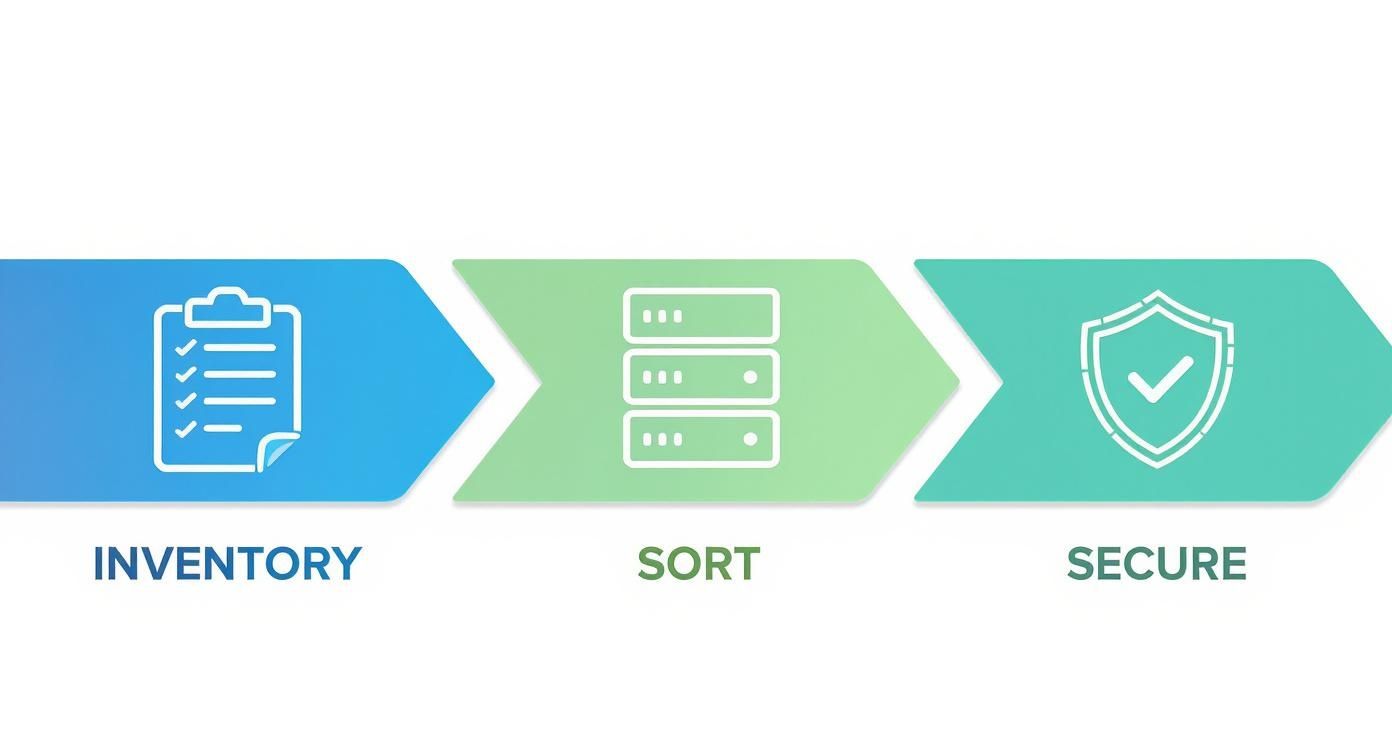
Following these steps—inventory, sort, and secure—is the foundation for a clean chain of custody and verifiable data destruction.
On-Site Shredding vs. Off-Site Wiping
You've got two main options for how the destruction happens, and the right choice usually comes down to your company's risk tolerance.
Think about a financial firm in Sandy Springs retiring servers packed with client PII and proprietary trading algorithms. The risk of that data even leaving their building is unacceptable. For them, on-site hard drive shredding is the only answer. We bring a mobile shredding truck right to their office, and they can watch every single drive get turned into a pile of metal fragments. It’s undeniable proof.
Now, consider a marketing agency in Midtown recycling old employee laptops. The data is important, but it might not fall under the same intense regulatory scrutiny. Here, off-site data wiping at our secure facility is a great, cost-effective solution. We transport the laptops, perform a certified, multi-pass wipe on every drive, and provide a full report confirming the sanitization.
The decision is about balancing risk, cost, and compliance. For the most sensitive data—think intellectual property, financial records, or healthcare data—witnessed on-site shredding is the gold standard of due diligence.
The Power of a Certificate of Data Destruction
No matter which method you go with, the job isn't done until you have the paperwork to prove it. A legitimate Certificate of Data Destruction is the bedrock of your compliance strategy. This isn't just a receipt; it's a detailed, legally binding document that proves you took every necessary step to protect your data.
A proper certificate must include:
- Unique Serial Numbers: Every single hard drive or device that was destroyed needs to be listed by its serial number.
- Destruction Method: It should clearly state what was done (e.g., "NIST 800-88 compliant shredding" or "3-pass DoD 5220.22-M wipe").
- Date and Location: When and where the destruction took place.
- Chain of Custody Signature: A sign-off from the vendor, confirming the transfer of liability and completion of the work.
This serialized report is your shield in an audit. Without it, you have no way to prove your data was handled correctly. You can get a closer look at what makes this document legally defensible by learning more about a formal Certificate of Destruction.
Of course, secure e-waste disposal is just one piece of the puzzle. A truly robust data protection strategy is needed across your entire operation. Adopting these data loss prevention best practices can help you build a more comprehensive defense.
Choosing Between E-Waste Pickup and Drop-Off Services
Once you’ve inventoried and sorted all your old IT gear, you’ve got to get it from your office to the recycling facility. For any business managing electronic recycling in Atlanta, GA, this decision comes down to two real options: scheduling a professional pickup or hauling it to a drop-off location yourself.
The right choice isn't just about what's easiest; it directly impacts your efficiency, security, and bottom line. What works for a small startup getting rid of a couple of old desktops is completely different from the logistics needed for a major corporate office cleanout. Let's break down where each service really makes sense.
When a Scheduled Pickup Is the Smart Choice
Honestly, for most businesses, scheduling a pickup is the go-to and most secure option. It becomes a flat-out necessity once you're dealing with anything more than a few lightweight items. Just picture the logistics of a full office refresh or a data center decommissioning—you can’t expect your team to safely transport dozens of PCs or heavy server racks on their own.
A professional pickup is the only practical solution in a few common scenarios:
- You've Got Volume: If you have more than 10-15 major items like PCs, servers, or big printers, a pickup is the only way to handle that load efficiently.
- The Equipment is Heavy or Awkward: We're talking server racks, enterprise-grade network switches, and those massive multifunction printers. A trained crew with the right gear can get them out without wrecking your property or injuring someone.
- You're Decommissioning a Data Center: This is a complex project, period. Moving sensitive server equipment requires a secure, documented chain of custody from the second it leaves your racks.
- Your Team's Time is Valuable: Trying to coordinate a large drop-off can burn through hours of your staff's time. A pickup service works around your schedule, keeping disruptions to a minimum.
For most organizations, the security and sheer efficiency of a scheduled service are non-negotiable. Montclair Crew makes this dead simple. You can see how our team handles all the logistics with our free business electronics recycling pickup service.
A scheduled pickup isn’t a luxury; it’s a core component of a secure and efficient IT asset disposition plan. It ensures a seamless, documented transfer of equipment from your control to ours, which is the first step in a verifiable chain of custody.
Making Your Pickup Fast and Efficient
Want to make the pickup process as smooth as possible? A little prep work goes a very long way.
Once you’ve sorted your equipment and finalized your inventory list, just stage everything in one spot that’s easy to get to. A loading dock is perfect, but a ground-floor conference room or a secure storage area works just as well.
This simple step allows our team to work quickly without getting in your employees' way. Having all the assets consolidated saves a ton of time and makes it easy to verify the inventory list against the actual gear before we load it up. It’s the key to making sure the whole process is buttoned-up, efficient, and accurate.
Scenarios Where Drop-Off Makes Sense
While pickups are the standard for bigger jobs, a drop-off service definitely has its place. It's a great fit for small businesses or companies with just a handful of items to recycle.
If you only have a few desktops, a box of old keyboards, or a single printer that's seen better days, bringing them to a designated recycling center is a practical, straightforward option.
Think of a small graphic design studio in Roswell with two old iMacs and a box of cables. It would be total overkill to schedule a large truck for that. A quick trip to a local drop-off facility like our location in Smyrna is a much more sensible solution.
This approach works best when:
- You have fewer than 10 small-to-medium-sized items.
- The equipment is light enough for one or two people to handle without throwing out their back.
- You have a suitable vehicle to transport the electronics securely.
- Your schedule is flexible enough to visit the facility during its operating hours.
Ultimately, choosing between these services comes down to scale and security. Take a hard look at your specific needs and pick the path that offers the most efficient and secure solution for your retired IT assets.
Pickup Service vs. Drop-Off Location: Which Is Right for You?
Choosing the right disposal method can feel like a small detail, but it has a real impact on your company's time, budget, and security. This table breaks down the key differences to help you decide what makes the most sense for your situation.
| Consideration | Scheduled Pickup Service | Drop-Off Location |
|---|---|---|
| Best For | High-volume (10+ items), heavy equipment, and sensitive data. | Low-volume (fewer than 10 items), small or lightweight gear. |
| Convenience | High. The service comes to you on your schedule. | Low. Requires you to transport items during business hours. |
| Security | High. Creates a secure, documented chain of custody from your door. | Moderate. You are responsible for security during transport. |
| Labor | Minimal. The recycling crew handles all lifting and loading. | High. Your team is responsible for all labor. |
| Typical Use Cases | Office cleanouts, data center decommissioning, tech refreshes. | Small businesses, minor equipment upgrades, individual item disposal. |
| Cost | Often free for qualifying business loads; highly cost-effective for volume. | Free for drop-off, but you incur costs in staff time and transport. |
At the end of the day, both options get the job done. But for most businesses in the Metro Atlanta area, the security, efficiency, and sheer convenience of a scheduled pickup make it the clear winner for handling IT asset disposition professionally.
Staying Compliant with E-Waste Rules and Local Regulations
Let's be blunt: staying on the right side of e-waste laws isn't just good for business—it's a legal must. Messing this up can lead to some serious fines and do lasting damage to your company's reputation. When you're dealing with electronic recycling in Atlanta, GA, the first step is simply understanding the rules. It might seem like a tangled mess of regulations, but it all comes down to two things: protecting sensitive data and protecting the environment.
At the federal level, you've got laws like the Resource Conservation and Recovery Act (RCRA). This sets the ground rules for handling hazardous waste, which includes components found in a lot of old electronics. Think of old-school CRT monitors loaded with leaded glass—RCRA was made for stuff like that. While it seems specific, its core idea of responsible disposal is something that applies to all your IT gear. Ignoring these federal mandates can cost you way more than just doing it right from the start.
Industry-Specific Rules Atlanta Businesses Can't Ignore
Beyond the big federal laws, many businesses in the Atlanta area have to follow strict, industry-specific data protection rules. This isn't optional. It’s part of your license to operate, and it follows your IT equipment all the way to the recycling bin.
Your recycling partner absolutely has to be up to speed on these standards. It's a non-negotiable.
- Healthcare (HIPAA): A medical practice in Marietta getting rid of old computers has a huge liability on its hands. Those hard drives are packed with protected health information (PHI). Just wiping them won't cut it. You need certified, documented destruction to stay HIPAA compliant.
- Finance (SOX/GLBA): That financial advisory firm over in Buckhead can't afford any slip-ups. To comply with Sarbanes-Oxley and the Gramm-Leach-Bliley acts, all client data on their old servers has to be completely and permanently destroyed.
- Legal and Professional Services: Any business handling Personally Identifiable Information (PII) for clients—lawyers, accountants, consultants—has a massive legal and ethical duty to protect that data from cradle to grave. Disposal is a critical part of that lifecycle.
If your vendor doesn't get this, they're creating a huge risk for your business. The right partner isn't just a hauler; they're an extension of your own compliance team, making sure every single device is handled exactly by the book for your specific industry.
Why Certifications Are Your Best Friend
So, how do you know a recycler actually does what they say they do? Look for their certifications. These aren't just fancy logos they slap on a website. They're hard-earned proof that a vendor has passed rigorous, independent audits covering everything from their data security protocols to their environmental practices.
For any business in Atlanta, two certifications are the undisputed gold standard: R2 (Responsible Recycling) and e-Stewards. If a vendor has one of these, it means they've proven they don't just ship hazardous e-waste overseas and that they maintain a secure, documented chain of custody for every asset.
Choosing a certified recycler is the single most effective way to vet a partner. It gives you peace of mind and, just as importantly, a defensible position if your disposal methods are ever questioned.
While local governments are pushing for better recycling, the responsibility often falls on businesses to lead by example. The City of Atlanta's own efforts, for instance, have struggled to keep up. A recent audit showed the city's household waste recycling rate is only 23-25%, which is just shy of the national average and the EPA's federal standard. You can read the full breakdown of Atlanta's recycling audit on Waste360. This just goes to show how much of an impact your business can make by stepping up and partnering with a certified, responsible recycler. It’s a chance to show real corporate leadership.
How to Select the Right E-Recycling Partner in Atlanta

Choosing your partner for electronic recycling in Atlanta, GA, is one of the most important vendor decisions you'll make. This isn't just about hauling away old equipment; this company will hold your data security, legal compliance, and environmental reputation in their hands.
A lowball price quote means absolutely nothing if that vendor cuts corners, exposing you to massive risk. This decision can't be based on cost alone. The right partner is an extension of your compliance team. The wrong one can quickly become your single biggest liability.
Questions That Reveal True Competence
When you start talking to potential vendors, you need to dig deeper than their marketing slicks. Ask tough, specific questions. Vague answers are a huge red flag. A true professional will have clear, confident responses ready to go.
Here’s what you should be asking every single one:
- Certifications: "Are you R2 or e-Stewards certified? Can I see a copy of your current certificate?"
- Data Destruction: "Walk me through your data destruction methods. Do they meet NIST 800-88 standards?"
- Insurance: "What's your liability coverage for data breaches? Please provide proof of insurance."
- Downstream Reporting: "Can you provide a full report showing exactly where all non-reusable materials are sent for final processing?"
- On-Site Options: "Do you offer on-site hard drive shredding, and can my team witness the entire process?"
If a vendor hesitates, deflects, or gives you evasive answers to any of these, they should be immediately disqualified. No exceptions.
The quality of a vendor's answers directly reflects the quality of their service. Transparency isn't a bonus feature; it's the bare minimum requirement for a partner you can trust with your sensitive assets.
Identifying Critical Red Flags
Beyond their direct answers, you need to pay close attention to the small details that show how a company really operates.
Be wary of any vendor who focuses almost exclusively on price. The same goes for those offering cash for equipment without a rock-solid, documented process for data sanitization. A refusal to provide detailed documentation is another deal-breaker—it almost always means they have something to hide.
The global context really drives home why this matters. Worldwide, e-waste is soaring, with a projected market growth of 6.7% annually through 2030. As a major business hub, Atlanta plays a huge role in this. This growing volume means more risk and a greater need for diligence.
Making the Final Choice
Your final decision should rest on a foundation of trust, transparency, and verified competence. Don’t just look for a disposal service; look for a long-term risk management partner.
A reliable company will provide clear communication, ironclad documentation, and a proven commitment to both data security and environmental stewardship. For a closer look at what separates the pros from the pretenders, check out our guide on choosing between e-waste disposal companies.
Common Questions We Hear About Atlanta E-Recycling
Even with the best-laid plans, a few specific questions always seem to pop up when a business is ready to tackle its retired IT assets. Getting straight answers is key to moving forward with confidence. Here are a few of the most common questions we field from businesses right here in the Atlanta area.
What Kind of Electronics Can You Take?
For the most part, we handle the full spectrum of business IT equipment. Think computers, laptops, servers, and all the networking gear that makes an office run—routers, switches, firewalls, you name it. We also take care of peripherals like monitors, printers, keyboards, mice, cables, and mobile devices.
The main exception is highly specialized gear, like certain types of medical or laboratory equipment. These items sometimes fall under different regulations and require special handling.
A good rule of thumb? If it plugs into a wall or runs on a battery and was used in your office, a certified recycler can probably handle it. But it never hurts to ask, just to be sure.
Is This Going to Cost Our Business Anything?
That really depends on what you have. If your equipment is relatively new and still has some life in it, we can often refurbish and resell it. In those cases, recycling is typically free, and you might even see some money back through an asset recovery program.
On the other hand, older, obsolete items with no resale value—especially things like bulky CRT monitors—cost money to transport and break down responsibly. For those materials, a fee is pretty standard to cover the labor and processing involved. We always provide a clear, detailed quote upfront so there are no surprises.
How Do We Know for Sure Our Company’s Data is Destroyed?
This is the most critical question, and the answer shouldn't be a simple "trust us." Real security comes from proof. You should always work with a certified vendor who provides a formal Certificate of Data Destruction. This is your official record, your proof of compliance, and it's non-negotiable.
That certificate should list the unique serial numbers of every single drive that was wiped or shredded. For companies that need the absolute highest level of assurance, we offer on-site hard drive shredding. We bring the shredder right to your facility, so your team can physically watch every drive be destroyed before it ever leaves your sight.
Ready to put a secure, compliant, and straightforward e-recycling plan in place for your Atlanta business? Montclair Crew Recycling delivers certified data destruction, free pickups for qualifying business loads, and a transparent process you can count on. Schedule your IT asset pickup today!
