

Dealing with old IT equipment isn't just another cleanup task for your Atlanta business. It's a major decision that directly impacts your data security, your brand’s reputation, and your environmental footprint. A smart e-waste strategy isn't a burden; it's a competitive advantage that keeps you compliant and shows you’re serious about sustainability.
Why Recycling IT Equipment Is a Smart Move for Atlanta Businesses
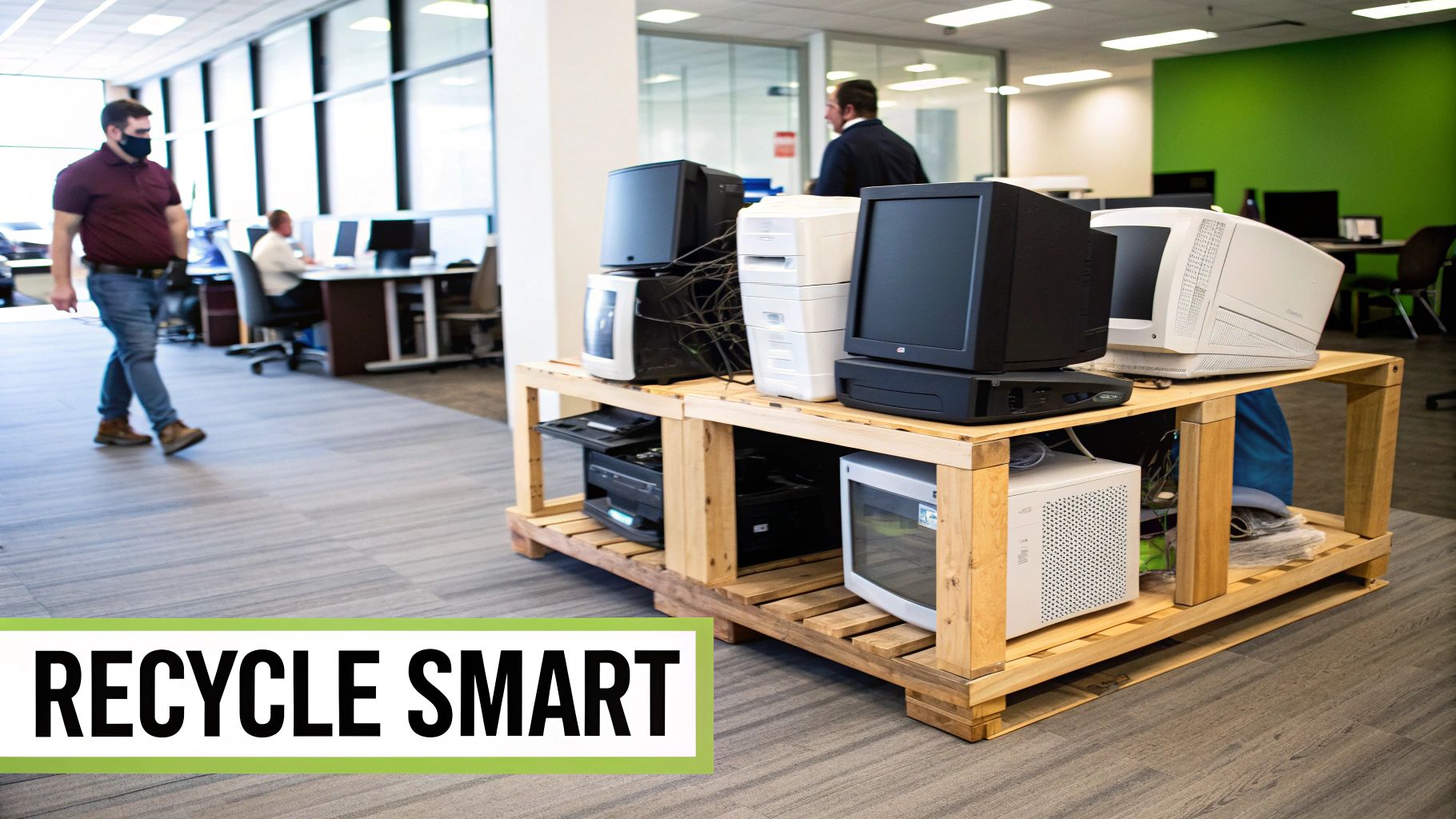
When an office server finally gives out or it's time to upgrade the whole team's laptops, the easiest thing to do might seem like shoving them in a storage closet. But that approach creates a ticking time bomb—both as a security risk and a huge missed opportunity. Every single device, from a desktop PC to a network switch, is loaded with sensitive company and client data that absolutely must be destroyed properly.
Beyond just protecting data, responsible electronics recycling has a massive positive impact. It keeps hazardous materials like lead and mercury out of our landfills, protecting local ecosystems. Plus, it allows us to recover valuable resources like gold, silver, and copper, which cuts down on the need for destructive new mining operations. For a deeper look, check out our guide on the environmental impact of electronic waste to see how proper disposal really makes a difference.
Enhancing Your Corporate Image
Let's be honest, in today's market, customers and partners want to work with businesses that care. A public commitment to properly recycle in Atlanta is a powerful way to strengthen your brand. It sends a crystal-clear message that your company is forward-thinking, environmentally conscious, and invested in the community.
This commitment can set you apart from the competition, proving that your operational standards are about more than just your core services. Thinking about how old equipment fits into your bigger picture often starts with looking at comprehensive IT services that share your company's values.
By turning outdated technology into a verifiable act of environmental stewardship, your business transforms a simple operational task into a powerful statement about its values and dedication to a sustainable future.
Meeting Compliance and Security Mandates
Many industries, especially healthcare (HIPAA) and finance (GLBA), have incredibly strict rules about data privacy and disposal. Getting it wrong can lead to crippling fines and a PR nightmare.
A certified IT recycling partner gives you the documentation you need, like a Certificate of Destruction, to prove you’ve met your legal obligations. This paperwork is your guarantee that every data-bearing device was sanitized according to industry best practices, shielding your business from liability down the road. This makes your decision to recycle in Atlanta not just an environmental choice, but a critical business safeguard.
Preparing Your IT Assets for Secure Recycling
A successful IT recycling project starts long before our truck ever pulls up to your door. The very first move—and honestly, the most important one—is to get a clear, organized inventory of every single piece of equipment you plan to get rid of.
If you skip this step, things can get messy fast. We’ve seen it happen. It leads to security risks, logistical headaches, and a lot of last-minute scrambling. A solid asset list makes sure nothing gets overlooked and gives both your team and your recycling partner the clarity needed to get the job done right.
Creating Your Asset Inventory
Think of this as a final audit for your tech. If you're a healthcare provider, you might be cataloging patient-facing tablets separately from the printers in the back office. A marketing agency, on the other hand, would need to differentiate between its high-powered creative workstations and the standard desktops used for admin tasks. Each category comes with its own data security considerations.
Your inventory doesn't need to be a masterpiece of spreadsheet engineering. Often, a simple list is all it takes. The real goal here is to create a master record that lets you track every asset from your office to its final, secure disposition.
Start by jotting down the essentials for each item:
- Asset Type: Is it a laptop, server, monitor, or networking switch?
- Brand and Model: Get as specific as you can (e.g., Dell Latitude 7420).
- Serial Number or Asset Tag: This is your key unique identifier. Don't skip it.
- Condition: Is it working, dead on arrival, or physically damaged?
- Location: Note the office, floor, or room where the gear is currently sitting.
This organized approach is the foundation for a smooth process when you decide to recycle in Atlanta. It gives your recycling partner a clear picture of the project's scope right from the start.
Taking the time to build a detailed inventory isn’t just about logistics. It’s a critical security measure that establishes a clear chain of custody, ensuring every single device that holds data is accounted for and properly sanitized.
Before you start creating your inventory, it's helpful to know what types of equipment are typically accepted. This checklist gives you a quick reference for common business IT assets.
Common Business IT Equipment Accepted for Recycling
Use this checklist to quickly identify the IT assets your business can recycle. Note that specific requirements may vary by recycling partner.
| Category | Accepted Items (Examples) | Special Notes |
|---|---|---|
| Computers & Laptops | Desktops, Laptops, Servers, Mainframes, Workstations | Includes all brands (Dell, HP, Apple, etc.). Data destruction is recommended. |
| Monitors & Displays | LCD, LED, Plasma Monitors, Projectors | CRT monitors are often handled separately due to hazardous materials. |
| Networking Gear | Routers, Switches, Firewalls, Modems, Hubs | Includes enterprise-grade and small office equipment. |
| Mobile Devices | Smartphones, Tablets, PDAs, E-readers | Ensure all personal/company accounts are logged out and devices are wiped. |
| Peripherals | Keyboards, Mice, Cables, Speakers, Webcams, Docking Stations | Power cords and adapters should be included if possible. |
| Storage Devices | External Hard Drives, Solid-State Drives (SSDs), USB Drives | Physical destruction is the most secure method for end-of-life media. |
| Printers & Scanners | Inkjet/Laser Printers, Scanners, Copiers, Fax Machines | Remember to remove ink and toner cartridges before recycling. |
| Telecom Equipment | Office Phones, VoIP Systems, PBX Systems, Answering Machines | Often contains recyclable circuit boards and plastics. |
Having a clear list like this makes the inventory process much more straightforward and helps ensure you don't miss anything.
Physical Preparation and Staging
Once your list is squared away, the next job is to physically gather all the equipment. Find a secure, accessible spot—maybe an unused office or a locked storage room—and make that your staging zone. Moving everything to one location prevents that last-minute panic when the pickup team arrives.
This simple action also helps stop "asset creep," which is what happens when devices meant for recycling somehow wander back into circulation or get misplaced. Remember, every device, no matter how old or beat-up, could still have sensitive data on it. For a complete guide on this critical step, you can learn more about how to properly wipe a computer before recycling it.
This infographic offers a simple way to start categorizing your equipment for your inventory list.
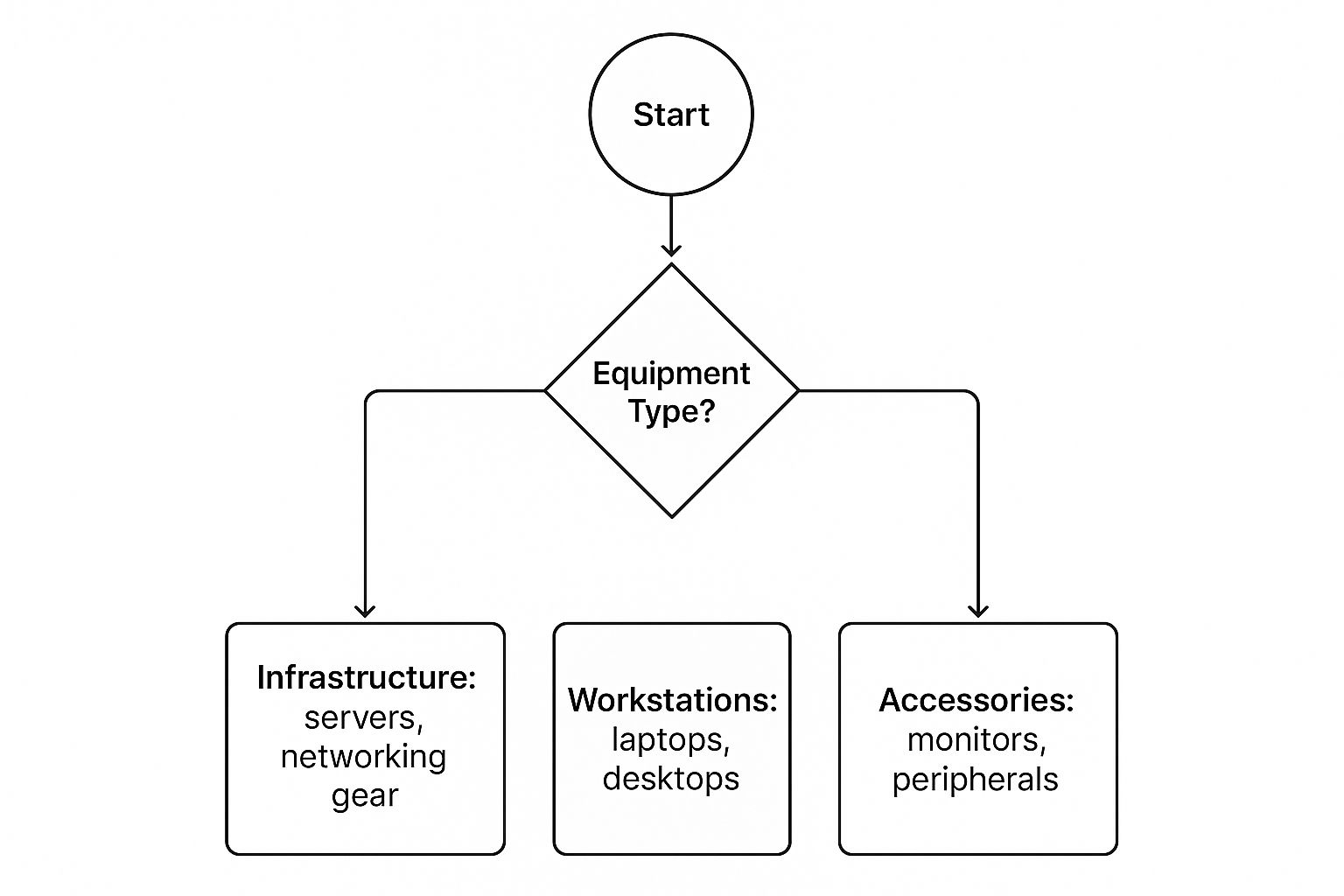
This decision tree helps visualize how different IT assets fall into broader categories, which is the first step in creating a manageable inventory.
While businesses like yours are tackling e-waste, the city itself faces its own recycling challenges. In 2023, Atlanta’s Public Works collected around 19,800 tons of recyclables from homes, but participation rates swung wildly from just 15% in some neighborhoods to 25% in others. These numbers show there's still a lot of work to be done in public education to boost the city's overall waste diversion efforts.
Choosing the Right Data Destruction Method
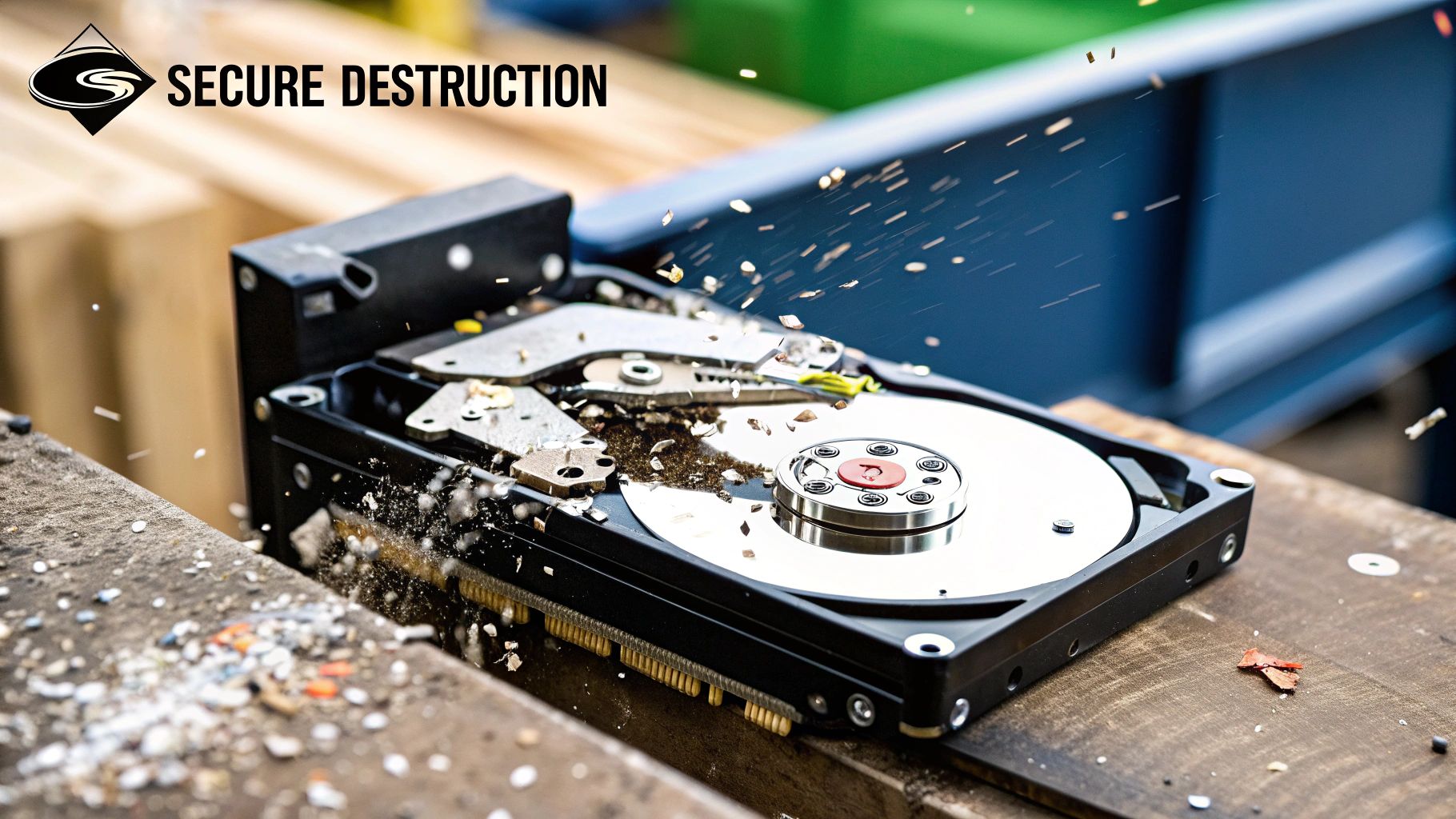
When you decide to recycle in Atlanta, the biggest risk isn’t about the environment—it’s about the sensitive data left on your old hard drives. A single data breach can cost a company millions, not to mention the irreparable harm to its reputation. The most critical part of any IT disposal plan is turning that risk into a managed, verifiable process.
The right method really boils down to your industry, how sensitive your data is, and what compliance rules you have to follow. For a lot of businesses, a professional software wipe is more than enough. For others, nothing short of turning that hard drive into tiny metal bits will do.
Software-Based Data Wiping
This method, often called wiping or sanitization, uses specialized programs to overwrite every bit of data on a hard drive with random characters. Think of it as scrambling the original information so thoroughly that it's impossible to recover through normal means. The gold standard for this is the NIST 800-88 guideline, which sets the framework for doing this correctly.
Software wiping is the perfect choice for devices that still have life in them and could be refurbished or resold. It keeps the hard drive physically intact, making it a secure and economically smart move if your equipment has resale value. The key is partnering with a recycler who can certify that the wipe was performed to these exact standards. You can get a deeper look at the process in our guide on what data sanitization truly involves.
Physical Hard Drive Shredding
If you're an organization handling highly sensitive information—like a healthcare provider with patient records or a financial firm with client data—physical destruction is often the only way to go. This process is exactly what it sounds like: we feed hard drives into an industrial shredder that grinds them into small, unsalvageable metal fragments.
There’s no ambiguity here. With shredding, the data is gone forever. It's the ultimate guarantee of security and is frequently a requirement to meet strict compliance mandates like HIPAA. Many partners, including Montclair Crew, even offer on-site shredding, so you can watch the destruction yourself and get that complete peace of mind.
A Certificate of Data Destruction is more than just a piece of paper. It’s your legal proof that you took the necessary steps to protect sensitive information, serving as a critical line of defense in the event of an audit or legal inquiry.
Vetting Your Recycling Partner
Picking the right partner to recycle in Atlanta is just as important as picking the right destruction method. Not all recyclers operate at the same level, and asking a few pointed questions upfront can save you from a potential disaster down the road.
Before you hand over any equipment, make sure you ask a potential partner these questions:
- Do you provide a Certificate of Data Destruction? This is non-negotiable. It should list the serial numbers of every drive that was destroyed.
- What data destruction standards do you follow? You want to hear them mention compliance with standards like NIST 800-88 or the Department of Defense (DoD) 5220.22-M.
- Can we witness the destruction process? A reputable recycler will have no problem with this, whether it's in person or through a secure video feed.
- What are your chain-of-custody procedures? You need to understand how they track and secure your assets from the second they leave your facility.
While Atlanta businesses are rightly focused on data security, it's interesting to see how the city is working on its broader recycling efforts. A recent audit showed Atlanta now recycles about 23% of its household waste—a big jump from 11% in 2016, but still behind the national average. It’s a good reminder of the operational complexities involved, and you can read the full analysis of Atlanta's recycling program audit to get the bigger picture.
Coordinating Equipment Pickup and Drop-Off in Atlanta

So, your equipment is cataloged, and you have a solid plan for destroying the data. The last piece of the puzzle is the physical part: getting all that gear out of your facility.
For businesses in the Atlanta area, this really boils down to two options. You can either schedule a professional pickup service to handle the heavy lifting or you can manage the drop-off yourself. The right call depends entirely on your situation—how much equipment you have, your security protocols, and what kind of manpower you can spare.
Making the wrong choice can burn through time and rack up unexpected costs. A small marketing firm with a dozen old laptops might find it easy to just drop them off. But a large corporation decommissioning an entire server room? A professional pickup isn't just a convenience; it's a necessity.
Scheduling a Professional Pickup Service
For most businesses, especially those with a serious amount of equipment or strict security requirements, a scheduled pickup is the most practical way to go. It’s the full-service route, designed to cause as little disruption to your day-to-day operations as possible.
When you bring in a professional crew, you're getting more than just a truck. You're getting a secure chain of custody from the second those assets leave your office. It's the go-to method for any organization needing to recycle in Atlanta efficiently and without tying up internal resources. We've handled pickups from downtown high-rises, sprawling suburban office parks, and everywhere in between.
The process is simple. Once you share your asset list, a good recycling partner coordinates the entire pickup, which includes sending the right team and equipment to get the job done safely.
A professional pickup isn't just about making things easy. It's a strategic move. It gives you a secure, documented, and insured transfer of your assets, protecting your company from liability the moment that equipment is loaded up.
A little planning on your end will make the whole process completely seamless.
- Talk to Building Management: If you're in a multi-tenant building, give your property manager a heads-up about the pickup date and time.
- Clear the Way: Make sure the path from your IT closet or staging area to the loading dock is free of clutter.
- Pick a Point Person: Have one person from your team ready to meet the crew and sign off on the transfer paperwork.
This kind of coordination transforms a potentially chaotic logistical task into a smooth, managed event. For businesses ready to move forward, you can easily schedule your IT equipment pickup with us right online.
Using a Local Drop-Off Facility
If your business only has a few items to get rid of, or if you simply prefer to handle the transport yourself, dropping the equipment off is a fantastic alternative. This route gives you total flexibility and control over the timing.
Many Atlanta-area recyclers, including Montclair Crew right here in Smyrna, have convenient drop-off locations set up specifically for businesses.
Before you start loading up your vehicle, always double-check the facility's hours and ask about any specific drop-off procedures. Some places might require an appointment or have designated areas for commercial drop-offs. A quick call ahead of time can save you from a wasted trip.
It's worth noting that the recycling framework across the city can vary quite a bit, which points to some larger infrastructural challenges. For example, residential recycling participation can swing wildly by neighborhood—some areas like Buckhead hit 25% participation, while parts of southwest Atlanta are as low as 15%. These gaps often come from inconsistent services, especially for the nearly half of Atlanta homes that are in multifamily complexes. To get a better feel for the city's overall recycling efforts, you can read more about the audit of Atlanta's recycling effectiveness citywide.
Confirming Compliance with Final Documentation
The job isn’t quite done just because your old equipment is out the door. Honestly, the final step is arguably the most critical: getting the right documentation in your hands. This paperwork is your official, auditable proof that every single asset was handled responsibly and every hard drive was properly sanitized.
Without this final piece, your business is left wide open. The right documents officially close the loop on your IT asset lifecycle. They serve as a concrete defense if you ever face legal questions and show a real commitment to doing the right thing. It’s what turns the physical act of recycling into a bulletproof business process.
Understanding Your Key Documents
Once everything is processed, your recycling partner should hand over two essential documents. For us, these are non-negotiable for proving compliance and protecting our clients.
First up is the Certificate of Recycling. This is your proof that all those electronics were processed in an environmentally sound way, following every local and federal rule. It should break down the types and weights of materials recycled, giving you a clear record of your company's positive impact.
Even more important is the Certificate of Data Destruction. This is your legal shield, proving that every device holding sensitive information was either wiped clean or physically destroyed. For a deeper dive into what this certificate covers and why it’s so vital, check out our detailed guide on the importance of a certificate of destruction. To stay on the right side of the law and avoid hefty penalties, it's crucial to understand legal data security requirements that dictate what your final paperwork must include.
A complete set of documentation is more than just a record—it's your liability shield. If an auditor ever comes knocking or a data breach investigation occurs, these certificates are undeniable proof that your organization followed best practices.
What to Look for in a Certified Recycler
The quality of your paperwork is only as good as the recycler who issues it. The best partners in the industry hold certifications that prove they’re committed to the highest standards. When you’re vetting a company, keep an eye out for these two big ones.
- R2 (Responsible Recycling): This certification is a strong indicator of a commitment to safe environmental practices, solid data security, and worker health and safety.
- e-Stewards: Often seen as the gold standard, e-Stewards certification guarantees that no hazardous e-waste gets shipped to developing countries and that data security is a top priority.
Choosing a certified partner to recycle in Atlanta means your final documents are backed by a recognized and audited authority. It’s the peace of mind you need to know your brand and your data are in safe hands, wrapping up your IT disposal project with integrity.
Your Top Atlanta IT Recycling Questions Answered
When you're ready to get an IT recycling program off the ground, a few key questions always pop up. Getting straight answers from the beginning is the best way to make sure everything runs smoothly and securely, fitting right into your business's workflow. Here are the most common things we get asked by organizations all over the Atlanta area.
What’s This Going to Cost Us?
This is always the first question, and the honest answer is: it depends on what you have. For a lot of businesses, especially if you’re getting rid of newer equipment like enterprise servers or a large number of laptops, the service can actually be free or even generate a return. The value we recover from reselling those assets often covers all the costs for logistics and data destruction.
On the other hand, some items do have a recycling fee. Think old CRT monitors or those giant office copiers—they contain hazardous materials that cost money to dispose of safely. Any reputable partner will give you a clear, detailed quote upfront. No surprises.
How Long Does This Whole Process Take?
The timeline is really up to you and how prepared you are. If you have all your equipment staged and ready to go, we can often schedule a pickup within just a few business days. Once we get the gear back to our facility, the full audit and data destruction process usually takes another 5-7 business days.
The biggest factor that speeds things up is your internal prep. If you have a solid inventory of what's going and have it all in one place, we can move much faster from the initial call to getting you your final compliance certificates.
We Have Multiple Offices. Can You Handle That?
Absolutely. We do this all the time for companies with offices scattered across metro Atlanta, from Alpharetta down to Marietta. We can coordinate the logistics to either pick up from each location individually or set up a central drop-off point—whatever makes the most sense for your team.
Handling it this way keeps the chain-of-custody consistent and makes the paperwork a breeze. You'll get a single set of recycling and data destruction certificates covering the entire project.
What If We Have More Than Just IT Gear?
We get it. Office cleanouts are rarely just computers. We often end up handling things like old office phone systems, lab equipment, and all sorts of electronic odds and ends. If you've got items you're not sure about, just ask.
If it's something we can't process ourselves, we almost certainly know a trusted local partner who can. Choosing to recycle in Atlanta the right way means finding a responsible home for every piece of equipment you're retiring.
Ready to build a secure and compliant IT disposal plan for your Atlanta business? The experts at Montclair Crew Recycling are here to manage every detail, from secure pickup to certified data destruction. Contact us today for a no-obligation quote!
